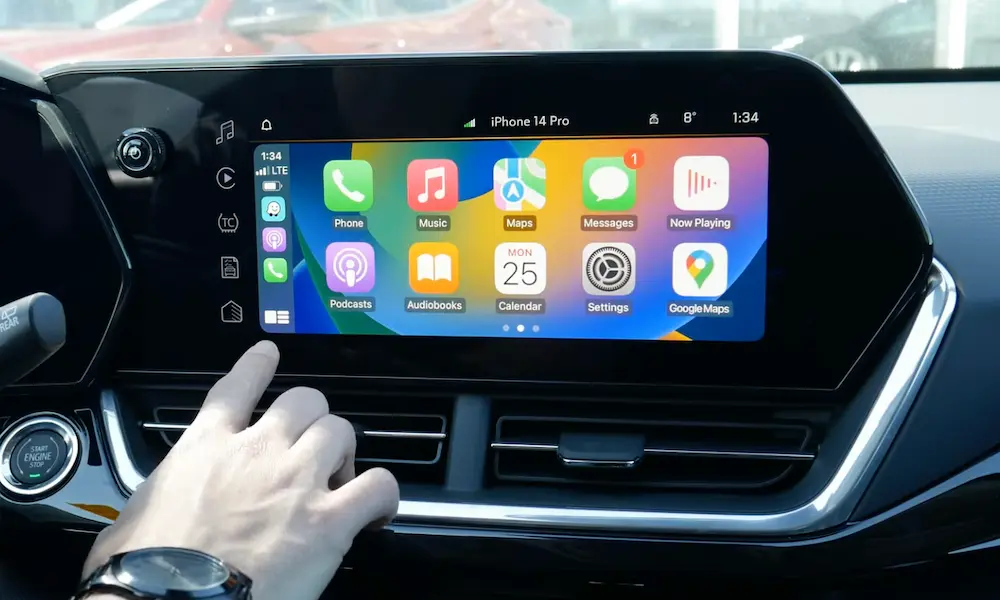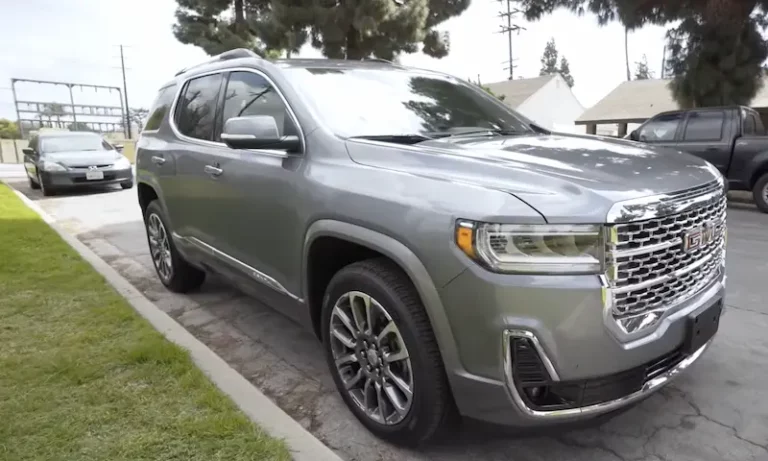
That “Service Side Detection System” message just lit up your dash, and now your blind spot alerts are gone. It’s annoying, it’s a safety concern, and it might be more serious than a simple sensor glitch. This guide breaks down exactly what causes it, what it costs you, and what you can do about it right now.
What Is the GMC Acadia Side Detection System?
The GMC Acadia Service Side Detection System is a radar-based safety suite built into the rear of your vehicle. It’s not just one sensor — it’s a network of components working together to keep you aware of what’s beside and behind you.
Here’s what the system actually does:
| Feature | What It Detects | How It Alerts You |
|---|---|---|
| Side Blind Zone Alert (SBZA) | Vehicles in your blind spot | Solid amber icon in side mirror |
| Lane Change Alert (LCA) | Fast-approaching vehicles in adjacent lane | Amber icon when car enters zone |
| Rear Cross Traffic Alert (RCTA) | Traffic crossing behind you while reversing | Amber icon + chime on some models |
| Active Lane Warning | Conflict during a lane change attempt | Rapidly flashing mirror icon |
One thing worth knowing: according to GMC’s own support documentation, this system is purely advisory. It doesn’t steer or brake for you. It just tells you something’s there.
When the system detects a fault, it shuts everything down to prevent false warnings — and that’s when the dreaded message appears on your Driver Information Center (DIC).
The Master/Slave Setup Most People Don’t Know About
Your Acadia runs two radar modules — one on each side of the rear bumper. But they don’t operate as equals. GM’s technical service bulletin confirms they work in a Master/Slave configuration:
- Left module = Master. It talks directly to the vehicle’s CAN bus (the main communication network).
- Right module = Slave. It sends raw data to the Master, which does all the processing.
Why does this matter to you? If the Master module fails, the entire system goes dark — both sides. If the Slave fails, you lose detection on the right side, but the Master still reports a full system fault. Either way, you get that warning message.
Why Does the GMC Acadia Side Detection System Fail?
There are three main culprits. Each one shows up differently and requires a different fix.
Water and Road Salt Are the Biggest Killers
The radar modules sit directly behind the rear bumper corners — right in the tire spray zone. Every time it rains or you drive on salted roads, water, mud, and road salt get blasted into that cavity.
Technicians on Reddit have documented some of the most corroded modules imaginable, with internal circuit boards showing full copper oxidation (“green crust”) from electrolytic corrosion. When salt water bridges across the circuit board, it creates a short. This sets DTC U0159, meaning total loss of communication with the module.
In severe cases, the corroded material inside the module physically expands and cracks the plastic housing, letting in even more moisture. Once that starts, the module is done.
First-gen Acadia owners (2007–2016) face the worst exposure because the original gaskets and connectors weren’t designed to survive long-term road spray bombardment.
A Broken Bracket With Zero Visible Damage
This one catches people off guard. You tap a parking barrier — barely enough to feel it — and six days later, “Side Detection System Unavailable” appears every time you start the car.
GM’s preliminary information bulletin PIT5622B explains exactly why this happens. The second-generation Acadia (2017–2023) uses heat-staked plastic brackets to mount the radar modules inside the bumper. The bumper fascia is flexible and bounces back from minor hits. The brackets are rigid and brittle — they snap.
Here’s the frustrating part: the module runs a spatial learning algorithm as you drive. It monitors stationary roadside objects like guardrails and signs to confirm its own orientation. If the bracket is bent, the radar sees things at the wrong angles. After about a week of driving, the module concludes it can’t give accurate warnings and shuts itself down.
No electrical fault. No DTCs in most cases. Just a logical shutdown — which makes it nearly invisible to basic scanner tools.
A Failing Module Can Take Down Your Entire Car
This is the scenario most owners never see coming. According to iCarsoft’s breakdown of code U0073, a corroded side detection module doesn’t just stop working — it can collapse the entire High-Speed CAN bus.
The CAN bus connects your engine control module, transmission control module, body control module, and every other major system. When a short inside a water-damaged sensor pulls down that network, you can experience:
- No-crank, no-start condition (especially with push-button start)
- Instrument cluster gauges freezing at speed
- Power steering assist dropping out
- Transmission stuck in limp mode
- Parasitic battery drain that kills the battery overnight
Several Acadia owners have traced repeated dead batteries back to a failing rear radar module keeping the BCM awake 24 hours a day. They replaced batteries, then alternators — before someone finally found the real culprit hiding behind the bumper.
How to Diagnose It Yourself (Before Spending Money)
Start simple. Work through this checklist before touching anything:
Check the obvious first:
- Is the rear bumper caked in mud, snow, or ice? Clean it. Heavy buildup genuinely blinds the sensors — that’s normal operation, not a failure.
- Did someone accidentally disable the system in the infotainment settings? Check your personalization menu.
- Is it raining heavily? The system can temporarily disable itself in extreme weather.
Check the fuse:
In second-gen Acadia and related GM platforms, the Side Blind Zone Alert system runs on a 7.5A fuse (labeled F7) in the luggage compartment fuse block. Pull it. If your no-start condition suddenly resolves, your module has an electrical short. That’s your confirmation.
Look inside the bumper:
If there’s no fault code but you’re getting the “unavailable” message at startup, you need to remove the rear bumper fascia and physically inspect the brackets. Check:
- Whether the heat-staked mounting points are still intact (tug lightly on each bracket)
- Whether one module sits at a different angle than the other — asymmetry = bent bracket
- Signs of moisture “wicking” up the wiring harness into the connector
GM’s Special Coverage: You Might Get This Fixed for Free
General Motors acknowledged the failure rates in older Acadia models and issued Special Coverage Adjustment N172097060. This is a targeted warranty extension — not a full recall — specifically for water intrusion failures causing the “Service Side Detection System” message.
Coverage terms:
- Applies primarily to 2013–2017 GMC Acadia models within specific VIN ranges
- Covers 6 years or 80,000 miles from original in-service date
- Costs you nothing if your vehicle qualifies
The fix isn’t just swapping old modules for identical ones. The remedy includes SBZA Sensor Kit Part No. 84651473, which contains:
- Two redesigned modules with improved internal sealing
- A new wiring harness (because the old connector pins are often corroded beyond recovery)
- Plastic protective covers that block tire spray from reaching the modules directly
Call your dealership with your VIN before paying for any repair. If your vehicle is within range, this is covered.
What Happens If You Replace the Modules Yourself
Swapping the physical hardware is only half the job. New modules arrive completely blank from the factory. You can’t just bolt them in and drive away.
GM’s technical service bulletin requires programming through GM’s SPS2 system using a J2534 passthrough device or dealer-grade MDI tool. The programming sequence runs through the left (Master) module. You also need a battery maintainer connected throughout — any voltage dip during the flash can permanently brick the new module.
For shops using aftermarket tools like Autel, ADAS calibration requirements are strict:
| Calibration Requirement | Spec |
|---|---|
| Floor levelness | Within 1/8 inch variance |
| Lighting | Uniform, flicker-free LED — no shadows |
| Reflective surfaces | Minimal chrome or glass near sensors |
| Tire pressure | Must match OEM door placard exactly |
Skip these steps and the system might “complete” calibration — but give you bad warnings on the road.
Newer Acadia Models Have Their Own Issues
If you’re driving a 2024–2025 Acadia, the failure patterns shift. The hardware is more advanced, but software initialization failures are increasingly common. A known bulletin (24-NA-102) identifies a conflict where the BCM and infotainment module fail to handshake properly, causing the Park Assist soft-key to freeze and the side detection system to report a fault — even with brand new hardware installed.
The fix is a re-flash of the Park Assist Module, not a sensor replacement. If your brand-new Acadia is showing these messages, push for a software update before anyone starts replacing parts.
One More Thing: Check Your Shifter and Your Roof
Two unrelated-looking issues can mimic or mask a side detection fault:
The “Shift to Park” problem: A faulty gear shifter sensor keeps your electronics active after parking, draining the battery. This can make it impossible to tell which module is actually causing a parasitic draw — the shifter sensor or the radar module.
Water intrusion through the roof: TSB 19-NA-167 documents pin hole voids in roof ditch laser brazing that let water drip directly onto the BCM. Since the BCM controls the side detection warning icons, moisture here produces the identical “Service Side Detection” message as a failed rear sensor. Before replacing anything, check the interior carpet behind the rear seats for dampness or mold.
The GMC Acadia Service Side Detection System is one of those problems that looks simple on the surface but has real depth once you start digging. The good news: most failures follow a predictable pattern, the coverage program can save you real money, and a thorough inspection beats throwing parts at it every time.