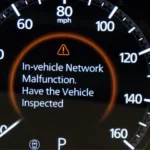
Is your Mazda dashboard suddenly lighting up with warnings about your Smart Brake System? You’re facing one of the most common issues affecting modern Mazda vehicles. These alerts can be frustrating and concerning, especially when they appear without warning during your daily commute. But here’s the good news – many of these malfunctions have simple fixes you can handle yourself, potentially saving hundreds in unnecessary repair bills.
What Is the Mazda Smart Brake System?
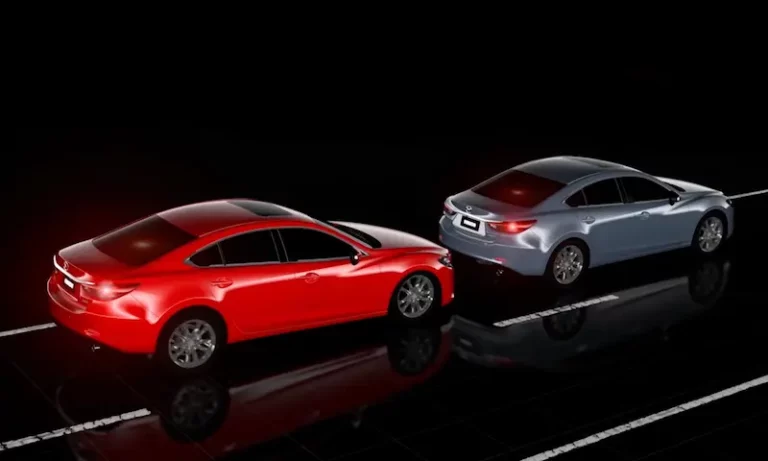
Mazda’s Smart Brake System is part of the i-ACTIVSENSE safety technology suite designed to prevent collisions and enhance driver safety. It uses a combination of cameras and radar sensors to:
- Detect vehicles and pedestrians ahead
- Warn drivers of potential collisions
- Automatically apply brakes in emergency situations
- Reduce collision impact when unavoidable
When functioning properly, this system provides invaluable protection. But when it malfunctions, you’ll typically see dashboard warnings like “Smart Brake System Malfunction,” “Forward Smart City Brake Support Malfunction,” or “i-ACTIVSENSE System Malfunction.”
Most Common Causes of Smart Brake System Malfunctions
1. Dirty or Obstructed Sensors
The most frequent cause is simply dirt or environmental obstruction of the system’s sensors. Your Mazda relies on two primary sensor systems:
Front Camera Issues:
The Forward Sensing Camera (FSC) sits behind your rearview mirror and can be blocked by:
- Foggy or dirty windshield
- Rain or snow
- Smudges on the inside glass
- Stickers or objects hanging from your mirror
Radar Sensor Blockage:
The front radar sensor is cleverly integrated into the Mazda logo on your front grille. This can become obstructed by:
- Snow and ice buildup
- Mud splatter after off-road driving
- Road debris or bugs
- Salt residue in winter months
A quick clean of these areas is often all you need to resolve the warning. Use a soft cloth for the inside windshield and gentle cleaning around the Mazda emblem – avoid high-pressure water that might damage sensitive electronics.
2. Low Brake Fluid Level
You might be surprised to learn that simply being low on brake fluid can trigger multiple system malfunctions. When brake fluid drops below the minimum level, Mazda’s safety systems automatically disable various functions including:
- Smart Brake Support (SBS)
- Smart City Brake Support (SCBS)
- Other i-ACTIVSENSE features
This safety feature prevents the systems from operating when the brakes might not have sufficient hydraulic pressure. Check your brake fluid reservoir – it should be between the MIN and MAX marks. If it’s low, top it up with the correct DOT fluid specification for your model.
3. Faulty Brake Switch
The brake light switch is a small but critical component that can cause widespread system failures. This switch tells your car’s computers when you’re pressing the brake pedal, and when it fails, it can trigger a cascade of warning lights.
Common symptoms of a bad brake switch include:
- Smart brake system malfunction warnings
- Car not starting (especially with push-button ignition)
- Brake lights not working
- Multiple warning lights appearing simultaneously
The good news? Brake switch replacement is usually affordable, with parts costing $25-45 and labor running $60-100 at most shops.
4. Low Battery Voltage
Your Mazda’s sophisticated electronics require stable voltage to function correctly. A weak or dying battery can cause intermittent system malfunctions that seem random and frustrating.
Signs your battery might be causing smart brake warnings:
- Warnings appear more often when using headlights or climate control
- System errors occur specifically when lights are in “Auto” mode
- Multiple electronic systems act erratically
A healthy battery should maintain at least 12.4V when connected to your vehicle. If voltage drops below 12V or drains rapidly, it’s time for a replacement.
5. Tire Pressure Issues
Incorrect tire pressure affects more than just fuel economy – it can trigger smart brake system warnings too. The system uses wheel speed sensors and stability calculations that are thrown off when tire pressures are significantly uneven.
When the Tire Pressure Monitoring System (TPMS) activates, it may cause the vehicle’s position and handling characteristics to change enough that the safety systems disable themselves as a precaution.
Advanced Causes of Smart Brake System Malfunctions
1. PCM Software Glitches
Some Mazda models from 2018-2020 experienced software issues in their Powertrain Control Module (PCM) that triggered false warning messages. Affected models include:
- 2018-2019 Mazda6
- 2018-2019 CX-5
- 2018-2019 CX-3
- 2019 MX-5 Miata
Mazda released software updates to address these issues. If your vehicle falls within these model years and experiences persistent warnings despite trying other fixes, you might need a dealer to reprogram your PCM.
2. Engine-Related Problems
Engine malfunctions can cascade into smart brake system warnings since the systems share data. Common triggers include:
- Misfiring engine
- Stuck EGR valve
- Any active check engine light conditions
- Powertrain issues affecting vehicle stability
If your Smart Brake System warning appears alongside a check engine light, address the engine issue first – the brake warnings may resolve automatically.
3. Brake System Component Failures
Various brake system issues can trigger smart brake malfunctions:
- Worn brake pads (below 4mm)
- ABS wheel speed sensor failures
- Master cylinder issues
- Brake fluid level sensor malfunction
These typically require professional diagnosis, as they affect core braking functions beyond just the smart assistance systems.
Recent Mazda Recalls Related to Braking Systems
Several recent recalls have addressed braking system issues in Mazda vehicles:
2024 Mazda CX-90 Recall (NHTSA Campaign 24V349000):
- Affects 9,914 vehicles
- Issue: Automatic emergency braking activates unexpectedly due to false object detection
- Fix: Free software update to the Vehicle Control Module
- Official recall information
2024-2025 CX-90 and CX-70 Software Issues:
- Multiple recalls affecting over 80,000 vehicles
- Issues include powertrain control module malfunctions and inverter software problems
- All fixes covered under warranty
- Details from Car and Driver
If your vehicle is affected by these recalls, you should receive notification from Mazda. You can also check your VIN on the NHTSA recall website.
How to Reset the Smart Brake System
For temporary issues caused by environmental conditions, you can try this simple reset procedure:
- Turn off your vehicle completely
- Clean all sensors:
- Wipe the windshield around the front camera
- Clean the Mazda logo/front radar sensor
- Remove any visible obstructions
- Check your brake fluid level
- Restart the vehicle
- Allow systems to reinitialize (may take several minutes of driving)
This simple reset procedure often resolves temporary glitches in the system.
DIY Diagnosis Chart
| Symptom | Possible Cause | DIY Check | Professional Help Needed? |
|---|---|---|---|
| Warning appears in rain/snow | Blocked sensors | Clean windshield and front emblem | No |
| Warning with multiple dash lights | Battery issue | Check battery voltage | Maybe – for battery testing |
| Warning with brake light | Brake fluid low | Check fluid level | No – unless leak present |
| Warning with grinding brakes | Worn brake pads | Check pad thickness | Yes – for brake service |
| Warning with no start condition | Brake switch failure | Check if brake lights work | Maybe – for switch replacement |
| Intermittent warnings | Software glitch | Perform reset procedure | Maybe – if reset doesn’t work |
| Warning with check engine light | Engine-related | Check for engine codes | Yes – for engine diagnosis |
Professional Diagnosis
If DIY solutions don’t resolve your issue, professional diagnosis will likely be needed:
Diagnostic Tools Required:
- OBD-II scanner capable of reading Mazda-specific codes
- Access to brake system, ABS, and i-ACTIVSENSE modules
- Proper calibration equipment for camera systems
Typical Diagnostic Costs:
- Independent shops: $100-200
- Mazda dealerships: $150-250
While independent shops can often diagnose and repair basic issues, dealerships may be necessary for complex computer-related problems, especially those requiring camera recalibration or PCM reprogramming.
Preventative Maintenance Tips
1. Regular Cleaning Routine
Develop a regular habit of cleaning your windshield and front emblem, paying special attention to:
- The area directly in front of the rearview mirror
- The Mazda logo on your grille
- Any camera lenses visible on your vehicle
During winter months or dusty conditions, check these more frequently.
2. Monitor Brake Fluid
Check your brake fluid level monthly as part of your regular maintenance. The fluid should be:
- Between MIN and MAX marks
- Clear amber color (dark or cloudy fluid needs changing)
- Free of particles or contamination
Low brake fluid is one of the simplest causes to fix but can trigger multiple warning systems.
3. Battery Maintenance
Modern Mazdas are electronically sophisticated and drain batteries faster than older models. To prevent voltage-related issues:
- Have your battery tested annually
- Consider a battery tender for vehicles driven infrequently
- Replace batteries proactively at 3-5 years
- Ensure clean, tight battery connections
4. Stay Current with Software Updates
Mazda periodically releases software updates that can resolve known issues:
- Ask about available updates during regular service
- Pay attention to recall notices
- If experiencing recurring warnings, check with a dealer about possible updates
5. Address Warning Lights Promptly
Don’t ignore warning lights, even if your vehicle seems to be driving normally. Early intervention can prevent more expensive repairs later.
The Cost of Smart Brake System Repairs
Repair costs vary widely depending on the underlying cause:
- Sensor cleaning: $0 (DIY)
- Brake fluid top-off: $5-20 (DIY)
- Brake switch replacement: $85-150
- Battery replacement: $150-250
- Forward sensing camera replacement: $800-1,200
- Radar sensor replacement: $600-900
- PCM programming: $150-300
Many issues are covered under Mazda’s warranty programs for newer vehicles:
- Basic warranty: 3 years/36,000 miles
- Powertrain warranty: 5 years/60,000 miles
- Some safety systems may have extended coverage
Real Driver Experiences
Many Mazda owners report similar experiences with Smart Brake System warnings:
“My CX-5 showed the Smart Brake warning after a heavy rain. I cleaned the windshield thoroughly, especially around the mirror, and the warning disappeared immediately.” – Reddit user
“The brake light switch fixed EVERYTHING! $40 part and 20 minutes of work solved all my warning lights and starting issues.” – Mazda Forum member
“Don’t panic over these warnings. Nine times out of ten it’s something simple like dirty sensors or low fluid.” – YouTube commenter
The Technology Behind Mazda’s Smart Brake System
Understanding how the system works can help you troubleshoot issues more effectively:
Forward Sensing Camera (FSC):
This camera identifies the shapes of vehicles and pedestrians while calculating their distance and relative speed. It’s primarily responsible for Smart City Brake Support (SCBS) in lower-speed urban environments.
Millimeter Wave Radar:
Located behind the front Mazda emblem, this radar detects objects at longer distances and higher speeds, enabling Smart Brake Support (SBS) to function on highways.
These systems work in conjunction with:
- Wheel speed sensors
- Steering angle sensors
- Yaw rate sensors
- Brake pressure control units
This complex integration is why seemingly unrelated issues like tire pressure or brake fluid can affect the entire system.
Model-Specific Considerations
Different Mazda models have slightly different Smart Brake Systems:
CX-5 (2017-Present):
The most reported issues involve the front camera and radar sensors. The brake switch is a common failure point in 2017-2019 models.
Mazda3 (2019-Present):
More sensitive to windshield cleanliness due to the camera position. The 2019-2020 models had several software updates released to address false warnings.
CX-30:
Similar systems to the Mazda3 with the addition of a driver monitoring camera on higher trims. Software updates are particularly important for this model.
CX-9:
The larger size means sensors must be precisely aligned. After any front-end damage, proper recalibration is critical.
CX-90/CX-70:
These newest models use the most advanced systems but have had early software recalls. Stay current with all dealer notifications.
By understanding the causes and solutions for Mazda Smart Brake System malfunctions, you can save time and money while ensuring your vehicle’s safety systems function properly. Remember that regular maintenance and prompt attention to warning lights are your best defenses against more serious issues developing.