Want Netflix on your CarPlay screen but keep hitting a wall? You’re in the right place. This guide covers every real method that actually works — the hardware, the tech, the legal stuff, and why your stream looks like a potato. Stick around, because the answer isn’t as simple as downloading an app.
Why CarPlay Blocks Netflix in the First Place
Apple didn’t forget to add Netflix. They deliberately locked it out.
Apple’s CarPlay platform is engineered from the ground up to reduce driver distraction. Every tap target, every color, every interaction gets scrutinized. Interactive video streaming doesn’t pass that test — so it doesn’t exist in the native system.
It’s not a bug. It’s a wall Apple built on purpose.
Here’s the core problem: CarPlay projects a restricted version of your iPhone onto the car screen. That projection environment doesn’t allow video apps to run. You can’t sideload Netflix, you can’t cast it, and you can’t trick it through standard iOS settings.
So if you want to watch Netflix on CarPlay, you need to go around the wall — not through it.
The 3 Real Methods to Watch Netflix on CarPlay
There’s no single “best” answer here. Each method has trade-offs.
Method 1: CarPlay AI Box (The Most Popular Option)
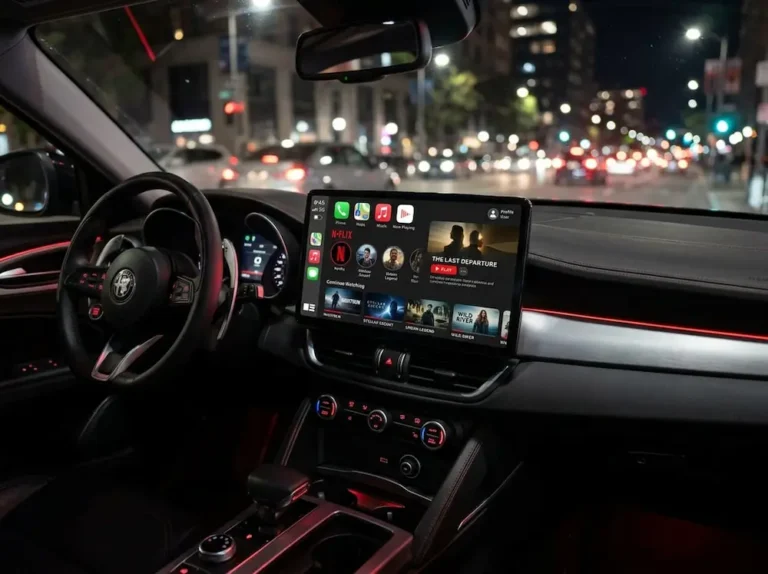
A CarPlay AI Box — also called a Magic Box or CarPlay dongle — is a standalone mini-computer running full Android. Brands like Ottocast, Carlinkit, and AutoSky dominate this space.
Here’s how it works:
- Plug the box into your car’s factory CarPlay USB port
- The box fakes a cryptographic handshake — your car thinks it’s talking to an iPhone
- Your car launches what looks like CarPlay, but it’s actually Android
- You now have full Google Play Store access
- Download Netflix, log in, and stream
It’s clean, self-contained, and doesn’t require jailbreaking your phone. Premium models use Qualcomm Snapdragon 6125 eight-core processors with up to 8GB RAM and 128GB storage. That’s enough to pre-download full seasons for areas with poor signal.
What to watch for:
- BMW vehicles actively block these devices through proprietary security protocols
- Some Hyundai and Kia models need dual-cable setups due to USB power limits
- Certain Ford models have reduced touch accuracy with the Android overlay
For internet, you can connect the box to your car’s built-in Wi-Fi, tether it to your phone’s hotspot, or insert a dedicated SIM card.
Method 2: HDMI-to-CarPlay Adapter
This method turns your car screen into an external monitor for your phone.
How it works:
- Plug the adapter into the CarPlay port
- Connect your phone via HDMI-to-Lightning or HDMI-to-USB-C cable
- Your phone screen mirrors directly onto the dashboard display
It’s simpler than an AI Box. No second operating system to manage, no separate hotspot to configure. Your phone handles all the processing and data.
The big catch: Netflix blocks HDMI output on its ad-supported tier. If you’re on the cheaper plan with ads, you’ll get a black screen. This is a DRM mechanism — Netflix doesn’t want ads skipped or poorly rendered on unverified hardware. You need the Standard or Premium ad-free plan to use this method.
Also, you’re tethered by a physical cable. Not the most elegant setup.
Method 3: Jailbreaking (Not Recommended)
Historically, people used tools like CarBridge on jailbroken iPhones to force Netflix onto the CarPlay screen. It worked by hijacking the CarPlay data stream and mirroring the phone’s display instead.
Why you shouldn’t do this:
- Jailbreaking disables iOS security architecture
- You must permanently skip security updates to keep it working
- It voids your phone’s warranty
- System instability is common
- Modern hardware adapters make this method obsolete
Wireless casting apps like LetsView have the same problem. Netflix detects the mirror attempt and renders a black video box — audio plays, but the screen stays dark. It’s an anti-piracy mechanism working exactly as intended.
Why Netflix Looks Blurry on Some Devices
You bought a premium AI Box, plugged it in, and Netflix looks like it was filmed through a shower door. Here’s why.
This is a Widevine DRM issue, and it trips up a lot of buyers.
Netflix uses Google’s Widevine system to categorize devices by security level:
- Widevine L1: Hardware-backed security. Netflix allows HD (1080p) and 4K streaming.
- Widevine L3: Software-only security. Netflix caps the stream at 480p — no exceptions.
Getting L1 certification requires a direct licensing agreement with Google and Netflix. Most aftermarket AI boxes skip this expensive process, which means they default to L3. Stretch 480p across a 12-inch dashboard screen and it looks terrible.
Before buying, explicitly check whether the device lists Widevine L1 certification. If the product listing doesn’t mention it, assume L3.
| Method | Internet Source | Netflix Quality | Requires Subscription Upgrade | Works Without Phone |
|---|---|---|---|---|
| AI Box (Widevine L1) | SIM / Hotspot / Car Wi-Fi | Up to 1080p | No | Yes |
| AI Box (Widevine L3) | SIM / Hotspot / Car Wi-Fi | 480p (SD only) | No | Yes |
| HDMI Adapter | Phone data | Depends on phone | Yes (Standard/Premium only) | No |
| Jailbreak (CarBridge) | Phone data | Variable | No | No |
Hardware Specs That Actually Matter
Not all AI boxes perform the same. These are the specs worth comparing before spending money.
Processor: Budget boxes use generic 4-core MediaTek chips. Premium models use the Qualcomm Snapdragon 6125 with 8 cores. The difference shows in how smoothly split-screen navigation and video run simultaneously.
Storage: Look for UFS 2.1 storage (800 MB/s read speed) over the cheaper eMMC standard (300 MB/s). App launch times are noticeably faster, and initial video buffering drops significantly.
Cooling: Car cabins get hot. Boxes without active cooling throttle under load, causing video stuttering after 20-30 minutes. High-end models include internal fans. Cheap thermal designs fail fast in summer heat.
Network: Dual Wi-Fi modules let the box maintain a phone connection for calls and texts while pulling streaming data from a separate hotspot. Single-module boxes force you to choose one or the other.
Watching Netflix in a Tesla
Tesla doesn’t support Apple CarPlay at all. Its proprietary OS runs everything. But Tesla actually includes native Netflix, YouTube, and Hulu through its Theater app — available only when the car is in Park.
If you want a CarPlay interface inside a Tesla, specialized boxes like the Carlinkit T2C use a different approach:
- The box plugs into the USB port for power only
- It generates a local Wi-Fi network
- You connect the Tesla to that network
- Open Tesla’s built-in browser, navigate to the box’s local IP address
- The Android interface streams as a full-screen interactive webpage
- Audio routes separately over Bluetooth
This works best on newer Tesla models with AMD Ryzen infotainment chips. Older Intel Atom models struggle with the rendering load and drop frames constantly.
The Legal Side You Can’t Ignore
Here’s the part most guides skip.
Streaming Netflix while driving is illegal. Full stop.
California Vehicle Code 27602 prohibits any video entertainment screen operating in the driver’s line of sight while the vehicle is in motion. The NHTSA recommends drivers keep eyes off the road for no more than two seconds — a movie makes that impossible.
Legal screens in the front of the car must either:
- Show only navigation, speed, or vehicle data
- Automatically disable entertainment when the car moves
- Use physical privacy filters so only the passenger sees the content
Native CarPlay satisfies this with its software interlock. An AI Box streaming Netflix removes that interlock entirely. If you drive with it running, you’re in direct violation of CVC 27602.
What happens if you get caught?
- First-offense fines start around $160, but total penalties with court fees can exceed $237
- DMV points go on your record
- Insurance premiums increase
Worst case: If you’re in an accident while streaming, you face negligence per se. Insurance companies subpoena vehicle data logs and phone records. They look for aftermarket devices in the cabin. If they find one running Netflix, they can deny your claim entirely and leave you personally liable for damages, medical bills, and legal fees. In fatal accidents, you may face criminal charges.
A 2013 case involving a Google Glass driver in California was dismissed — not because the tech was legal, but because officers couldn’t prove the screen was active while driving. The law absolutely applies to aftermarket AI boxes.
Bottom line: Use these devices only when parked. EV charging stops, parking lots, waiting in the car — all fine. Driving while streaming — not worth the risk.
Frequently Asked Questions
Is it legally permissible to watch Netflix on my vehicle’s primary display?
It’s illegal in the United States to have a video entertainment screen actively operating in the driver’s line of sight while the vehicle is moving. Netflix is only legally fine if the car is parked, or if the screen sits in the rear where the driver can’t see it.
Why does Apple CarPlay natively restrict Netflix and other video streaming applications?
Apple builds CarPlay to minimize driver cognitive load. The platform’s software architecture acts as a safety interlock, blocking all video streaming apps from running on the dashboard display while the car is in operation.
What is the functional mechanism of a CarPlay Artificial Intelligence Box?
It’s a standalone Android computer that plugs into the car’s data port. It fakes a cryptographic handshake to convince the car it’s connected to an iPhone, then takes over the display and runs full Android — including the Google Play Store — instead of the standard CarPlay interface.
Why does Netflix render in low resolution or appear blurry when using an aftermarket device?
Netflix requires Widevine L1 certification to stream in HD or 4K. Most aftermarket boxes only achieve Widevine L3, which permanently caps streaming at 480p regardless of screen size or connection speed.
Is a jailbroken smartphone required to stream Netflix on a CarPlay display?
No. Hardware AI boxes and HDMI adapters both work without jailbreaking. Jailbreaking is outdated, risky, and no longer necessary.
Can I use an HDMI adapter to stream Netflix on an ad-supported subscription plan?
No. Netflix blocks HDMI output entirely on its ad-supported tier. You need a Standard or Premium ad-free subscription to use an HDMI-to-CarPlay adapter successfully.
How does video streaming work inside a Tesla?
Tesla doesn’t support CarPlay natively. Specialized adapters create a local Wi-Fi loop and serve an Android interface through Tesla’s built-in Chromium browser. Audio routes to the car via Bluetooth separately.