
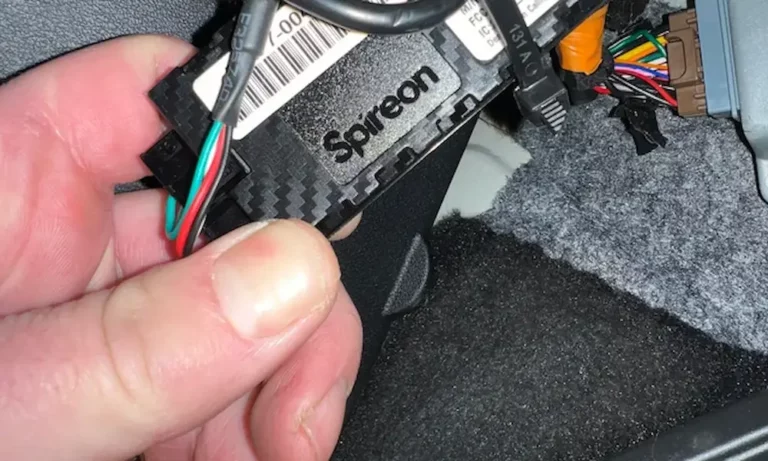
Weak GPS signal driving you crazy? Bad antenna placement is usually the culprit. This guide breaks down exactly where to place a GPS antenna in your car, what materials block signals, and how to avoid rookie mistakes that kill your tracking accuracy. Stick around — the windshield glass section alone could save your entire install.
Why Antenna Placement Makes or Breaks Your GPS
Here’s the thing: your GPS receiver’s performance has almost nothing to do with its processing power. It’s all about where the antenna sits.
GPS satellites orbit thousands of miles above Earth, and by the time their signals reach your car, they’re incredibly weak. A few inches of the wrong material between the antenna and the sky can mean the difference between pinpoint accuracy and zero signal.
The goal is simple: maximize clear sky view, minimize obstructions.
The Best Places to Put a GPS Antenna in Your Car
Center of the Exterior Metal Roof (Best Option)
The dead center of your metal roof is the gold standard — no debate needed.
Here’s why it works so well:
- You get a full, 360-degree unobstructed view of the sky
- The metal roof acts as a massive natural ground plane, boosting signal gain
- The antenna sits high enough to see satellites low on the horizon
- Ground reflections can’t bounce upward and create multipath interference
Don’t place it right at the roof’s edge. Signals reflected off the pavement can hit the antenna’s underside and mess with accuracy. Center it, and you’re set.
Interior Dashboard Against the Windshield Base (Good Option)
Can’t mount externally? The top of your dashboard, pressed tight against the windshield base, is your next best option.
It works well — but only if your windshield is plain, untreated glass. If your car has thermal or solar-reflective glass, this placement will fail completely. More on that in a minute.
Two rules for dashboard placement:
- Keep the antenna perfectly flat and horizontal — patch antennas are designed to look straight up
- Never tilt it to match a steep dashboard slope — you’ll cut off your view of horizon-level satellites
Rear Parcel Shelf (Acceptable Backup)
The rear parcel shelf — that flat surface under your back window in sedans — works as a solid backup location.
It’s most useful when your front windshield is heavily coated but your rear glass is plain. Just watch out for tall headrests, rear passengers, and cargo blocking the signal path. It’s generally weaker than a front dash placement, but it beats a bad windshield install every time.
Concealed Under the Dashboard Plastic (Hidden Install)
Want to hide the hardware completely? Standard automotive interior plastics are totally invisible to radio frequencies — they don’t block satellite signals at all.
You can tuck the antenna inside the hollow cavity above the climate vents or behind the instrument cluster. Just follow these three rules without exception:
- Flat orientation — the receiving face must point directly upward
- No metal between the antenna and plastic shell — no steel brackets, no thick wiring looms
- Secure it firmly — use heavy-duty foam tape or zip ties so it doesn’t flip during cornering
Locations That Kill Your GPS Signal
Some spots guarantee failure. Avoid these completely:
| Location | Result | Why |
|---|---|---|
| Under footwell/lower dash | No signal | Metal roof overhead creates a Faraday cage |
| Inside metal glovebox | No signal | Conductive enclosure blocks all signals |
| Inside trunk | No signal | Surrounded by steel on all sides |
| Engine bay | No signal | Metal components eliminate satellite view |
| Deep under center console | No signal | Metal framework completely blocks sky view |
How Your Windshield Glass Affects GPS Reception
This is where most DIY installs fail. Modern automotive glass isn’t just glass anymore.
Thermal and Solar-Reflective Windshields
Many modern vehicles — especially luxury models and EVs — come with athermic or solar-reflective windshields. These contain microscopic metallic layers sandwiched inside the glass to reflect heat and UV radiation.
To satellite signals, those metallic layers look exactly like a solid sheet of steel. Your antenna will struggle or fail entirely behind this glass.
The same problem applies to heated windshields with embedded wire meshes — they’re conductive, and they block signals just as effectively.
Finding the Uncoated Zone in Your Windshield
Car manufacturers know their thermal glass blocks signals. So they leave a small, deliberately uncoated radio-transparent window in the glass — usually near the top center, right behind or beside the rearview mirror.
You’ll often spot it by a black dotted frit pattern or a slight change in the tint shading. Your antenna must sit within this zone for an interior install to work.
This table shows exact uncoated zones for common luxury vehicles:
| Vehicle | Model / Year | Uncoated Zone Location |
|---|---|---|
| BMW | 7 Series (2009–2020) | Top center, within black shading near mirror |
| Jaguar | XF / XJ (2016–2020) | Top center behind mirror |
| Land Rover | Range Rover (2014–2019) | Top driver side near mirror assembly |
| Land Rover | Discovery / LR4 | Bottom-left corner, past heating elements |
| Mercedes-Benz | S-Class Coupe (2015–2019) | Center below mirror in transparent cut-out |
| Porsche | Macan (2015–2019) | Top edge, left or right of rearview mirror |
| Rolls-Royce | Phantom / Wraith | Top center within black shading matrix |
If the uncoated zone is already occupied by a factory camera or a toll transponder, move the antenna to the roof or rear shelf instead.
Does Window Tint Block GPS?
It depends entirely on the film type. Not all tints are created equal:
- Dyed film — Contains no metal, fully radio-transparent. No GPS impact.
- Metallic film — Reflects heat using metal particles. Blocks GPS signals significantly.
- Carbon film — Non-metallic, absorbs heat without disrupting signals.
- Ceramic film — Premium nano-ceramic particles, excellent heat rejection, zero signal interference.
If your GPS suddenly went bad after a tint job, metallic film is almost certainly the cause. Switching to ceramic or carbon film fixes the problem without sacrificing heat rejection.
Ground Planes: The Hidden Key to Strong GPS Signal
Many GPS antennas are designed as monopoles — they need a flat, conductive surface underneath to function properly.
What a Ground Plane Actually Does
A ground plane reflects signals upward and prevents radio energy from leaking downward into the car. Here’s what a proper one delivers:
- Faster first position fix after a cold start
- Stronger signal gain from weak satellites
- Broader reception pattern — catches satellites near the horizon
- Protection against multipath reflections bouncing up from the road
For standard GPS frequencies, you need a conductive surface at least 4–6 inches in diameter directly under the antenna.
What to Do When There’s No Metal Roof
Fiberglass bodies, carbon-fiber panels, and plastic dashboards don’t provide a natural ground plane. The fix is straightforward: stick a square of adhesive-backed metallic foil tape directly under the antenna. Even a small metal plate under a concealed dash unit will noticeably improve satellite acquisition.
Alternatively, use a No Ground Plane (NGP) antenna — these are engineered to work without an external conductive surface. They’re ideal for plastic roofs, fiberglass bodies, and tubular roll cages.
Keeping EMI From Wrecking Your Signal
Your car is full of electrical noise. Alternators, ignition coils, wiring harnesses — they all emit electromagnetic interference (EMI) that can swamp a sensitive GPS receiver.
Minimum Separation Distances
| Interference Source | Minimum Distance | Why It Matters |
|---|---|---|
| Vehicle wiring harnesses | 6 inches | Prevents inductive noise pickup along the coax cable |
| Alternators and ignition coils | 12–18 inches | Avoids broadband noise from engine components |
| High-power motors and inverters | 24 inches | Isolates receiver from heavy magnetic fields |
| Transmitting antennas (radios) | 5 feet | Prevents a strong nearby signal from blinding the GPS receiver |
Mounting the antenna on the roof rather than near the engine cowl can reduce electrical noise absorption by up to 60%.
Handling Your Coax Cable Correctly
Never kink or crush a coaxial cable — it distorts the internal shielding and causes signal loss. If you’ve got extra cable length, route it in a loose figure-eight rather than a tight coil. A tight coil acts like an inductor and attracts stray EMI from the cabin.
Safe Cable Routing: The A-Pillar Airbag Risk You Can’t Ignore
Running your antenna cable down the A-pillar (the column between your windshield and front door window) is the cleanest routing path. But it hides a serious safety hazard.
Almost every modern vehicle stores a side curtain airbag inside that pillar. If a cable gets routed across the front of the airbag module, it can:
- Turn the antenna module into a projectile during deployment
- Snag the airbag fabric and prevent full inflation
- Render a critical NHTSA-regulated safety system completely non-functional
How to Route the Cable Safely
Follow this sequence every time:
- Disconnect the battery before touching anything near the airbag system
- Remove the A-pillar trim with plastic pry tools — don’t force it, specialty tether clips hold it in place
- Route the cable behind the airbag, against the bare metal pillar closest to the exterior sheet metal
- Zip-tie the cable to the factory harness every few inches to prevent migration
- Reset the tether clips and press the trim firmly back into place
If pulling the pillar trim feels beyond your skill level, tuck the cable into the rubber door weather stripping instead. It completely bypasses the airbag zone and still keeps the wire hidden.
Special Vehicles: Trucks, Convertibles, and Panoramic Sunroofs
Commercial Trucks and Fleet Vehicles
Semi-trucks create massive RF shadow zones. A trailer directly behind the cab blocks an entire hemisphere of sky. Mount the antenna at the absolute highest structural point — the center of the cab roof or the leading edge of the trailer. For long cable runs, use thick, low-loss RG-type coaxial cable to prevent signal attenuation over distance.
Convertibles and Composite-Body Vehicles
Soft-tops can’t support a permanent roof mount. Go with an interior dashboard install. For carbon fiber or fiberglass bodies, build your own ground plane using metallic foil tape or a bonded metal plate, or use a purpose-built NGP antenna.
Panoramic Sunroofs
That huge glass panel is almost always treated with the same metallic thermal coatings found in luxury windshields. Don’t place the antenna under a closed panoramic sunroof expecting a clear signal. Move it forward to the uncoated dashboard zone or mount it externally on the remaining metal strips along the roofline.
Wiring It Up: Power Connections Done Right
Connect a permanent telematics device to three sources: constant power, a clean chassis ground, and an ignition-switched feed. Use a digital multimeter to verify stable 12–24V DC — never tap into low-voltage data networks, which run the CAN bus and will cause system-wide errors.
Always install an inline fuse as close to the power tap as possible. And stay well away from airbag and ABS circuits. A fuse tap in a dedicated accessory circuit keeps a telematics failure from ever becoming a safety emergency.