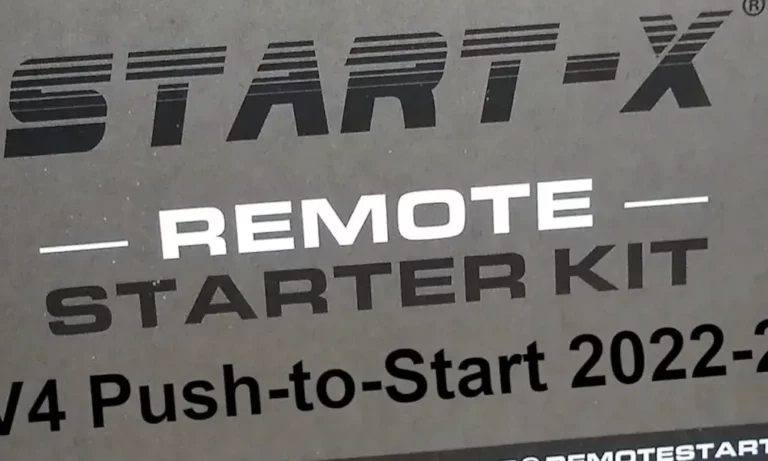
Your Start-X remote starter worked perfectly last week. Now it’s dead silent. Don’t panic—most issues aren’t hardware failures. They’re simple miscommunications between your module and your vehicle’s computer. This guide walks you through the most common Start-X remote start problems and shows you exactly how to fix them.
What Is Start-X and How Does It Work?
Start-X isn’t just a simple relay that cranks your engine. It’s a sophisticated computer that sits between your car’s factory wiring and its security system.
The system monitors your vehicle’s data network (called the CAN bus) for a specific pattern: three lock button presses within about five seconds. When it detects this sequence, it sends encrypted start commands that mimic your actual key.
Here’s the clever part: The module uses DCryptor technology to bypass your immobilizer. During installation, it records the encrypted handshake between your key and engine computer, then uses cloud-based decryption to create a “virtual key” that lets it start your car remotely.
Most Start-X hardware is built on platforms from Fortin (EVO-ALL) or Firstech (Compustar). This means you can often use troubleshooting resources from these manufacturers when Start-X’s own guides fall short.
The “Three Lock” Trigger Won’t Activate
This is the most frustrating Start-X problem. You press lock three times, and nothing happens.
Why it fails: Your timing is off. The module needs to see three separate lock commands on the data network. Mash the button too fast, and your car’s computer thinks it’s just one press. Wait too long, and the module resets its counter.
The fix: Use this rhythm: Press Lock → Wait for the lights to flash → Press Lock → Wait for the flash → Press and HOLD Lock for three seconds.
Toyota and Nissan owners report particular sensitivity here. The correct cadence is roughly one press per second, not rapid-fire tapping.
Battery check: If your key fob battery is dying, the signal weakens. Replace the CR2032 battery if your remote works fine up close but fails from 20 feet away.
Your Horn Honks But the Engine Won’t Crank
The horn confirms your car received the command. But the engine stays silent. This points to a safety lockout, not a dead module.
Check Engine Light Blocking Remote Start
Here’s something most owners don’t know: If your Check Engine Light is on, your remote start won’t work. Period.
This isn’t a Start-X limitation—it’s built into your vehicle’s computer. Even a minor issue like a loose gas cap triggers an EVAP code that disables remote starting across all systems.
The fix: Scan for diagnostic codes using an OBD2 reader (they’re $20 at any auto parts store). Clear the codes and tighten your gas cap. Try the remote start again.
Hood Ajar Switch Failure
This kills remote start on Ford F-150s and Flex models constantly.
The hood latch has a built-in switch that tells your computer when the hood is open. Road salt and grime corrode the contacts. Your computer sees high resistance and thinks a mechanic is working under the hood, so it refuses to start remotely.
Signs you’ve got this problem:
- A red hood icon on your dashboard
- The horn honks twice (mislock error) when you try to remote start
- The system works when you manually press the latch
The permanent fix: Replace the entire hood latch assembly (Ford part FL3Z-16700-B, about $70). Jumping the wires with a paperclip works for testing but removes a critical safety feature.
Door Ajar Detection
Honda Accords are notorious for this. If any door lock actuator is failing, your car physically locks but remains in an “insecure” state electronically.
Diagnostic clue: Your parking lights don’t flash and your car doesn’t beep when you press lock the second time. No beep = no remote start.
Find the weak actuator (usually the driver’s door) and replace it. The hood latch sensor can cause the same problem.
The Module Shows a Solid Red Light
A frozen red LED means your module’s brain has crashed. This usually happens when you connect the wiring harnesses in the wrong order.
The module needs clean power and ground before it tries to communicate with your car’s data network. If you plug in accessory connectors first, the module tries to draw power through low-current signal wires and locks up.
Hard Factory Reset Procedure
This wipes the module’s memory and forces it to reload default settings:
- Unplug every connector from the module
- Press and hold the programming button on the module’s face
- While holding, plug in the BLACK 4-pin connector (power/ground/data)
- Keep holding until the LED turns solid red
- Release, then press and hold again until LEDs cycle through blue/red/yellow
- The module is now wiped and ready for reprogramming
You’re Stuck in Valet Mode
Valet Mode disables remote starting to prevent accidental engine starts during service. It’s easy to trigger accidentally.
How to tell: Your remote locks and unlocks the doors perfectly, but when you try to start, the parking lights flash a 3-pause-10 pattern. That’s the error code for Valet Mode.
Exit Valet Mode (Factory Remote Users)
This works for all Start-X systems using your original key fob:
- Close all doors
- Turn ignition to ON (dash lights on, engine off)
- Within 10 seconds, press and release the brake pedal 10 times (roughly one per second)
- Your parking lights will flash twice to confirm
- Turn off ignition and test remote start
Exit Valet Mode (Aftermarket Remote Users)
If you installed the optional RF kit with a long-range remote:
Method 1: Turn ignition ON, then press Lock + Trunk buttons simultaneously
Method 2: Press the Function button three times, then press Lock
Method 3: If your antenna has a small button, turn ignition ON and hold the antenna button until its LED turns off
The Engine Cranks But Won’t Fire
You hear the starter motor spinning, but the engine doesn’t catch. This is an immobilizer bypass failure.
Security Light Flashing
Watch your dashboard when you attempt a remote start. If the red car-with-key icon flashes rapidly during cranking, your Start-X module isn’t successfully spoofing the key signal.
On older 4Runners, this light normally flashes slowly when locked (that’s fine). But rapid flashing during crank = bypass failure.
The fix: You need to redo the DCryptor process. This requires the FlashLink updater tool and a PC.
DCryptor Reprogramming Steps
The DCryptor system creates your virtual key. If this step failed during installation, remote starting is impossible:
- Connect module to car and turn ignition ON (don’t start)
- Module records the encrypted data from your key (LEDs flash red/yellow)
- Disconnect module and connect to PC via FlashLink USB cable
- Software uploads encrypted data to Start-X servers
- Servers calculate the decryption key (takes 1-2 minutes)
- Download the virtual key file back to the module
- Crucial step: Reconnect module to car immediately—don’t cycle the ignition first or the rolling codes desynchronize
Tachometer Learning Failure
The module needs to detect engine RPMs to know when the engine is actually running. If it can’t see the tach signal, it assumes the start failed and shuts down.
Re-learn the tach: Start the engine with your key, press and hold the brake pedal, then press and hold the remote start button on your fob for 10 seconds. The module is now monitoring the correct tach signal.
Vehicle-Specific Quirks You Need to Know
Different manufacturers have unique integration challenges with Start-X systems.
Toyota Push-to-Start: The Engine Kill Mystery
RAV4, Tacoma, and Tundra owners with push-button start face this: The engine remote starts perfectly, but shuts off the instant you grab the door handle.
This isn’t a defect. It’s Toyota’s security architecture. When remote started, the engine runs on a “virtual” authorization. When the door opens, Toyota’s computer tries to hand off to your physical key. But Toyota’s encryption doesn’t support this transition while running, so it forces a shutdown.
There’s no workaround without compromising your immobilizer security. You’ll need to restart the engine with your key fob after entering.
Nissan Frontier and Xterra: The Key Sense Wire
Older Nissans (2005-2019 Frontier/Xterra) need a special diode installation that Start-X’s plug-and-play promise doesn’t mention.
Your car’s computer monitors a “Key Sense” wire to detect if a physical key is in the ignition. For remote start to work, this wire needs to show “key present” during remote operation, but “no key” during normal use (otherwise your doors won’t lock).
The solution requires cutting the Key Sense wire and installing a diode or relay from the Start-X harness. A backwards diode or poor connection causes endless cranking without firing.
Ford F-150: The Double Honk Problem
The three-lock sequence triggers your Ford’s lock confirmation system, which honks the horn twice. There’s no avoiding this at the vehicle level.
Software fix: If you have the FlashLink Manager tool, enable “Pro Mode” and disable “Horn Output” if the Start-X module controls the horn directly.
Vehicle settings fix: Navigate through your instrument cluster: Settings → Vehicle → Locks → Remote Feedback, and disable audible feedback. This silences BCM-generated honks.
Jeep Wrangler: Clicking But No Crank
Jeep JK and JL Wranglers have notoriously weak factory grounding. The T-harness ground is sufficient for normal operation but not for the high-amperage crank cycle.
You’ll hear relays click, but voltage sag causes the module’s processor to brown out and reset before the starter engages.
The fix: Run a dedicated 10-12 gauge ground wire from the module to a clean chassis ground point (scrape away paint first). This solves the voltage drop issue.
Ram and Jeep 2022+: Factory Lockout
Stellantis removed the three-lock feature from BCM firmware on newer Ram and Jeep models. The factory fob trigger no longer works reliably.
If you’ve got a 2022 or newer model, you’ll likely need to upgrade to an RF remote kit instead of relying on the factory fob method.
Understanding LED Error Codes
Your Start-X module speaks through its LEDs. Learning this language is the fastest path to diagnosis.
Programming Phase LED Meanings
| LED Color/Pattern | What It Means | What to Do |
|---|---|---|
| Blue/Red/Yellow alternating | Ready mode—scanning for your car | Proceed with ignition cycle |
| Solid blue | Found your car’s protocol, waiting | Turn ignition to ON (don’t start) |
| Rapid blue flashing | Talking to your immobilizer | Wait—don’t disconnect |
| Solid red | Critical failure—can’t ID vehicle | Perform hard reset, check compatibility |
| Red and yellow alternating | Captured key data, needs DCryptor | Disconnect and connect to PC |
| No LEDs | No power or deep sleep | Check fuses and black connector |
Parking Light Flash Codes After Installation
When remote start fails, count the parking light flashes. Three flashes mean “command received,” then a pause, then error code flashes.
| Flash Pattern | Problem | Solution |
|---|---|---|
| 3-pause-1 | Can’t detect engine RPMs | Re-learn tach signal |
| 3-pause-2 | Thinks key is in ignition | Check key sense wire (Nissan/Toyota) |
| 3-pause-3 | Door is open | Close all doors, check door switches |
| 3-pause-6 | Hood is open | Fix hood latch or replace switch |
| 3-pause-8 | Engine cranked but didn’t start | Check immobilizer bypass, security light |
| 3-pause-10 | Valet Mode active | Exit valet mode (brake pedal method) |
Advanced Troubleshooting with FlashLink Manager
The FlashLink software unlocks deeper configuration options when basic fixes don’t work.
Runtime Customization
Default runtime is 15 minutes. If your car shuts off before it’s warm, extend this to 30 minutes through Pro Mode settings.
For diesel trucks, enable “Wait to Start” mode. This monitors the glow plug light or adds a fixed delay to prevent cranking before the cylinders are warm enough.
Tachometer Source Selection
If the module can’t read your factory tach signal reliably, switch to “Virtual Tach” mode. This uses timing calculations instead of actual RPM monitoring. It’s less accurate but works when the tach wire is inaccessible.
Installation Sequencing: Why Order Matters
The number one cause of solid red LED lockups is connecting harnesses in the wrong order.
The correct sequence:
- Connect the BLACK 4-pin connector first (power, ground, data)
- Wait for LEDs to initialize
- Connect ignition relay harness second
- Connect door lock harness last
- Never disconnect power while LEDs are flashing
If you connect peripheral connectors before power/ground, the module tries to draw current through low-gauge signal wires. This can corrupt the firmware or lock the processor in an undefined state.
Quick Diagnostic Checklist
When your Start-X stops working, run through this systematic check:
Power and Ground:
- Check inline fuses on T-harness (usually 5A or 15A)
- Verify black connector is fully seated
- Confirm battery voltage is above 12V
Physical Sensors:
- Scan for Check Engine codes
- Check for hood ajar warning on dash
- Test all doors lock/unlock properly
- Verify dome light turns off with all doors closed
Timing and Mode:
- Practice the lock-pause-lock-pause-lock rhythm
- Exit valet mode using brake pedal method
- Replace key fob battery if range is reduced
Immobilizer:
- Watch security light during crank attempt
- Re-run DCryptor if red light flashes rapidly
- Re-learn tach signal if engine spins but doesn’t fire
The Bottom Line on Start-X Reliability
Start-X remote starters aren’t plagued by hardware defects. The vast majority of “failures” are miscommunications between the module and your vehicle’s existing safety systems.
The hood switch that’s supposed to protect mechanics working under your hood? It’ll block remote start when it corrodes. The Check Engine Light that warns you about problems? It disables remote operation by design. The door lock actuator that’s wearing out? It prevents the system from confirming your car is secure.
These aren’t bugs—they’re features of your vehicle’s original design that Start-X must work within.
Understanding this relationship is the key to diagnosis. Don’t assume the module is broken. Ask instead: What is my car’s computer refusing to allow, and why?
Armed with the diagnostic tools in this guide—LED code interpretation, valet mode exits, sensor testing, and DCryptor troubleshooting—you can resolve the overwhelming majority of Start-X remote start problems without professional help.
Your warm car on winter mornings is worth the troubleshooting effort.