Ever found yourself stuck in a toll lane wondering if there’s a better way than fishing for change? You’re about to discover how a small windshield sticker can completely transform your driving experience on Texas toll roads.
What Is a TxTag Sticker?
A TxTag sticker is a thin adhesive tag containing an RFID microchip that automatically pays your tolls as you drive through toll plazas. Think of it as your express pass through Texas toll roads—no stopping, no searching for coins, just smooth sailing.
The sticker communicates with overhead readers that detect your vehicle and charge your prepaid account. The best part? Your TxTag works not just in Texas but also in Oklahoma and Kansas through their K-TAG and Pikepass systems.
How TxTag Technology Works
TxTag stickers use radio-frequency identification (RFID) technology—the same tech used in contactless credit cards and retail security tags. When you drive through a toll plaza, here’s what happens:
- Overhead sensors detect your approaching vehicle
- The sensors send radio waves to activate your TxTag sticker
- Your sticker sends back its unique identification code
- The system deducts the toll from your prepaid account
- The gate opens (on gated tolls) or you continue driving (on open-road tolling)
This all happens in milliseconds, allowing you to maintain highway speeds without stopping.
Benefits of Using a TxTag Sticker
Save Money on Tolls
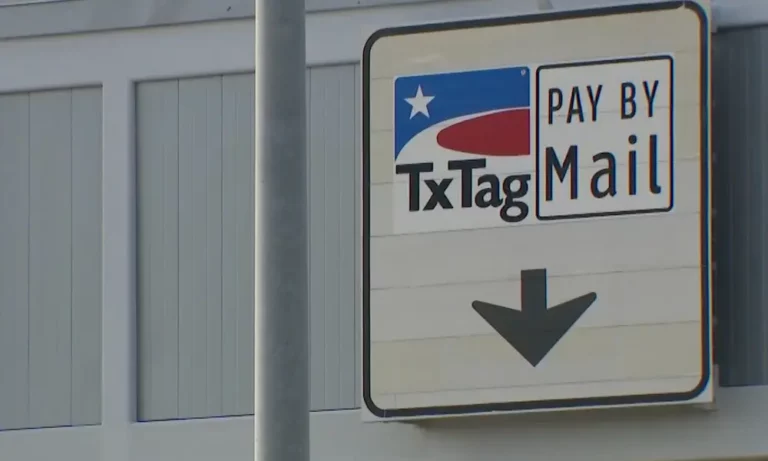
Using a TxTag can save you significant money compared to pay-by-mail options. Here’s a comparison:
| Toll Payment Method | Sample Toll Cost | Additional Fees | Total |
|---|---|---|---|
| TxTag Sticker | $3.76 | $0 | $3.76 |
| Pay By Mail | $3.76 | $1.88 (50% surcharge) | $5.64 |
Over a year of regular toll road use, these savings can add up to hundreds of dollars.
Save Time on Your Commute
With a TxTag, you can:
- Use dedicated TxTag lanes that typically move faster
- Maintain highway speeds through open-road tolling points
- Skip the lines at cash payment booths
- Avoid stopping to search for correct change
Simplified Travel Across States
Your TxTag works seamlessly across multiple states:
- Texas toll roads (including NTTA roads)
- Oklahoma turnpikes (via Pikepass compatibility)
- Kansas toll roads (via K-TAG compatibility)
This interoperability means you don’t need separate toll tags when traveling between these states.
How to Get a TxTag Sticker
Getting a TxTag is straightforward:
- Apply online at the HCTRA website (following the October 2024 transition)
- Visit an EZ TAG store in person
- Purchase at participating Walmart or H-E-B locations
You’ll need to provide:
- Your vehicle’s license plate number
- Vehicle make and model
- Credit card for account funding
- Contact information
The initial cost typically includes a prepaid toll balance that’s immediately available for use.
Proper TxTag Installation
The correct placement of your TxTag sticker is crucial for it to function properly.
For Standard Vehicles
For most passenger vehicles:
- Clean the windshield area with alcohol wipes (provided in your kit)
- Make sure the temperature is above 50°F for proper adhesion
- If your rearview mirror attaches to the ceiling: Place the sticker 4 inches below the top edge of the windshield, centered behind the mirror
- If your mirror attaches to the windshield: Place the sticker ½ inch below the mirror mount
For Trucks and Large Vehicles
Larger vehicles require a different placement:
- Position the sticker 2 inches from the bottom of the windshield
- Center it horizontally for best detection
For Motorcycles
Motorcycles need special consideration:
- Request a motorcycle-specific TxTag (standard ones may not work properly)
- Install on the windscreen or appropriate flat surface
- Follow the specific instructions included with motorcycle tags
The 2024 TxTag Transition to HCTRA
As of October 15, 2024, TxTag operations have moved from TxDOT to the Harris County Toll Road Authority (HCTRA). Here’s what this means for you:
Account Migration Details
- Active accounts in good standing were automatically transferred
- Payment methods and account settings need verification
- Inactive accounts (no activity for 12+ months) weren’t transferred
- New customer service options are now available
What Hasn’t Changed
Despite the administrative change:
- Your existing TxTag sticker still works
- Toll rates remain the same
- The roads accepting TxTag haven’t changed
New Customer Support Options
With HCTRA, you now have:
- More physical store locations
- Additional payment options at retail partners
- Expanded customer service hours
- Improved online account management
Troubleshooting Common TxTag Issues
When Your Tag Isn’t Reading Properly
If you’re getting toll violations despite having a TxTag, check:
- Proper placement – Is your tag correctly positioned?
- Damage or interference – Is anything blocking the tag?
- Account status – Is your account funded and active?
- Expiration – Some older tags have expiration dates
Account Management Problems
Common account issues include:
- Autopay failures due to expired credit cards
- Outdated vehicle information
- Incorrect license plate numbers
- Low account balance
Regularly log in to your account to verify your information is current.
Removing or Transferring Your TxTag
Safe Removal Techniques
If you need to remove your TxTag:
- Use a hairdryer on low heat to warm the adhesive
- Gently lift from one corner using a plastic card
- Remove residue with products like Goo Gone or rubbing alcohol
- Never use metal scrapers that could damage your windshield
Dealing with Residue
To clean stubborn adhesive residue:
- Apply a small amount of adhesive remover to a cloth
- Gently rub in circular motions
- Wipe clean with a damp cloth
- Finish with glass cleaner for clarity
Getting a New Tag
Remember that TxTags aren’t designed to be transferable between vehicles. If you get a new car:
- Update your account with the new vehicle information
- Request a new tag for the new vehicle
- Remove the old tag following the steps above
Creative TxTag Solutions and Adaptations
3D-Printed Holders
Some tech-savvy drivers have created:
- Velcro-mounted tag holders for easy transfer between vehicles
- Suction cup adapters for temporary mounting
- Snap-in frames that allow tag removal without adhesive damage
While these aren’t officially endorsed by HCTRA, they show how drivers are innovating around limitation.
Multi-System Solutions
For those traveling to states with incompatible systems:
- Some drivers use clear plastic sleeves to hold multiple tags
- Others have special mounting areas for different regional tags
- Velcro strips allow for quick swapping between different systems
TxTag vs. Other Toll Collection Methods
| Feature | TxTag Sticker | Pay By Mail | Cash Payment |
|---|---|---|---|
| Cost | Lowest toll rates | 50% surcharge | Same as TxTag but requires exact change |
| Convenience | Drive through at highway speed | No stopping but higher cost | Must stop at toll booth |
| Account Tracking | Online access to trip history | Invoices mailed to you | No digital tracking |
| Multi-state Use | Works in TX, OK, and KS | Available everywhere | Limited to staffed plazas |
| Processing Time | Instant | Days or weeks | Immediate |
Future of TxTag Technology
The toll collection landscape continues to evolve:
- Smartphone-based toll payment apps are in development
- License plate recognition systems are becoming more accurate
- Potential for integration with more states’ toll systems
- Exploration of unified national toll collection standards
Stay updated on these developments through the HCTRA website and communications.
TxTag for Commercial Vehicles
Business users have special considerations:
- Fleet management features for multiple vehicles
- Business account options with consolidated billing
- Specialized tags for commercial vehicles
- Tax documentation for business expense reporting
Contact HCTRA directly for commercial account setup.
Making the Most of Your TxTag
Money-Saving Tips
- Set up autopay to avoid low balance penalties
- Keep your vehicle information updated to prevent violations
- Consider bundling toll accounts if you travel to non-participating states
- Review your monthly statements to catch any billing errors promptly
Time-Saving Features
With your online account, you can:
- View toll history in real-time
- Manage multiple vehicles under one account
- Set up balance alerts to avoid running low
- Update payment methods instantly
The small adhesive TxTag sticker on your windshield does more than just pay tolls—it’s your key to faster, more convenient, and more affordable travel across Texas highways. Whether you’re a daily commuter or occasional toll road user, making the switch to a TxTag simply makes sense.