
That SiriusXM trial ended weeks ago, but your car still blasts a promo every time you start the engine. Sound familiar? This guide covers how to turn off SiriusXM radio in your car — from quick fixes to car-specific steps — plus how to actually cancel the subscription for good.
The Quickest Fix That Works on Almost Any Car
Before diving into car-specific steps, here’s a universal trick that works regardless of your make or model.
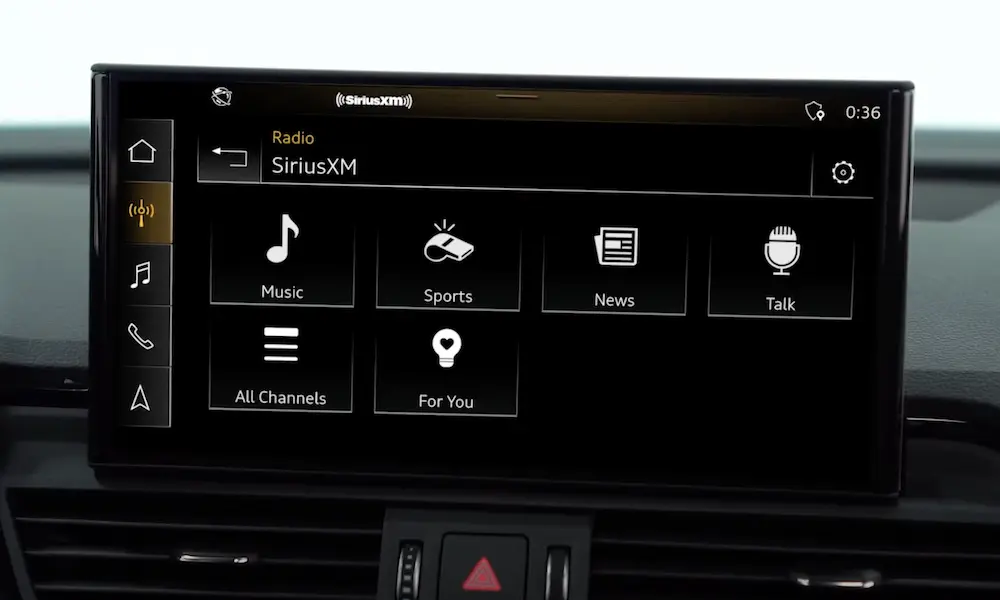
Tune your SiriusXM receiver to Channel 0.
That’s the silent diagnostic channel SiriusXM uses to display your Radio ID. It broadcasts zero audio. So when your car accidentally lands on SiriusXM during startup or when you’re cycling through sources, you’ll get silence instead of a sales pitch.
Here’s how to do it:
- Switch your audio source to SiriusXM
- Use the tuner dial to scroll all the way down to Channel 0
- Save it as your only SiriusXM preset
- Leave it there
That’s it. Your car still “sees” SiriusXM, but it won’t interrupt you with anything audible.
How to Turn Off SiriusXM Radio by Car Brand
Every automaker buries these settings differently. Here’s what works for each major brand.
Ford (SYNC 2, SYNC 3, SYNC 4)
Ford’s SYNC system is the most frustrating one to deal with. There’s no built-in toggle to remove SiriusXM from your source list — Ford locked it down by design.
Your options:
Option 1 — Use FORScan (advanced users only)
FORScan is third-party diagnostic software that lets you rewrite the “As-Built” data on your SYNC system’s Accessory Protocol Interface Module (APIM). You can flip a software flag that tells SYNC the satellite hardware doesn’t exist. After a system reboot, SiriusXM disappears entirely from your source menu — including steering wheel cycling.
You’ll need:
- A Windows PC
- A compatible OBD2 adapter
- FORScan software (free version works)
- Your APIM module data mapping
⚠️ Fair warning: Entering the wrong hex value can disable your Bluetooth, backup camera, or brick the infotainment screen entirely. If you’re not comfortable with diagnostic software, skip this one.
Option 2 — Channel 0 workaround
Not tech-savvy? Stick with the Channel 0 fix above. It’s not perfect, but it stops the noise without any risk.
Hyundai, Kia, and Genesis
Good news — Hyundai Motor Group actually built this feature in. You can remove SiriusXM from your steering wheel cycling in about 30 seconds.
Steps:
- Go to Settings in your infotainment system
- Find Sound or Steering Wheel Mode Button settings
- Look for a list of active audio sources
- Uncheck or deselect SiriusXM/Satellite Radio
- Save and exit
Done. Your mode button will now skip right past SiriusXM every single time.
Chevrolet, GMC, and Other GM Vehicles (Infotainment 3)
GM’s system works more like a smartphone home screen. You can’t delete SiriusXM from the system, but you can hide it so it’s out of your way.
Steps:
- Press and hold any app icon on your home screen
- Wait for edit mode to activate
- Drag the SiriusXM icon off your main screen
- Don’t add any SiriusXM channels to your favorites bar
This keeps it buried deep in your menus where you’ll never accidentally hit it during your commute.
Tesla
Tesla makes this genuinely easy. The software lets you toggle any media source on or off directly from the settings menu.
Steps:
- Tap Settings
- Go to Audio or Media Sources
- Toggle SiriusXM to off/hidden
- It disappears from your media player and app launcher instantly
Bonus: Tesla lets you hold the left scroll button to the right to cycle through only your favorited sources. Set that up and SiriusXM never enters the picture.
Subaru and Genesis — Stopping the Pop-Up Ads
These two brands have a specific issue worth calling out. SiriusXM sends what’s called In-Vehicle Messaging — promotional pop-ups that take over your screen when you start the car or shift into gear. You can’t turn these off from the car itself.
Here’s what you do:
- Go to SiriusXM’s website and create an account (yes, even if you never subscribed)
- Navigate to Account Info → Contact Preferences
- Opt out of In-Vehicle Messaging
- SiriusXM pushes this update the next time your car syncs with the satellite
Then, on the car side: delete any SiriusXM presets, tune to Channel 0, and switch back to FM or Bluetooth before shutting the engine off.
Quick Reference: How to Turn Off SiriusXM Radio in Car by Brand
| Car Brand / System | Best Method | Tools Needed |
|---|---|---|
| Any car (universal) | Tune to Channel 0 — silent diagnostic channel | Just your car’s radio |
| Ford SYNC 2/3/4 | FORScan APIM data modification | OBD2 adapter, Windows PC |
| Hyundai / Kia / Genesis | Deselect in Steering Wheel Mode settings | Native menu only |
| Chevy / GM Infotainment 3 | Long-press to hide icon from home screen | Native menu only |
| Tesla | Toggle off in Audio Sources settings | Native menu only |
| Subaru / Genesis (pop-ups) | Opt out via SiriusXM account online | Internet + SiriusXM account |
When Apple CarPlay or Android Auto Keeps Playing SiriusXM
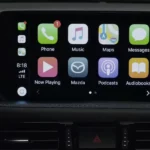
You’ve turned off the in-car radio, but SiriusXM keeps blaring the moment you plug your phone in. That’s a CarPlay or Android Auto issue, not a car issue.
When you connect your phone, the projection system automatically resumes whatever was playing last. If SiriusXM was open in the background, it jumps right back in.
Fix on iPhone:
- Before connecting your phone, swipe up to open app switcher
- Swipe the SiriusXM app card upward to close it
- Connect to CarPlay — SiriusXM won’t auto-resume
Fix on Android:
- Open recent apps
- Swipe SiriusXM out of memory
- Connect to Android Auto
For a permanent fix, both iOS and Android let you disable auto-play on CarPlay/Android Auto connection in their respective settings menus.
How to Actually Cancel Your SiriusXM Subscription
Here’s something important: silencing the radio doesn’t cancel your billing. SiriusXM’s policy is explicit — you have to actively cancel through an authorized channel or the charges keep coming.
And yes, canceling is deliberately harder than it should be. The New York Attorney General sued SiriusXM in 2023 over this exact issue, finding that it took subscribers an average of 11.5 minutes on the phone to cancel — and sometimes over 30 minutes through online chat. Over 578,000 people gave up trying between 2019 and 2021.
The FTC also flagged SiriusXM’s practices as part of a broader crackdown on subscriptions that are easy to start and nearly impossible to stop.
Knowing this ahead of time helps you stay firm.
Canceling a Direct SiriusXM Subscription (Billed by SiriusXM)
If you signed up directly through SiriusXM — by phone, mail, or their website — here’s your path:
- Call during off-peak hours (early morning or weekend) to avoid long hold times
- Have your Radio ID and billing zip code ready
- Say clearly: “I want to cancel my subscription.”
- Decline every retention offer they make — discounted rates, paused billing, free months
- Ask for a cancellation confirmation number before hanging up
Some users report SiriusXM’s online chat and web cancellation buttons redirect you to a live agent instead of processing the cancellation automatically. Phone is still often the most direct route.
Canceling Through a Third-Party Platform
If you subscribed through an app store or bundled service, SiriusXM can’t cancel it for you — you have to go back to wherever you originally signed up.
| Where You Subscribed | How to Cancel |
|---|---|
| Apple App Store (iPhone) | Settings → Apple ID → Subscriptions → SiriusXM → Cancel Subscription |
| Google Play (Android) | Play Store → Profile → Payments & Subscriptions → Subscriptions → Cancel |
| Roku | Visit my.roku.com → Manage Subscriptions → Remove channel billing |
| T-Mobile | T-Mobile app or portal → Manage Add-ons → Remove SiriusXM |
Stopping Post-Cancellation Marketing
Even after you cancel, SiriusXM may keep emailing, calling, and mailing you.
To stop the emails and calls:
- Log into your SiriusXM account online
- Go to Account Info → Contact Preferences
- Uncheck email, phone, and mail marketing boxes
To stop physical mail specifically, SiriusXM requires a written request mailed to their Do Not Contact Preference Compliance Manager with your full name and address.
The Bigger Picture: Why This Is So Hard
The difficulty of turning off SiriusXM in your car isn’t accidental. Automakers earn revenue sharing from SiriusXM subscriptions for the entire life of the vehicle. That’s why removing it from the menu isn’t a standard factory option — and why the software is engineered to keep showing you the service even after your trial expires.
The FTC’s proposed “Click-to-Cancel” rule would have required cancellation to be as simple as sign-up — but courts vacated the rule on procedural grounds, leaving enforcement back in the hands of state attorneys general.
Until the legal landscape changes, the tools above give you the most practical path to a quiet, SiriusXM-free cabin — starting today.