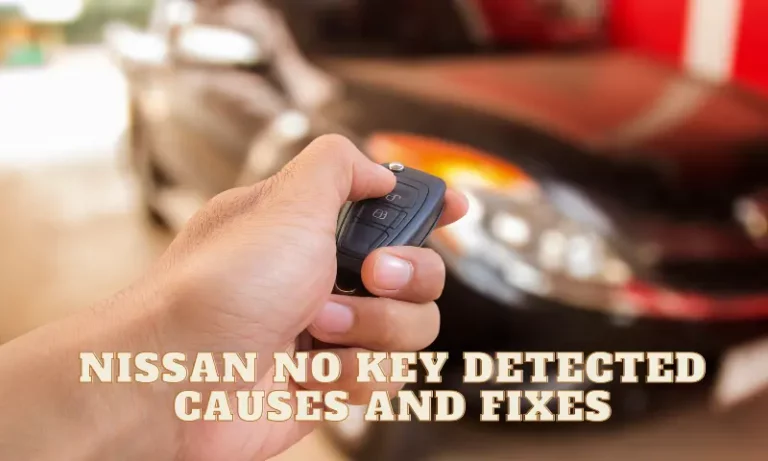
Ever tried starting your Nissan only to see that dreaded “No Key Detected” message flashing on your dashboard? It’s frustrating when you’re running late and your car suddenly doesn’t recognize the key sitting right in your pocket. You press the start button repeatedly, move the key around, but nothing works.
What Causes Nissan’s “No Key Detected” Error?
Your Nissan’s intelligent key system relies on radio frequency signals between your key fob and the car’s antennas. When this communication breaks down, your car displays the “No Key Detected” warning. Let’s dive into the most common causes.
Dead or Weak Key Fob Battery
The number one culprit behind key detection failures is a simple battery issue. Your Nissan’s key fob typically uses a CR2032 or CR2025 battery that lasts 2-3 years. When the battery voltage drops below 2.7V, the signal weakens, and your car can’t detect the key properly.
Signs your key fob battery is dying:
- The unlock/lock buttons require multiple presses
- You need to stand closer to the car for it to respond
- The key works intermittently
Replacing the battery is straightforward:
- Look for a small slot on the edge of the key
- Insert a small flathead screwdriver to separate the case
- Remove the old battery, noting its orientation
- Insert the new battery with the “+” side facing up
- Snap the case back together
Battery replacement solves roughly 75% of all “No Key Detected” problems in Nissan vehicles.
Physical Damage to the Key Fob
Dropped your keys one too many times? Internal damage to your key fob’s circuitry can disrupt signal transmission. Reddit users report that even minor issues like bent battery contacts can cause detection failures.
Common types of physical damage:
- Water exposure
- Cracked circuit boards
- Loose connections
- Damaged buttons
If your key shows signs of physical damage, you might need a replacement from your Nissan dealer.
Signal Interference
Your Nissan’s key operates at specific radio frequencies (usually 315 MHz or 434 MHz). These frequencies can be disrupted by other electronic devices or physical barriers.
Common sources of interference:
- Cell phones kept next to your key
- RFID-blocking wallets or purses
- Large metal objects
- High-power electrical equipment
- Other key fobs in close proximity
Try moving away from potential interference sources or holding the key directly against the start button to bypass the normal detection method.
Quick Emergency Fixes When Your Nissan Won’t Detect the Key
When you’re stuck with a “No Key Detected” message and need to get moving, try these emergency workarounds:
Use the Key Directly on the Start Button
Most Nissan models with push-button start have a backup method for when the key battery is dead:
- Locate your push-start button
- Take your key fob and press it directly against the button
- While holding the key against the button, press the brake pedal
- Push the start button with the key fob
This method uses the passive RFID chip in your key, which doesn’t require battery power.
Try the Secret Slot Method
Some Nissan models have a hidden key slot:
- Check your owner’s manual to find your model’s emergency key slot
- It might be under a small cover on the steering column or in the center console
- Remove the mechanical key from inside your key fob
- Insert it into this emergency slot
- Turn it like a traditional key or hold it there while pressing the start button
Reset the Key-Car Connection
Sometimes, a simple reset can fix detection issues:
- Lock your car manually
- Stand close to the vehicle
- Press and hold the unlock button for 5+ seconds
- Try starting your car normally
Vehicle-Side Issues Causing Key Detection Failures
Sometimes the problem isn’t with your key at all, but with your Nissan’s systems.
Weak Car Battery
A low-voltage car battery can cause multiple electrical system failures, including key detection problems. Automotive technicians confirm that a battery reading below 12.4V can destabilize the Body Control Module (BCM), leading to authentication failures.
Signs of a weak car battery:
- Slow cranking when starting
- Dimming headlights
- Multiple electrical issues appearing simultaneously
- Battery warning light on dashboard
Testing your car battery voltage with a multimeter should be your next step if key fob replacement doesn’t solve the issue.
Antenna Malfunctions
Your Nissan has multiple antennas to detect your key:
- Exterior antennas in door handles
- Interior antennas under the dashboard
- Additional antennas near the trunk or rear bumper
According to diagnostic videos, a faulty antenna—due to damaged wiring, corrosion, or disconnection—prevents your car from receiving the key’s signal.
Common antenna failure symptoms:
- Key works intermittently in specific areas of the car
- Car detects the key outside but not inside (or vice versa)
- “No Key Detected” warnings come and go based on key position
Body Control Module (BCM) Issues
The BCM is your car’s electronic brain for many functions, including key authentication. Software glitches, power surges, or hardware failures can corrupt its programming.
Signs of BCM issues include:
- Multiple electrical problems beyond key detection
- Erratic behavior of locks, lights, or other electronic features
- “No Key Detected” persists despite trying multiple known-good keys
A BCM reset sometimes helps:
- Disconnect your car battery for 15+ minutes
- Reconnect and try again
Make-Specific Detection Issues in Popular Nissan Models
Different Nissan models experience key detection issues in unique ways:
Nissan Altima Key Detection Problems
The Altima commonly shows the error when the key is actually in the trunk. The trunk antenna can malfunction, especially in 2013-2018 models. Try these Altima-specific fixes:
- Open the trunk with the emergency release
- Retrieve your key
- Try starting again with the key in the cabin
Nissan Rogue Key Detection Failures
Rogue owners report on forums that their vehicles often have issues with the floor antenna under the driver’s seat. This can cause the “No Key Detected” message even when the key is in the correct position.
Rogue-specific troubleshooting:
- Try moving the key to different positions inside the vehicle
- Check for water damage under the driver’s seat
- Ensure floor mats aren’t blocking the antenna
Nissan Sentra Key Recognition Problems
The Sentra, particularly newer models, can experience software-related key detection issues. According to owner forums, some units needed dealership reprogramming to resolve persistent “No Key Detected” errors.
Preventative Maintenance to Avoid Key Detection Issues
Want to avoid seeing “No Key Detected” in the future? Follow these preventative steps:
Key Fob Battery Management
Don’t wait until your key stops working:
- Replace key fob batteries every 2 years as preventative maintenance
- Keep a spare CR2032 or CR2025 battery in your home
- Pay attention to early warning signs like decreased range
Proper Key Storage
Where and how you store your key matters:
- Keep keys away from electronic devices
- Avoid RFID-blocking wallets or containers
- Don’t expose keys to extreme temperatures
- Protect keys from moisture and physical damage
Regular System Checks
When visiting your dealer for service:
- Ask them to check key antenna functionality
- Ensure your BCM software is up to date
- Have them verify battery voltage and charging system health
Dealer vs. DIY Repairs: What’s Worth Fixing Yourself
| Issue | DIY Difficulty | Cost to DIY | Dealer Cost | Better Option |
|---|---|---|---|---|
| Key Battery | Very Easy | $3-5 | $20-50 | DIY |
| Physical Key Damage | Difficult | $100-250 | $200-400 | Dealer |
| Signal Interference | Easy | Free | $50-100 | DIY |
| Car Battery | Moderate | $100-200 | $150-300 | DIY |
| Antenna Repair | Very Difficult | $50-150 | $200-500 | Dealer |
| BCM Issues | Extremely Difficult | Not Recommended | $300-1,000+ | Dealer |
When to Try DIY First
For simple issues like battery replacement or interference, DIY approaches make sense. Car enthusiast sites recommend starting with the easiest and cheapest solutions:
- Replace the key fob battery
- Check for interference
- Try the direct-contact method with the start button
- Reset the key by holding buttons
When Professional Help is Necessary
For these more complex issues, seek professional help:
- Programming a new key fob
- Replacing or repairing vehicle antennas
- Diagnosing BCM errors
- Addressing complex electrical system failures
According to the NHTSA technical service bulletin, some key detection issues require specialized diagnostic equipment that only dealers possess.
Advanced Diagnostics for Persistent Problems
If basic troubleshooting doesn’t resolve your key detection issues, more advanced diagnostic approaches might be needed.
Fault Code Analysis
Your Nissan’s computer systems store specific error codes when key detection fails. Using an OBD-II scanner, you or your mechanic can retrieve these codes:
- B2621/B2622: Indicate faulty key antennas
- B2191/P1615: Signal mismatches between the BCM and Engine Control Module
- U1000/U1010: Communication errors within the vehicle network
These codes point to specific systems that need attention.
Signal and Circuit Testing
For intermittent problems, mechanics may:
- Measure the key fob’s signal strength with specialized equipment
- Test continuity in antenna circuits
- Check voltage levels at various points in the detection system
- Inspect for water damage or corrosion in key components
The Complete Nissan “No Key Detected” Troubleshooting Flowchart
For methodical problem-solving, follow this step-by-step approach:
- Replace key fob battery → Problem solved? Stop here. If not, continue.
- Try emergency start methods → Car starts? Replace key battery and stop. If not, continue.
- Check for interference → Problem resolved when interference removed? Stop here. If not, continue.
- Test car battery voltage → Below 12.4V? Charge or replace battery. If normal, continue.
- Try backup key if available → Works with backup key? Original key needs replacement. If not, continue.
- Reset vehicle systems by disconnecting car battery for 15 minutes → Problem solved? Stop here. If not, continue.
- Take to dealership for professional diagnosis → They’ll check antennas, BCM, and other vehicle systems.
Remember that starting with the simplest, most common causes (key battery) before moving to more complex issues (vehicle systems) will save you time and money.
By systematically working through these steps, you’ll get your Nissan back on the road quickly when faced with the frustrating “No Key Detected” message.