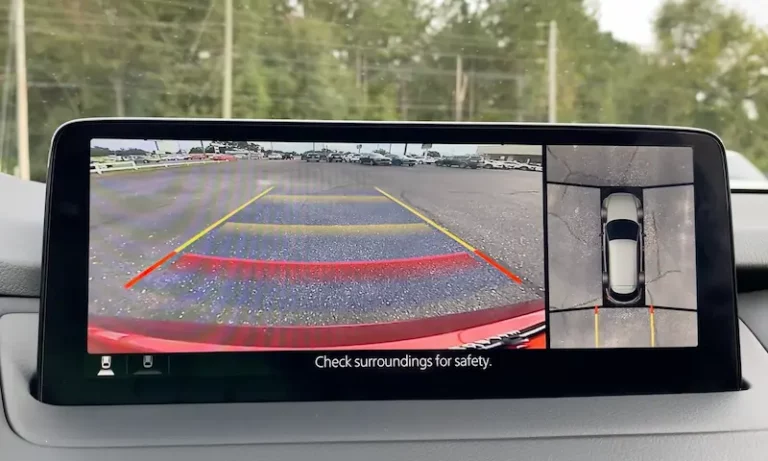
Your backup camera works fine on Monday. By Friday, it’s showing a black screen. Sound familiar? This post breaks down exactly why your backup camera not working sometimes happens — and what you can actually do about it. Stick around to the end, because some of these causes will genuinely surprise you.
It’s Rarely Just One Thing
Here’s the honest truth: a backup camera that works sometimes isn’t broken in the traditional sense. It’s usually reacting to a specific stressor — heat, moisture, vibration, or a software glitch. The tricky part is figuring out which one.
Let’s go through every real cause, starting with the most common.
Your Wiring Is Slowly Being Destroyed Every Time You Open the Trunk
This is the number one reason why your backup camera only works sometimes. The camera sits at the back of your car. The screen sits at the front. The wire connecting them has to travel through a hinge — a trunk lid, a tailgate, or an SUV rear hatch — that moves dozens of times a week.
Every single open-and-close cycle bends that wire. Over time, the copper strands inside snap. But here’s what makes it “sometimes”: the outer plastic insulation stays intact, so the wire looks fine. When the tailgate is closed, the broken ends touch. Camera works. Open the tailgate, or hit a bump — the gap widens, and the image disappears.
Pickup trucks get it worst. The Honda Ridgeline recall is a perfect example — over 187,000 trucks were recalled because complex tailgate mechanisms doubled the stress on wiring harnesses. The protective tubing was cut too short, and zip ties were either too tight or too loose, creating snap points in the wire.
| Vehicle Type | Hinge Stress Level | Most at-Risk Component |
|---|---|---|
| Pickup Truck | Extreme | Tailgate wiring harness |
| SUV / Crossover | High | Rear hatch rubber boot |
| Sedan / Coupe | Moderate | Trunk lid support arm |
| Commercial Van | Moderate | Rear door pivot point |
Quick test: With the engine running and the car in reverse (parking brake on, second person watching the screen), gently wiggle the rubber boot at the tailgate hinge. If the image flickers or disappears, that’s your culprit.
Road Salt Is Eating Your Connectors Alive
If you live in the Rust Belt — think Ohio, Michigan, New York, Pennsylvania — road salt is probably working against your backup camera right now. Salt-laced slush gets kicked up behind your tires and forces its way into the camera’s electrical connectors.
Once it’s in there, corrosion builds up on the metal pins. That corrosion acts as an unpredictable electrical resistor. On a humid day, the moisture makes the corrosion conduct current in the wrong direction — camera fails. On a dry day, the camera works fine. This intermittency is textbook salt corrosion behavior.
The fix before it gets bad? Apply dielectric grease to the electrical connectors behind the bumper. It creates a moisture barrier that stops oxidation before it starts. Rinse the rear undercarriage monthly during winter. It’s cheap. Replacing corroded connectors is not.
Fog Inside the Lens Isn’t Something You Can Wipe Off
You walk out in the morning, put the car in reverse, and the image looks like you’re peering through a steamed-up shower door. You’re dealing with internal condensation — and it’s one of the most common reasons backup cameras not working sometimes gets searched online.
Here’s how it works. When the camera housing cools overnight, the air inside shrinks. If the seal isn’t perfectly airtight, humid outside air gets drawn in. When temperatures drop below the dew point, that moisture condenses on the inside of the lens.
The image looks milky or hazy. You can’t wipe it off because the fog is inside the glass. By afternoon, the sun warms the housing, the water evaporates, and the camera looks crystal clear again — until tomorrow morning.
| Fog Type | What You See | Duration | What to Do |
|---|---|---|---|
| External fog | Smears, surface blur | Clears when wiped | Wipe with wet microfiber |
| Internal fog | Milky, hazy image | Cyclical — morning/rain | Reseal or replace module |
| Water beading inside | Bubbled, distorted view | Persistent | Replace module |
| Salt residue | Cloudy, gritty view | Persistent | Clean with soap and water |
Here’s what makes internal fogging more than just annoying: moisture on the internal circuit board causes stray current between components. Over time, it grows tiny metallic bridges — called dendrites — that create permanent short circuits. What starts as a blurry morning image ends as a permanent black screen.
Hot Afternoons Kill Marginal Electrical Connections
Physics doesn’t help here. Copper wiring increases in electrical resistance as it heats up. That means on a 105°F afternoon in Phoenix, your camera’s wiring carries electricity less efficiently than it does on a 40°F morning.
For a camera in perfect condition, this doesn’t matter much. But if there’s already a slightly loose connector or early corrosion in the system, that temperature-driven resistance increase can push the voltage reaching the camera below its minimum operating threshold. The processor shuts down. Black screen. You shift back into drive, the car cools slightly, and the camera works again two minutes later.
This also explains why cameras sometimes shut off during long summer drives as a built-in thermal protection measure. It’s not a malfunction — it’s the system protecting itself from permanent damage.
Pattern to watch for: Camera fails consistently in the afternoon after the car’s been sitting in the sun. Works fine in the morning. That’s a thermal resistance issue, not a random glitch.
Software Bugs Are a Real and Annoying Cause
Modern backup cameras don’t send a direct video signal to a screen like a security camera does. They’re digital devices integrated into your car’s infotainment operating system. When you shift into reverse, the software has to detect that gear change, prioritize the camera feed, and push it to the display — all within a second or two.
When the software is slow, distracted by a background task (like loading maps or syncing Bluetooth), or has a bug, it misses that window. You get a black screen, a “Camera Unavailable” message, or a blue screen.
Ford recalled over one million vehicles because a bug in SYNC software caused the screen to freeze exactly when reverse gear was engaged. Jeep and Ram owners have dealt with a persistent “Camera System Unavailable” blue screen that required software updates to fix. These failures are almost always intermittent because they depend on what the software was doing at that exact moment.
| Manufacturer | System | Common Software Symptom | Fix |
|---|---|---|---|
| Ford / Lincoln | SYNC 3 / SYNC 4 | Frozen image, delayed activation | Software reflash / update |
| Ram / Jeep | Uconnect | “Camera Unavailable” / Blue screen | System reset / master reset |
| GM | Infotainment 3 | “Service Rear Vision System” | Firmware update |
| Tesla | Tesla Vision | Black screen on shift | Steering wheel reboot |
Try this first: If your camera glitches are paired with other infotainment weirdness — radio freezing, slow navigation, Bluetooth dropping — do a master reset before replacing anything. Hold the volume and tune knobs simultaneously (check your manual for your specific combo). If the camera comes back to life after a reboot, it was a software conflict.
Mice Are Probably Hungrier Than You Think
This one catches people off guard. Many automakers now use soy-based insulation on wiring harnesses — it’s more sustainable than petroleum-based plastics. The downside? Rodents find it attractive.
When temperatures drop in autumn, mice and rats look for warm places to nest. The undercarriage of your vehicle — right where the camera’s wiring runs — is ideal. They rarely sever the wire completely on the first chew. Instead, they strip the insulation, leaving bare copper exposed.
That exposed wire works fine until it touches the car’s metal frame (a ground short) or hits a bump that widens the gap. The failure appears completely random because it depends on road conditions, not any predictable pattern. A rodent nest also traps moisture against the wiring, compounding the corrosion problem at the same time.
Signs to look for under the vehicle: Droppings near the rear bumper, shredded paper or fabric tucked into crevices, acorns near the chassis, or visible teeth marks on wiring.
UV Light Destroys Camera Seals in Sunny States
If you’re in Arizona, Nevada, or Southern California, your backup camera faces a different threat: ultraviolet radiation. Prolonged sun exposure makes the plastic housing and rubber seals of the camera brittle. Once those seals crack, moisture gets in during rain or even a car wash.
The early symptom is a blurry image that clears after the car sits in the sun. The moisture evaporates temporarily. But every wet-dry cycle deposits microscopic mineral deposits on the sensor and circuit board, inching it toward permanent failure.
Your Fuse Box Might Be Lying to You
A black screen that appears sometimes is almost never a blown fuse. Fuses are binary — they work or they don’t. But a corroded fuse terminal? That’s your intermittent culprit.
Engine bay fuse boxes absorb moisture and develop oxidation on the contact points. The fuse itself looks fine. But the corrosion causes poor contact, which means the camera gets inconsistent power. Check the fuse — but if it looks intact, pull it out, clean the terminal with a small wire brush or emery cloth, apply a tiny amount of dielectric grease, and reseat it firmly.
A Simple Maintenance Routine That Actually Works
You can’t prevent every failure, but you can slow most of them down significantly.
| Task | How Often | Why It Helps |
|---|---|---|
| Wipe lens with wet microfiber | Weekly | Prevents scratches that look like fog |
| Rinse rear undercarriage | Monthly (winter) | Removes salt before it corrodes connectors |
| Check for software updates | Every 3 months | Patches firmware bugs |
| Inspect wiring harness boot | Annually | Catches rodent damage and fatigue early |
| Apply dielectric grease to connectors | Every 2 years | Seals moisture out of electrical connections |
One cleaning tip that matters: don’t use a dry cloth on the lens. Dragging grit across a plastic lens creates micro-scratches that scatter light and make the image look foggy even when the camera is working perfectly. Flush with water first, then wipe gently with a wet microfiber cloth.
Don’t Wait for “Sometimes” to Become “Never”
A backup camera that flickers occasionally is telling you something is wrong — before it’s expensive. Resealing a housing that shows early fogging costs a fraction of replacing a corroded module and harness assembly. Catching chewed insulation before the wire grounds out saves you a full rewire.
The NHTSA mandated backup cameras on all new vehicles from May 2018 forward specifically because backover accidents cause serious injuries. A camera that works sometimes isn’t doing that job. Track the pattern — time of day, temperature, whether the tailgate was recently opened — and you’ll usually be able to point a technician directly at the cause without expensive guesswork.