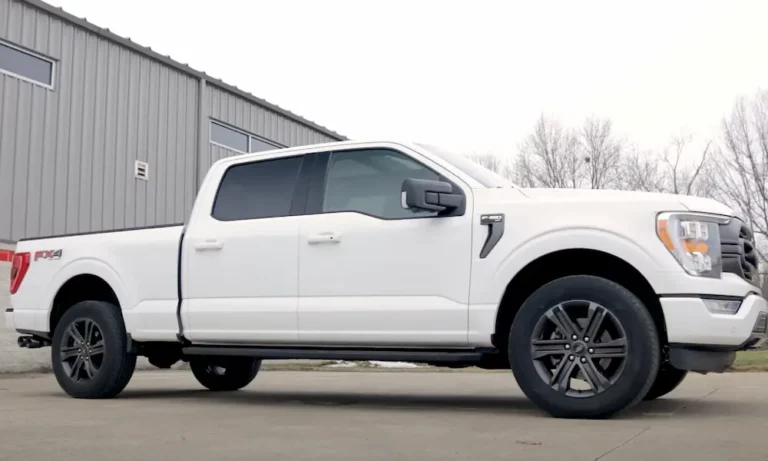
Ever gotten that sinking feeling when your Ford’s dashboard lights up like a Christmas tree? If you’re seeing error code U3003-16 pop up on your scan tool, you’re facing a common electrical issue that affects many Ford vehicles. Don’t worry – this guide will walk you through everything you need to know about this pesky code, from what it means to how you can fix it yourself.
What Does Ford U3003-16 Actually Mean?
The Ford U3003-16 diagnostic trouble code translates to “Circuit Voltage Below Threshold.” Breaking it down:
- The “U” indicates a network or communication-related issue
- “3003” specifies the fault type (voltage-related)
- “16” means the condition is “below threshold”
This code appears when a control module detects that the supply voltage has dropped below what’s needed for proper operation. What makes U3003-16 tricky is that it can show up in multiple modules at once – from your Running Board Control Module to your ABS system to your Body Control Module.
When several systems report the same code, it’s usually pointing to a vehicle-wide voltage problem rather than individual module failures.
Common Causes of the U3003-16 Code
Battery Problems
The most frequent culprit behind U3003-16 is good old battery trouble. Modern Fords use sophisticated Battery Management Systems (BMS) that constantly monitor your battery’s health.
Your battery might still have enough juice to start your vehicle but not enough to maintain proper voltage under load. This is especially common in aging batteries or those that have been repeatedly drained.
Failing Charging System
Your alternator is responsible for keeping the battery charged while the engine runs. If it’s not generating enough power (typically 13.5-14.5 volts at idle), you’ll see the U3003-16 code pop up.
The Powertrain Control Module regulates alternator output, so communication issues between these components can also trigger the code. Look for these warning signs:
- Dimming headlights
- Slow power windows
- Battery warning light
- Electrical accessories behaving erratically
Connection and Corrosion Issues
Even small amounts of corrosion on battery terminals or damaged ground straps can cause voltage drops significant enough to trigger U3003-16. These connection problems create resistance in the electrical system, especially noticeable when electrical loads increase.
Ford’s Known Issues with U3003-16
Power Running Board Problems
Ford has issued Service Shop Message 50154 specifically addressing U3003-16 codes related to power running boards in several models:
- 2015-2020 F-150
- 2017-2020 F-Super Duty
- 2018-2020 Expedition/Navigator
When voltage drops, these power running boards often disable themselves and switch from “Auto” to “Off” mode as a protective measure.
ABS System Warnings
For 2023 F-150 non-hybrid vehicles, Ford’s bulletin SSM 52001 covers U3003-16 codes in ABS modules that cause battery and brake system warning lights. Most of these cases resolve with proper battery service and completing specific drive cycles.
How to Diagnose U3003-16 Yourself
Step 1: Check Battery Voltage
Grab a multimeter and check your battery’s voltage:
- With the engine off, you should see 12.6+ volts
- With the engine running at idle, voltage should read between 13.5-14.5 volts
- If readings fall outside these ranges, you’ve likely identified your problem
Step 2: Inspect Battery Connections
Look for:
- Corroded terminals (white, green, or blue powdery substance)
- Loose connections
- Damaged cables
- Corroded or loose ground straps
Even minor corrosion can create enough resistance to cause voltage issues.
Step 3: Scan Multiple Modules
If you have access to a scanner that can read multiple modules, check which systems are reporting U3003-16. When the code appears across numerous modules simultaneously, focus on the power supply rather than individual components.
Step 4: Load Test the Battery
A battery can show proper voltage when not under load but fail when electrical systems demand power. A proper load test will reveal a weak battery that might otherwise seem fine.
How to Fix Ford U3003-16
Battery Replacement and BMS Reset
If your battery is old or failing, replacement is the most straightforward fix. However, Ford vehicles require an additional step – resetting the Battery Management System.
To reset the BMS on most Ford vehicles:
- Turn the ignition to ON (don’t start the engine)
- Flash the headlights 5 times
- Press the brake pedal 3 times
- Watch for the battery warning light to flash (confirms successful reset)
- Turn ignition off and restart your vehicle
This process helps your vehicle’s computer recognize the new battery and adjust charging parameters accordingly.
Cleaning Battery Connections
For corrosion issues:
- Disconnect the battery (always negative terminal first)
- Mix a solution of baking soda and water
- Clean terminals and connectors until they’re shiny
- Rinse with clean water and dry thoroughly
- Apply a protective coating (terminal spray or petroleum jelly)
- Reconnect terminals and ensure they’re tight
Alternator Testing and Replacement
If your charging system is the culprit:
- Have your alternator tested at an auto parts store (many offer this service free)
- Check for damaged wiring between the alternator and battery
- Verify the voltage regulator is functioning properly
- Replace the alternator if necessary
Module-Specific Fixes for U3003-16
Power Running Boards
If your power running boards are showing U3003-16:
- Check your charging system according to Ford’s Workshop Manual
- Clear the codes from the Running Board Control Module
- Reset the power running board feature from “Off” to “Auto” in your settings
- Test the running boards to ensure proper operation
ABS System Issues
For ABS-related U3003-16 codes:
- Complete a full battery service (testing/replacement)
- Drive the vehicle above 4 mph to clear warning messages
- Perform three on/off ignition cycles (30 seconds in each position)
- If codes persist, follow Ford’s pinpoint test procedures
Preventing Future U3003-16 Codes
The best way to avoid dealing with U3003-16 is regular maintenance:
- Test your battery every 6-12 months
- Replace batteries preventively every 3-5 years
- Keep terminals clean and connections tight
- Address any electrical warning lights promptly
- Follow proper BMS reset procedures after any electrical work
A Real-World U3003-16 Case Study
Tom’s 2018 F-150 suddenly displayed multiple warning lights, and the power running boards stopped working. A scan revealed U3003-16 codes in five different modules. Despite the overwhelming number of warnings, the actual issue was simple – his 4-year-old battery had degraded and was no longer maintaining proper voltage under load.
After replacing the battery, performing the BMS reset procedure, and cycling the ignition a few times, all warnings disappeared and the running boards resumed normal operation.
Vehicles Commonly Affected by U3003-16
This code frequently appears in:
- F-150 trucks (2015 and newer)
- F-Series Super Duty trucks
- Ford Expedition
- Lincoln Navigator
- Ford Edge
- Ford Explorer
- Ford Fusion Hybrid
DIY or Professional Help?
For most U3003-16 situations, you can handle the diagnosis and repair yourself with basic tools:
- Multimeter
- Battery terminal cleaner
- Basic hand tools
- Scanner capable of reading Ford codes
However, if you’ve replaced the battery, cleaned connections, and still see the code, or if you’re dealing with alternator issues, professional help might save you time and frustration.
Remember that U3003-16 is primarily a power supply issue rather than multiple module failures. Understanding this can save you from unnecessarily replacing expensive components when the real culprit is often a simple battery or connection problem.
By systematically checking your battery, connections, and charging system, you’ll likely resolve the U3003-16 code and prevent those annoying warning lights from returning.