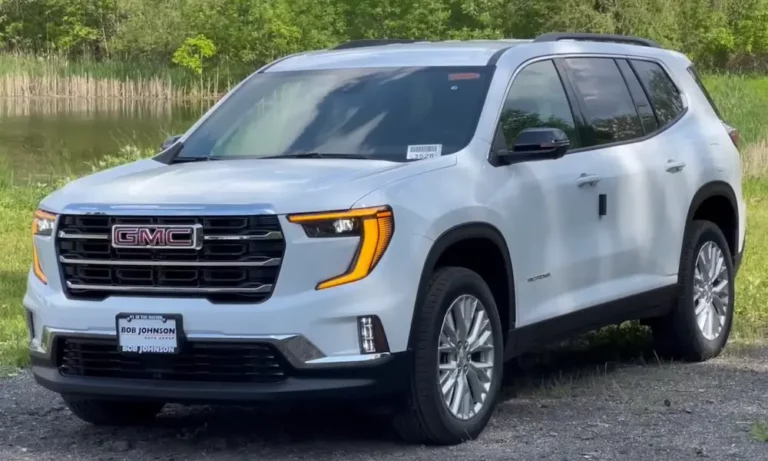
Dealing with a GMC Acadia that’s blowing warm air on hot days? Your AC system might need a refrigerant recharge. While many car repairs require professional help, recharging your Acadia’s AC is something you can tackle yourself with the right tools and knowledge. This guide will walk you through each step of the process to get your Acadia’s cooling system back to peak performance.
What Refrigerant Does the GMC Acadia Use?
Most 2017-2025 GMC Acadia models use R-1234yf refrigerant, which replaced the older R-134a in newer vehicles. This change is part of environmental regulations to reduce greenhouse gas emissions.
Before purchasing any supplies, you need to verify which refrigerant your specific Acadia requires. Using the wrong type can damage your system and lead to expensive repairs.
How to check your refrigerant type:
- Look for the AC service label under your hood (usually on the radiator support or front strut tower)
- The label clearly indicates the refrigerant type and exact capacity your system needs
- Never mix refrigerant types or exceed the recommended capacity
Signs Your Acadia’s AC Needs Recharging
Before diving into a recharge, make sure refrigerant is actually the problem. Here are common indicators:
- Air blowing from vents isn’t as cold as it used to be
- Cooling is inconsistent or only works at higher speeds
- The AC compressor clutch isn’t engaging regularly
- Your Acadia displays “A/C Maintenance Needed” on the driver information center
If you notice these symptoms along with no visible leaks, a recharge might be the solution.
Tools and Materials You’ll Need
Gathering everything before you start makes the job much smoother:
- R-1234yf refrigerant recharge kit with pressure gauge
- Safety glasses and gloves
- Digital thermometer (to verify vent temperature)
- Owner’s manual
R-1234yf is more expensive than the older R-134a refrigerant. A typical can costs $40-70, and most Acadias need about 20-26 ounces total. You can find refrigerant kits for your GMC Acadia at auto parts stores or online retailers.
Step-by-Step GMC Acadia AC Recharge Process
Step 1: Verify Refrigerant Type and Capacity
Before purchasing supplies, locate the specific refrigerant capacity for your Acadia model year. Using too much or too little refrigerant reduces cooling efficiency and can damage components.
The refrigerant capacity label looks like this:
| Model Year | Refrigerant Type | Typical Capacity |
|---|---|---|
| 2017-2025 | R-1234yf | 20-26 oz (567-737g) |
| 2007-2016 | R-134a | 28-32 oz (794-907g) |
Step 2: Prepare Your Vehicle
- Park on a level surface
- Start your engine and let it reach normal operating temperature
- Set your AC to MAX cold with recirculation on and the highest fan speed
- Open the hood and secure it properly
Step 3: Locate the Low-Pressure Service Port
The low-pressure service port on the GMC Acadia is where you’ll connect your recharge kit. Finding it is crucial:
- Look for two aluminum AC lines running from the firewall to the front of the vehicle
- The low-pressure line is the larger diameter one
- You’ll find a plastic cap covering the service port on this line
- Remove the cap to expose the valve fitting
R-1234yf systems use uniquely-shaped fittings to prevent accidental use of the wrong refrigerant. The low-pressure port for R-1234yf systems has a specific design that only accepts YF-compatible couplers.
Step 4: Check Current Pressure
Before adding refrigerant:
- Attach your gauge to the low-pressure port
- With the engine running and AC on MAX, observe the current pressure
- Compare readings to the pressure chart on your recharge kit
At around
75°F ambient temperature, proper pressure typically reads between 25-45 PSI on the low side. Pressure varies with ambient temperature – higher temps mean higher normal readings.
Step 5: Add Refrigerant Carefully
Follow these steps for proper recharging:
- Attach the recharge hose to the can according to kit instructions
- Purge air from the hose by briefly opening the valve while pointing it away from you
- Connect the coupler to the low-pressure port (you’ll hear a click when properly connected)
- Hold the can upright and open the valve to begin adding refrigerant
- Add refrigerant in short 5-10 second bursts
- Check pressure after each burst and let it stabilize
Important: Add refrigerant gradually until reaching the recommended pressure for your current ambient temperature. Overcharging can damage your AC compressor and reduce cooling efficiency.
| Ambient Temperature | Target Low-Side Pressure |
|---|---|
| 65°F (18°C) | 25-30 PSI |
| 75°F (24°C) | 30-35 PSI |
| 85°F (29°C) | 35-40 PSI |
| 95°F (35°C) | 40-45 PSI |
Step 6: Verify Cooling Performance
While still adding refrigerant:
- Check the vent temperature with a digital thermometer
- Properly functioning AC should blow air at 37-45°F (3-7°C)
- Watch for the compressor clutch to engage (the center of the compressor pulley will spin)
If the pressure gauge reads in the proper range and vent temperatures are acceptable, your recharge is complete.
Step 7: Complete the Process
Once you’ve reached proper pressure:
- Close the valve on the refrigerant can
- Disconnect the coupler from the service port
- Replace the protective cap on the service port
- Check for any error messages on your dashboard
Troubleshooting Common Issues
Even with a proper recharge, you might encounter some issues:
AC still not cold enough:
- Check for proper airflow through the condenser (front of radiator)
- Inspect for debris blocking the condenser fins
- Ensure the cooling fans are operating correctly
Compressor cycles on/off rapidly:
- This could indicate a more serious issue like a failing compressor
- If recharging doesn’t fix cycling issues, consult a professional
“A/C Maintenance Needed” message remains:
- Your Acadia may need the error code cleared with a scan tool
- Some 2017-2022 GMC Acadias have a specific reset procedure in the owner’s manual
Pressure immediately drops after disconnecting:
- This indicates a leak in the system
- Professional leak detection and repair is necessary before recharging
Understanding R-1234yf Systems in the GMC Acadia
The switch to R-1234yf has several implications for Acadia owners:
- R-1234yf is more expensive than R-134a but has a far lower global warming potential
- The system capacity is typically lower (20-26 oz vs. 28-32 oz in older models)
- Service ports have special fittings that only accept R-1234yf equipment
- The system uses specific PAG oils that are not compatible with R-134a systems
- Newer Acadias have more sensitive pressure sensors that might trigger warning lights if levels are incorrect
All 2025 GMC Acadia models use R-1234yf, as GMC made the complete transition to this refrigerant several years ago.
Safety Considerations When Working with AC Refrigerant
Refrigerant isn’t particularly dangerous, but safety precautions are still important:
- Always wear safety glasses – refrigerant can cause frostbite if it contacts eyes
- Work in a well-ventilated area
- Never puncture or incinerate refrigerant cans
- Keep refrigerant away from open flames
- Don’t intentionally vent refrigerant – it’s illegal and harmful to the environment
- If large amounts of refrigerant escape, ventilate the area immediately
When a DIY Recharge Isn’t Enough
While recharging is often successful, some situations call for professional help:
- If your system is completely empty (likely indicates a significant leak)
- When refrigerant pressure drops quickly after recharging
- If you hear unusual noises from the compressor
- When the AC clutch doesn’t engage at all
- If your Acadia has had previous AC repairs or component replacements
Professional AC service for R-1234yf systems can be expensive, ranging from $200-400 for a simple recharge to $800+ for compressor replacement. Always compare quotes from multiple shops.
Preventing Future AC Problems in Your Acadia
Keep your AC system running smoothly with these tips:
- Run your AC at least once a week year-round (including winter) to maintain seals
- Keep the condenser clean and free of debris
- Replace the cabin air filter according to the maintenance schedule
- Address any unusual AC noises or performance changes promptly
- Have your AC system inspected during regular maintenance intervals
By following these guidelines and properly maintaining your GMC Acadia’s air conditioning system, you can enjoy comfortable driving in any weather and potentially avoid costly repairs down the road.