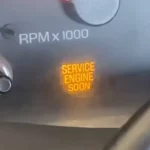
That warning on your dash isn’t just annoying — it means your trailer brakes might not work when you need them most. This guide breaks down exactly why the GMC service trailer brake system message appears and walks you through the fixes, from the simplest checks to the deeper stuff.
What the GMC Service Trailer Brake System Message Actually Means
Your GMC uses an Integrated Trailer Brake Control (ITBC) system — RPO code JL1 — that’s deeply wired into your truck’s ABS and Electronic Brake Control Module (EBCM). It’s not a standalone gadget. It’s part of your truck’s core safety network.
When the Driver Information Center (DIC) shows “Service Trailer Brake System,” it means the system detected a failure serious enough to partially or fully disable your trailer brakes. That’s different from “Check Trailer Wiring,” which usually points to a trailer-side or connector issue.
Here’s a quick breakdown of what each message means:
| DIC Message | What It’s Telling You | Where to Look First |
|---|---|---|
| Service Trailer Brake System | Vehicle-side hardware or wiring failure | TBCM, fuses, ground points |
| Check Trailer Wiring | Open circuit or high resistance on Circuit 47 | 7-pin connector, trailer wiring |
| Trailer Disconnected | Intermittent connection loss | Connector door spring, plug fit |
The Most Common Causes (Start Here)
Dirty or Corroded 7-Pin Connector
Moisture in the 7-pin connector causes roughly 40% of all ITBC-related warnings. When water gets into the housing, it starts a galvanic reaction between the pins. Even worse, moisture can wick through a nicked wire insulation and travel all the way up to the Trailer Brake Control Module (TBCM).
This explains why some owners only see the message during rain or hot, humid days — the problem’s real, but it’s hiding.
Quick fix:
- Spray both connector ends with electrical contact cleaner (CRC QD works great)
- Scrub each pin with a small wire brush
- Apply a thin layer of dielectric grease to all pins
GM’s Service Bulletin 21-NA-155 specifically recommends swapping your trailer-side plug with a Pollak Heavy Duty 7-Way Connector (P/N 12-706) — that’s actually the OEM manufacturer for your truck’s socket.
Blown Fuse
Before diving deeper, check your fuses. A blown fuse is often the result of a dead short in the trailer’s brake magnets.
| Vehicle | Fuse Location | Label | Rating |
|---|---|---|---|
| GMT900 (2007–2013) Sierra/Yukon | Underhood & Dash | Trailer / TB | 15A / 20A |
| K2XX (2014–2018) Sierra/Yukon | Underhood | Trailer Brake / TB | 20A / 30A |
| T1XX (2019–2025) Sierra/Yukon | Underhood (Driver side) | TBC / TBCM | 30A |
| 2015–2022 GMC Canyon | Underhood | Trailer Brake | 30A |
| 2015–2020 GMC Yukon | Underhood | Fuse 36 | 30A |
If a replacement fuse blows the second you press the brake pedal, you’ve got a short in Circuit 47 or a bad trailer magnet. Don’t just keep replacing fuses — find the short.
Bad Ground Points (G401 and G402)
The TBCM and trailer brake output depend on solid chassis grounds. On GMT900 and K2XX trucks, ground points G401 and G402 sit on the rear frame rail near the spare tire — exactly where road salt and moisture collect.
A corroded ground creates a voltage differential between the EBCM and TBCM, which causes communication timeouts and triggers the “Service” message.
How to test it: Do a voltage drop test. More than 0.1V between the module ground pin and your battery negative means the ground’s failing. Clean it, re-torque it, and retest.
Understanding Circuit 47 and DTC C1114
Circuit 47 is the dark blue wire running from your TBCM to the 5 o’clock position of the 7-pin connector. The TBCM constantly monitors this circuit’s feedback voltage. If it falls outside the normal range, it throws DTC C1114 — the most common code behind the GMC service trailer brake system message.
| Parameter | Normal Range | What a Fault Looks Like |
|---|---|---|
| Feedback Signal Voltage | 3.2V – 4.1V | Below 3.2V (short to ground) or above 4.1V (short to power) |
| Circuit 47 Resistance | Under 4.0 ohms | Over 4.0 ohms — corroded connection or failing magnet |
| Ground Offset | Under 0.5V | Ground differential fault |
Short to power (above 4.1V): Usually means moisture in the connector is bridging the 12V auxiliary pin to the brake signal pin. Solar panels or trailer-side battery chargers back-feeding voltage can also cause this.
Short to ground (below 3.2V): Wire rub-throughs near the spare tire or shorted trailer magnets are the usual suspects.
On 2020–2024 Heavy Duty models, there’s a specific quirk: if your trailer’s battery voltage is higher than your truck’s battery, the system reads it as a false short to ground. GM addressed this with Customer Satisfaction Program N232414840, which replaces the Trailer Brake Power Module (TBPM) with a revised unit.
How to Diagnose It Step by Step
Step 1: Disconnect the Trailer
Start the truck with nothing hooked up. If the “Service Trailer Brake System” message disappears, your truck’s hardware is probably fine and the fault lives in the trailer wiring or connector.
If the message stays with nothing connected, the fault is inside your truck’s electrical system. That narrows your search significantly.
To confirm the truck’s modules are healthy, use a magnet simulator (GM P/N EL-52641). It mimics the inductive load of trailer brake magnets. If the DIC shows “Trailer Connected” and behaves normally with the simulator plugged in, your truck’s wiring and modules check out.
Step 2: Check the Dash Switch
The Trailer Brake Control Switch wears out. Dust and spills create internal resistance in the contacts, and the system reads that resistance as a fault.
If you have access to a scan tool (GDS2), watch the “Manual Apply Switch” parameter while you slide it. It should move smoothly from 0% to 100%. Any jumping or noise means the switch is failing.
Common replacements:
- K2XX platform: GM P/N 23145874
- GMT900 models: AC Delco 15926102
Step 3: Check for Other DTCs
Beyond C1114, a few other codes tell you more:
- B3933 — Internal TBCM/TBPM hardware failure. Usually a dead solid-state relay inside the module.
- B3934 — Short to ground on the high-current side of Circuit 47. Could be the harness or trailer magnets.
- U1556 — Lost communication with the Trailer Brake Control Switch over the LIN bus. Check the thin signal wires behind the dashboard.
- C111B — Brake pressure sensor conflict. Often happens after bleeding brakes with the battery disconnected, leaving air in the ABS modulator.
Active Recalls and GM Campaigns You Should Know About
GM has issued several fixes for systematic ITBC weaknesses. Check if your VIN is covered — these repairs are often free.
Recall N192261050 (EBCM Reprogramming): Covers over 650,000 vehicles including 2014–2018 Sierra and 2015–2020 Yukon models. A software bug in the EBCM can trigger unintended single-wheel braking when a wheel speed sensor fails, which disables the ITBC.
Customer Satisfaction Program N222384930: For 2022–2023 Sierra and Yukon trucks with RPO JL1. These trucks may throw a “Service Trailer Brake” message when using the manual apply slider. The fix is a revised switch assembly (P/N 84488395 or 84765006).
Trailer Compatibility Issues That Trigger False Warnings
Sometimes the truck’s perfectly fine — the trailer’s the problem.
Electro-over-hydraulic (EOH) actuators need at least 20–30% duty cycle to start their pump motor. If your gain is set too low, the EBCM doesn’t send enough power, and the TBCM reads it as an open circuit. Try increasing the gain setting first. Also, certain Dexter EOH actuators (serial numbers starting with TCV or TCB) conflict with the ITBC’s high-frequency diagnostic pulses and need a compatibility adapter (Dexter P/N K58-036-00).
Aftermarket sway control systems tap into Circuit 47 and can interfere with the truck’s diagnostic test pulses. If you’ve recently added a sway controller and started seeing warnings, make sure the device is explicitly rated for compatibility with GM’s integrated trailer brake system.
Preventing the Message From Coming Back
The ITBC system is sensitive by design — it catches small problems before they become dangerous ones. That same sensitivity means minor neglect leads to false positives.
Do this quarterly:
- Clean both ends of the 7-pin connector with electrical contact cleaner
- Scrub every pin with a wire brush
- Apply fresh dielectric grease to all pins
Check your harness routing. On many Sierra models, the wiring harness near the rear hitch can rub against the frame rail or spare tire hoist. Look for worn insulation at contact points. Secure any loose harness length with cable ties and make sure nothing hangs below the hitch line.
Keep an eye on your rear frame ground points (G401/G402) every time you do undercarriage work. Cleaning and re-torquing them once a year is cheap insurance against a service message that has nothing to do with your trailer brakes actually failing.