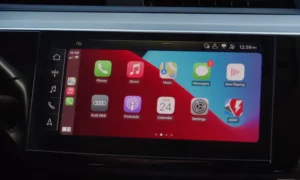
Ever glanced at your dashboard and wished it showed exactly what you need, when you need it? Audi’s Virtual Cockpit does just that, replacing traditional gauges with a fully customizable digital display. This technology has changed how drivers interact with their vehicles, providing crucial information without taking eyes off the road. Let’s dive into what makes this system special, how it works, and whether it’s worth the investment.
What is Audi Virtual Cockpit?
Audi Virtual Cockpit is a fully digital instrument cluster that replaces traditional analog dials with a high-resolution 12.3-inch display situated behind the steering wheel. First introduced in the 2014 Audi TT, this technology has quickly become a signature feature across Audi’s vehicle lineup.
The system displays everything from speed and RPM to navigation maps, media information, and driver assistance features—all customizable to your preferences. Powered by Nvidia’s quad-core processors, the Virtual Cockpit renders graphics in real-time at 60 frames per second, creating smooth, responsive visuals that rival high-end computer displays.
What sets it apart from other digital dashboards is not just the stunning visuals, but its deep integration with all vehicle systems and the flexibility to show exactly what you want, when you want it.
How Audi Virtual Cockpit Works
The technology behind the Virtual Cockpit combines powerful hardware with intuitive controls to create a seamless user experience.
Hardware Components
At its core, the Virtual Cockpit features:
- A 12.3-inch TFT display (though some compact models like the A1 use a 10.25-inch version)
- Resolution of either 1440×540 pixels or 1920×720 pixels in higher-end models
- An Nvidia Tegra 30 processor handling the graphics
- Optical bonding to reduce glare and improve visibility in bright conditions
- Steering wheel-mounted controls for navigation without taking hands off the wheel
Display Modes and Customization
The Virtual Cockpit offers several display modes you can switch between on the fly:
- Classic View: Traditional large speedometer and tachometer dials with a smaller information display between them
- Infotainment View: Shrinks the gauges and devotes most of the screen to navigation maps, media information, or other data
- Sport View: Available in S and RS models, emphasizing performance data like a large central tachometer and lap timers
Switching between views is simple—just press the “View” button on the steering wheel. You can further customize what information appears in each section through the MMI (Multi-Media Interface) system.
Key Features and Benefits
Real-Time Navigation
One of the Virtual Cockpit’s most impressive features is its full-screen navigation display. Instead of glancing at a center console screen, maps appear directly in your line of sight with:
- High-resolution 3D maps with building details
- Real-time traffic information
- Points of interest
- Turn-by-turn directions
The system can display Google Earth imagery when connected to Audi Connect services, giving you a satellite view of your surroundings—something traditional navigation systems can’t match.
Driver Assistance Integration
The Virtual Cockpit seamlessly integrates with Audi’s driver assistance systems, displaying:
- Adaptive cruise control status and following distance
- Lane-keeping assistance with animated road edges
- Collision alerts with visual warnings
- Traffic sign recognition information
This integration means all critical safety information appears directly in front of you, reducing the need to look away from the road.
Performance Data Display
For enthusiast drivers, the Virtual Cockpit offers performance-oriented displays including:
- G-force meter
- Lap timer
- Power and torque indicators
- Tire pressure and temperature readings
- Quattro all-wheel drive torque distribution diagrams (in RS models)
This data, previously available only in dedicated sports cars, gives you real-time feedback on vehicle dynamics and performance.
Comparison with Competitors
How does Audi’s system stack up against rivals from other luxury brands?
| Feature | Audi Virtual Cockpit | Mercedes MBUX | BMW Live Cockpit |
|---|---|---|---|
| Display Size | 12.3″ | 12.3″ | 12.3″ |
| Resolution | Up to 1920×720 | 1920×720 | 1920×720 |
| Main Advantage | Customization depth | AI voice assistant | Gesture control |
| Navigation Integration | Full-screen maps | Split display | Split display |
| Control Method | Steering wheel buttons | Touchscreen/touchpad | iDrive controller |
| Performance Views | Extensive in S/RS models | Limited | Available in M models |
While all three systems offer impressive digital displays, Audi’s implementation is often praised for its more driver-centric approach and deeper customization options.
Evolution of the Virtual Cockpit
Since its introduction, the Virtual Cockpit has undergone several refinements:
First Generation (2014-2018)
The initial version appeared in the Audi TT and Lamborghini Huracan with basic display options and lower resolution. Early users reported occasional software glitches and sunlight visibility issues.
Second Generation (2018-2022)
Improvements included:
- Higher resolution displays
- Faster processors for smoother animations
- More customization options
- Better sunlight readability
- Integration with more vehicle systems
Current Generation (2022+)
The latest iteration features:
- Voice control via “Hey Audi” commands
- Enhanced graphics rendering
- Augmented reality elements
- Improved integration with smartphone connectivity
- More personalization options through driver profiles
How to Get the Most from Your Virtual Cockpit
Useful Shortcuts and Settings
- Quick View Switching: Double press the “View” button on the steering wheel to toggle between your two most recently used displays
- Custom Information Panels: Configure what appears in the central information display through the MMI system
- Voice Commands: Use “Hey Audi” followed by commands like “show navigation map” or “switch to classic view” to adjust displays hands-free
- Favorite Routes: Save common destinations for quick access in the navigation view
- Display Brightness: Adjust automatically or manually through the MMI depending on driving conditions
Common Issues and Solutions
Despite its sophistication, users occasionally report issues with their Virtual Cockpits:
- Screen Glare: Adjust the display brightness or consider a matte screen protector designed for automotive displays
- Slow Response: Ensure your vehicle’s software is up to date; Audi regularly releases performance improvements
- Display Freezing: A simple restart usually resolves temporary glitches—turn the ignition off, wait 30 seconds, then restart
- Map Updates: Keep navigation data current through Audi Connect services for the most accurate information
Is Audi Virtual Cockpit Worth It?
The Virtual Cockpit comes standard on higher-trim Audi models but remains an optional extra on entry-level vehicles. So is it worth the additional cost?
Pros:
- Consolidates information in your direct line of sight
- Reduces driver distraction compared to traditional center-stack displays
- Highly customizable to show exactly what’s important to you
- Makes navigation easier to follow without looking away from the road
- Adds a premium, high-tech feel to the interior
Cons:
- Learning curve for drivers accustomed to traditional gauges
- Can add $1,500-$3,000 to the vehicle price when part of a technology package
- Some functions require navigating through multiple menus while driving
- Potential for screen glare in certain lighting conditions
According to eye-tracking studies, drivers using Virtual Cockpit spend about 23% less time glancing away from the road compared to those using traditional center-console screens, suggesting real safety benefits beyond the cool factor.
Future Developments
Audi continues to evolve the Virtual Cockpit with several exciting enhancements on the horizon:
- Expanded OLED Displays: Future versions may feature curved 14-inch OLED panels with even higher resolution
- AI-Powered Layouts: Machine learning algorithms that predict what information you need based on driving habits and conditions
- Augmented Reality Integration: Enhanced overlay of navigation instructions onto real-world camera views
- Vehicle-to-Everything Communication: Displaying traffic light phases and pedestrian alerts through V2X technology
- Haptic Feedback: Adding tactile response to virtual controls for better interaction while driving
These improvements aim to further reduce driver distraction while increasing the utility and enjoyment of the system.
Real Owner Experiences
“After two weeks with my new A4, I can’t imagine going back to regular gauges. Being able to have the full navigation map right in front of me has made driving in unfamiliar areas so much less stressful.” – From an Audi owner forum
“The sport display in my RS5 is incredible for track days. Having lap times and G-forces right there lets me focus on driving instead of looking at secondary screens.” – Performance driving enthusiast
“I was worried about the learning curve, but after a day or two, switching between views became second nature. Now I customize it depending on whether I’m commuting (infotainment view) or enjoying a weekend drive (sport view).” – New Audi owner
Availability Across Audi Models
The Virtual Cockpit is now available across Audi’s entire lineup, though with some variations:
- A3/Q3/A1: Features the smaller 10.25-inch display with fewer customization options
- A4/A5/Q5: Full 12.3-inch display with standard features
- A6/A7/Q7/Q8: 12.3-inch display with enhanced graphics and additional view options
- A8/e-tron models: Latest generation with highest resolution and most features
- TT/R8: Unique implementation where the Virtual Cockpit handles all infotainment functions without a separate center display
Most models offer the Virtual Cockpit as part of a Technology Package that typically includes other features like head-up display and premium sound systems.
Installation and Aftermarket Options
If your Audi didn’t come with Virtual Cockpit from the factory, you might be wondering about retrofit options. While Audi doesn’t officially offer retrofitting, several aftermarket solutions exist:
- Specialized shops offer retrofit kits for compatible models, typically ranging from $1,500-$3,000 including installation
- These installations usually require both hardware replacement and software coding
- Aftermarket units vary in functionality, with some providing most features of the factory system
Before pursuing aftermarket installation, consider:
- Potential warranty implications
- Compatibility with your specific model year and existing equipment
- Quality differences between genuine Audi parts and third-party alternatives
The Future of Automotive Displays
Audi’s Virtual Cockpit represents just the beginning of a larger industry shift toward fully digital cockpits. This technology has influenced competitors and even mainstream manufacturers, with over 78% of 2025 model-year vehicles expected to offer some form of digital instrumentation.
The trend toward consolidating information in the driver’s line of sight continues with head-up displays and augmented reality windshields that project information directly onto the road ahead. These advancements promise to further reduce distraction while increasing the information available to drivers.
As vehicles become more connected and autonomous features expand, digital displays like the Virtual Cockpit will play an increasingly important role in how we interact with our cars—balancing information delivery with driver focus and safety.
Virtual Cockpit: The Final Verdict
The Audi Virtual Cockpit stands as one of the most successful implementations of digital instrumentation in the automotive world. By combining customizable displays, intuitive controls, and seamless integration with vehicle systems, it enhances both the driving experience and safety.
For tech enthusiasts and those who value having information presented clearly and effectively, the Virtual Cockpit represents a significant upgrade over traditional instrumentation. While there’s a learning curve and potential added cost, most owners find the benefits well worth it once they’ve adapted to the system.
As we move toward increasingly connected and automated vehicles, Audi’s pioneering work with the Virtual Cockpit has set a standard that continues to influence the entire industry—putting crucial information exactly where you need it, when you need it.