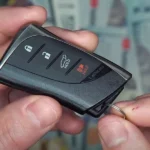
Your Audi key fob is acting up — weak signal, slow response, or your dashboard’s flashing a battery warning. Good news: you don’t need a dealership visit. This guide covers every Audi key type, so grab a fresh CR2032 and let’s fix it.
How Do You Know Your Audi Key Battery Is Dying?
Your fob doesn’t just quit without warning. It sends signals first.
Here’s what to watch for:
- Shorter range — You’re standing right next to the door before it responds
- Multiple button presses — One tap used to do it. Now it takes three or four
- Dim or dead LED — The little light barely flickers when you press a button
- Dashboard alert — A yellow key icon or “Please change key battery” message appears
- Keyless entry stops working — Your hand near the door handle does nothing
These symptoms confirm low battery voltage in the fob’s internal circuit. Don’t ignore them — a dead fob means you’re locked out.
| Symptom | What It Means |
|---|---|
| Short range | Voltage drop reduces transmission power |
| Multiple presses needed | Circuit completes intermittently at low voltage |
| Dim LED flash | Not enough current for the diagnostic circuit |
| Dashboard warning | Car detects weak transponder signal |
| Keyless entry failure | Passive polling circuit can’t function |
What Battery Does an Audi Key Fob Take?
Most Audi key fobs use a CR2032 lithium coin cell. A handful of older or slimmer designs use different sizes.
Here’s the full breakdown:
| Battery | Diameter | Thickness | Capacity | Used In |
|---|---|---|---|---|
| CR2032 | 20mm | 3.2mm | 220–240 mAh | Most modern Smart and Slim fobs |
| CR2025 | 20mm | 2.5mm | 150–170 mAh | Slimmer or older designs |
| CR1620 | 16mm | 2.0mm | 70–80 mAh | Older flip/switchblade keys |
Don’t swap CR2032 and CR2025 interchangeably. They’re the same diameter but different thickness. A CR2025 in a CR2032 slot sits loose and drops connection over bumps. A CR2032 forced into a CR2025 slot can crack the plastic clips or damage the circuit board.
Which Brand Should You Buy?
Skip the no-name batteries. They can leak inside your fob and cause real damage.
| Brand | Lifespan | Notes |
|---|---|---|
| Varta | 3–4 years | Often the original factory battery in Audi fobs |
| Panasonic | 2–3 years | Consistent discharge — great for smart keys |
| Duracell | 2–3 years | Easy to find, solid shelf life |
| Energizer | 2–3 years | Handles cold climates well |
| Generic/unbranded | 6–18 months | High leakage risk — avoid these |
Varta is often the OEM choice for Audi. If you can find it, grab it.
How to Replace Audi Key Battery: Step-by-Step by Fob Type
Not all Audi fobs open the same way. Find your fob type below.
Flip Key (8P Generation — A3, S3, Q-Series, 2003–2013)
This is the classic folding key with a spring-loaded blade.
- Press the silver release button and flip out the metal blade
- Look for the seam in the gap where the blade normally sits
- Insert a small flathead screwdriver or the key tip into that seam
- Twist gently to pop the rear cover off — the fob splits into two halves
- Remove the old battery (usually CR2032 or two CR1620 units)
- Positive terminal faces UP in this design
- Snap the two halves back together until you hear a click
The prying technique needs to be gentle. Apply steady pressure rather than force.
Smart Key (8V and 8Y Generations — 2013–Present)
These are the modern rectangular push-button fobs. They use a tray system — no prying needed.
- Find the small release button on the back or side of the fob
- Slide out the mechanical emergency key blade
- Look inside the cavity — you’ll see two small spring-loaded plastic tabs
- Squeeze those tabs inward toward the center
- While squeezing, pull the drawer outward — this slides out the battery tray
- Remove the CR2032 battery
- Positive terminal faces DOWN in this design
- Slide the tray back in until it clicks
If the tray won’t go back in smoothly, check the battery orientation first. Inserting the tray upside down is the most common mistake here.
2019+ Streamlined Fob (A4, A6, A8, Q7, e-tron)
Audi’s newer rounded fob design uses a slightly different approach.
- Press both side buttons near the keyring hole at the same time to release the mechanical key
- Slide the metal key out
- Press both side buttons again — this time pull the battery tray out
- On some e-tron models, use the mechanical key as a lever in the small internal notch to pop the back panel upward instead
- Swap the CR2032 battery — positive side faces DOWN in tray designs
- Reinsert and snap shut
2024–2026 Models (Q6 e-tron, New A5, Latest Style)
The newest Audi fobs added one more layer to the process.
- Remove the mechanical key using the release button
- Insert a small flat-tip screwdriver into the slot where the key sat
- Engage the hidden latch in the center of that slot
- The rear panel pivots upward and away from the fob body
- Swap the CR2032 — positive terminal faces UP on this style
- Press the cover back down until it’s fully seated
This 2026 fob guide walks through it visually if you need a closer look.
Quick Polarity Reference Guide
| Fob Type | Battery | Positive Terminal | Access Method |
|---|---|---|---|
| 8P Flip Key (2003–2013) | CR2032/CR1620 | Facing UP | Pry casing apart |
| 8V Smart Key (2013–2020) | CR2032 | Facing DOWN | Squeeze clips, pull tray |
| 8Y Smart Key (2020–Present) | CR2032 | Facing DOWN | Squeeze clips, pull tray |
| 2019+ Streamlined | CR2032 | Facing DOWN | Side buttons, pull tray |
| e-tron / GT | CR2032 | Varies* | Back panel or tray |
| 2026+ New Style | CR2032 | Facing UP | Hidden latch + screwdriver |
*Check your original battery’s orientation before removing it.
Handle the Battery Right
Here’s what most people skip — and then wonder why the fob still acts up.
Don’t touch the battery’s flat surfaces with your fingers. Skin oils increase contact resistance. That can trigger a “low battery” warning with a brand new cell. Handle it by the edges or use a non-conductive tool.
Check the contacts while you’re in there. If the fob was dropped a lot, the metal tabs may have flattened slightly. Use a small plastic tool to lift them gently. Don’t use metal — you can snap them off, and they’re part of the circuit board.
Look for white residue. That’s battery leakage. Clean it with a cotton bud lightly dampened with isopropyl alcohol. Let it dry completely before inserting the new battery. Moisture plus a live battery equals a short circuit.
What If the Fob Still Doesn’t Work After a Battery Change?
Most fobs retain their programming during a quick battery swap. But sometimes the remote loses sync. Here’s how to fix it.
For Cars with a Traditional Door Lock
- Insert the mechanical key blade into the driver’s door lock cylinder
- Turn it to lock, then unlock
- Immediately press the Unlock button on the fob
- The car’s central locking module re-maps the rolling code from the fob
For Push-Button Start Cars (No Visible Door Lock)
- Find the key symbol on the side of the steering column — that’s the backup transponder reader
- Hold the fob directly against that symbol
- Press the Start button at the same time
- The car uses an inductive field to read the fob’s chip and restore the remote entry sync
If neither method works, run through this checklist:
- Test battery voltage — A fresh CR2032 should read 3.0–3.3V. Anything under 2.9V won’t power the RF transmitter, even if the LED lights up
- Check button function — If some buttons work but others don’t, it’s a worn tactile switch on the circuit board, not a battery issue
- Look for water damage — Corroded circuit traces drain a new battery within weeks
- Try a different location — Near high-voltage lines or airport radar, signal interference can mimic fob failure
Keep Your Key Fob Secure (and the Battery Lasting Longer)
Modern Audi keyless fobs broadcast a continuous low-power signal — and thieves know it. A relay attack uses signal amplifiers to make your car think the key is right outside, even when it’s inside your house. They can unlock and start the car without ever touching your key.
The fix is simple: store your fob in a Faraday pouch when you’re not driving. The conductive lining blocks the signal completely. Keep the fob away from home routers and wireless chargers too — they can trigger unnecessary wake-up cycles that drain the battery faster.
What Does a Replacement Audi Key Fob Cost If You Break It?
A DIY battery swap costs about $5–$10 for a quality battery. That’s it.
But if you snap the plastic housing, crack a circuit board, or damage the contacts during the process — a replacement fob from the dealership runs $400–$800, including programming. That price reflects the full immobilizer pairing process using your car’s VIN.
If you’re not confident with the physical process, any Audi service center or automotive locksmith can do the swap for a small fee. They’ll also verify signal strength with a diagnostic reader after the battery is in — worth it if your fob has been finicky.
Take your time with the battery change. Gentle pressure, correct polarity, clean contacts — that’s all it takes to keep your fob working for another two to four years.