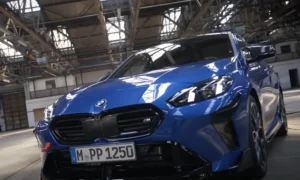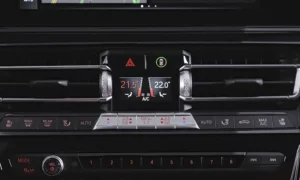
Tired of your BMW’s engine shutting off at every red light? You’re about to discover all the methods to permanently disable that pesky auto start-stop feature. Whether you drive an older F-series or newer G-series BMW, this guide covers every solution from simple DIY fixes to professional coding options.
What Is BMW Auto Start-Stop and Why Disable It?
BMW’s auto start-stop system automatically shuts your engine off when you stop and restarts it when you release the brake. While designed to save fuel and reduce emissions, many drivers find it irritating for several reasons:
- Creates a noticeable lag when accelerating from a stop
- Causes annoying vibrations during frequent restarts
- Potentially increases wear on your starter motor and battery
- Makes driving in heavy traffic particularly frustrating
BMW requires you to manually deactivate this feature every time you start your car—unless you know the permanent solutions we’re about to share.
Method 1: Coding Solutions Using BimmerCode
The most popular and effective method to permanently disable auto start-stop is through software coding. BimmerCode is an app that works with an OBD adapter to modify your car’s settings.
What You’ll Need:
- BimmerCode app (available on iOS and Android)
- Compatible OBD adapter (like Vgate iCar Pro or Veepeak)
- 15-20 minutes of time
Step-by-Step Process:
- Purchase and download the BimmerCode app
- Connect your OBD adapter to your car’s diagnostic port (usually under the dashboard)
- Pair the adapter with your phone via Bluetooth
- Launch BimmerCode and select your BMW model
- Navigate to “FEMBODY” or “BDCBODY” module (depending on your model)
- Find “MSA_MEMORY” and change it to “Aktiv” or “Active”
- Save changes and exit
This coding method makes your BMW remember your last auto start-stop setting. If you turn it off once, it’ll stay off until you decide to turn it back on.
This method has a success rate of over 95% and doesn’t void your warranty since it only changes preference settings.
Method 2: Hardware Solutions for Permanent Deactivation
If you’re uncomfortable with coding or want a completely reversible solution, hardware options are available.
Auto Start-Stop Memory Module
These plug-and-play devices maintain your last auto start-stop setting across ignition cycles.
Installation steps:
- Locate the OBD port under your dashboard
- Plug in the memory module
- Turn your car on and disable auto start-stop once
- The system will now remember your setting
These modules, like the Carelectronic deactivation module, cost between $50-100 and can be easily removed before dealership visits.
Button Cover Method
This simple mechanical solution prevents the auto start-stop button from being pressed.
What you’ll need:
- Auto start-stop button cover (available online)
- No technical skills required
Simply place the cover over your auto start-stop button after disabling the system. While not technically “permanent,” it’s a physical reminder to turn the system off after each start.
Method 3: Advanced Coding with E-Sys
For tech-savvy BMW owners looking for a more comprehensive solution, E-Sys provides deeper access to your vehicle’s systems.
What You’ll Need:
- E-Sys software
- ENET cable
- Valid BMW token
- Basic understanding of BMW coding principles
Process Overview:
- Connect your laptop to your BMW using an ENET cable
- Launch E-Sys and connect to your vehicle
- For F-Series BMWs:
- Navigate to FEM_BODY module
- Locate MSA_MEMORY parameter
- Change to “Aktiv”
- For G-Series BMWs:
- Requires additional coding in BDC_BODY and DME modules
- Set MSA_MEMORY to active
- Disable AUTOSTOPSTOPENABLE in DME
A comprehensive YouTube guide shows the complete process for F-series vehicles.
Warning: E-Sys coding carries more risk than BimmerCode. Incorrect modifications can cause system errors or potentially void your warranty. Consider having a professional perform this if you’re uncertain.
Model-Specific Considerations
Different BMW series require slightly different approaches.
F-Series (2011-2019) Specifics:
- Coding is done primarily in FEM_BODY module
- Manual transmission models need additional DME/DDE coding
- Relatively straightforward process with BimmerCode
G-Series (2020-Present) Specifics:
- Requires more extensive coding in multiple modules
- iDrive 7/8 vehicles need additional head unit coding
- Often needs professional assistance or advanced E-Sys knowledge
G-series vehicles sometimes need a specialized approach due to their updated architecture.
Impact on Vehicle Performance and Warranty
Before permanently disabling auto start-stop, consider these factors:
Fuel Economy Impact:
| Driving Condition | Estimated Fuel Economy Impact |
|---|---|
| Urban/City | 5-7% increase in consumption |
| Highway | Negligible impact |
| Combined | 2-4% increase in consumption |
Warranty Considerations:
- Software coding using BimmerCode typically doesn’t void warranty
- Hardware modules can be removed before dealer visits
- Deep coding with E-Sys may trigger flags in the BMW diagnostic system
According to National Highway Traffic Safety Administration guidelines, manufacturers cannot void your entire warranty for aftermarket modifications unless they can prove the modification caused the specific problem you’re seeking warranty coverage for.
DIY vs. Professional Coding Services
| Aspect | DIY Approach | Professional Service |
|---|---|---|
| Cost | $20-100 for equipment | $100-300 depending on region |
| Time | 30-60 minutes | Typically 1 hour appointment |
| Risk | Potential for coding errors | Usually covered by service warranty |
| Reversibility | Can be reset if needed | Can request original settings back |
| Learning curve | Moderate technical knowledge needed | None – handled by expert |
Professional coding services can typically be found at independent BMW specialists or performance shops. Many BMW enthusiasts report positive experiences using specialized BMW coding forums to find reputable coders in their area.
The “Last Resort” Method
If all else fails, there’s a simple but less elegant solution: manually press the auto start-stop button every time you start your car.
To make this easier:
- Make it part of your starting routine
- Press the button right after fastening your seatbelt
- Some users place small reminder stickers near the button
While not a permanent solution, developing this habit can reduce the frustration while you consider other options.
Real-World Driver Experiences
Many BMW owners report significant improvements in driving experience after disabling auto start-stop:
- Smoother acceleration from stops
- More consistent climate control (AC doesn’t fluctuate at stops)
- Reduced anxiety in stop-and-go traffic
- Better overall driving experience
According to a Reddit thread, over 80% of BMW owners who disabled the feature reported increased satisfaction with their vehicles.
Latest Updates for 2023-2024 BMW Models
Newer BMWs with 48V mild-hybrid systems have a more integrated auto start-stop function that can be more challenging to disable. For these latest models:
- Professional coding is often necessary
- Some traditional methods may not work
- Complete disabling may not be possible, but memory function still works
If you have a 2023-2024 model with mild-hybrid technology, consult with a specialized BMW coding expert before attempting modifications.
BMW X-Drive and M-Model Specifics
Performance-oriented BMW models handle auto start-stop differently:
M-Models:
- Often have sport modes that automatically disable auto start-stop
- M-specific coding pathways may be required
- May have different menu structures in iDrive
X-Drive Models:
- SUVs like X3, X5, and X7 use similar procedures
- Some have additional parameters in transmission control modules
- Models with “Off-Road” packages may have unique settings
These models follow the same general principles but sometimes require model-specific adjustments.
Making an Informed Decision
Before permanently disabling your BMW’s auto start-stop function, consider:
- If you primarily drive short trips in the city, you’ll lose some fuel economy
- Your environmental impact will increase slightly
- The trade-off between convenience and efficiency
- Whether you might want to restore factory settings later (before selling)
Most BMW enthusiasts find that the improved driving experience outweighs the modest increase in fuel consumption, especially if much of their driving involves frequent stops.