Ever stared at that pesky “Change Oil Soon” message on your GMC Sierra dashboard? You’ve just changed the oil, but your truck doesn’t know it yet. Don’t worry – resetting your Sierra’s oil life monitor is simpler than you might think, and I’ll walk you through the exact steps for every model year.
Why Resetting Your GMC Sierra’s Oil Life Monitor Matters
Your Sierra doesn’t just track oil changes by mileage. The oil life monitoring system analyzes your actual driving habits – including temperature fluctuations, engine load, and trip duration – to calculate when you truly need fresh oil. This smart system helps prevent both premature oil changes (saving you money) and waiting too long (protecting your engine).
But after changing your oil, you need to reset the system so it can start fresh calculations. Skip this step, and you’ll get inaccurate oil life readings and annoying warning messages.
How to Reset Oil Life on GMC Sierra (Third-Generation: 2007-2013)
Third-gen Sierra owners have two main reset methods:
Gas Pedal Method
- Insert your key and turn to “ON” position (don’t start the engine)
- Fully press and release the accelerator pedal three times within five seconds
- Look for the “Oil Life Reset” message to flash on your display
- The percentage should reset to 100%
If this doesn’t work the first time, make sure you’re keeping the ignition in the “ON” position throughout the process. The timing of those pedal presses matters – not too fast, not too slow.
Instrument Cluster Method
- Turn the ignition to “ON” without starting the engine
- Press the vehicle information button (often labeled “i” or “DIC”) until you see the oil life percentage
- Press and hold the “Reset” or “Check” button until the display confirms the reset
How to Reset Oil Life on GMC Sierra (Fourth-Generation: 2014-2018)
The fourth-gen Sierra offers slightly different reset methods depending on your trim level:
For Models with Steering Wheel Controls
- Start your engine
- Use the right-hand steering wheel buttons to navigate to the “Information” menu
- Scroll until you find “Oil Life”
- Press the center “Select” button
- Hold the “Select” button until the percentage resets to 100%
For Base Models with Cluster Knob
- Turn the ignition to “ON” (engine off)
- Rotate the cluster knob until “Oil Life” appears
- Press and hold the knob until the confirmation message appears
- Select “Yes” to complete the reset
How to Reset Oil Life on GMC Sierra (Fifth-Generation: 2019-2024)
The newest Sierra generation has the most variation in reset methods based on trim:
For Uplevel Models (Denali, AT4, SLT)
- Start the engine
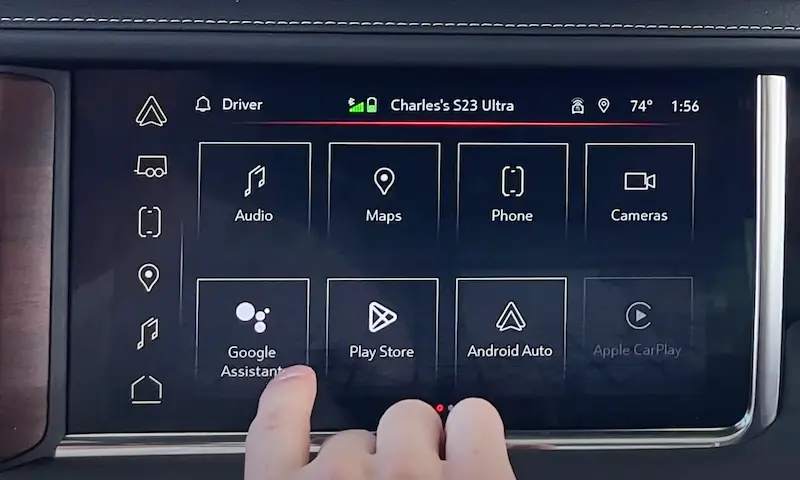
- Navigate to the “Info” tab using the center console dial or touchscreen
- Scroll to find “Oil Life” and select it
- Choose “Reset” or “Yes” when prompted
This newer interface provides a more intuitive experience with clear on-screen instructions.
For Base Models (Pro, SLE)
- Turn the ignition to “ON”
- Use the instrument cluster knob to find “Oil Life” in the display
- Press and hold the knob until the system confirms the reset
Oil Change Best Practices for GMC Sierra Owners
Want to maximize your Sierra’s engine life? Follow these tips:
Use the Right Oil
GMC recommends dexos1® synthetic oil for gasoline engines. Using the manufacturer-approved oil helps maintain warranty compliance and gives you optimal performance.
Check Your Oil Regularly
Even with the monitoring system, it’s smart to manually check your oil level every few weeks. Low oil can cause serious engine damage before the system triggers a warning.
Reset Immediately After Oil Changes
Don’t wait days or weeks after your oil change to reset the system. The sooner you reset, the more accurate your oil life calculations will be.
Troubleshooting Common Reset Problems
“Change Oil Soon” Message Won’t Go Away
If you’ve tried resetting but the warning persists, try:
- Performing the reset procedure again, being extra precise with the steps
- Disconnecting your battery for five minutes (this will reset various systems)
- Driving for 10-15 minutes after resetting to allow the system to recalibrate
Can’t Find the Oil Life Display
Some model years hide the oil life indicator in submenus. Keep scrolling through all information center options, or consult your owner’s manual for the exact location in your specific model year.
The System Resets But Quickly Shows Low Percentage Again
This usually indicates an actual issue with your oil pressure or oil level. Check for leaks and verify you have sufficient oil in the system.
When Your GMC Sierra Actually Needs an Oil Change
The National Highway Traffic Safety Administration recommends following your vehicle’s oil life monitoring system rather than strict mileage intervals. For most Sierra drivers, this means oil changes happen:
- Every 5,000-7,500 miles for conventional oil (though the system may suggest otherwise based on your driving)
- Every 7,500-10,000+ miles for full synthetic oil (again, your system knows best)
Your driving conditions matter too – frequent short trips, extreme temperatures, towing, or dusty conditions will reduce your oil life faster.
Sierra Oil Life Monitor Accuracy: Can You Trust It?
Many Sierra owners wonder if they can trust the oil life monitor. According to GM forums, the system is generally conservative in its estimates. Most modern Sierra trucks use sophisticated algorithms that consider:
- Engine revolutions and running time
- Engine temperature variations
- Engine load (especially during towing)
- Trip duration and frequency
- Ambient temperature conditions
The result is a system that’s typically more precise than the old “every 3,000 miles” rule. That said, if you’re a severe-duty driver (frequent towing, extreme off-roading), you might want to change your oil a bit sooner than the monitor suggests, just to be safe.
Understanding Your Sierra’s Oil Life Display
Your GMC Sierra’s oil life monitor doesn’t just give you a percentage – it provides advance warnings as oil life diminishes:
| Oil Life Percentage | Display Message | Recommended Action |
|---|---|---|
| 100-15% | Normal percentage display | No action needed |
| 15-5% | “Change Oil Soon” | Plan for oil change within 500-1000 miles |
| Below 5% | “Change Oil Now” | Get oil changed immediately |
After each reset, you’ll see 100% oil life, which will gradually decrease based on your driving patterns.
Benefits of Regular Oil Life Resets
Properly resetting your oil life monitor after every oil change provides several benefits:
- Accurate maintenance records – Your Sierra’s monitoring system becomes part of your maintenance history
- Optimized maintenance intervals – You’ll change oil when actually needed, not too early or late
- Better resale value – A properly maintained Sierra with documented service history commands a higher price
- Reduced warning messages – No more annoying “Change Oil” alerts when you’ve already handled maintenance
Sierra Oil Change Specifications By Generation
When changing your oil before a reset, make sure you’re using the right specifications:
| Generation | Years | Oil Capacity (with filter) | Recommended Oil Type |
|---|---|---|---|
| 3rd Gen | 2007-2013 | 6.0 quarts (5.7L V8) | 5W-30 |
| 4th Gen | 2014-2018 | 8.0 quarts (5.3L V8) | 0W-20 |
| 5th Gen | 2019-2024 | 8.0 quarts (5.3L V8) | 0W-20 dexos1 |
Always check your owner’s manual for the exact specifications for your particular engine configuration.
The Evolution of GMC Sierra’s Oil Monitoring Technology
GMC has continuously improved their oil life monitoring system over the years:
- Early systems (pre-2007): Based primarily on mileage and engine hours
- Second-generation (2007-2013): Added temperature and engine load factors
- Current generation (2014+): Sophisticated algorithms considering multiple driving factors and conditions
This evolution explains why newer Sierras can often go longer between oil changes while maintaining excellent engine protection.
Remember, your Sierra’s advanced oil life monitoring system helps you maximize both engine protection and maintenance dollar value – but only if you reset it properly after each oil change. Follow the steps I’ve outlined for your specific model year, and you’ll keep your truck running smoothly for years to come.