Need to reset your GMC Acadia’s oil life monitor but not sure how? You’ve just changed your oil and now that pesky “Oil Life Low” message won’t go away. I’ll walk you through the exact reset process for every Acadia model year, using plain language and straightforward steps.
Why Resetting Your Acadia’s Oil Life Monitor Matters
Your GMC Acadia uses a smart system that tracks how your engine oil is holding up. Unlike old-school maintenance schedules based solely on mileage, this system considers your actual driving conditions.
But here’s the thing—this system can’t detect when you’ve changed the oil. You need to manually reset it so it can start fresh calculations. Skip this step, and you’ll get inaccurate maintenance alerts that might lead to unnecessary oil changes or (worse) missing one when you actually need it.
How to Reset Oil Life on First-Generation GMC Acadia (2007-2016)
First-gen Acadias have several reset methods depending on your specific dashboard setup. Here’s what works for each type:
Using the Accelerator Pedal Method
This trick works on all first-generation models and is especially helpful for base models:
- Turn the key to “ON” position (don’t start the engine)
- Press the accelerator pedal to the floor three times within 5 seconds
- The oil life indicator will reset to 100%
- Turn the ignition off and start the engine to confirm
Using the Driver Information Center Buttons
If your Acadia has a Driver Information Center (DIC) with dashboard buttons:
- Turn the ignition to “ON” without starting the engine
- Press the “Vehicle Info” or “i” button until you see “OIL LIFE REMAINING”
- Press and hold the “SET/RESET” button until the display shows “100%”
- You’ll hear three confirmation chimes when it’s done
Using the Trip Odometer Stem
Some models use the trip odometer reset stem instead of buttons:
- Turn key to “ON” position
- Press the trip odometer stem until “OIL LIFE REMAINING” appears
- Hold the stem for 5 seconds until “100%” displays
- Restart your Acadia to make sure the oil change message is gone
How to Reset Oil Life on Second-Generation GMC Acadia (2017-2023)
The newer Acadias use different methods based on which dashboard display you have.
For Base-Level Display Models
- With the vehicle on, use the left steering wheel controls to navigate to “Information”
- Scroll to find “Oil Life”
- Press the “SEL” (select) button
- Press and hold the button until you see “100%”
- The system will confirm with a message or tone
For Mid and Upper-Level Display Models
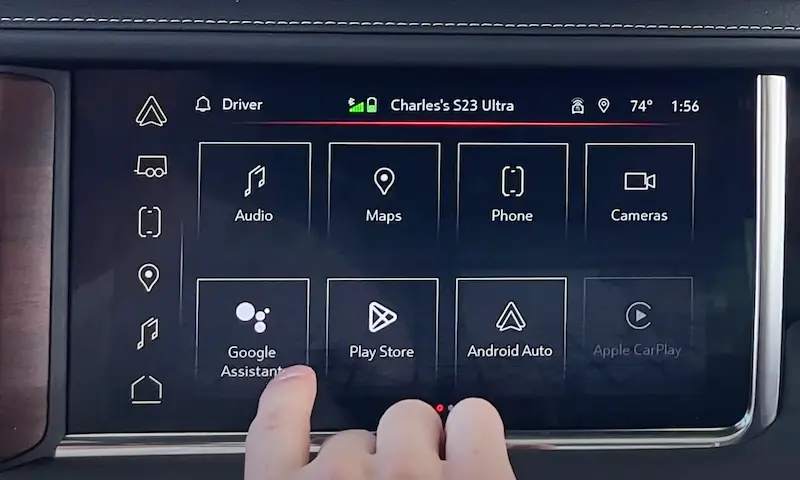
If your Acadia has the larger touchscreen infotainment system:
- Press the “Home” button on your touchscreen
- Select “Settings”
- Choose “Vehicle”
- Select “Oil Life”
- Press “Reset”
- Confirm when prompted
Common Reset Problems and Quick Fixes
Reset Not Working?
If you’re following the steps but your oil life isn’t resetting to 100%, try these fixes:
- Make sure you’re in “RUN” mode, not “ACC” – the dashboard should be fully lit
- For newer models, ensure your vehicle is in “Park” with doors closed
- Try the procedure again, but more slowly and deliberately
- Turn the vehicle completely off, wait 30 seconds, and try again
“Change Oil Soon” Message Still Appearing?
If you’ve reset the system but the message continues:
- Complete a full ignition cycle (off completely, then back on)
- Drive the vehicle for a few minutes and check again
- If persistent, there might be an oil pressure sensor issue requiring professional diagnosis
Best Oil Change Practices for Your GMC Acadia
When to Change Your Oil
While your oil life monitor gives personalized timing, these general guidelines help:
- Synthetic oil: Usually good for 7,500-10,000 miles under normal conditions
- Conventional oil: Typically needs changing every 5,000-7,500 miles
- Severe conditions (towing, extreme temperatures, lots of short trips): Consider more frequent changes
Recommended Oil Types
GMC Acadias perform best with these specifications:
| Model Years | Recommended Oil Type | Capacity (with filter) |
|---|---|---|
| 2007-2016 | dexos1 5W-30 | 5.5 quarts (V6) |
| 2017-2023 | dexos1 5W-30 | 6.0 quarts (4-cyl), 6.0 quarts (V6) |
Important Things to Check During Oil Changes
Make the most of your oil change by also checking:
- Oil filter replacement (essential with every oil change)
- Air filter condition
- Tire pressure and rotation needs
- Fluid levels (brake, transmission, coolant)
Step-by-Step Visual Guide for 2017-2023 Models
The newer GMC Acadias have a touchscreen-based reset process that’s slightly more involved:
- Start with the vehicle on but not moving
- Find the steering wheel controls on the left side
- Press the menu button to access the driver information displays
- Scroll through options until “Oil Life” appears
- When “Oil Life” is displayed, press and hold the “SEL” button
- Hold until the display confirms with “100%”
Oil Life System vs. Traditional Oil Change Intervals
Your Acadia’s oil monitoring system is smarter than traditional schedules. Here’s how they compare:
| Approach | How It Works | Advantages | Limitations |
|---|---|---|---|
| Oil Life Monitor | Tracks engine conditions, temperature, RPM, trip length | Personalized to your driving, potentially saves money | Must be manually reset, can be confusing |
| Traditional Schedule | Fixed mileage (e.g., every 3,000 miles) | Simple to remember, no electronics needed | May lead to unnecessary changes or miss needed ones |
The National Highway Traffic Safety Administration recognizes that modern oil life monitoring systems help maintain vehicle safety while reducing unnecessary maintenance.
Keep Your Acadia Running Smoothly
Resetting your GMC Acadia’s oil life monitor takes just a minute but plays a crucial role in your vehicle’s maintenance. Remember to reset it after every oil change to keep your system’s recommendations accurate and your engine protected.
By following these model-specific instructions, you’ll ensure your Acadia’s oil life monitor provides reliable guidance for your next service interval. Plus, you’ll save yourself a trip to the dealership just for a simple reset procedure.