That “Service Tire Monitor System” message just popped up on your GMC’s dashboard, and now you’re wondering if you’re about to spend a fortune at the dealership. The good news? It’s often simpler than it looks. Read to the end and you’ll know exactly what’s happening, why it happens, and what to do about it.
What Does “Service Tire Monitor System” Actually Mean?
First things first — this message isn’t the same as a low tire pressure warning.
When your GMC’s Driver Information Center (DIC) shows “Service Tire Monitor System,” it means the system itself has a problem. It’s not saying a tire is low. It’s saying it can’t check your tires anymore.
Think of it like a smoke detector with a dead battery. The alarm isn’t going off — but it’s also not protecting you.
Here’s the quick breakdown:
| Warning Type | Light Behavior | What It Means |
|---|---|---|
| Low Tire Pressure | Solid light on | Tire below safe PSI — system is working |
| Service Tire Monitor | Blinks 60–90 sec, then stays on | Hardware or signal failure — system is broken |
| Dashes (–) on DIC | Accompanies service message | BCM lost contact with that sensor |
The TPMS requirement exists because of federal law — specifically FMVSS No. 138 — which mandates that all passenger vehicles under 10,000 lbs have a system that warns you when a tire drops 25% below the recommended pressure. When your GMC can’t fulfill that federal safety mandate, it tells you with the “Service” message.
How the GMC Tire Monitor System Actually Works
Your GMC uses a direct TPMS — meaning there’s a physical sensor inside each wheel. Each sensor measures air pressure, temperature, and motion. It transmits that data wirelessly to a receiver module, which passes it along to the Body Control Module (BCM).
The BCM is the brain. It matches incoming sensor signals to the four IDs it has stored in memory and decides what to show on your dashboard.
Sensors don’t constantly broadcast. Here’s how they operate:
- Parked: Checks pressure every 30 seconds, only transmits if pressure drops significantly
- Driving: Switches to “rolling mode” at around 15–20 mph, broadcasts roughly every 60 seconds
If the BCM goes 18–20 minutes without hearing from a sensor while you’re driving, it sets a fault and triggers the “Service Tire Monitor System” message.
The Most Common Reasons This Message Appears
Dead Sensor Battery
This is the number one cause. TPMS sensors run on sealed lithium batteries — and they’re not replaceable. Once the battery dies, the whole sensor goes with it.
Sensors typically last 5–10 years, depending on driving conditions. Here’s the kicker: all four sensors were installed at the same time. So when one battery dies, the other three are probably close behind. Replacing all four at once when you’re already getting new tires makes economic sense.
DTC to look for: C0750, C0755, C0760, or C0765 with symptom byte 03 (low battery voltage)
Sensors That Haven’t Been Relearned
Rotate your tires recently? Replace a sensor? Disconnect the battery? The BCM might have lost track of which sensor ID belongs to which corner of the car.
The BCM stores four specific sensor IDs — and if those IDs get cleared or mismatched, you’ll see the service message. This triggers DTC C0775: Sensors Not Learned.
The relearn sequence must go in this exact order: Left Front → Right Front → Right Rear → Left Rear. Miss the two-minute window on the first tire or the five-minute total window, and the BCM cancels the whole process.
RF Signal Interference
Your sensors transmit at either 315 MHz (most GMC models 2004–2018) or 433 MHz (2019 and newer). Those signals are fragile — and surprisingly easy to disrupt.
Things that kill TPMS signals:
- Metallic window tint — acts like a Faraday cage, blocking signals from reaching the receiver. The “Service” message often clears when windows are rolled down
- Cheap aftermarket LED headlights — low-quality bulbs emit radio noise that interferes with sensor signals. Some GMC Sierra owners only see the message when headlights are on
- Extreme wheel offsets or lift kits — push sensors further from the receiver antenna, weakening signal path
RCDLR Antenna Problems
The Remote Control Door Lock Receiver (RCDLR) handles both your keyless entry and your TPMS signals. If you’re having problems with both key fob range and the service message at the same time, the RCDLR or its antenna is likely the issue.
In 2015–2016 GMC Yukon models, a Technical Service Bulletin (PIT5446A) identified a disconnected coaxial antenna cable as the culprit. The BCM would lose contact with the tires farthest from the receiver — usually showing dashes for Left Front and Left Rear.
OnStar Module Interference (2024–2025 Models)
This one’s wild. In 2024–2025 GMC Acadia, Chevy Traverse, and Buick Enclave models, TSB 24-NA-166 identified the OnStar Telematic Control Module as the source of front TPMS failures. Specifically, a poorly grounded high-speed Ethernet cable was acting as an antenna — broadcasting interference that overwhelmed the front TPMS sensors. DTCs C1171 and C1172 accompany this fault.
The fix involves rerouting a new shielded Ethernet cable. Not a DIY job.
Diagnostic Trouble Codes: What the Numbers Mean
If you plug an OBD2 scanner into your GMC, here’s what you might find:
| DTC Code | What It Means |
|---|---|
| C0750 | Left Front sensor fault |
| C0755 | Right Front sensor fault |
| C0760 | Left Rear sensor fault |
| C0765 | Right Rear sensor fault |
| C0775 | Sensors not learned — relearn required |
| C0551 | RCDLR receiver internal failure |
| C0569 | System configuration error — BCM not programmed correctly |
| U2149 | Lost communication with TPMS — CAN bus or power/ground issue |
Each sensor code also comes with a symptom byte that tells you why it failed:
- Byte 03 = Battery dead → replace the sensor
- Byte 39 = Internal sensor malfunction → replace the sensor
- Byte 08 = Corrupted data packet → check for interference
- Byte 00 = BCM hasn’t heard from the sensor in 18+ minutes → start with a relearn
How to Reset the GMC Service Tire Monitor System
Resetting the system means completing a sensor relearn — teaching the BCM which sensor ID belongs to which wheel position.
Manual relearn method (most GMC models):
- Make sure all tires are inflated to the correct PSI (check the sticker inside your driver’s door)
- Turn the ignition to ON/RUN — don’t start the engine
- Hold LOCK and UNLOCK on your key fob until the horn chirps twice
- The DIC will display “Tire Learning Active”
- Start at the Left Front tire — either use a TPMS tool against the sidewall or rapidly deflate the tire for 8–10 seconds until the horn chirps
- Move to Right Front → Right Rear → Left Rear
- Complete all four within five minutes total
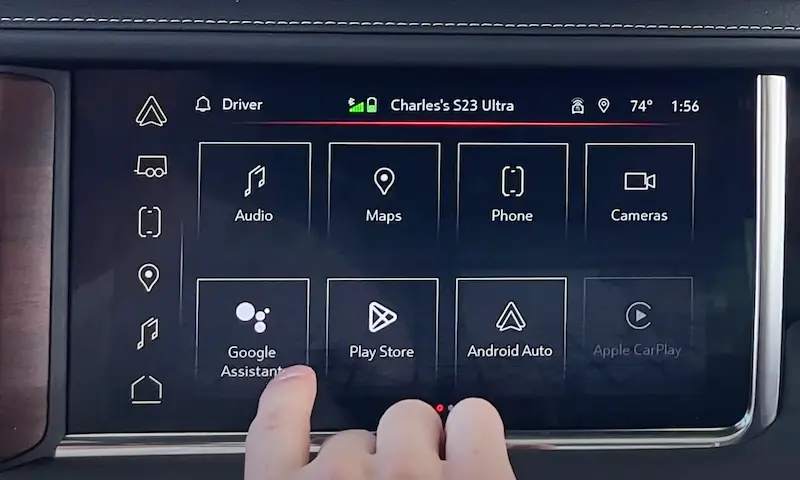
On newer GMC models with infotainment screens, you can navigate to the Tire Pressure menu and select “Relearn Tire Pressure” to initiate the same process.
If that doesn’t work, a professional tool like the ATEQ VT56 can connect via OBD2 and write sensor IDs directly into the BCM — skipping the horn-chirp process entirely.
Auto-Learn Technology on Newer GMC Models
2024+ models with RPO code UJN have an “Auto Learn” system designed to update sensor positions automatically after a tire rotation — just by driving for 15–20 minutes above highway speeds.
It sounds great, but it doesn’t always work. 2025 GMC Sierra EV owners have reported that even OEM sensors sometimes don’t get picked up automatically after wheel swaps. The workaround is to manually select “Relearn Tire Pressure” in the infotainment system to prompt the BCM into an active listening state.
Aftermarket sensors must still be programmed with the correct GM protocol before Auto Learn can recognize them.
What It Costs to Fix
Here’s a realistic look at the numbers:
| Sensor Type | Avg. Sensor Cost | Labor | Total Installed |
|---|---|---|---|
| GM OEM (Schrader) | $60 | $50 | $110 per sensor |
| Professional Aftermarket (Autel/Huf) | $45 | $50 | $95 per sensor |
| Generic/Budget | $15 | $50 | $65 per sensor |
| Fleet/Bulk (all four at once) | $35 | $25 in-house | ~$60 per sensor |
Independent shops typically charge 30–50% less than a GMC dealership for the same repair. Generic sensors cost less upfront but may lack compatibility with features like Tire Fill Alert and tend to have shorter battery lives.
The smartest move: If your GMC is over seven years old and one sensor fails, replace all four. Since they were all installed at the same time, you’ll save significantly on cumulative labor costs versus replacing them one by one over the next year.
Is It Legal to Ignore the Service Tire Monitor System Message?
Technically, you can drive with the message on. But you probably shouldn’t — and depending on your state, you might not pass inspection.
Federal law (49 USC 30122) prohibits repair shops from knowingly disabling or removing a functioning TPMS. A dealer can’t legally reprogram your BCM to ignore missing sensors just because you don’t want to pay for the fix.
State inspection rules vary:
| State | TPMS Rule |
|---|---|
| Vermont, West Virginia, Rhode Island, Hawaii | Mandatory — fails inspection |
| New York, Virginia | Advisory — noted but passes |
| California | Shops must be equipped to diagnose/service TPMS |
Beyond inspections, if you ever have a serious tire failure and there’s an active “Service” warning light on record, it can shift legal liability onto you — regardless of your state’s inspection rules.
Keep It Running Right: Simple Maintenance Tips
The GMC Service Tire Monitor System is a backup safety net — not a replacement for checking your tires manually.
Monthly manual pressure check: Use a quality gauge when tires are cold (parked 3+ hours). For every 10°F drop in temperature, tires lose about 1 PSI. A cold autumn morning can drop all four tires below the warning threshold.
Valve stem care: Aluminum-stem sensors corrode over time — especially in states that use road salt. Always use nickel-plated valve cores and caps with internal gaskets. Every time a tire gets replaced, install a new TPMS service kit (seal, nut, valve core, cap). It’s a few dollars and it protects a $100+ sensor.
Keep aftermarket mods in mind: If you’ve added metallic window tint, cheap LED bulbs, or a lift kit with extreme wheel offset, any of these could be causing your “Service” message. Confirm your hardware is clean before spending money on sensors that don’t need replacing.
The GMC Service Tire Monitor System is more sophisticated than most people realize — but once you understand what triggers the message and how to diagnose it, you’re in a much better position to handle it quickly, cheaply, and correctly.