Your GMC screen is frozen, black, or acting weird — and you need it fixed now. This guide covers every way to reboot your GMC infotainment system, from a quick button press to pulling the fuse. Find your model year and start there.
First, Know Which System You Have
The right fix depends entirely on your system. Use the wrong method and nothing happens.
| Model Years | System Name | Key Feature |
|---|---|---|
| 2014–2019 | IntelliLink | Physical buttons on center stack |
| 2017–2019 | GM Infotainment | OnStar-based reboot option |
| 2019–2022 | Infotainment 3 | Settings menu + power dial |
| 2022–2025+ | Google Built-in | Steering wheel controls |
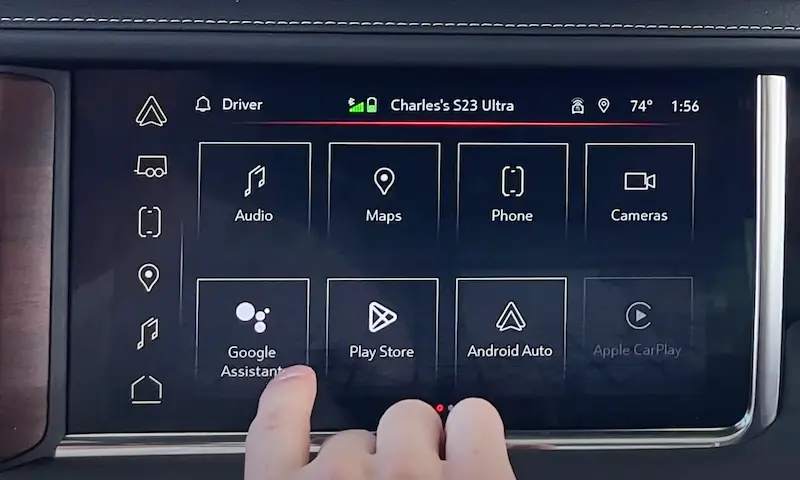
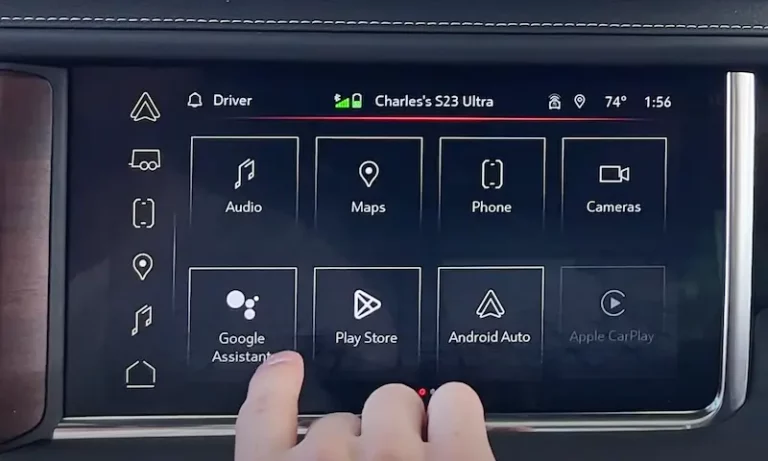
Not sure which one you have? Check the home screen. If you see a Google Play Store icon or Google Assistant button, you’re running Google Built-in on Android Automotive OS.
The Quick Soft Reboot (Start Here Every Time)
A soft reboot clears temporary software errors without wiping your data. Studies on infotainment system resets show soft reboots fix roughly 85% of minor glitches. Try this first.
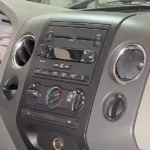
IntelliLink (2014–2019): Home + Fast Forward
Find the Home and Fast Forward buttons on your center stack. They’re usually on either side of the volume knob or just below the screen.
Press and hold both buttons at the same time for 10 seconds. The screen goes black, then the GMC logo appears. That’s your system restarting fresh.
You can also watch a quick video walkthrough of this exact reboot process if you want to see it done live.
GM Infotainment (2017–2019): Try the OnStar Trick
If the standard button combo doesn’t work on your 2017–2019 model, try this: press the blue OnStar call button, then immediately press Hang Up. This forces the cellular data module to refresh. It sounds odd, but it often clears freezes tied to navigation or Bluetooth calling.
Google Built-in (2022–2025): Steering Wheel Hold
Put the truck in Park first. Find the End Call / Phone Hangup button on the right side of your steering wheel. Hold it down for 15 to 20 seconds.
A service screen or developer prompt might pop up. Ignore it. Keep holding. The screen goes dark, waits a few seconds, then reboots with the GMC logo. This is GMC’s official fix for app crashes on the Android Automotive platform.
2023+ Models: Use the Settings Menu
If your screen still responds to touch, skip the button holds entirely. Go to:
Settings → System → Reset Options → Infotainment Reset
This method is actually more stable. The OS closes active processes in order before restarting, instead of cutting them off mid-task.
| System | Button/Method | Hold Time |
|---|---|---|
| IntelliLink (2014–2019) | Home + Fast Forward | 10 seconds |
| Google Built-in (2022–2025) | End Call (steering wheel) | 15–20 seconds |
| 2024 Acadia | Down Arrow button | 10 seconds |
| 2025 Models | Power/Volume knob | 10–15 seconds |
Power Cycling With the RAP System
Button combos not working? Your GMC’s Retained Accessory Power (RAP) system is probably why. The RAP keeps electronics running for up to 10 minutes after you shut the engine off. So a simple key off/key on doesn’t actually cut power to the infotainment head unit.
Here’s how to force a true power-down:
- Park the vehicle and turn the engine off
- Unbuckle your seatbelt
- Open the driver’s door — this is the trigger that tells the Body Control Module to cut RAP
- Leave the door open for 5 full minutes
That 5-minute wait lets the capacitors inside the infotainment system fully discharge. You might hear a faint click or whirring from behind the dash — that’s normal. It means the modules have hit zero power.
After 5 minutes, close the door and restart the engine. The system does a cold boot from scratch.
Note: If your radio stays on even after the door opens, your RAP door switch may be faulty. A broken RAP switch is a leading cause of parasitic battery drain on Sierra and Yukon models. Skip to the fuse method below until it’s repaired.
Factory Reset: When the Soft Reboot Isn’t Enough
A factory reset wipes personal data and returns the system to its original state. It solves about 95% of software-related bugs — but you’ll lose saved addresses, Bluetooth pairings, and radio presets.
The engine must be running and the vehicle in Park before you start. This protects the flash memory during the rewrite process.
Go to: Settings → Return to Factory Settings
GMC gives you three levels:
- Restore Vehicle Settings — Resets door locks, lighting timers, and seat memory. Keeps your radio presets and paired phones. Start here.
- Restore Radio Settings — Clears all AM/FM/SXM favorites, bass/treble settings, and media history. Good if audio is distorted or stuck.
- Clear All Private Data — Wipes everything: contacts, call logs, navigation history, paired devices. Use this before selling or returning the vehicle.
The full process takes 5 to 10 minutes. The screen may flicker or restart multiple times. Don’t touch the ignition until the Home screen is fully back.
Hardware Reset: Pulling the Infotainment Fuse
Screen completely black? Nothing responds? You need a hardware reset. This means pulling the 10-amp infotainment fuse to cut direct power to the processor.
Find the fuse box based on your model:
- Sierra 1500 (2019–2025): Three-panel setup — one under the hood, two behind the dashboard on each side
- Yukon (2021–2025): Passenger-side cabin fuse box, accessed by opening the front passenger door and removing the side panel cover
- Acadia (2020–2025): Dash panels plus a rear cargo fuse panel under a velcro tray in the trunk
Open the fuse box lid and look at the diagram inside. Find the fuse labeled INFO or INFOTAINMENT. Use the fuse puller tool (usually stored in the engine bay fuse box). Pull the 10-amp fuse out and wait 30 to 60 seconds. Reinsert it. The system runs a full self-diagnostic on startup.
Battery Disconnect: The Last Resort
Still nothing? Disconnect the negative (black) battery terminal with a wrench. Set it aside so it doesn’t touch any metal surface.
Wait exactly 15 minutes. Modern GMC vehicles use high-capacity capacitors that hold memory states for several minutes after the battery disconnects. Fifteen minutes ensures a complete drain.
After reconnecting, you may see warning lights for traction control or park assist. These usually clear after a 10-minute drive as the modules re-establish their CAN bus communication.
| Method | What It Does | Saves Data? |
|---|---|---|
| Soft Reboot (button hold) | Clears cache, restarts software | Yes |
| RAP Power Cycle (door wait) | Full power-down, cold boot | Yes |
| Factory Reset (menu) | Wipes all personal settings | No |
| Fuse Pull | Forced hardware restart | Yes |
| Battery Disconnect | Global system reset | No |
Safe Mode and the Quick Startup Problem (2024–2025 Models)
If your newer GMC lags constantly but the soft reboot only helps for a day, a third-party app is probably the culprit.
Enable Safe Mode: Settings → System → Reset Options → Restart in Safe Mode
Safe Mode runs only the core apps (Maps, Climate, Radio) and disables everything you downloaded. If the system suddenly feels snappy in Safe Mode, one of your installed apps — Spotify, Waze, Pandora — is leaking memory. Exit Safe Mode and uninstall the most recently added or updated app via the Google Play Store on your home screen.
Turn Off Quick Startup: Settings → System → Quick Startup → Off
Quick Startup keeps maps and media apps half-awake when the truck is off so they load faster. Sounds great, but it causes progressive memory fragmentation over weeks of driving. Turning it off forces a fresh system start every time you get in the truck — essentially a mini-reboot every day.
The Electrical Problem Software Can’t Fix
If your screen randomly reboots while you’re driving — not because you touched anything — stop trying software fixes. That’s an electrical problem.
The G218 Ground Point Issue
A known issue in 2019–2024 Sierra and Silverado models involves the G218 grounding lug on the passenger-side dashboard frame near the A-pillar. The factory sometimes painted the frame before installing the grounding bolt. Paint is an insulator. The result: unstable voltage to the infotainment system, random blackouts, and a dashboard full of random warning lights.
The fix isn’t a reboot. You disconnect the battery, unbolt the G218 lug, sand the frame down to bare metal, reconnect it, and apply dielectric grease to prevent future corrosion.
BCM Synchronization Failures
On 2021–2025 models, the cabin fuse box is physically integrated into the Body Control Module. If your radio dies at the same time your power locks stop working, you’re not dealing with an infotainment glitch. That’s a BCM issue caused by wiring chafing or moisture intrusion. It needs dealer-level programming tied to your specific VIN — no DIY fix exists for this one.
Keep It From Freezing Again
A few habits that prevent most reboots before they happen:
- Update your firmware regularly. Outdated software is the biggest cause of system instability. Check via Settings → System → Vehicle Software → Updates. Always install updates on Wi-Fi, not a weak LTE signal — large updates fail over poor connections.
- Limit Bluetooth devices to three or fewer. The Bluetooth module crashes when it tries to manage too many concurrent connections.
- Clear app cache periodically. Go to Settings → Apps, open individual apps, and clear the cache. Same principle as clearing it on your phone or tablet.
If you’ve tried every method here and the system still won’t cooperate, contact GMC customer support at 1-800-462-8782 or head to a dealer with a GM GDS2 diagnostic tool. Some issues — like BCM failures or corrupted firmware — sit beyond what any button combination can solve.