You’re cruising on the highway when suddenly your Ford won’t go past 50 mph. Frustrating, right? If you’ve found yourself stuck with a Ford vehicle limited to 50 mph due to MyKey restrictions, you’re not stuck forever. This guide will walk you through proven methods to reset these limitations and get your vehicle back to normal operation.
What Is Ford MyKey and Why Is It Limiting Your Speed?
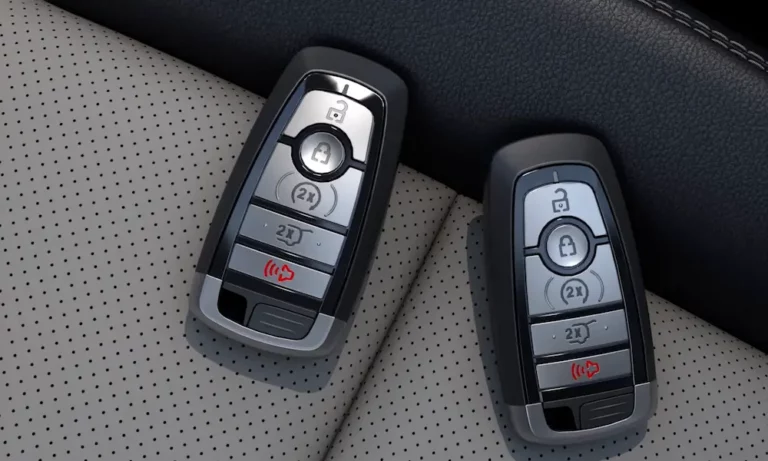
Ford’s MyKey system was designed with safety in mind. It allows vehicle owners to program specific keys with restrictions for other drivers (like teens or valets). These restrictions can include:
- Speed limits (typically 50, 65, or 80 mph)
- Volume controls for the audio system
- Earlier low-fuel warnings
- Seatbelt reminders that mute the audio until buckled
When a MyKey is active in your vehicle, you’ll see a MyKey indicator in your dashboard display, and your car simply won’t exceed the programmed speed limit – in this case, 50 mph.
Method 1: Using the Admin Key (The Easiest Solution)
If you have access to the admin key (sometimes called the master key), resetting the speed limit is straightforward:
- Insert the admin key into the ignition
- Start the vehicle
- Navigate to the SYNC screen or your instrument cluster menu
- Select “Settings” then “MyKey”
- Choose “Clear MyKey” and hold the OK button until you see confirmation
This official Ford process takes just a few minutes and immediately restores full vehicle functionality without any speed limitations.
Method 2: What If You Don’t Have the Admin Key?
Lost or don’t have access to the admin key? Don’t worry, you have several options:
The Aluminum Foil Trick
This method works on many Ford models by temporarily confusing the key detection system:
- Wrap your MyKey fob in aluminum foil completely (or move it at least 20 feet away)
- Open and close a vehicle door to trigger the “No Key Detected” alert
- Remove the foil and place the unwrapped key near the steering column
- With the ignition on, quickly navigate to Settings → MyKey → Clear MyKey
This technique has helped many Ford owners bypass restrictions when they don’t have an admin key.
Remote Start Workaround
If your Ford has remote start capability:
- Use remote start to turn on the vehicle without opening any doors
- Before shifting out of park, access the SYNC settings screen
- Navigate to MyKey settings and clear all MyKeys
- Complete the process before the vehicle recognizes the restricted key
This works because remote start temporarily bypasses some MyKey initializations, giving you a window to access admin functions.
Method 3: Using FORScan Software (Technical Solution)
For tech-savvy owners, FORScan provides a powerful way to reset MyKey limitations:
What You’ll Need:
- FORScan software (Windows-compatible)
- OBD-II adapter (like VLinker)
- FORScan extended license
- A computer
- Basic technical knowledge
Step-by-Step Process:
- Prepare Your Setup:
- Connect your OBD-II adapter to your vehicle’s diagnostic port (usually under the dashboard)
- Launch FORScan on your computer
- Connect to your vehicle
- Reset PATS System:
- Navigate to “Service Functions”
- Select “PATS Programming”
- Choose “Erase and Program Keys” to reset the entire system
- Follow prompts to program two new keys with admin privileges
- Alternatively, Disable MyKey via IPC Module:
- In FORScan, find the IPC (Instrument Panel Cluster) module
- Select “IPC Module Configuration”
- Locate the “MyKey Feature” setting and change to “Disabled”
- Write the changes and cycle the ignition
According to multiple user reports, this method can completely remove MyKey restrictions, but it requires technical proficiency and the right tools.
Method 4: Professional Solutions
If the DIY methods aren’t working or seem too complicated, professionals can help:
Ford Dealership
- Cost: Typically $150-300
- Process: Dealers use proprietary Ford IDS software to erase MyKey and program new keys
- Advantage: Guaranteed results with warranty protection
Automotive Locksmiths
- Cost: Usually 30-50% cheaper than dealership rates
- Service: Many certified locksmiths can now clone admin keys using J2534-compliant tools
- Advantage: Mobile service that comes to you
Many owners report good experiences with professional locksmith services when DIY methods fail.
Model-Specific Considerations
The effectiveness of each method varies by Ford model and year:
| Ford Model | Most Effective Methods | Special Notes |
|---|---|---|
| F-150 | Admin Key, FORScan | 2015+ models may require dealer programming |
| Fusion | Admin Key, Foil Trick | SYNC 3 makes menu navigation easier |
| Focus | FORScan, Dealer | Some older models respond well to foil trick |
| Escape | Admin Key, Locksmith | 2017+ models have enhanced security |
| Explorer | FORScan, Dealer | Push-button start models need special handling |
Preventative Measures for the Future
Once you’ve reset your MyKey speed limitation, take these steps to avoid future issues:
- Keep track of your admin key – store it separately from your daily keys
- Label your keys clearly – know which one is the admin key
- Consider creating a backup admin key – available at dealerships
- Document your MyKey settings – know what restrictions are in place
- Learn your vehicle’s specific reset procedure – each Ford model might have slight variations
The Legal Side of Speed Limitation Removal
Before proceeding with any MyKey reset, be aware of these important legal considerations:
- Modifying safety features like speed limiters may void certain aspects of your warranty
- In some jurisdictions, disabling safety features installed by manufacturers could have legal implications
- If you’re not the registered owner, get permission before modifying any vehicle settings
- If the vehicle is used by a teen driver, consider the safety implications of removing speed limits
Troubleshooting Common Issues
“Clear MyKey” Option Not Visible
- Verify you’re using the correct menu path for your specific model
- Try cycling the ignition multiple times
- Ensure your battery is fully charged as low voltage can affect SYNC functions
Reset Failed with FORScan
- Check OBD adapter compatibility with your vehicle
- Verify you have the extended license activated
- Make sure you’re accessing the correct module (IPC vs BCM varies by model)
Speed Limit Still Active After Reset
- Some systems require a “key cycle” – turn off the vehicle completely, remove key, wait 30 seconds
- Check for secondary MyKeys that might still be programmed
- Verify dashboard no longer shows the MyKey indicator
“System Error” During Reset
- Check for technical service bulletins related to your specific model
- Vehicle may need a software update from the dealer
- Battery voltage may be insufficient for programming
The Bottom Line: Getting Back to Full Speed
Dealing with a Ford MyKey speed limited to 50 mph can be frustrating, but with the right approach, you can reset these restrictions and restore your vehicle’s full capabilities. From using the admin key to trying technical solutions like FORScan, you have multiple options depending on your situation and technical comfort level.
Remember that the MyKey system was designed with safety in mind, so consider carefully why you’re removing these limitations, especially if they were set up for a young or inexperienced driver.
With the methods outlined in this guide, you should be back to normal driving without speed limitations in no time. And next time, you’ll know exactly how to handle Ford MyKey issues without the frustration!