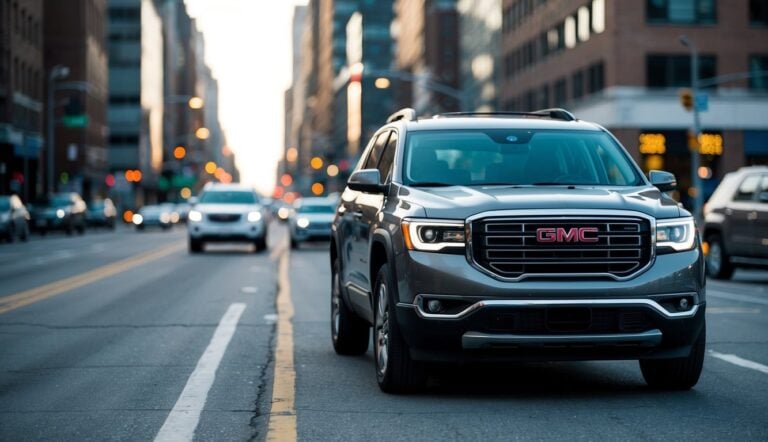
If your GMC Acadia has been struggling to start or you’ve noticed dim headlights, it might be time for a battery replacement. Unlike most vehicles, the Acadia’s battery location presents a unique challenge that catches many owners off guard. Don’t worry – we’ll walk you through everything you need to know to get your Acadia back on the road quickly.
Where Is the Battery Located in a GMC Acadia?
The battery location in your GMC Acadia depends entirely on which generation of vehicle you own:
First Generation (2007-2016)
In these models, you won’t find the battery under the hood where you’d expect it. Instead, GMC tucked it beneath the floor panel between the front passenger seat and the second row of seats. This unusual placement is shared with other GM Lambda platform vehicles like the Chevrolet Traverse, Buick Enclave, and Saturn Outlook.
Second Generation (2017-2023)
For newer models, GMC moved the battery to a more traditional location in the engine compartment. However, it still requires specific access procedures that differ from most vehicles.
Tools You’ll Need for Battery Replacement
Having the right tools ready before you start will make this job much easier:
- T20 Torx driver/socket
- 10mm socket and ratchet
- 13mm socket and ratchet
- Socket extensions (8-inch works well)
- Safety glasses and gloves
- Battery terminal cleaner
- Terminal protector or petroleum jelly
Don’t skimp on safety equipment – battery acid is extremely corrosive and can cause serious injury. Always wear protective eyewear and chemical-resistant gloves when handling the battery.
Choosing the Right Battery for Your Acadia
Selecting the correct battery type ensures optimal performance and prevents premature failure.
Battery Group Size
- 2007-2016 Models: Group Size 48 or H6
- 2017+ Models: Group Size 48, H6, or 94R (varies by trim and engine)
AGM vs. Standard Batteries
Many newer Acadias use AGM (Absorbed Glass Mat) batteries, especially models with start-stop technology. While more expensive initially, these batteries offer:
- Twice the lifespan of conventional batteries
- Higher cold cranking amps for reliable starts
- Better performance in extreme temperatures
Don’t downgrade to a standard battery if your vehicle came with an AGM—it can cause electrical system issues.
Cold Cranking Amps Requirements
Your Acadia needs sufficient power to start in any weather:
- Standard models: 700-760 CCA
- Enhanced models: 800-850 CCA
- Start-stop equipped: Higher CCA requirements
How to Replace the Battery in a 2007-2016 GMC Acadia
Follow these steps carefully for a successful battery replacement:
Step 1: Accessing the Battery
- Move the front passenger seat all the way forward
- Slide the second-row seat all the way back
- Remove the floor mat by turning the two plastic fasteners ¼ turn counterclockwise
- Remove the black plastic trim cover on the rear passenger seat tracks
- Find the carpeted battery access cover and remove the T20 Torx screw
- Lift the cover to reveal the battery
Step 2: Removing the Old Battery
- Disconnect the negative terminal first using a 10mm socket (this prevents electrical shorts)
- Tuck the negative cable safely away from the battery
- Open the red cover on the positive terminal
- Loosen and remove the positive terminal
- Disconnect the black exhaust vent tube from the battery
- Remove the 13mm bolt securing the battery hold-down clamp
- Carefully lift the old battery straight up and out
Step 3: Installing the New Battery
- Clean the battery tray of any debris or corrosion
- Lower the new battery into position with the positive terminal toward the front
- Reconnect the battery vent tube
- Replace the battery hold-down clamp and tighten the 13mm bolt
- Apply terminal protector to both battery posts
- Connect the positive terminal first, then the negative terminal
- Ensure all connections are secure but not overtightened
Step 4: Reassembly
- Replace the battery access cover and secure with the T20 Torx screw
- Reinstall the trim panels
- Secure the floor mat with the fasteners
- Return seats to desired positions
How to Replace the Battery in a 2017-2023 GMC Acadia
The process for newer models is different since the battery moved to the engine compartment:
- Locate the battery under plastic covers in the engine bay
- You may need to disconnect the sway bar to gain proper access
- Remove necessary cover components
- Disconnect the negative terminal first, then positive
- Remove battery hold-down hardware
- Replace with the new battery
- Reconnect in reverse order (positive first, then negative)
- Reinstall any removed components
What to Expect: Costs and Pricing
Battery replacement costs vary based on several factors:
| Battery Type | Price Range |
|---|---|
| Standard Battery | $100-$180 |
| AGM Battery | $150-$300 |
| Performance AGM | $250-$400 |
If you choose professional installation, expect these additional costs:
- Independent shop labor: $100-$150
- Dealership service: $140-$200
- Mobile service: $323 average (including battery)
The total cost will also vary by model year. For instance, a 2016 Acadia typically costs $605-$881 for full service, while a 2022 model ranges from $909-$1,361.
Battery Warranty Coverage
Factory Battery Warranties
The original battery in your GMC Acadia is covered under:
- GMC vehicles: 3 years or 36,000 miles
- No receipt required for warranty claims at GM dealerships
- Coverage transfers to subsequent owners
Replacement Battery Warranties
Aftermarket batteries offer varying coverage:
- Premium AGM batteries: 48-month free replacement
- Standard batteries: 12-42 months, depending on quality tier
- Consider extended protection plans for longer coverage
Extending Battery Life in Your GMC Acadia
Proper maintenance can significantly extend your battery’s lifespan:
Regular Maintenance Tips
- Inspect the battery every 3 months for corrosion or damage
- Clean terminals with a wire brush and apply petroleum jelly
- Test voltage periodically (should read 12.6V when not running)
Weather Considerations
- In cold climates, consider a battery blanket for extreme temperatures
- In hot weather, check the battery more frequently for signs of failure
- Limit short trips that don’t allow the battery to fully recharge
Warning Signs of a Failing Battery
Watch for these indicators that your battery needs attention:
- Engine cranks slowly when starting
- Headlights dim noticeably at idle
- Electrical system glitches appear
- Battery case appears swollen or bloated
- Sulfur smell near the battery
Troubleshooting Common Issues
If you encounter problems during or after battery replacement:
Difficult Access
- Apply penetrating oil to stuck fasteners
- Use proper tools to avoid stripping
- Replace damaged hardware during reassembly
Electrical Problems After Installation
- Some systems may need relearning periods
- Radio security codes may need to be entered
- Drive normally for 15-20 minutes to allow systems to reset
Battery Performance Issues
- Check for tight connections at the terminals
- Verify the alternator is charging properly (12.6-14.7V while running)
- Look for parasitic draws that might drain the battery
Is DIY Replacement Right for You?
Consider these factors before deciding to replace the battery yourself:
Benefits of DIY Installation
- Save $100-$200 in labor costs
- No appointment scheduling required
- Gain useful knowledge about your vehicle
When to Call a Professional
Consider professional help if:
- You lack proper tools or experience
- Your vehicle has advanced electronics or start-stop technology
- You discover corroded or damaged components
- You’re uncomfortable with electrical systems
The unique battery location in the GMC Acadia makes replacement more challenging than in most vehicles, but with proper preparation and the right tools, it’s a manageable DIY task for most owners. Just remember to prioritize safety, choose the right battery type, and take your time through each step of the process.