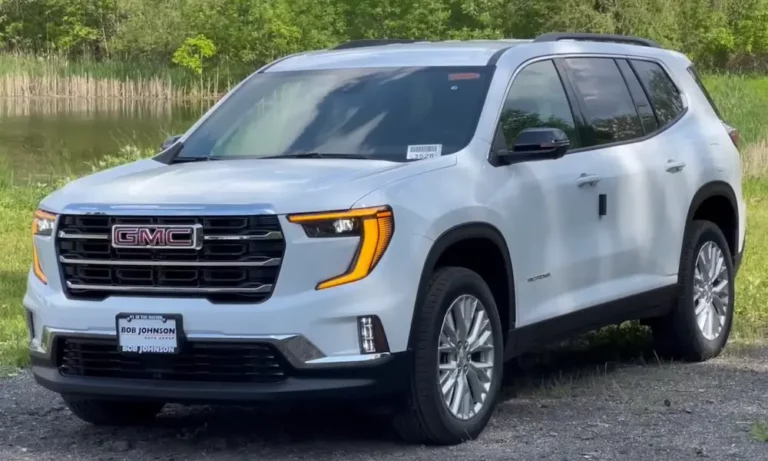
Ever noticed your GMC Acadia’s temperature gauge acting up? Or maybe your heater isn’t working like it used to? Your vehicle’s thermostat might be the culprit. This critical component regulates engine temperature, and when it fails, you’ll want to fix it quickly before facing more serious engine problems. Let’s dive into how you can handle this replacement yourself and save some serious cash in the process.
What Does a Thermostat Do in Your GMC Acadia?
Your Acadia’s thermostat serves as a temperature-controlled valve that regulates coolant flow through the engine. When working properly, it:
- Opens at a specific temperature (usually 195-210°F) to allow coolant to flow
- Closes when the engine is cold to help it warm up faster
- Maintains optimal engine operating temperature
When this humble part fails, your engine can overheat quickly or struggle to reach proper operating temperature. Either scenario can damage your engine or reduce performance and fuel economy.
Signs Your GMC Acadia Needs a Thermostat Replacement
How do you know when it’s time to replace your thermostat? Look for these telltale symptoms:
- Temperature gauge fluctuations or readings that are unusually high or low
- Engine overheating despite having adequate coolant
- Longer than normal engine warm-up times
- Poor heater performance in cold weather
- Coolant leaks around the thermostat housing
- Check engine light with code P0128 (coolant temperature below thermostat regulating temperature)
If you’re experiencing any of these issues, it’s worth checking your thermostat before the problem worsens.
Tools and Materials You’ll Need
Before starting this job, gather these essentials:
Tools:
- Socket set with 10mm socket
- Torx T25/T30 bits
- Hose pick or flathead screwdriver
- Torque wrench
- Drain pan
- Funnel (preferably a spill-free coolant funnel)
Materials:
- Replacement thermostat (GM part #12678780 for 2017+ models)
- Coolant (Dexcool is recommended for GMC vehicles)
- New O-rings and gaskets
- Shop rags
- Gloves and eye protection
Pro tip: Always use OEM or high-quality replacement parts for thermostats. Cheaper aftermarket options might not be calibrated correctly for your specific engine.
Thermostat Location in GMC Acadia Models
The thermostat location varies slightly depending on your Acadia’s model year:
2007-2016 Models (3.6L LY7/LGX engines):
- Located on the right (passenger) side of the engine
- Positioned beneath the air intake assembly
- Accessible after removing some intake components
2017-2024 Models (3.6L LGX engines):
- Similar location but with a redesigned housing
- May require additional steps for access due to updated engine layout
Step-by-Step Thermostat Replacement: 2007-2016 GMC Acadia
1. Preparation and Safety First
Before beginning any work:
- Ensure the engine is completely cool
- Disconnect the negative battery terminal
- Place a drain pan under the vehicle
- Put on gloves and eye protection
2. Draining the Cooling System
To access and replace the thermostat, you’ll need to drain some coolant:
- Locate the radiator drain valve (if equipped) or prepare to disconnect the lower radiator hose
- Open the radiator cap to release pressure
- Drain coolant into your pan (remember, coolant is toxic to pets and wildlife, so collect it for proper disposal)
Note: 2007-2015 Acadias don’t have a radiator drain valve, so you’ll need to disconnect a hose to drain the system.
3. Accessing the Thermostat
For 2007-2016 models:
- Locate the airbox assembly on the right side of the engine
- Remove any covers or engine shields as necessary
- Unclip the push pins holding the airbox in place
- Detach any vacuum lines connected to the intake system
- Remove the air intake pipe for better access to the thermostat housing
4. Removing the Old Thermostat
Once you have access to the thermostat housing:
- Disconnect coolant hoses from the housing using your hose pick
- Remove the three 10mm bolts securing the thermostat housing
- Carefully pull the housing away from the engine
- Remove the old thermostat and O-ring
- Clean all mating surfaces thoroughly
5. Installing the New Thermostat
- Install the new O-ring on the thermostat housing
- Place the new thermostat into the housing (ensure it’s oriented correctly)
- Align the housing with the engine block
- Install the three mounting bolts and torque to 89 inch-pounds (10 Nm)
- Reconnect all coolant hoses and secure with clamps
Step-by-Step Thermostat Replacement: 2017-2024 GMC Acadia
The procedure for newer Acadias involves some differences:
1. Follow Updated Service Bulletin
According to NHTSA Technical Service Bulletin PIP5940, for 2017+ models:
- Replace only the thermostat housing (part #12678780), not the entire pipe assembly
- Follow specific torque specifications outlined in the bulletin
2. Component Removal
-
Remove necessary components for access, which may include:
- Air intake assembly
- Plastic engine cover
- Upper radiator hose connections
-
When working near the fuel rail:
- Avoid removing fuel injectors
- Instead, detach the coolant transfer pipe as directed
3. Installation Specifics
- Install the new thermostat with fresh O-rings
- Torque fasteners to specification (89 inch-pounds/10 Nm)
- Reconnect all hoses and components
- Prepare for proper system bleeding
Refilling and Bleeding the Cooling System
Proper bleeding is crucial to prevent air pockets that can cause overheating:
- Refill the cooling system with the correct Dexcool coolant
- Use a spill-free funnel if available to help eliminate air bubbles
- Start the engine with the radiator cap off or funnel installed
- Set the heater control to maximum heat
- Run the engine at about 2,000 RPM for 10-15 minutes
- Watch for air bubbles to stop appearing in the radiator or funnel
- Monitor the temperature gauge to ensure it stabilizes around 210°F
- Add coolant as needed to maintain proper levels
Post-Installation Checks
After completing the thermostat replacement:
- Check all connections for leaks with the engine running
- Verify the temperature gauge shows normal operation
- Take a test drive and monitor engine temperature
- Recheck coolant levels after 50 miles of driving
- If you notice any leaks, re-torque housing bolts to specification
Common Pitfalls to Avoid
When replacing your GMC Acadia’s thermostat, watch out for these common issues:
- Vacuum leaks: Be careful with airbox clips and vacuum lines, particularly on 2008 models
- Incorrect thermostat: Some aftermarket thermostats may not be properly calibrated for your Acadia
- Improper bleeding: Stubborn air pockets can cause overheating even with a new thermostat
- Missing O-rings: Always replace all O-rings and gaskets during the job
- Overtightening: Use a torque wrench to avoid cracking the housing or stripping threads
Estimated Cost Comparison: DIY vs. Professional Service
| Expense | DIY Cost | Professional Service |
|---|---|---|
| Thermostat | $30-60 | $30-60 |
| Coolant | $20-30 | $20-30 |
| O-rings/Gaskets | $5-15 | Included |
| Labor | Your time | $200-400 |
| Tools (if needed) | $40-100 | N/A |
| Total | $55-205 | $250-490 |
As you can see, doing this job yourself can save you $200-300, even if you need to purchase some tools.
GMC Acadia Model Years and Thermostat Considerations
| Model Years | Engine | Thermostat Part | Special Considerations |
|---|---|---|---|
| 2007-2016 | 3.6L LY7/LGX | Varies by year | Positioned beneath air intake |
| 2017-2024 | 3.6L LGX | #12678780 | Follow TSB PIP5940 procedure |
How to Test if Your New Thermostat is Working Correctly
After installation, verify proper operation:
- Start with a cold engine and note how long it takes to reach normal operating temperature (usually 5-10 minutes)
- Check that the temperature gauge stays steady in the middle range
- Verify your heater produces hot air when the engine is warm
- Watch for any leaks around the thermostat housing
- Monitor coolant levels for the next few days
If everything functions normally, congratulations on successfully replacing your GMC Acadia’s thermostat!
Preventative Maintenance Tips for Your Cooling System
To avoid future thermostat issues:
- Change your coolant according to the maintenance schedule (typically every 100,000 miles for Dexcool)
- Inspect hoses and connections regularly for leaks or deterioration
- Keep the radiator and cooling system clean from debris
- Address any temperature fluctuations promptly
- Consider a cooling system flush when replacing major components
By maintaining your cooling system properly, you’ll extend the life of your thermostat and other components, keeping your GMC Acadia running reliably for years to come.