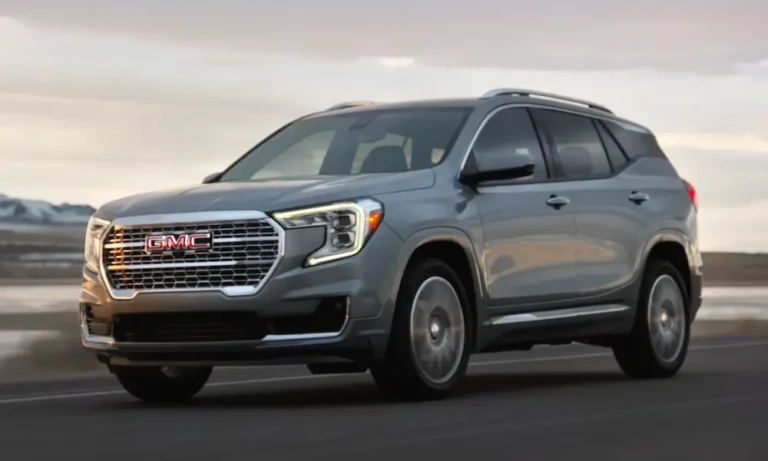
You’re driving your GMC Terrain, stop at a red light, and suddenly—complete silence as your engine shuts off. Then comes the jarring restart when you release the brake. If you find this auto stop feature more annoying than helpful, you’re not the first to search for a disable solution.
Many Terrain owners seek ways to turn off this fuel-saving but often frustrating feature. Let’s explore every method to disable auto stop in your GMC Terrain, from quick daily workarounds to permanent solutions.
What Is GMC Terrain’s Auto Stop Feature?
The auto stop system (sometimes called start-stop) automatically shuts off your engine when you come to a complete stop, then restarts it when you release the brake pedal. GMC implemented this technology to improve fuel efficiency and reduce emissions.
While environmentally friendly, many drivers find it:
- Disruptive to smooth driving
- Potentially harmful to engine components with frequent use
- Annoying in stop-and-go traffic
The system works via sensors that monitor vehicle speed, brake pressure, battery condition, and climate control demands to determine when to activate.
Using the Factory Disable Button (2022+ Models)
If you drive a 2022 or newer GMC Terrain, you’re in luck—sort of. GMC responded to customer complaints by adding a dedicated auto stop disable button starting with the 2022 model year.
This button, marked with an “A” symbol surrounded by a circular arrow, is typically located near the hazard lights or on the center console. When the LED indicator is illuminated, auto stop is active; when off, the feature is disabled.
The major limitation? You’ll need to press it every time you start your Terrain. The system resets to “enabled” with each ignition cycle, requiring you to disable it manually each time you drive.
For 2022+ Terrain owners, this button provides the easiest (though repetitive) solution without purchasing additional equipment or making modifications.
Free Workaround Methods
Don’t want to spend money on aftermarket solutions? Try these free techniques that many Terrain owners use daily:
1. The Manual Transmission Mode Method
This is the most reliable free method and takes just seconds:
- Start your vehicle normally
- Shift into “L” (Low) mode
- Use the “+” paddle or button to shift up to L9 (the highest gear)
- Continue driving normally
Many GMC forum users confirm the L9 method works consistently across all model years. The vehicle continues to operate as a normal automatic transmission, shifting through all gears, but the auto stop system remains inactive.
The downside? Like the factory button, you’ll need to repeat this sequence each time you start your Terrain.
2. Climate Control Method
Setting your air conditioning system to maximum cold settings often prevents auto stop from activating. The GMC support documentation confirms that high A/C demands can temporarily disable auto stop to maintain cabin comfort.
However, this method’s effectiveness varies with outside temperature and isn’t reliable in moderate weather when the A/C load isn’t high enough to override the auto stop system.
3. Hood Open Startup Method
A lesser-known technique involves:
- Open your hood
- Start the vehicle
- Close the hood after startup
The auto stop system will remain disabled until the next key cycle because it detected an open hood during startup. While this method works, it’s impractical for daily use since you must exit your vehicle each time.
Permanent Electronic Solutions
For those wanting a “set it and forget it” solution, aftermarket devices offer the most convenient option.
1. Plug-and-Play Auto Stop Eliminators
Several manufacturers offer dedicated modules specifically designed for the GMC Terrain. These devices typically cost about $10 and install in minutes.
The Autostop Eliminator is vehicle-specific and plugs directly behind the auto stop switch. Installation takes 10-20 minutes with basic tools and requires removing some dashboard panels to access the switch wiring.
What makes these devices worth considering:
- They remember your preference across ignition cycles
- No permanent vehicle modifications needed
- Easily removed for service appointments
- No effect on remote start capabilities
- Compatible with both gas and diesel engines
Many users report 100% effectiveness with no side effects or diagnostic trouble codes.
2. Battery Sensor Modules
Products like SmartStopStart take a different approach by connecting to the vehicle’s battery sensor system. These install in approximately 3-5 minutes by connecting inline with the negative battery cable sensor.
These clever devices work by simulating electrical conditions (like low battery voltage or high electrical load) that naturally cause the auto stop system to remain inactive.
| Device Type | Installation Time | Cost Range | Removable | Advantages |
|---|---|---|---|---|
| Switch-based | 10-20 minutes | $80-100 | Yes | No wiring modifications |
| Battery sensor | 3-5 minutes | $100-140 | Yes | Faster installation |
3. Hood Latch Sensor Bypass
For the mechanically inclined, bypassing the hood latch sensor with a resistor offers a more technical but budget-friendly permanent solution.
This method tricks the vehicle’s computer into believing the hood is always open, preventing auto stop activation. The bypass typically uses a 2,200-ohm resistor wired between specific terminals of the hood latch connector.
While effective and costing only $15-30 in parts, this modification has significant drawbacks:
- Triggers a constant “hood open” warning on your dashboard
- May prevent remote start functionality
- Requires basic electrical knowledge
- Could potentially affect warranty coverage
According to several GMC forum discussions, this method works but the warning light annoyance makes it less desirable than dedicated modules.
Professional ECM Tuning
For 2018-2020 GMC Terrain models with the 2.0L turbo engine, professional ECM (Engine Control Module) tuning offers the cleanest permanent solution.
Companies like Trifecta Performance offer auto stop disable services that reprogram your vehicle’s computer to permanently eliminate the feature while maintaining all other factory functions.
This method typically costs $300-500 and requires specialized equipment, but provides the most integrated solution with:
- No hardware modifications
- No warning lights
- Reversible if needed
- Often includes additional performance benefits
Compatibility By Model Year
Before choosing a solution, consider your specific Terrain model year:
2018-2021 Models: These lack a factory disable button, making aftermarket solutions necessary for permanent disable functionality.
2022+ Models: These include the factory disable button but still require aftermarket solutions if you want permanent disable functionality (rather than pressing the button each time).
Engine Types: Most aftermarket solutions support both gasoline and diesel variants, but verify compatibility with your specific engine before purchasing.
Installation Difficulty Comparison
| Method | Difficulty Level | Tools Required | Time Required |
|---|---|---|---|
| Factory Button | Very Easy | None | 2 seconds per start |
| L9 Method | Easy | None | 10-15 seconds per start |
| A/C Method | Easy | None | 5 seconds (but unreliable) |
| Plug-and-Play Module | Moderate | Basic hand tools | 10-20 minutes once |
| Battery Sensor Module | Easy-Moderate | Basic hand tools | 3-5 minutes once |
| Hood Sensor Bypass | Difficult | Electrical tools | 30-60 minutes once |
| ECM Tuning | Professional | Special equipment | Service appointment |
Warranty Considerations
Most electronic disable devices are designed to be removable and leave no permanent traces, minimizing warranty concerns. Under the Magnuson-Moss Warranty Act, manufacturers can only deny warranty claims if they prove the aftermarket component caused the specific failure.
However, conservative owners may choose to remove devices before service visits. The electronic modules are designed for quick removal if needed before dealer service appointments.
Which GMC Terrain Auto Stop Disable Method Is Best?
Based on extensive user feedback across GMC forums and review sites, here are recommendations for different priorities:
For budget-conscious drivers: The L9 manual mode workaround costs nothing but requires about 15 seconds of button presses each startup.
For convenience-focused drivers: Electronic eliminator devices offer the best balance of cost, effectiveness, and convenience, automatically managing the disable function without daily intervention.
For simplicity seekers: The factory disable button (2022+ models) provides the most straightforward solution, though you’ll need to press it each startup.
For performance enthusiasts: ECM tuning provides the cleanest permanent solution while often offering additional performance benefits.
Benefits of Disabling Auto Stop
Many Terrain owners report these improvements after disabling the auto stop feature:
- Smoother driving experience, especially in city traffic
- Reduced wear on starter components
- Consistent climate control in hot weather
- Elimination of the momentary hesitation when accelerating from a stop
- More predictable vehicle behavior
While the auto start-stop system serves an environmental purpose, multiple effective solutions exist across all price points and technical comfort levels. Your choice ultimately depends on your priorities regarding cost, convenience, and permanence of the solution.
Whether you choose a free daily workaround or invest in a permanent solution, you can enjoy your GMC Terrain without the auto stop feature interrupting your driving experience.