Ever turned on your Honda CRV only to find your radio displaying “CODE” instead of your favorite station? Don’t worry – you haven’t broken anything. Your radio’s anti-theft system has activated, and you just need the right code to get your tunes flowing again. I’ll show you exactly how to retrieve your Honda CRV radio code quickly and painlessly.
Why Your Honda CRV Radio Needs a Code
When your Honda CRV’s battery gets disconnected or dies completely, the radio security system kicks in. This anti-theft feature is actually protecting your stereo from would-be thieves, but it can be frustrating when you’re the legitimate owner!
The radio requires a unique 4-5 digit code to unlock, which Honda provides with every vehicle. The problem? Most people misplace this code or never received it when purchasing a used CRV.
How to Find Your Honda CRV Radio Serial Number
Before retrieving your radio code, you’ll need to find your radio’s serial number. Here’s the simplest method that works for most Honda CRVs:
- Turn your ignition key to the ON position (don’t start the engine)
- Turn on your radio and confirm it displays “CODE”
- Turn the radio OFF
- Press and hold preset buttons 1 and 6 simultaneously
- While holding these buttons, turn the radio ON
- Your display will alternate between:
- “U” followed by four digits
- “L” followed by four more digits
Write down all eight digits, ignoring the “U” and “L” prefixes. This complete sequence is your radio’s serial number.
If this method doesn’t work for your particular CRV model, you might need to physically remove the radio to find the serial number printed on a label.
Retrieving Your Honda CRV Radio Code Online
The fastest way to get your radio code is through Honda’s official website:
- Visit Honda’s radio code retrieval site
- Enter your Vehicle Identification Number (VIN)
- Input the radio serial number you just retrieved
- Complete any verification steps
- Your radio code will appear on screen
Your VIN can be found in several places:
- On the driver’s side dashboard (visible through windshield)
- Inside the driver’s door jamb
- On your vehicle registration or insurance documents
If the online system works correctly, you’ll have your code in seconds.
Alternative Ways to Get Your Honda CRV Radio Code
If the online method doesn’t work, you have several other options:
Check Your Vehicle Documentation
Look through your CRV’s original paperwork. Honda often includes the radio code on:
- The Radio Code Card in your owner’s manual packet
- A sticker inside your glove compartment
- Written on a card titled “Anti-theft Radio Code”
Contact Your Honda Dealer
Any Honda dealership can retrieve your radio code with:
- Proof of ownership (registration/title)
- Your vehicle’s VIN
- The radio serial number
Many dealers provide this service free of charge to Honda owners.
Call Honda Customer Service
Honda’s customer service line can also provide radio codes after verifying your information:
- Call 1-800-999-1009
- Provide your VIN and radio serial number
- Verify your ownership information
- They’ll give you the code over the phone
How to Enter Your Honda CRV Radio Code
Once you have your code, entering it is straightforward:
- Turn your ignition to the ON position
- Make sure your radio is ON and displaying “CODE”
- Use the radio preset buttons (1-6) to enter each digit of your code
- For example, to enter “5,” press preset button 5
- For codes with digits higher than 6, use combinations (e.g., for “7” press buttons “1” then “6”)
- After entering the complete code, your radio should unlock automatically
If “ERR” appears after entering the code, you’ve entered it incorrectly. Most Honda CRVs allow several attempts before a lockout period begins.
Common Honda CRV Radio Code Problems and Solutions
“ERR” Message After Multiple Attempts
If you see “ERR” after multiple incorrect attempts, your radio has temporarily locked you out.
Solution: Turn off your vehicle completely, wait at least 30 minutes, then try again. This resets the attempt counter.
Code Doesn’t Work Despite Being Correct
Sometimes the code you’ve received is accurate, but entry issues occur.
Solution: Make sure you’re:
- Entering digits one at a time with slight pauses
- Using the correct preset buttons
- Not rushing the process
Can’t Access Online Retrieval Tool
Some users experience issues with Honda’s online tool.
Solution: Try:
- Using a different web browser (Chrome works best)
- Disabling ad blockers
- Clearing your browser cache
- Trying at a different time of day
Honda CRV Radio Code by Model Year
Different CRV generations have slightly different radio systems. Here’s a quick reference table:
| CRV Generation | Years | Code Entry Method | Special Notes |
|---|---|---|---|
| 1st Gen | 1997-2001 | Preset buttons 1-6 | May need physical serial inspection |
| 2nd Gen | 2002-2006 | Preset buttons 1-6 | Electronic serial retrieval works best |
| 3rd Gen | 2007-2011 | Preset buttons 1-6 | Code often printed in owner’s manual |
| 4th Gen | 2012-2016 | Preset buttons 1-6 | Navigation units may require dealer visit |
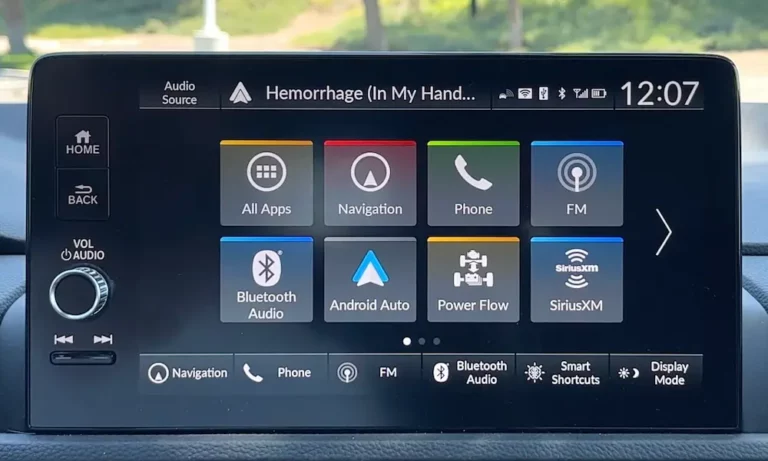
| 5th Gen | 2017-2022 | Touchscreen entry | Some models store code in infotainment system |
| 6th Gen | 2023+ | Touchscreen entry | Many newer models don’t require codes |
Preventing Future Honda CRV Radio Code Issues
To avoid going through this process again:
- Write down your radio code and store it in multiple places:
- Take a photo of it with your phone
- Write it in your owner’s manual
- Store it in your wallet
- Consider a battery maintenance program for your CRV to prevent complete battery discharge
- If replacing your battery, some techniques can help:
- Use a memory saver device during battery changes
- Have a secondary power source connected during replacement
When You Absolutely Can’t Find Your Honda CRV Radio Code
If all the methods above fail, you still have options:
- Visit an independent Honda specialist who can retrieve codes through diagnostic equipment
- Consider a radio “reflash” service from certain automotive electronics specialists
- As a last resort, aftermarket replacement radios don’t require Honda security codes and often offer upgraded features
Remember that modern CRVs (especially 2016+) often store the radio code in the vehicle’s computer system, making the retrieval process easier through a dealer’s diagnostic system.
Getting Your Tunes Back Is Simpler Than You Think
Retrieving your Honda CRV radio code might seem daunting at first, but it’s actually a straightforward process designed to protect your vehicle’s audio system. With the steps outlined above, you should be back to enjoying your favorite stations in minutes rather than hours.
Keep your code in a safe place once you have it, and you’ll never have to go through this process again!