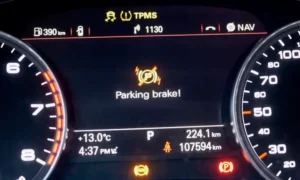
Ever found yourself at a stoplight, then suddenly—your Audi engine cuts off? That’s the auto start-stop system doing its thing. While it’s meant to save fuel, many drivers find it jarring and annoying. If you’re looking to permanently disable this feature in your Audi, you’re not out of luck. This guide covers everything from quick fixes to permanent solutions for every Audi model.
What is Audi’s Auto Start-Stop System?
Audi’s start-stop technology automatically shuts off your engine when you come to a complete stop and restarts it when you release the brake. It works through sensors that monitor:
- Vehicle speed
- Brake pressure
- Battery charge
- Engine temperature
- Climate control settings
While Audi designed this system to reduce emissions and improve fuel economy, many owners find it disruptive to their driving experience. The good news? You have options to disable it.
Why Drivers Want to Disable Auto Start-Stop
Before diving into how to turn it off, let’s understand why you might want to:
| Common Complaints | Impact on Driving Experience |
|---|---|
| Jerky restarts | Interrupts smooth driving |
| Delayed response | Creates hesitation when pulling away |
| Premature shutoffs | Engine stops while still rolling |
| Increased wear | Concerns about starter and battery life |
| Comfort issues | HVAC performance fluctuations |
Method 1: Using the Start-Stop Button (Temporary)
The simplest approach is pressing the start-stop button each time you start your car:
- Look for the “A” with a circular arrow button on your center console
- Press it once after starting your engine
- A yellow indicator light confirms the system is disabled
The downside? This setting resets every time you restart your vehicle. For a permanent solution, keep reading.
Method 2: Software Coding Solutions
Using VCDS (VAG-COM)
The most thorough method involves programming your Audi’s control modules using VCDS (VAG-COM Diagnostic System):
- Connect the VCDS cable to your OBD port
- Navigate to Control Module 09 (Central Electronics)
- Enter Security Access code 20113
- Find Adaptation, then Channel 34
- Change the default value (20) to:
- 52 (add 32): System remembers your last setting
- 16 (subtract 4): Permanently disables the system
This method works reliably on most Audi models from 2014-2018, including the A6, A4, and Q5.
Using OBDeleven
If you prefer a more user-friendly solution, OBDeleven offers similar capabilities through your smartphone:
- Connect the OBDeleven device to your OBD port
- Pair with your phone via Bluetooth
- Navigate to Control Unit 09
- Enter Security Access with code 20113
- Find Adaptation, then Channel 34
- Apply the same value modifications as VCDS (add 32 or subtract 4)
Some newer OBDeleven versions even include a one-click app specifically for disabling start-stop functionality.
Method 3: Hardware Solutions
Memory Module Installation
If coding seems intimidating, plug-and-play hardware modules offer a straightforward alternative:
- Purchase a compatible start-stop memory module
- Remove the button panel with trim tools
- Insert the module between the factory harness and button
- Reassemble the panel
These modules come with different modes:
- Mode 1: Remembers your last setting
- Mode 2: Always defaults to “off” at ignition
For 2019+ models with touchscreen controls, the NS Auto Lighting Eliminator is specifically designed for newer Audis like the Q7/SQ7.
Model-Specific Guidance
Audi A3/S3/RS3 (8V Platform)
These models respond well to both coding and hardware solutions. For 2013-2019 models, VCDS and OBDeleven coding is straightforward. Post-2020 models may require hardware modules for consistency.
Audi A4/A5/Q5 (B9 Platform)
The VCDS Channel 34 modification works reliably across these vehicles. The coding sequence is:
- Control Module 09 → Security Access (20113) → Adaptation
- Find “Start/stop start voltage limit”
- Change to “Stored”
Audi A6/A7 (C7 and C8)
The C7 generation (2012-2018) responds best to Channel 34 modifications via VCDS or OBDeleven. The C8 generation (2019+) may require hardware solutions due to revised electronics architecture.
Audi Q7/Q8/e-tron
Due to the integration with MIB3 infotainment, post-2019 models typically require hardware modules. The NS Auto Lighting Eliminator works particularly well for these vehicles, offering three operating modes to suit your preferences.
Alternative Workarounds (No Tools Required)
If you’re not ready for coding or hardware, try these behavioral workarounds:
Use Sport Mode
Putting your transmission in Sport mode (“S” on the gear selector) temporarily deactivates the start-stop system by prioritizing performance over efficiency. This works for that specific drive cycle only.
Climate Control Trick
The start-stop system won’t activate if it would compromise cabin comfort. Try these settings:
- Set your climate to “LO” or “HI”
- Increase fan speed to maximum
- The engine will keep running to maintain temperature
Lighter Brake Pressure
The system activates when your brake pressure exceeds a threshold. Try applying just enough pressure to hold at stoplights without fully depressing the pedal.
Legal and Warranty Considerations
Before making modifications, consider:
- Emissions Regulations: In some regions (particularly the EU), start-stop systems are mandated for emissions compliance. Disabling them could potentially conflict with local regulations.
- Warranty Implications: Software coding may be detected during dealer diagnostics. Hardware modules that emulate user input are less detectable and easily reversible before service visits.
- Vehicle Performance: While concerns exist about starter wear, modern Audi vehicles use robust components designed for frequent cycling. Disabling start-stop won’t significantly impact overall reliability.
Best Method for Different Owner Types
| Owner Type | Recommended Method | Why It’s Best |
|---|---|---|
| Tech-savvy DIYer | VCDS/OBDeleven coding | Complete control and customization |
| Average owner | Memory module | Simple installation, no coding knowledge required |
| Lease holder | Sport mode or behavioral workarounds | No permanent modifications |
| New Audi (2019+) | NS Auto Lighting Eliminator | Compatible with latest touchscreen controls |
Choosing Your Solution
The most practical solution depends on your comfort with technology, budget, and specific model:
- For immediate, temporary relief: Use the button each time
- For permanent, reversible solution: VCDS or OBDeleven coding
- For plug-and-play simplicity: Memory module installation
- For latest models: NS Auto Lighting Eliminator
Whichever method you choose, you’ll enjoy a smoother, more consistent driving experience without the constant stopping and starting of your Audi’s engine.
Remember that modern Audi start-stop systems have improved significantly over the years, but if you still find the feature disruptive, these solutions offer ways to take control of your driving experience.