Looking at that dashboard warning light after an oil change can be frustrating. You’ve done the maintenance, but your Ford Focus is still telling you it needs service. Don’t worry – resetting that pesky oil change light is simpler than you might think. Whether you have a newer model with digital displays or an older Focus with traditional gauges, this guide will walk you through every reset method you’ll need.
Understanding Your Ford Focus Oil Change Indicator System
Ford uses the Intelligent Oil-Life Monitor (IOLM) system across their Focus models. Unlike older cars that simply track mileage, this smart system analyzes your actual driving habits – including engine load, temperature variations, and trip duration – to determine when your oil truly needs changing.
This means your Focus might need oil changes more or less frequently than the standard 3,000-5,000 miles, depending on how you drive. When it’s time for fresh oil, the system triggers that dashboard reminder.
Reset Method for 2011-2018 Ford Focus Models
The most common Ford Focus models on the road today fall into this range, and they share a straightforward reset procedure using your brake and accelerator pedals.
- Insert your key and turn to “Run” position (don’t start the engine)
- Make sure your vehicle is in Park with all doors closed
- Press and hold both brake and accelerator pedals simultaneously
- Wait approximately 3-5 seconds until you see “Service Oil Reset in Progress” on your display
- Continue holding both pedals for 10-20 seconds until you see “Service Oil Reset Complete”
- Release both pedals and turn off the ignition
- Start the vehicle to confirm the warning light is gone
This method works consistently across SE, SEL, Titanium and ST variants from these model years. If you have a push-button start, simply press the button once without pressing the brake pedal to enter accessory mode before following the same pedal sequence.
Resetting Newer Ford Focus Models (2018 and Newer)
For the fourth-generation Focus and models with EcoBoost engines, Ford moved to a digital interface reset system using your steering wheel controls:
- Press the ignition button without your foot on the brake (to enter accessory mode)
- Use the arrow buttons on your steering wheel to navigate to the “Information” menu
- Locate and select the “Oil Life” option
- Press and hold the “OK” button until the reset completes
- You’ll see confirmation on your display when successful
This modern approach eliminates the need for the pedal dance and integrates better with Ford’s newer digital dashboards.
How to Reset Oil Change Light on Second-Generation Focus (2005-2010)
If you’re driving an older Focus, your reset method differs slightly:
- Turn your ignition to the “Off” position
- Find and press the trip odometer reset button (usually on your instrument cluster)
- While holding this button, turn your key to the “Run” position
- Continue holding until the oil light flashes, indicating a successful reset
- Release the button and turn off the ignition to complete
These earlier models lack interactive prompts, so you’ll need to watch for the flashing light as your confirmation signal.
Common Reset Problems and Solutions
Reset Procedure Not Working?
If you’re following the steps but not seeing results, check these common issues:
- Incorrect Ignition Position: Ensure you’re in “Run” mode, not “Start” or “Accessory”
- Engine Running: The engine must be off during reset procedures
- Open Doors: Some models require all doors to be fully closed
- Transmission Position: Verify your vehicle is firmly in Park
- Timing Issues: Try holding the pedals for the full 20 seconds, as some models need the extended press
Still Seeing the Warning After Reset?
If your oil change light persists after a seemingly successful reset:
- Check Actual Oil Level: A legitimately low oil level will trigger separate warnings
- Try Battery Disconnect: For stubborn systems, disconnect your vehicle’s battery for 15 minutes to force a full ECU reset
- Verify Oil Quality: Using the wrong oil viscosity can trigger persistent warnings
- Check for Error Codes: Use an OBD-II scanner to identify any related trouble codes
Why Resetting the Oil Change Light Matters
Skipping the reset isn’t just about avoiding an annoying dashboard light. The IOLM system needs this reset to accurately calculate your next oil change interval. Without it, you might get:
- Premature maintenance alerts leading to unnecessary oil changes
- Misaligned maintenance records in your vehicle’s computer system
- Confusion when real engine issues arise and need attention
- Potential warranty complications if service records don’t align with vehicle data
Ford Focus Oil Change Reset Time Comparison Table
| Ford Focus Generation | Reset Procedure | Completion Time | Difficulty Level |
|---|---|---|---|
| 2018+ (4th Gen) | Steering wheel menu navigation | 30-60 seconds | Easy |
| 2011-2018 (3rd Gen) | Brake and accelerator pedal method | 20-40 seconds | Moderate |
| 2005-2010 (2nd Gen) | Trip odometer button and key method | 10-20 seconds | Easy |
Maintenance Tracking Beyond the Reset
After resetting your oil change light, consider these additional maintenance tracking tips:
- Record the date and mileage of your oil change in your vehicle’s service booklet
- Take a photo of your receipt and odometer for digital record-keeping
- Use the trip meter to track miles until your next change
- Consider the Ford’s maintenance recommendations for your specific model year and driving conditions
Focus ST and RS Special Considerations
Performance models like the Focus ST and RS follow the same reset procedures, but have some unique considerations:
- These models often run synthetic oil with different change intervals
- Hard driving (track days, aggressive acceleration) will shorten oil life
- Engine modifications may require more frequent changes than the IOLM suggests
- The oil quality is more critical for turbocharged models – follow Ford’s viscosity recommendations
Advanced Digital Reset for SYNC-Equipped Models
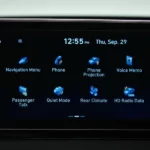
If your Focus has the SYNC infotainment system (common in 2016+ models), you have an additional reset method:
- Use the touchscreen to access the vehicle settings menu
- Select “Vehicle” then “Oil Life”
- Choose “Reset” on the screen and confirm when prompted
- The system will display confirmation of the successful reset
This touchscreen method offers a more intuitive alternative to the pedal method for equipped vehicles.
Understanding Ford Focus Oil Service Intervals
While resetting the light is important, understanding when your Focus actually needs an oil change helps you maintain optimal performance:
- Most Focus models with conventional oil: 5,000-7,500 miles
- Models using full synthetic oil: 7,500-10,000 miles
- Turbocharged models (ST, RS, EcoBoost): Follow Ford’s recommendations precisely
- Severe driving conditions (extreme temperatures, towing, frequent short trips) may require more frequent changes
Always remember that the IOLM calculates based on how you actually drive, not just mileage.
The Evolution of Ford Focus Maintenance Systems
Ford has continuously improved their maintenance reminder systems across Focus generations:
- Early models used basic mileage counters
- Second-generation models introduced basic condition monitoring
- Third-generation Focus implemented the full IOLM system
- Current models integrate with digital dashboards and telematics systems
This evolution reflects Ford’s commitment to more accurate maintenance timing that aligns with real-world conditions rather than arbitrary mileage intervals.
Addressing Oil Change Quality Issues
Sometimes an oil change light persists because of actual quality concerns:
- Incorrect Oil Type: Verify you’re using the exact oil specification from your owner’s manual
- Proper Filter Installation: Ensure the oil filter is correctly seated and tightened
- Complete Drain: Old oil remaining in the system can trigger sensor readings
- System Adaptation: Some Focus models need a short driving period for sensors to recognize the new oil
Following proper oil change procedures is just as important as knowing how to reset the indicator.
DIY vs. Professional Oil Change Considerations
Whether you perform the oil change yourself or visit a service center, the reset procedure remains the same. However, consider these factors:
- Professional services often include the reset as part of their standard procedure
- DIY changes save money but require proper disposal of used oil
- Service centers provide documentation that can be valuable for warranty purposes
- Some newer Focus models have challenging filter locations that might be easier for professionals to access
The most important thing is ensuring regular oil changes regardless of who performs them.
Keeping Your Ford Focus Healthy Beyond Oil Changes
While focusing on resetting that oil change light, don’t forget these other maintenance items:
- Regular tire rotation and pressure checks
- Air filter replacement
- Brake fluid inspection
- Coolant level monitoring
- Transmission fluid checks (especially for automatics)
These complementary maintenance items will help ensure your Focus remains reliable for years to come.
By following these detailed reset procedures and understanding your Focus’s maintenance needs, you’ll keep your engine running smoothly and avoid those persistent dashboard reminders. The process takes just minutes but contributes significantly to your vehicle’s longevity and performance.