
Leaving your dog in a hot car is every pet owner’s nightmare. But your Tesla has a clever fix built right in. This guide walks you through exactly how to turn on Dog Mode in Tesla — three different ways — plus the safety rules, legal stuff, and the 2026 Pet Mode upgrades you need to know about.
What Is Tesla Dog Mode?
Tesla Dog Mode keeps your car’s climate control running while you’re parked and away from the vehicle. Your Tesla uses its high-voltage battery to power the AC or heat — no engine needed.
The screen locks into a bright display that shows the current cabin temperature and a message: “My owner will be back soon. Don’t worry! The heater/AC is on.” That’s the signal for passersby not to smash your window.
Tesla first rolled out Dog Mode in early 2019. Then in spring 2026, it officially became Pet Mode — with custom avatars, personalized messages, and AI voice control. More on that below.
Compatible vehicles:
- Model 3
- Model Y
- Model S
- Model X
- Cybertruck
(The original first-gen Roadster doesn’t support it.)
How to Turn On Dog Mode in Tesla: 3 Methods
Method 1: Touchscreen (The Main Way)
This is the most straightforward approach. Here’s exactly how it works:
- Park the car and shift into Park
- Tap the temperature display at the bottom of the touchscreen
- Open the climate menu
- Tap the Dog or Pet Mode icon
- Set your target temperature using the slider
- Exit the car and close the door
The screen switches to the safety display automatically. The feature only works while parked — Tesla disables it completely while the car is moving.
Method 2: Tesla App (If You Forgot Before Leaving)
Walked away and realized you forgot to turn it on? Use the app:
- Open the Tesla mobile app
- Go to the Climate section
- Swipe up from the gray bar at the bottom
- Select the Dog Mode or Pet Mode icon
- Adjust the temperature directly from your phone
The car responds immediately. The safety screen activates on the touchscreen, and you can monitor cabin temperature in real time from wherever you are.
Method 3: Voice Command (Hands-Free)
Press the right scroll wheel on the steering wheel and say “Activate Dog Mode.”
With the 2026 Spring Update, Tesla added the AI assistant Grok. Now you can say “Hey Grok, turn on Pet Mode and set the temperature to 72 degrees” — no button pressing needed. Grok processes the command locally on the car’s hardware, so it responds fast.
What Happens on the Screen
Once Dog Mode activates and you leave the car, the touchscreen switches to a dedicated lock screen. It shows:
- The current interior temperature in real time
- A reassurance message for people outside the car
- An animated avatar (more on this below)
This display stays on at full brightness the entire time. It’s designed to be visible from outside — though solar glare on tinted windows can sometimes make it hard to read, which is why physical window clings are a smart backup.
Tesla’s 2026 Spring Update: Dog Mode Becomes Pet Mode
The Spring 2026 firmware update (version 2026.14.3) renamed Dog Mode to Pet Mode and added a stack of new features.
New in Pet Mode:
- Custom animated avatars — choose from a balloon dog, balloon cat, or the “Cyberhog” (an animated hedgehog in pixel sunglasses and a tropical shirt)
- Your pet’s name on screen — type it in via Controls > Display > Customize Pet Mode
- Personalized message — the screen now shows “Don’t worry! [Pet’s Name] is chillin'”
- Hey Grok voice control — activate and adjust Pet Mode hands-free
The name personalization isn’t just cute. It signals to bystanders that the owner actively set up a custom safety system — which dramatically reduces the chance someone breaks your window.
How Much Battery Does Dog Mode Use?
Dog Mode draws real power. Here’s what to expect:
| Condition | Estimated Battery Drain |
|---|---|
| Mild weather (65–75°F) | ~1% per hour |
| Warm weather (80–95°F) | ~2–3% per hour |
| Hot weather (95°F+) | ~4+ miles of range per hour |
| Extreme cold or heat | Can escalate significantly |
In moderate conditions, the system uses roughly 4 miles of driving range per hour. In extreme heat or cold, the compressor works overtime and drains the battery much faster.
Critical rule: Dog Mode won’t activate if your battery is below 20%. If it drops to 20% while already running, Tesla sends push notifications to your phone warning you to return immediately.
How Dog Mode Shuts Off
Deactivation is automatic in most cases:
- You return and drive away — sit in the driver’s seat, press the brake, shift out of Park, and Dog Mode turns off instantly
- You manually turn it off — go back to the climate menu and select Auto or On
- You turn off climate via the app — this kills Dog Mode immediately, even if your pet is still inside
One important nuance: if you pop the door open briefly to grab something but don’t shift out of Park, Dog Mode stays on. The car recognizes you didn’t start a new drive cycle.
Dog Mode vs. Keep Climate On vs. Camp Mode
These three settings look similar but work very differently. Using the wrong one with a pet inside can be dangerous.
| Feature | Dog/Pet Mode | Keep Climate On | Camp Mode |
|---|---|---|---|
| Safety screen displayed | ✅ Yes | ❌ No | ❌ No |
| Audio alarm disabled | ✅ Yes | ❌ No | ✅ Yes |
| Walk-away door lock | ✅ Active | ✅ Active | ❌ Disabled |
| Sentry Mode compatible | ✅ (silent alarms only) | ✅ Full alarms | ❌ Disabled |
| Designed for pets | ✅ Yes | ❌ No | ❌ No |
Never use Camp Mode for your dog. Camp Mode disables the walk-away lock — your car sits completely unlocked in a public lot. Anyone can open the door.
Never use Keep Climate On either. It leaves Sentry Mode’s acoustic alarm fully active. Your dog moving around the cabin will trigger the ear-splitting interior alarm. That’s not a good time for anyone.
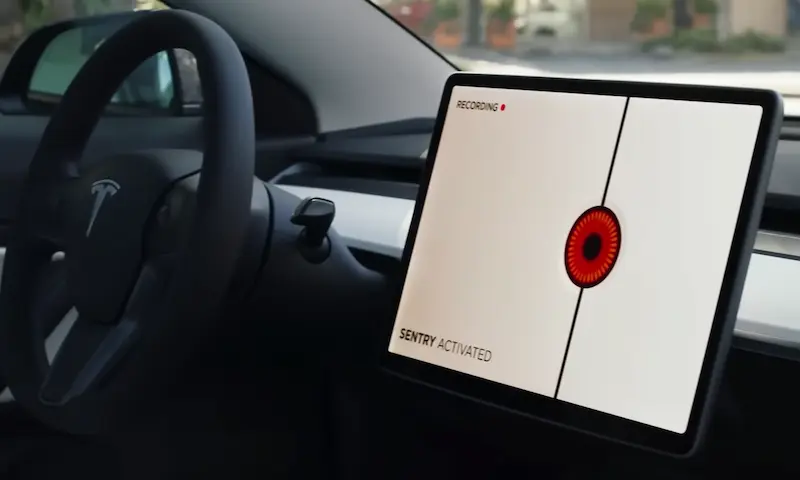
Sentry Mode and Dog Mode: How They Work Together
Tesla’s Sentry Mode detects threats using external cameras. Normally, it blasts the interior speakers at full volume if someone tries to break in.
That’s obviously a problem with a dog inside.
When Dog Mode and Sentry Mode run at the same time, Tesla automatically disables interior sound alerts. Instead:
- Exterior lights flash
- Video records to the onboard drive
- A silent push notification goes to your phone
Your dog’s ears stay safe. Your car still gets documented evidence of any threat.
Tesla also automatically disables the ultrasonic cabin intrusion sensor when Dog Mode is active. Without that, a pacing dog would trigger a false alarm within minutes.
Monitoring Your Pet Remotely
If your Tesla has an interior cabin camera and runs on AI3 or AI4 hardware (generally 2021 and newer), you can watch a live video feed of your dog through the Tesla app.
Requirements:
- Mobile app version 4.15.0 or higher
- Active Premium Connectivity subscription
- AI3 or AI4 computer hardware
The feed is end-to-end encrypted between the car and your phone. Tesla can’t access it.
Heads up: live viewing is capped at 1 hour per day (15 minutes in some international regions) to protect battery life. If you’re on iPhone iOS 18 or higher with app version 4.51.5, Tesla can also send you periodic still photos — a low-data way to check in without burning through your daily video limit.
The Legal Side: Leaving Dogs in Parked Cars
Dog Mode doesn’t automatically make you legally bulletproof. Laws vary by state, and many statutes are written without electric vehicles in mind.
Around 15 states have Good Samaritan laws that protect civilians who break a car window to rescue an animal. These include California, Colorado, Florida, Tennessee, Wisconsin, and others. Before a civilian gets that legal protection, they typically must:
- Believe the animal faces imminent danger
- Confirm all doors are locked
- Try to locate the owner nearby
- Call emergency services first
- Stay with the animal until help arrives
Even with the screen displaying a temperature and a reassurance message, some officers and security personnel still issue citations. State laws simply haven’t caught up with the technology.
Check your state’s laws at the Animal Legal Defense Fund’s state law table before relying solely on Dog Mode.
Smart Habits That Reduce Risk
The software is solid, but it’s not foolproof. Hardware can fail. Cellular connections drop. Firmware updates occasionally cause unexpected climate glitches. These habits keep your dog safer:
- Add physical window clings — specialized Pet Mode decals prevent window breaks when screen glare hides the display
- Leave a dashboard card with your phone number and estimated return time
- Park in shade and use a windshield sunshade — this dramatically cuts the thermal load on the AC system
- Check the app every 10–15 minutes to confirm the interior temperature
- Keep the battery above 50% before leaving your dog inside
- Skip it in extreme weather — in genuine heat domes or polar vortexes, the hardware may not keep up with the temperature differential
Dog Mode is designed for short errands. It’s not a babysitter for a full workday.
One More Thing: The Low Battery Workaround
There’s a documented community workaround for emergencies when your battery is below 20%: shift to Neutral via the safety menu and manually engage the electronic parking brake. This tricks the software into keeping climate control active.
This is not a Tesla-approved method. It bypasses built-in safety limits and risks total battery depletion, leaving your car immobilized. Only consider it in a genuine emergency with no other options — and get back to your car fast.