Tesla still doesn’t have native CarPlay — but that doesn’t mean you’re stuck. There are real, working methods to get CarPlay running in your Tesla right now, and an official solution is closer than ever. Read to the end to find the best option for your specific model.
Why Tesla Doesn’t Have Apple CarPlay (The Short Version)
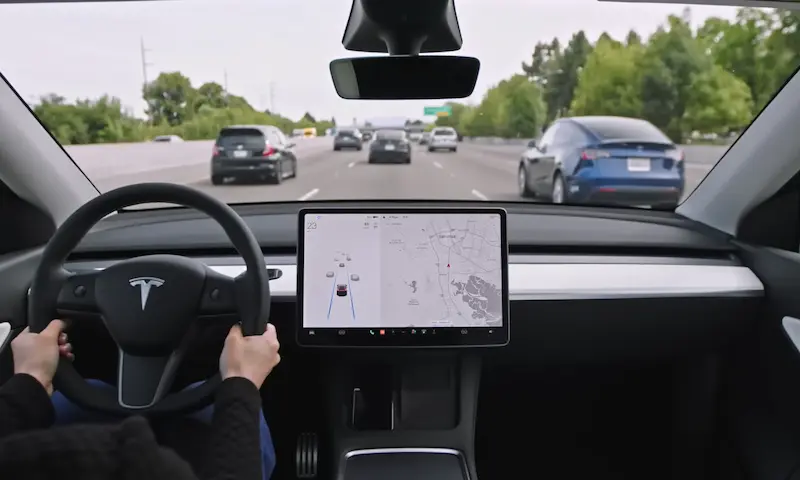
Tesla treats its touchscreen as the brain of the car, not just an entertainment hub. It controls everything — Autopilot, charging curves, climate, you name it.
Letting Apple CarPlay into that system isn’t simple. As Recharged explains, CarPlay needs access to vehicle data like speed and steering angle — data that sits right next to Tesla’s sensitive driver-assist stack. That’s a cybersecurity headache Tesla hasn’t wanted to deal with.
There’s also a dual-interface problem. Imagine two navigation apps giving you different directions while Autopilot is trying to decide which lane to take. Yeah, not great.
But things are changing.
Is Official Tesla CarPlay Actually Coming?
Yes — and it’s closer than it’s ever been.
Internal testing for a windowed CarPlay began in late 2025. Unlike how CarPlay works in a Ford or Volkswagen (full-screen takeover), Tesla’s version will sit inside a tile on the existing interface. That way, your Autopilot visuals and controls stay visible.
The holdup? Apple Maps and Tesla’s built-in navigation were conflicting during tests. A fix came through with iOS 26, and Tesla is now waiting for enough users to update before pushing the feature fleet-wide.
Here’s where things stand:
| iOS Version | User Adoption (Feb 2026) | CarPlay Status |
|---|---|---|
| iOS 26 | 74% | Required for the Apple Maps sync fix |
| iOS 18 | 20% | Lacks the necessary multi-source mapping protocol |
| Earlier versions | 6% | Not compatible with the wireless bridge |
The official rollout will likely hit AMD Ryzen-based vehicles first. If you have an older Intel-based car, you’ll need one of the methods below.
Does Your Tesla Hardware Support CarPlay?
This is the part most people skip — and then wonder why things don’t work smoothly.
Tesla uses two main generations of Media Control Units (MCUs). The newer AMD Ryzen chip handles CarPlay streams with ease. The older Intel Atom chip? It struggles.
| Feature | MCU2 (Intel Atom) | MCU3 (AMD Ryzen) |
|---|---|---|
| CarPlay streaming stability | Can drop frames | Smooth and consistent |
| Official CarPlay eligibility | No | Yes (pending rollout) |
| Upgrade path | Not officially available | N/A |
| Best solution | Wireless adapter or secondary screen | Adapter now, OTA update later |
The Intel-to-AMD upgrade isn’t officially supported due to different physical dimensions, wiring harnesses, and power delivery requirements. So if you’re on MCU2, an aftermarket solution is your path forward.
Method 1: Wireless CarPlay Adapter (The Most Popular Option)
A wireless adapter is the fastest way to get Apple CarPlay in Tesla. You plug a small dongle into a USB port, and it streams CarPlay through the Tesla browser. No firmware modifications, no warranty concerns.
Here’s exactly how it works:
- Plug the adapter into a data-capable USB port in the center console or glovebox
- Pair your iPhone to the adapter via Bluetooth
- Open Tesla’s Wi-Fi settings, connect to the adapter’s network, and check “Remain connected in Drive” — this step is critical
- Open the Tesla browser and enter the adapter’s URL (e.g., tespush.com)
- CarPlay loads in the browser window
That’s it. You’re running CarPlay in your Tesla.
Which Adapter Should You Buy?
The 2026 adapter market has matured a lot. Here’s the quick breakdown:
| Adapter | Price Tier | Best For | Compatibility |
|---|---|---|---|
| SpaceBox | Premium | Reliability + US support + 2-year warranty | Model 3, Y, S, X, Cybertruck, Juniper |
| Tesery | Mid-range | Good value, dual-band Wi-Fi | Model 3, Model Y |
| Carlinkit T2C | Budget | Getting started cheaply | Model 3, Model Y |
| Ottocast Mini Pico | Specialty | Households with multiple phones | Wide fleet |
The SpaceBox consistently ranks first for US owners. It’s model-specific, stable, and comes with real warranty support. If budget matters, the Carlinkit T2C works — just expect occasional connection drops.
Method 2: Secondary Dashboard Display (The Clean Install)
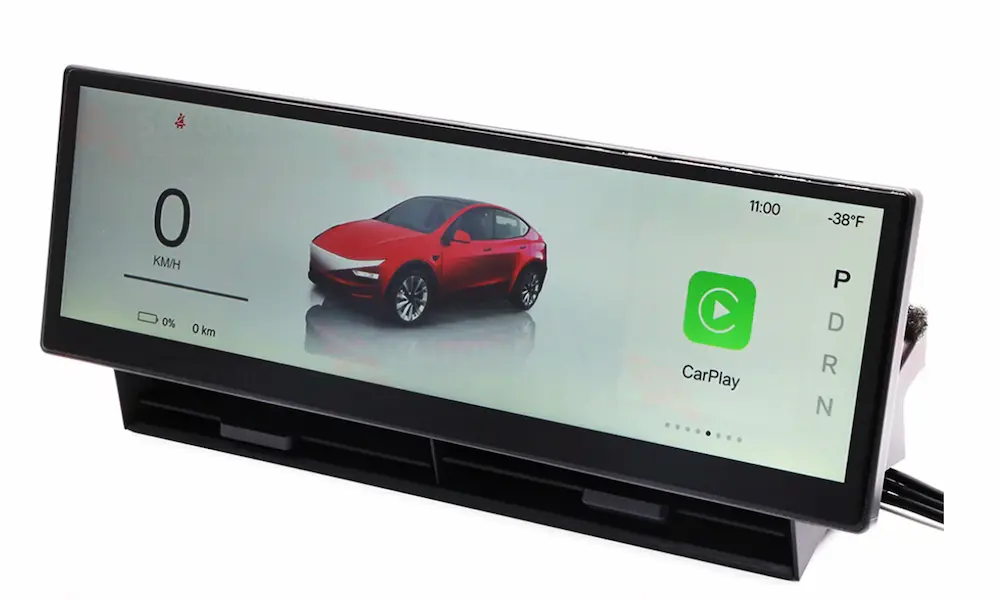
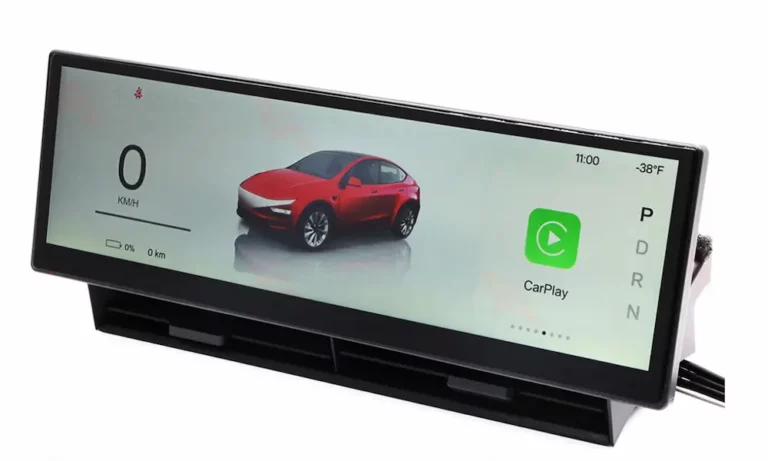
Want something that feels more built-in? A secondary screen mounted to your steering column gives you a dedicated CarPlay display, so your main Tesla screen stays free for vehicle controls.
These screens plug into the car’s diagnostic port and pull live vehicle data — speed, gear, battery — while running CarPlay on their own touch interface.
Top Picks for 2026
- SATONIC 10.88-Inch Screen — The top choice for Model 3 and Model Y (including the 2026 Juniper). Plug-and-play, no permanent modifications needed.
- S3XY Dash by Enhance Auto — Minimalist magnetic mount. Pulls accurate vehicle data via its “Commander” module.
- Hansshow F96 — Looks like a traditional instrument cluster. Great if you want that luxury EV aesthetic.
Installing the S3XY Dash (What It Involves)
This takes about 45 minutes and doesn’t require permanent changes:
- Power down the vehicle through the safety menu and open the driver’s door
- Pull back the rubber door seal and remove the triangular dashboard end cap with a plastic trim tool
- Find the blue diagnostic port in the footwell, disconnect the factory cable, and insert the provided daisy-chain harness
- Mount the display using the included adhesive mounts and tuck cables into the dashboard gaps for a clean look
The official S3XY Dash install video walks through every step if you want to see it before you start.
Method 3: Tesla Android Project (For the Tech-Savvy)
This is the most powerful option — and the most involved. The Tesla Android project uses a Raspberry Pi 4 running Android, which then hosts CarPlay through an Autokit dongle.
You get features like lossless audio, split-screen multitasking, and deep customization. It’s the enthusiast route.
What you need:
| Component | Purpose |
|---|---|
| Raspberry Pi 4 (4GB RAM min.) | Main compute unit |
| 16GB+ Class 10 Micro SD card | OS storage |
| Autokit dongle | Bridges iPhone to Android |
| LTE modem | Keeps the system connected on the road |
| Tesla Android software image | Flashed via Raspberry Pi Imager |
Once set up, you access the interface through your Tesla browser at device.teslaandroid.com. Full setup guide here.
Fixing the Audio Lag Problem
Every browser-based CarPlay setup has one annoying quirk: audio delay. Music, Siri, navigation — it all sounds slightly behind the video. That’s because audio and video share the same browser stream.
The fix is Bluetooth Audio Routing:
- Set the audio channel to “Bluetooth” in your adapter’s settings
- Select your iPhone as the active media source in Tesla’s native audio menu
The audio goes directly from your iPhone to Tesla’s Bluetooth system, bypassing the browser entirely. No more lag.
CarPlay Not Working? Fix It Here
| Symptom | Cause | Fix |
|---|---|---|
| Won’t connect at all | Active VPN on iPhone | Disable all VPN profiles — iOS 18 bugs block the CarPlay handshake |
| Keeps disconnecting | Wi-Fi interference | Switch adapter to 5 GHz; dashcams on 2.4 GHz can disrupt the signal |
| Black screen in browser | Cached browser data | Clear the Tesla browser cache in settings |
| No audio | Wrong audio source | Set Tesla audio to “Bluetooth” and confirm iPhone is selected |
| Siri doesn’t respond | Siri settings off | Enable “Listen for Hey Siri” and “Allow Siri When Locked” on your iPhone |
If nothing works, do a full reset. Remove the car from your iPhone’s CarPlay and Bluetooth settings, hold both steering wheel scroll wheels to reboot the MCU, then re-pair everything from scratch. This fixes most stubborn issues.
Which Method Is Right for You?
Here’s the honest summary:
- Newer AMD-based Tesla? An adapter works great now, and the official OTA update is coming. Stay tuned.
- Older Intel-based Tesla? A wireless adapter like SpaceBox is your best bet. If you want it to feel more integrated, add a secondary screen.
- Tech enthusiast who wants full control? Tesla Android gives you everything, but it takes time to set up.
The good news: over 55% of drivers say no CarPlay is a dealbreaker when buying a car. Tesla knows this. The pressure is real, and the solutions — both official and aftermarket — have never been better than they are right now.