So you’re eyeing a Tesla but can’t imagine life without Android Auto. Fair concern. This post breaks down exactly where things stand, why Tesla keeps saying no, and what actually works if you need Google’s ecosystem in your car. Stick around — the workaround section alone is worth your time.
The Short Answer: No, Tesla Doesn’t Support Android Auto
Tesla has never supported Android Auto on any of its production vehicles. Not the Model 3. Not the Model Y. None of them.
And here’s the kicker — it’s probably not changing soon. Reports from late 2025 confirmed that Tesla quietly started testing wireless Apple CarPlay. But Android Auto? Completely left off the development roadmap. If you use an Android phone, there’s zero official support coming your way in the near future.
This matters more than you might think. About 98% of new cars sold in the US now offer CarPlay, Android Auto, or both. And roughly one-third of car buyers say they’d skip a vehicle entirely if it lacked these features. Tesla is the obvious outlier.
Why Tesla Refuses to Add Android Auto
Tesla’s refusal isn’t an oversight. It’s a calculated business decision — and there are real technical reasons behind it too.
Tesla Treats the Car Like a Computer, Not a Dashboard
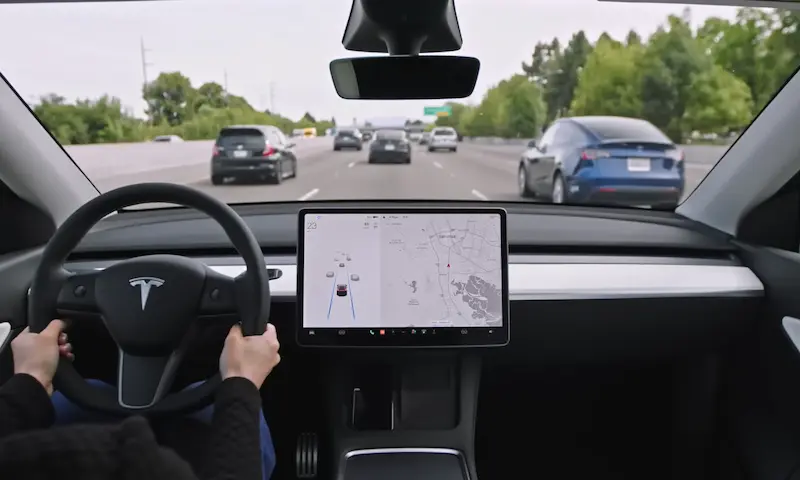
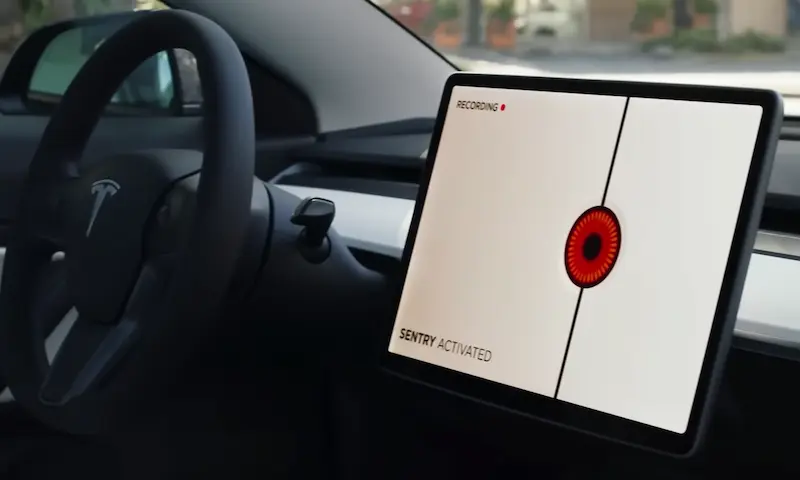
Most automakers treat their infotainment screen as a display for your phone. Tesla treats the car itself as the device. The whole interior runs on a Linux-based operating system that handles navigation, climate, driver-assist visuals, and media in one unified interface.
Plugging Android Auto into that setup isn’t just adding an app — it’s asking a third party to share control of the screen.
Tesla Wants Your Data, Not Google’s
Here’s the part Tesla doesn’t advertise. If you run Google Maps through Android Auto, your routing searches, voice commands, and driving habits go straight to Google. Tesla keeps all of that in-house. That data feeds its Autopilot training models, improves battery range estimates, and keeps you inside Tesla’s paid ecosystem — like the Premium Connectivity subscription.
The Technical Problems Are Real
Beyond business strategy, there are genuine technical blockers:
- Security: Android Auto needs access to vehicle speed, steering angle, and GPS data. Tesla locks those channels down to protect its driver-assist computing nodes.
- Screen conflicts: Tesla’s touchscreen controls window defrost, charging settings, and Autopilot. Layering a second interface over that creates real distraction risks.
- Navigation conflicts: Testing showed that running Google Maps turn-by-turn directions while Full Self-Driving is active creates conflicting routing logic. The car steers one way; your phone says go another.
- Software updates: Tesla pushes over-the-air firmware updates constantly. Adding Android Auto would mean every update needs Google’s certification approval. Tesla isn’t interested in that.
What Tesla’s Built-In System Actually Does
Before diving into workarounds, it’s worth being honest about what the native system handles well — and where it falls short.
What Works Well
Tesla’s navigation is genuinely impressive for road trips. It uses Google-powered maps with real-time traffic and automatically routes you through Supercharger stops. It pre-warms your battery before you arrive at a charger. It shows live stall availability. For long-distance EV driving, it’s hard to beat.
Entertainment is solid too. Native apps for Spotify, Tidal, Apple Music, and Apple Podcasts are built right in and look great on the screen.
Where It Gets Frustrating
Real-world ownership experience reveals some genuine daily annoyances:
- Messaging resets every drive: The on-screen texts clear completely when you park. Any messages sent while the car is off don’t sync back to the display.
- Navigation doesn’t sync with Google: To navigate to a saved Google Maps location, you open the Tesla app, find the address, and manually send it to the car.
- No media handoff: Walk to your car mid-podcast on your phone — you’ll have to manually find your spot again on the in-car app.
- Voice accuracy lags behind: Tesla’s voice-to-text engine frequently garbles messages compared to Google Assistant.
Here’s how Tesla’s system stacks up directly against Android Auto and CarPlay:
| Feature | Tesla Native | Android Auto | Apple CarPlay |
|---|---|---|---|
| Screen control | Full display | Shared portion | Shared portion |
| Phone required | No | Android required | iPhone required |
| Navigation | Tesla + Google data | Google Maps, Waze | Apple Maps + third-party |
| EV integration | Deep — battery, charging, Autopilot | Limited | Limited |
| App selection | Small, Tesla-curated | Broad Android library | Broad iOS library |
| Voice assistant | Tesla proprietary | Google Assistant | Siri |
| Account sync | Isolated from your phone | Syncs Google account | Syncs Apple account |
Workarounds That Actually Let You Run Android Auto in a Tesla
Since Tesla won’t build it in, the community built it themselves. Here are the options from simplest to most involved.
App-Based Browser Workarounds
Two apps stream Android Auto through Tesla’s built-in web browser using your phone’s hotspot.
TeslAA ($4.99 on Google Play) runs a local VPN on your phone. You turn on your hotspot, connect the Tesla’s Wi-Fi to it, and open the car’s browser to a specific address. The app streams your Android Auto screen to the browser. Google Maps and Waze work well. Occasional hiccups happen when the car reverses or your signal drops.
TaaDa works similarly — hotspot on, Bluetooth paired, browser pointed to a specific URL. It assigns your phone a temporary local IP address so Tesla’s browser can connect. Audio routes cleanly through Bluetooth.
Both apps use your phone’s mobile data, so you don’t need Tesla’s Premium Connectivity subscription. The trade-off: while connected to your phone’s hotspot, the car can’t use Tesla’s own data network.
Hardware Workarounds: Raspberry Pi Setup
For a more stable solution, the open-source Tesla Android Project runs a full Android 13 build on a Raspberry Pi 4. You flash the firmware to an SD card, power the Pi through the center console USB ports, and connect Tesla’s Wi-Fi to the Pi’s own hotspot. Open the browser to device.teslaandroid.com and you’re in.
This setup supports 60Hz refresh, DRM video playback, lossless audio, and full Android Auto via a Carlinkit USB dongle running the AutoKit app. Steering wheel buttons work. The cabin mic works for voice commands.
The caveats: newer Model 3 and Y USB-C ports sometimes underpowered the Pi under load — a dedicated 12V supply fixes that. Also, Google Maps in this setup can’t communicate with Autopilot, so you’ll need to enter your destination in Tesla’s native nav separately if you want FSD active.
Pre-built versions with better thermal management are available directly from the developer.
Plug-and-Play Adapters
Don’t want to build anything? Wireless adapters handle the browser connection for you. Here’s how the main options compare:
| Adapter | Price (USD) | Warranty | Rating | Best For |
|---|---|---|---|---|
| SpaceBox (TeslaHubs) | $124.99 | 2 years | 4.88/5 | Widest compatibility, thermal stability |
| Ottocast Tesla Adapter | $89.99 | 1 year | 4.1/5 | Strong Android Auto focus |
| Tesery CarPlay Adapter | $76.99 | 1 year | 4.2/5 | Solid mid-range pick |
| AutoKit Tesla Dongle | $68.00 | Limited | 3.9/5 | Ultra-compact, hides behind screen |
| Carlinkit Adapter | $55.00 | Limited | 4.0/5 | Lowest price from known brand |
| Generic Amazon brands | $35–45 | None | 3.5/5 | Budget gamble with real risks |
Skip the generic options. Random disconnects and no firmware updates make them a frustrating long-term choice.
Retrofit Modules and Secondary Screens
For a cleaner installation, the Carlinklife Retrofit Module ($499.99) installs behind the dashboard. It lets you switch the main Tesla screen between the native OS and wireless Android Auto. Steering wheel buttons, backup camera, and voice commands all stay intact.
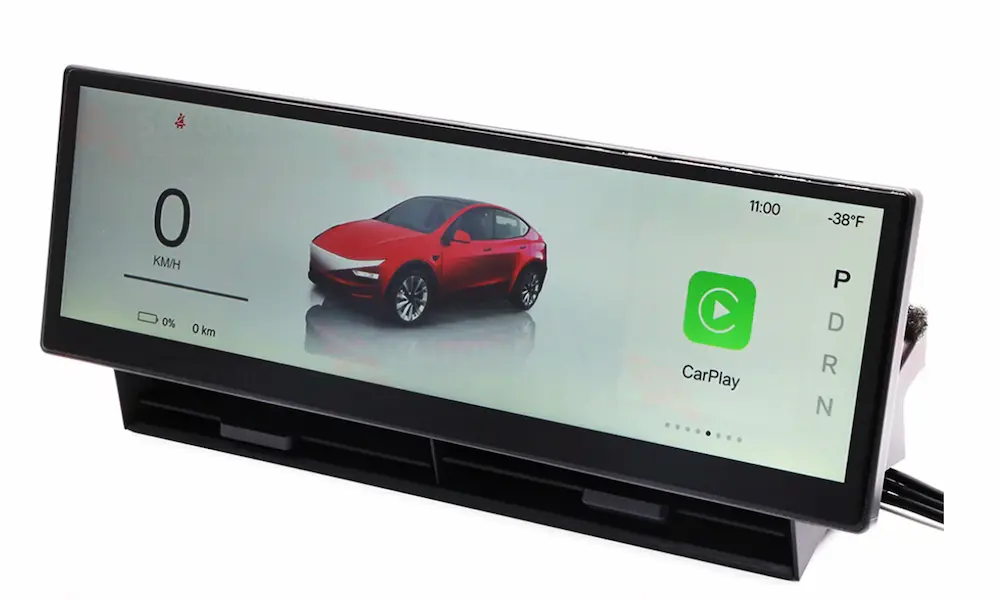
Alternatively, secondary driver-cluster displays like the MSX-CP7 and MSX-CP9 ($249.95–$349.95) mount behind the steering wheel. They run wireless Android Auto natively while showing speed, battery, and gear position.
One critical thing to check with any aftermarket screen: CANBUS integration. Without a quality CANBUS decoder built for your specific Tesla model year, you’ll get lag, broken steering wheel controls, and reverse camera failures — or worse, a battery drain that won’t quit.
Just Use Your Phone Instead
Sometimes the simplest answer is the right one. Mount a large Android phone on a dashboard holder with a MagSafe-compatible wireless charger and skip the car’s screen entirely for navigation.
Google discontinued the phone-screen version of Android Auto, but several driving-mode launcher apps fill that gap:
- AutoMate: Split-screen navigation and music, custom layouts, natural voice commands. Free with a $4.99/month premium tier.
- Drivemode: Minimalist design, large buttons, completely free. Works on Android 7.0 through 14.
- Waze: Large touch targets, real-time hazard reports, speed trap alerts. Also accessible through Tesla’s browser, though slower than the app.
The Bottom Line for Android Users Buying a Tesla
Does Tesla have Android Auto? No — and based on current development signals, it’s not coming. Tesla is testing Apple CarPlay. Android users are on their own.
If you’re a long-distance driver who relies on Superchargers and Full Self-Driving, Tesla’s native system holds up well. If your daily life runs on Google’s ecosystem — messaging, Google Maps, Google Assistant — you’ll want to budget for a good adapter. The SpaceBox at $124.99 is the most reliable starting point for most drivers. For a more permanent fix, the Carlinklife retrofit module or an MSX dashboard screen gets you closest to the integrated Android Auto experience you’d get in virtually any other car on the market today.