Ever jumped out of your Hyundai only to hear that annoying “click” as your doors automatically lock with your keys still inside? Or maybe you’re tired of your doors unlocking every time you shift to park in a sketchy parking lot. You’re not the only one looking to take back control of when your Hyundai locks and unlocks.
Hyundai’s automatic door locking features are designed for convenience and safety, but they don’t work for everyone’s lifestyle. This guide walks you through disabling these features based on your specific Hyundai model and year.
Understanding Hyundai’s Auto Lock System
Hyundai vehicles typically come with two main automatic locking features:
- Speed-Sensing Door Lock: Automatically locks all doors when your vehicle reaches about 9 mph (15 km/h)
- Auto-Unlock on Shift to Park: Unlocks all doors when you shift your transmission to “Park”
These features are controlled by your car’s Body Control Module (BCM) and can typically be customized through your vehicle’s settings menu. However, the method varies significantly depending on your Hyundai’s age and model.
How to Disable Auto Lock in Older Hyundai Models (2011-2017)
Older Hyundai models like the 2011 Sonata or 2014 Elantra require a different approach since they lack the touchscreen interfaces found in newer models.
Using Steering Wheel Controls
- Locate the “Trip” or “Reset” button on your steering wheel
- Press and hold this button until you enter the User Settings Mode on your instrument cluster display
- Use the directional buttons to navigate to Door > Auto Lock/Unlock
- Select Disable or Off for the auto lock/unlock features
- Press the “OK” button to save your settings
Some users have reported that this method works well for most mid-2010s Hyundai vehicles.
When Menu Options Aren’t Available
If you can’t find these settings in your menu:
- Check your owner’s manual for model-specific instructions
- Your vehicle may require dealer reprogramming of the BCM
- Independent mechanics with Hyundai-compatible diagnostic tools can also perform this service, often at a lower cost than dealerships
Cost of Dealer Reprogramming
| Service | Estimated Cost | Notes |
|---|---|---|
| Dealership BCM Reprogramming | $150-$350 | Official Hyundai service with warranty |
| Independent Mechanic | $75-$150 | Requires Hyundai-compatible diagnostic tools |
| DIY with Diagnostic Tool | $100-$300 | One-time cost for tool, usable for multiple adjustments |
Disabling Auto Lock in Newer Hyundai Models (2018-2024)
Modern Hyundais with touchscreen displays or digital instrument clusters offer more straightforward customization options.
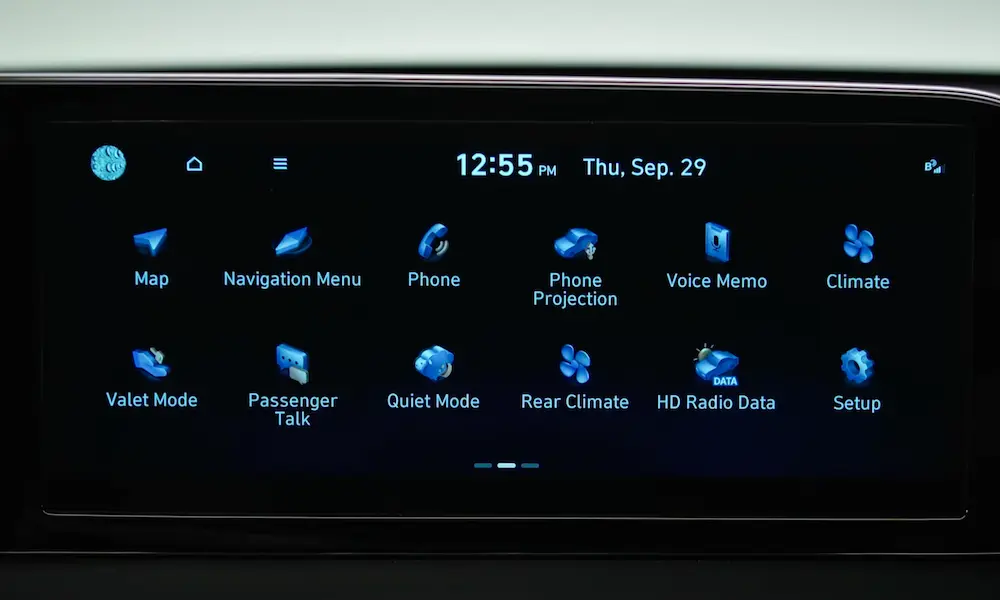
Using the Infotainment System
- Turn on your vehicle and ensure it’s in Park
- On your touchscreen, tap Setup or Settings
- Select Vehicle
- Navigate to Door Settings or Door Lock/Unlock Features
- Toggle Auto Lock to Off
- For auto-unlock, select Disable or choose an alternative like On Key Out instead of On Shift to Park
Some newer models offer even more granular control, allowing you to disable speed-sensitive locking while keeping other automatic features.
Using Hyundai BlueLink App
If your vehicle supports the Hyundai BlueLink service:
- Open the BlueLink app on your smartphone
- Go to Vehicle Settings
- Select Door Locks
- Adjust auto lock/unlock settings according to your preference
This remote method is particularly convenient as you don’t need to be in the vehicle to make these changes.
Special Instructions for Electric and Hybrid Hyundai Models
Hyundai’s electric vehicles like the Ioniq 5 and Kona Electric have some unique considerations:
Digital Key Integration
For models with Digital Key capability:
- Navigate to Settings > Digital Key > Door Preferences
- Adjust auto lock settings to ensure they don’t conflict with your smartphone key functionality
Electric models may have additional safety protocols due to their high-voltage systems, so some auto-unlock features (particularly those related to impact sensing) might not be fully customizable.
Troubleshooting Common Auto Lock Problems
Doors Still Unlock in Park After Disabling
This is one of the most common issues reported by Hyundai owners. If your doors continue to unlock when shifting to Park despite disabling the feature:
- Check for firmware updates – Your infotainment system may need an update, which can be done at a dealership or sometimes downloaded from Hyundai’s official website
- Look for conflicting settings – Ensure other unlock triggers like “Auto-Unlock on Key Removal” aren’t enabled
- Reset your settings – Sometimes completely resetting your vehicle settings and reconfiguring can resolve persistent issues
Can’t Find Auto Lock Settings in Your Menu
If you can’t locate these settings, it might be due to:
- Trim level differences – Base models often have fewer customizable features than premium trims
- Regional variations – North American models typically default to different settings than European or Asian market vehicles
- Outdated software – Your vehicle may need a system update to access all features
Safety Considerations When Disabling Auto Lock
Before turning off your Hyundai’s automatic locking features, consider these safety implications:
- Emergency situations – All Hyundai vehicles are designed to automatically unlock doors during airbag deployment, regardless of your auto lock settings
- Child safety – Rear-seat child safety locks will continue to function independently of auto lock settings
- Manual locking habits – You’ll need to develop consistent habits for manually locking your doors when exiting the vehicle
Regional Differences in Hyundai Auto Lock Systems
Hyundai vehicles are sold worldwide, and their default settings vary by region:
| Region | Common Default Setting | Notes |
|---|---|---|
| North America | Auto-Unlock on Shift to Park | Prioritizes convenience |
| Europe | Auto-Unlock on Key Removal | Focuses on security |
| Middle East/Asia | Varied by specific market | May have more restricted customization |
These regional variations can affect both the default behavior and the available customization options on your vehicle.
Taking Your Hyundai to a Professional
If you’ve tried all the DIY methods without success, professional assistance may be necessary:
- Dealership technicians have access to proprietary Hyundai diagnostic systems like GDS (Global Diagnostic System)
- Specialty auto electronics shops often have aftermarket tools compatible with Hyundai’s BCM
- Independent mechanics with Hyundai experience may offer more affordable solutions than dealerships
Before visiting, call ahead to confirm they have experience with Hyundai auto lock systems, as some shops may not be familiar with model-specific procedures.
The Future of Hyundai Auto Lock Features
Newer Hyundai models continue to evolve with more customizable security features:
- Biometric authentication in select models
- Enhanced smartphone integration through Digital Key 2.0
- Situation-aware locking that learns your preferences
These advancements mean future Hyundai owners will likely have even more control over their vehicle’s locking behavior, but they may also require more technical knowledge to fully customize.
Final Thoughts
Disabling your Hyundai’s auto lock features isn’t just about convenience—it’s about tailoring your vehicle to your specific needs and preferences. Whether you’re dealing with an older model that requires dealership intervention or a newer vehicle with simple menu options, taking control of when your doors lock and unlock can enhance your Hyundai ownership experience.
Remember that your owner’s manual is always your best first resource, as the specific steps can vary widely between models and years. If you’re uncertain about any procedure, Hyundai’s customer service or your local dealership can provide model-specific guidance.