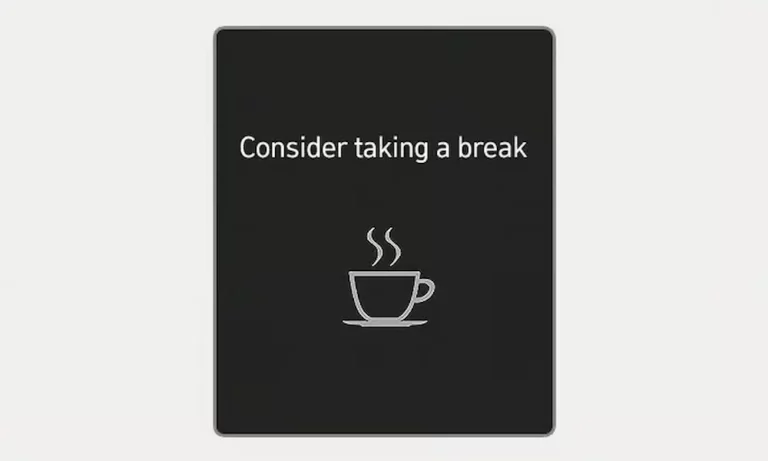
You’re cruising down the highway, minding your business, when your Hyundai flashes a coffee cup icon and tells you to take a break. Again. For the third time in 20 minutes. You’re not tired, you’re not swerving, and frankly, you’re getting annoyed. Here’s what’s actually happening with that persistent warning and what you can do about it.
What’s Behind the “Consider Taking a Break” Message
Your Hyundai’s nagging isn’t random. It’s the Driver Attention Warning (DAW) system doing what Hyundai programmed it to do—watch for signs you’re getting drowsy or distracted behind the wheel.
The system runs constantly while you drive, tracking everything from how you steer to where you’re looking. When it thinks you’re losing focus, it jumps in with that friendly (or not-so-friendly) reminder.
How Your Hyundai Watches You Drive
Two cameras work together to monitor your driving behavior. A front-view camera sits behind your windshield, watching lane position and steering patterns. An in-cabin camera on your steering column or dashboard tracks your eyes and head position using infrared technology.
Think of it like having a driving instructor constantly grading your attention level on a scale of one to five. Drop below a certain point, and boom—coffee cup warning.
The system looks for specific red flags:
- You’ve been driving for extended periods without breaks
- You’re drifting between lanes frequently
- Your steering feels jerky or unsteady
- You’re making sharp corrections or weak inputs
- Your eyes show signs of drowsiness
- You forgot to use your turn signal
Here’s something interesting: the system won’t bug you if you’ve been driving less than four minutes, or if it’s been less than four minutes since the last warning. Small mercy, right?
Why the Warning Pops Up When You’re Wide Awake
This is where things get frustrating. The Driver Attention Warning system throws false alarms like confetti at a parade. Thousands of Hyundai owners report the same issues popping up during perfectly normal, attentive driving.
The Sunglasses Problem
Wearing polarized or tinted sunglasses? The infrared camera can’t see your eyes properly. This triggers constant warnings and can even disengage your cruise control. Some owners can’t use adaptive cruise control at all while wearing their favorite shades.
Your Hand Position Matters More Than You’d Think
Rest your hand at the 12 o’clock position on the steering wheel? You’re blocking the driver monitoring camera. Hyundai actually issued a Technical Service Bulletin (TSB 25-01-009H) admitting this specific problem in 2024 models built between December 28, 2023, and October 10, 2024.
Environmental Interference
Bright sunlight, reflections off your glasses, bumpy roads requiring frequent corrections, construction zones with faded lane markings—the system interprets all of these as driver inattention. It can’t tell the difference between drowsy driving and navigating a poorly maintained highway.
You Can’t Turn It Off Anymore (And That’s the Worst Part)
Here’s the kicker: starting with 2023 models, Hyundai made it impossible to completely disable the Driver Attention Warning system. Older models let you toggle it off through settings. Not anymore.
This change has dealers fielding complaints daily. The restriction likely stems from regulatory requirements in various markets that mandate driver monitoring in vehicles with advanced safety features. Safety regulators want these systems active, period.
In pre-2022 models, you could navigate to driver assistance settings and switch the whole thing off. Now you can only disable minor sub-features like the Leading Vehicle Departure Alert, which barely makes a dent in the notification frequency.
What You Can Actually Do About It
Complete deactivation isn’t happening, but you’ve got options to reduce the annoyance factor.
Software and Settings Adjustments
Head to your settings menu and navigate to Driver Assistance. Turn off anything available under Driver Attention Warning. It won’t silence everything, but some owners report disabling the audible alert stops the beeping and prevents music interruption. The visual warning still appears, but at least your podcast won’t get cut off.
Check if your VIN qualifies for software updates. Some dealers report updates that reduce false alert frequency for specific model years.
Physical Workarounds That Actually Help
Some owners get creative. Placing tape over the driver monitoring camera stops the alerts but kills your cruise control and other driver assistance features. Not ideal, but desperate times and all that.
Wearing a baseball cap or visor helps manage sunlight glare that interferes with eye detection. Window tinting reduces problematic reflections. These simple fixes work better than you’d expect.
Change Your Driving Habits
Avoid the 12 o’clock hand position on your steering wheel. Move your hand to 9 and 3, or at least 10 and 2. Make slight steering corrections periodically during highway driving so the system doesn’t think you’re zoning out.
Some owners find that using Highway Driving Assist or lane centering features helps calibrate the system and reduces warnings. Worth a shot.
Technical Fixes Hyundai Has Released
Hyundai acknowledges the problem exists. TSB 25-01-009H specifically addresses excessive Forward Attention Warning alerts caused by hand position. This update applies to select 2024 models and requires dealer installation.
Ask your dealer if your VIN qualifies for this or any other software updates. Some owners report significant improvement after these patches.
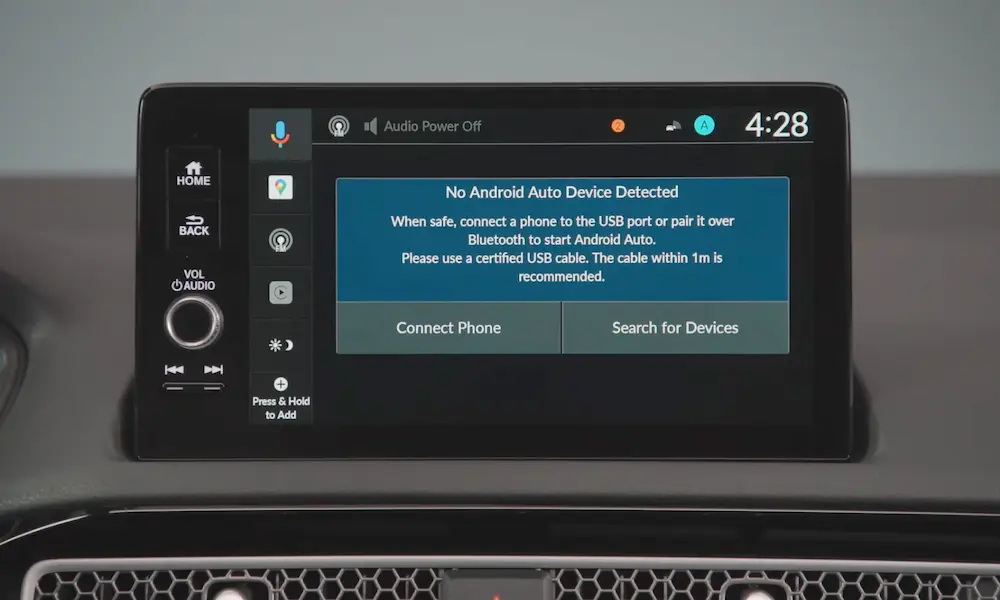
You can also update your Display Audio software yourself through Hyundai’s official website. Download the files to a FAT32-formatted USB drive and install through your vehicle’s settings menu. These updates sometimes include improvements to driver assistance systems.
When the System Actually Fails
The Driver Attention Warning has legitimate operational limitations spelled out in the owner’s manual. It won’t work properly in areas without clearly defined objects right after startup. Violent driving conditions throw it off. Blurred or erased lane markings confuse it.
Camera obstruction from dirt, ice, or foreign materials stops the system cold. Direct sunlight causes glare. Poor weather creates interference. Damaged or dirty camera lenses prevent accurate monitoring.
Physical characteristics matter too. Shorter drivers or those wearing certain eyewear types experience more frequent false alarms. The system wasn’t designed with every body type and accessory in mind.
| Issue | Impact | Practical Solution |
|---|---|---|
| Polarized sunglasses | Cruise control disengages, constant warnings | Switch to non-polarized lenses or wear a visor |
| 12 o’clock hand position | Camera obstruction triggers alerts | Move hands to 9-3 or 10-2 position |
| Bright sunlight | Eye detection fails | Window tinting or baseball cap |
| Construction zones | Lane markings unclear | Anticipate warnings, stay centered |
| Dirty camera lens | System malfunction | Regular cleaning of windshield and steering column camera |
The Bigger Picture on Driver Monitoring
The widespread complaints suggest Hyundai might eventually issue broader software updates or even recalls to address oversensitivity. Don’t hold your breath for complete deactivation options, though. Regulatory requirements in various markets mandate driver monitoring systems, and that trend isn’t reversing.
The automotive industry is moving toward mandatory driver assistance features across the board. Whether we like it or not, these systems are becoming standard equipment that can’t be switched off.
Understanding and adapting to these systems becomes part of owning a modern vehicle. The technology will improve over time as manufacturers gather real-world data and refine algorithms. Until then, you’re stuck managing a system that means well but executes poorly.
Your best bet? Combine multiple workarounds. Adjust your driving position, manage lighting conditions, keep cameras clean, and stay on top of software updates. The “Hyundai consider taking a break” message might not disappear completely, but you can definitely reduce how often it interrupts your drive.
And hey, maybe take an actual break once in a while. Even if your Hyundai’s timing is terrible, the underlying safety concept isn’t wrong—just the implementation needs work.