
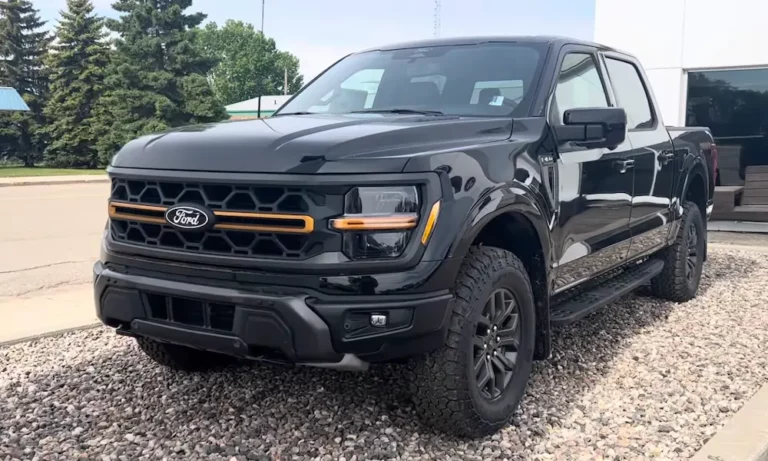
You turn the key, ready to start your day, and nothing. The theft light’s going crazy, blinking like it’s got somewhere to be. Your F-150 just sits there, locked down tight. Before you panic and call a tow truck, here’s the thing: it’s probably not what you think. Read on—we’ll get to the bottom of this and get you back on the road.
What That Blinking Theft Light Actually Means
Your F-150’s theft light isn’t just decoration. It’s talking to you in blinks and flashes, telling you exactly what’s wrong with the anti-theft system.
When everything works right, that little light should glow for three seconds when you turn the key, then go dark. If it’s flashing fast (about four times per second), your truck’s Passive Anti-Theft System (PATS) has hit a snag. The engine won’t fire because the computer thinks someone’s trying to steal your truck.
Here’s the reality: your truck’s brain (the PCM) won’t let the engine start until it gets the electronic handshake from your key. No handshake? No fuel to the injectors. It’s locked down hard.
The Secret Code in the Blinks
Don’t just stare at that flashing light and curse. It’s trying to help you.
Turn your key to “ON” without cranking. Watch the theft light blink rapidly for about 60 seconds. Then it’ll change. The light will flash out a two-digit code—first digit, pause, second digit. This code tells you exactly what’s broken.
Most folks miss this step and waste money replacing parts that aren’t broken. Be patient. Wait the full minute.
Reading the Flash Codes: Your Truck’s Diagnosis
The blink codes aren’t random. Each one points to a specific problem in the PATS security system.
| Flash Code | What It Means | What’s Actually Broken |
|---|---|---|
| 11 | Transceiver disconnected | Broken wire in steering column or blown fuse |
| 12 | Bad transceiver coil | The ring around your ignition is toast |
| 13 | No key detected | Damaged key chip or wrong key |
| 14 | Garbled signal | Multiple RFID chips interfering or cloned key issue |
| 15 | Key not programmed | Your key isn’t in the system’s memory |
| 16 | Communication failure | Big one: Computer network breakdown |
Code 16 is the heavyweight. It means your instrument cluster can’t talk to your engine computer. This is the signature problem for 2004-2008 F-150s with cracked solder joints.
The Odometer Test
Here’s a dead-simple diagnostic trick. Turn your key to “ON” and look at your odometer.
See numbers? The cluster’s talking to the PCM. Your problem’s with the key or the transceiver (codes 11-15).
See dashes (—–)? Communication’s dead. You’ve got Code 16—network failure. This usually means bad solder joints in the cluster or a power issue.
This five-second check saves you hours of guesswork.
Why Your Ford F150 Theft Light Blinking Won’t Start (By Year)
Different F-150 generations break in different ways. Knowing your truck’s weak spot matters.
1997-2003: The Ground and Transceiver Era
These trucks use the older SCP network. They’ve got two main failure points.
The transceiver ring dies from old age. That ring around your ignition lock has fine copper wire inside. After 20+ years of heating up and cooling down, it breaks. You’ll see Code 11 or 12. Testing’s simple: pull the connector and measure resistance. Should be under 5 ohms. If your meter shows infinity, the coil’s open.
Ground points corrode. G102 on the firewall and G200 in the passenger kick panel are critical. When they corrode, the whole system gets wonky. Clean these grounds first—it’s free and fixes a lot.
PCM relay fails. The PCM power relay in the under-hood fuse box can die. Quick test: swap it with your horn relay. If the truck starts, you found your problem.
2004-2008: The Solder Joint Disaster
This generation switched to lead-free solder to meet environmental rules. Sounds good, right? Except lead-free solder is brittle.
The 32-pin connector on the back of your instrument cluster has a heavy wiring harness hanging off it. Years of vibration crack those solder joints. The truck hits a bump, the connection breaks, Code 16 fires, and you’re stuck.
The squeeze test: Pull your cluster partway out and squeeze the connector while someone tries to start the truck. If it fires up, your solder joints are cracked. The only real fix is removing the cluster and reflowing those joints with proper solder. Replacement clusters often have the same problem waiting to happen.
This isn’t a “maybe” issue. It’s a documented epidemic for these years.
2009-2014: Fuse 27 and Aftermarket Problems
Newer doesn’t always mean better. These trucks have their own quirks.
Fuse 27 melts. The terminal for Fuse 27 in the battery junction box is undersized. It heats up, melts the plastic, and breaks the connection. Ford released a relocation kit (Fuse 70) as the official fix. Check for melted plastic around that fuse slot.
Aftermarket remote starts cause chaos. Dealer-installed remote start systems use a “bypass module” with a spare key inside. When these malfunction, they broadcast a key signal at the same time you’re using your actual key. The system sees two keys and locks down with Code 14. Disconnect the bypass module to test.
Key fob battery confusion: The battery in your key fob only powers the door locks. The PATS chip is passive—no battery needed. A dead fob battery won’t cause a theft light no-start.
How the System Actually Works (The Simple Version)
Understanding the handshake helps you diagnose smarter.
Your key has a glass chip sealed inside the plastic head. No battery, no electronics you can see. When you insert the key, a ring around the ignition lock sends out a magnetic field. That field powers up the chip, which sends back its ID code.
The instrument cluster reads that code. If it’s on the approved list, the cluster tells the engine computer “we’re good.” The engine computer then challenges the cluster with a math problem. Both computers know the secret answer. If the cluster responds correctly, fuel flows and the starter engages.
Break any link in this chain—key, ring, cluster, network, engine computer—and the whole system locks down. The theft light blinks the specific failure code.
Step-by-Step: Fix Your Ford F150 Theft Light Blinking Won’t Start
Don’t throw parts at the problem. Follow this sequence.
Check the Basics First
Try your spare key. Got a second programmed key? Use it. If the spare works, your primary key’s chip is cracked (happens when you drop it on concrete). If both keys fail with the same code, the problem’s in the truck.
Look at the fuses. Different years have different critical fuses.
1997-2003 F-150 Fuses:
- Fuse 28 (passenger compartment, 5A): Powers the transceiver
- Fuse 30 (passenger compartment, 30A): PCM relay circuit
- Fuse 20 (power distribution box, 30A): PCM power feed
2004-2008 F-150 Fuses:
- Fuse 28 (kick panel, 5A): PATS transceiver
- Fuse 34 (kick panel, 15A): PCM power
- Relay 203 (under hood): PCM relay
2009-2014 F-150 Fuses:
- Fuse 18 (kick panel, 10A): PATS and PCM wake-up
- Fuse 27 (under hood, 20A): Fuel pump driver (check for melting)
- Relay 8 (under hood): PCM relay
Pull each fuse and look closely. Corrosion and invisible breaks happen.
Test the Transceiver Ring
If you’ve got Code 11, 12, or 13, the transceiver’s suspect.
Remove the steering column covers. Find the transceiver ring around the lock cylinder—it’s a black plastic ring with a 4-pin connector.
Check the connector for backed-out pins or damaged wires. Then disconnect it and grab your multimeter. Measure resistance across the TX and RX pins. You want less than 5 ohms. Infinity means the coil’s broken inside.
With the key ON, check for 12 volts on the power pin and good ground on the ground pin. No power? Trace back to the fuse.
Address the 2004-2008 Cluster Issue
Got Code 16 and a 2004-2008? Do the wiggle test.
Remove the trim around your cluster. Reach behind and squeeze the main connector while turning the key. If the theft light goes out and the truck starts, congratulations—you’ve confirmed cracked solder joints.
Don’t just buy a used cluster off eBay. It’ll likely fail the same way, plus you’ll need a scan tool to program the mileage and keys. Better option: send your cluster to a professional rebuilder who’ll reflow the joints properly. You keep your original mileage and programming.
Clean Your Grounds
For 1997-2003 trucks especially, this step’s critical.
Find ground G102 on the firewall (right side, near the PCM). Also locate G200 in the passenger kick panel area. Remove the bolt, wire-brush both the terminal and the contact point on the body until they’re shiny, and reinstall with a star washer.
Corroded grounds cause voltage drops that make the whole PATS system flaky. This fix costs nothing but time.
Deal With Aftermarket Remote Starts
Got a remote start? It might be your problem.
Aftermarket systems use a bypass module that contains a spare key. Find the module (usually under the dash) and disconnect it. Try starting with your regular key. If the theft light goes away, the bypass module’s interfering.
You can drive without remote start. You can’t drive with a fried bypass module sending phantom key signals.
Programming and Reset Reality Check
Let’s clear up the confusion about “resetting” the system.
Adding keys: If you have two working keys, you can program a third yourself. Cycle key 1, cycle key 2, insert the new key within 10 seconds. The truck learns it automatically.
Starting from scratch: If you have zero or one key, you need a scan tool. Period. FORScan, IDS, or professional-grade tools like Autel can erase all keys and program new ones. The “10-minute relearn” you read about online doesn’t apply to standard F-150 PATS.
After replacing a module: Swapped your instrument cluster or PCM? They need to talk to each other. This requires a “Parameter Reset” function in the scan tool to sync the computers. It’s not the same as key programming—it’s teaching the modules to recognize each other.
The Bypass Module Warning
Searching for a quick fix, you’ll find “PATS bypass modules” for sale online. Be careful.
These aren’t magic boxes. They’re relay modules with an inductive coil. To work, you permanently install a valid programmed key inside the box. The box sits hidden under your dash. When activated, it broadcasts that hidden key’s signal to the truck.
Two problems: First, if that hidden key shifts or the module stays on when you insert your real key, the system sees two keys simultaneously and throws Code 14. Second, you’ve just defeated your entire anti-theft system.
They’re designed for professional remote start installations, not DIY “fixes” for broken components.
What About Scan Tools?
Professional diagnosis uses scan tools that read PATS codes directly. But you don’t always need one.
The blink codes tell you most of what you need. A $30 code reader from AutoZone won’t see PATS codes—they’re not standard OBD-II. You need Ford-specific software.
FORScan is cheap (or free with Windows laptop and a $20 adapter). It’ll read PATS DTCs like B1681 (transceiver circuit) or U1900 (CAN bus failure). More importantly, it can program keys if you’re starting from scratch.
For most diagnosis, though? Watch the blink codes. They’ll point you right.
Parts You Might Actually Need
If diagnosis points to a failed component, here’s what replacement looks like.
Transceiver ring: OEM part numbers like 3L3T-15607-AA for 2003-2004. Expect $50-150 depending on source. Installation takes an hour if you’re handy with trim removal.
Keys: A blank key with chip runs $20-50. Programming adds $50-100 at a locksmith, $150+ at a dealer. Having two keys programmed is essential—it lets you add a third yourself later.
Instrument cluster: Used clusters run $100-300 but need programming (mileage and PATS). Professional reflow service costs $150-250 and preserves your original programming. For 2004-2008 trucks with Code 16, reflow beats replacement every time.
Common Mistakes That Make It Worse
Don’t compound the problem with these errors.
Disconnecting the battery repeatedly. This clears volatile memory but doesn’t fix anything. It can actually make diagnosis harder by clearing soft codes.
Replacing the cluster without programming. The new cluster doesn’t know your keys. The PCM doesn’t trust the new cluster. You’ve just created Code 22 (configuration mismatch) on top of your original problem.
Ignoring the generation-specific issues. A 2001 doesn’t break the same way as a 2006. The diagnostic path is different. Use the year-specific guidance above.
Buying the cheapest key on Amazon. Weak clone chips cause Code 14 (partial read errors). OEM or quality aftermarket keys work reliably. The $10 special doesn’t.
The Bottom Line on Ford F150 Theft Light Blinking Won’t Start
Your blinking theft light isn’t random. It’s a specific failure in a specific system. The flash codes tell you exactly where to look.
For 1997-2003 trucks, suspect the transceiver ring and ground points first. For 2004-2008, the cluster solder joints are the usual culprit. For 2009-2014, check Fuse 27 and any aftermarket remote start interference.
The key itself is rarely the problem—especially if your spare fails the same way. This is an electrical and communication issue, not a key issue, in most cases.
Follow the diagnostic sequence: check the odometer, read the blink code, test the spare key, verify the fuses, and inspect generation-specific weak points. Don’t skip steps and don’t throw parts at it blindly.
Your F-150’s anti-theft system is sophisticated, but it’s not mysterious. The engineers built in diagnostic feedback for a reason. Use it. Fix the actual problem. Get back on the road.













