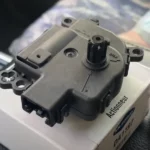
Ever started a brake job on your Hyundai only to realize you can’t get the caliper to budge? You’re dealing with an electronic parking brake system that needs to be put in service mode before you can change those pads. Don’t worry – it’s not as complicated as it sounds.
What is the Hyundai Electronic Parking Brake?
The Hyundai Electronic Parking Brake (EPB) replaces old-school manual parking brakes with a button-activated system. Instead of pulling a lever or pushing a pedal, you simply press a button to engage or release the parking brake.
The system uses motors to apply and release the brake calipers and connects with other safety features in your car. It’s smarter than traditional parking brakes, offering benefits like:
- Auto Hold: Keeps your brakes engaged at traffic lights so your foot can rest
- Automatic engagement: Activates when parking on hills or when you shift to Park
- Emergency braking: Provides backup braking if your main brakes fail
Why You Need Service Mode
Before replacing brake pads on a Hyundai with EPB, you must activate “service mode.” This tells the computer to fully retract the brake pistons and temporarily disable the electronic controls.
Skipping this step can:
- Damage expensive electronic components
- Prevent proper caliper retraction
- Lead to warning lights on your dashboard
- Cause new pads to drag against rotors
How to Activate EPB Service Mode Manually
Many Hyundai models allow you to enter service mode without special tools. Here’s the standard procedure:
- Turn the ignition to “ON” position (don’t start the engine)
- Press and hold the EPB switch (downward/release position) for 15-20 seconds
- Release the switch, then immediately press it again within 1 second
- Look for the EPB warning light to illuminate, confirming you’re in service mode
Model Variations
Some Hyundai models require different steps:
- With Accelerator Pedal: Some require pressing the accelerator while activating the EPB switch
- Auto Hold Models: Vehicles with Auto Hold might need the feature disabled first
- Older Models: Some older Hyundais use a different sequence – check your service manual
Using a Scan Tool for Service Mode
For newer Hyundais (2019-2024 Santa Fe, Palisade, etc.), you’ll likely need an OBD-II scan tool:
- Connect your scanner to the OBD-II port (usually under the dashboard)
- Navigate to the EPB module or brake systems menu
- Select “Brake Change Mode” or “Pad Replacement”
- Follow the on-screen prompts to activate service mode
Popular scan tools include:
- Autel AP200
- G-scan
- Launch X431
- BlueDriver
Performing Brake Service in EPB Mode
Once you’ve activated service mode, here’s how to properly service the brakes:
Retracting the Pistons
- Remove the wheel and caliper mounting bolts
- Pivot the caliper upward to access the pads
- Use one of these methods to retract the pistons:
- Allen Key Method: Insert a 4mm Allen key into the piston and rotate clockwise
- C-Clamp Method: Use a C-clamp with an old pad to compress the piston
Important: When retracting, align the piston’s internal grooves (visible as two dots) with the caliper body to prevent misalignment.
Completing the Service
- Install new pads and hardware
- Reinstall and torque the caliper mounting bolts
- Apply silicone grease to O-rings and contact points
- Install the wheel and torque lug nuts to spec
Exiting Service Mode
After completing your brake service, you need to properly exit service mode:
Manual Method
- Turn ignition to “ON” position (don’t start engine)
- Pull and hold the EPB switch upward (apply position) for 5 seconds
- Release the switch
- The EPB system will reset and exit service mode
Scan Tool Method
- Select “Exit Service Mode” on your scan tool
- Follow prompts to reactivate the EPB system
- The tool may run a self-test to verify proper operation
After exiting service mode, test the brakes by:
- Starting the engine
- Engaging and releasing the EPB 2-3 times
- Checking for proper pedal feel
- Ensuring no warning lights remain on the dashboard
Model-Specific Information
2020-2024 Santa Fe and Palisade
These newer models generally require a scan tool for EPB service. The manual methods rarely work on these vehicles.
Key differences:
- No successful manual activation sequence documented
- May need dealer-level scan tools for some functions
- Different caliper designs require specific retraction techniques
2016 Sonata
The 2016 Sonata has a known issue with incomplete EPB release that was addressed in a technical service bulletin.
Key points:
- Software update may be required for proper EPB operation
- Manual service mode activation usually works
- Follow specific retraction procedures to avoid damaging calipers
Troubleshooting EPB Service Mode Problems
Can’t Enter Service Mode?
If you’re struggling to activate service mode:
- Check Battery Voltage: Ensure your battery is at least 12V. Low voltage can prevent proper communication with the EPB module.
- Timing Issues: The switch sequence timing is critical – try again with precise timing.
- Software Updates: Some models require ECU updates to resolve EPB logic errors.
- Switch to Scan Tool: If manual methods fail, a diagnostic scanner is your best option.
Post-Service Problems
| Problem | Likely Cause | Solution |
|---|---|---|
| Dragging brakes | Misaligned pistons, incomplete retraction | Re-enter service mode, properly align and retract pistons |
| EPB warning light | Incomplete activation/deactivation sequence | Use scan tool to clear fault codes |
| Soft brake pedal | Air in system, improper pad installation | Bleed brakes, check pad installation |
| EPB won’t engage | System not properly exited from service mode | Complete proper exit sequence or use scan tool |
Safety Precautions
When working with EPB systems:
- Always chock wheels before lifting the vehicle
- Never force pistons or motors which can damage internal threads
- Avoid applying external voltage to EPB motors
- Test brake function on level ground before driving
- Verify proper EPB operation before parking on hills
Required Tools for Hyundai EPB Service
For a successful brake job on Hyundai vehicles with electronic parking brakes, have these tools ready:
| Tool | Purpose | Essential? |
|---|---|---|
| OBD-II Scan Tool | Activate/deactivate service mode | Essential for newer models |
| 4mm Allen Key | Rotate and retract pistons | Yes for most models |
| Brake Caliper Tool | Compress caliper pistons | Alternative to Allen key |
| Torque Wrench | Proper bolt tightening | Yes |
| Wheel Chocks | Safety during service | Yes |
| Battery Charger | Maintain voltage during service | Recommended |
Is a DIY EPB Brake Job Worth It?
Before tackling this yourself, consider:
Pro DIY:
- Save $200-400 in labor costs
- Complete job at your own pace
- Learn valuable skills
Reasons to Consider Professional Help:
- Need for specialized diagnostic tools
- Risk of damaging electronic components
- Complexity of newer Hyundai EPB systems
The complexity varies by model year. Older Hyundais (2010-2018) are generally more DIY-friendly, while newer models often require professional-grade scan tools that can cost hundreds of dollars.
Real-World EPB Service Tips
- Keep the key in the ignition during the entire service to maintain power to the EPB module
- Some users report success using the Autel AP200 scanner, which is relatively affordable
- Brake pad replacement videos specific to your model can be incredibly helpful
With the right tools and information, servicing brakes on your Hyundai with an electronic parking brake system can be straightforward. Just remember that the key is properly activating and deactivating service mode to protect your vehicle’s electronic components.