Is your Lexus giving you the silent treatment? When your Lexus Bluetooth isn’t working, it’s more than just an inconvenience—it’s a disconnect from your music, calls, and the seamless driving experience you expect from your luxury vehicle. But don’t worry—most Bluetooth issues can be fixed without a trip to the dealership. Let’s get your connection back up and running.
Common Reasons Why Your Lexus Bluetooth Isn’t Working
Bluetooth technology is fantastic when it works, but frustrating when it doesn’t. Here’s why your Lexus might be having connectivity issues:
Device Compatibility Issues
Your iPhone or Android device might not play nice with your Lexus infotainment system. This is especially common after phone updates. iOS 18.3, for example, caused widespread pairing failures in older Lexus infotainment systems.
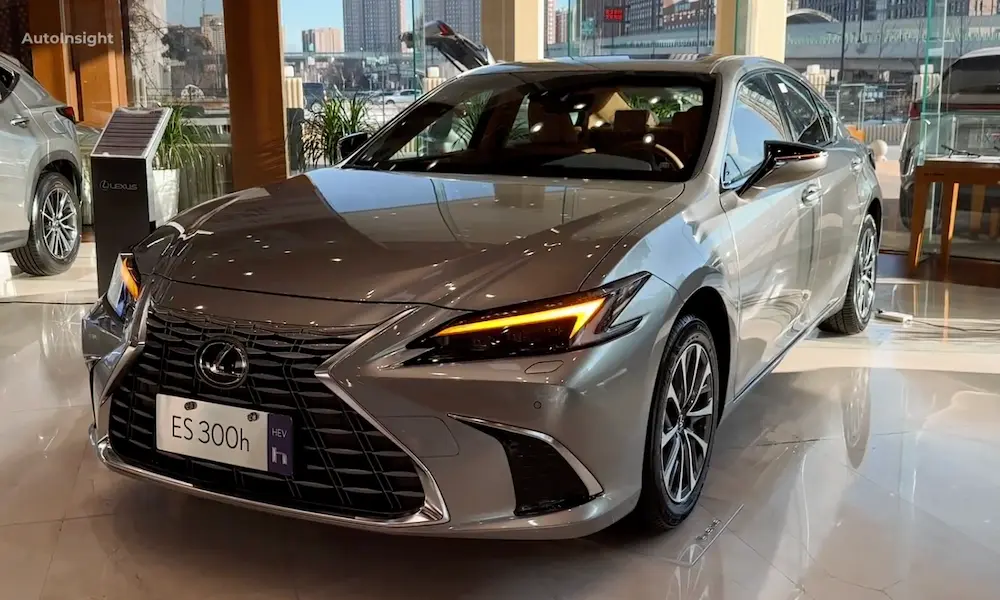
Different Lexus models support different Bluetooth capabilities. An older ES might lack support for advanced audio codecs that your new iPhone uses, resulting in connection problems or poor audio quality.
Interference From Other Electronic Devices
Bluetooth operates on the 2.4 GHz frequency band—the same crowded space used by:
- WiFi networks
- Portable hotspots
- Microwave ovens
- Other electronic devices
This crowding can cause your connection to drop or prevent pairing altogether. Many users report better Bluetooth performance after turning off WiFi hotspots or moving their phones away from other electronics.
Software Glitches in Your Lexus System
The Entune or Lexus Interface systems sometimes develop memory leaks or corrupt cache files. These software hiccups can make your Bluetooth menu unresponsive or prevent your car from recognizing paired devices.
Basic Troubleshooting Steps for Lexus Bluetooth Problems
Before diving into complex solutions, try these basic fixes:
1. Check Bluetooth Status on Both Devices
It sounds obvious, but first make sure Bluetooth is actually turned on:
- On your phone: Go to Settings > Bluetooth
- In your Lexus: Press the MENU button > Setup > Bluetooth
Also verify that your phone isn’t in airplane mode, which disables Bluetooth.
2. Restart Your Devices
A simple restart resolves many Bluetooth issues:
- Restart your phone: Power it off completely for 30 seconds, then turn it back on
- Restart your Lexus infotainment: Turn the ignition off, wait 2-3 minutes, then restart
This clears temporary memory and resets connections that might have gotten stuck in a bad state.
3. Delete and Re-pair Your Device
When simple restarts don’t work, try wiping the slate clean:
- On your phone: Go to Settings > Bluetooth > find your Lexus and select “Forget This Device”
- In your Lexus: Go to Setup > Bluetooth > Remove Device
- Put your Lexus in park with the engine running
- Make your phone discoverable (Settings > Bluetooth)
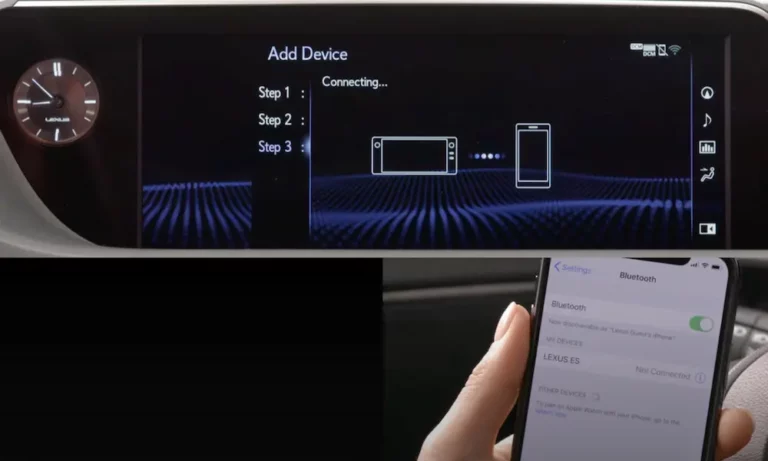
- On your Lexus screen, select “Add New Device”
- Follow the on-screen prompts to complete pairing
This forces both systems to establish a fresh connection, often resolving stubborn issues.
Advanced Fixes for Persistent Problems
If basic troubleshooting doesn’t solve your Bluetooth woes, try these more advanced solutions:
Perform a Full Infotainment System Reset
A deeper reset can clear stubborn software glitches:
- Turn your ignition to ACC mode
- Press and hold both the VOL and MAP buttons simultaneously for 45 seconds
- Wait for the screen to go blank and the Lexus logo to reappear
This resets the infotainment system’s RAM without deleting your saved settings or paired devices.
Update Your Lexus Software
Outdated software can cause connectivity problems. Lexus periodically releases telematics control unit (TCU) updates to fix Bluetooth bugs.
Check if your vehicle has pending updates:
- Visit the Lexus Owner’s website
- Enter your VIN number
- Look for available software updates
Some updates can be installed via USB, while others require a dealer visit.
Address Phone-Specific Issues
Different smartphones have unique Bluetooth quirks when connecting to Lexus vehicles:
For iPhone Users:
- If you’re on iOS 14 or newer, try disabling Bluetooth codec switching: Settings > Accessibility > Audio/Visual
- Toggle “Show Notifications” in your Lexus Bluetooth settings to force profile synchronization
- Apple devices may need to be “forgotten” and re-paired after major iOS updates
For Android Users:
- Grant explicit permission for contact access both on your phone and in the Android Auto app
- Disable battery optimization for Bluetooth and connectivity services
- If using Android 14, look for specific permissions related to physical device connections
Hardware-Related Bluetooth Problems
Sometimes the issue isn’t software but hardware-related:
Faulty Bluetooth Antennas
Your Lexus’s Bluetooth antenna (often located in the rear spoiler or quarter panel) can develop problems:
- Corrosion at connector points
- Water damage
- Physical damage
A damaged antenna might still connect when your phone is nearby but drop connection when it’s in your pocket or purse.
Damaged USB Ports Affecting Bluetooth
While not directly Bluetooth-related, damaged USB ports in your center console can create electromagnetic interference that affects Bluetooth signals.
If you notice your ports are loose or have visible damage, they may need cleaning or replacement. Reports show that cleaning ports with isopropyl alcohol can resolve connection issues in many cases.
Optimizing Your Lexus Bluetooth Connection
Once you’ve got your connection working, these tips will help keep it stable:
Best Phone Placement for Strong Signal
Where you place your phone in the car matters:
- The center console wireless charger (if equipped) provides optimal positioning
- Front cup holders work well for most models
- Avoid putting your phone under seat materials which can block signals
- Keep your phone away from aftermarket electronics that might cause interference
Regular Maintenance for Better Connectivity
Prevent future issues with these habits:
- Perform a system reboot every few months by holding the volume knob for 10-30 seconds
- Keep your phone’s operating system updated
- Delete old Bluetooth pairings you no longer use from both your phone and vehicle
- If you have aftermarket LED bulbs in your cabin lights, consider replacing them with OEM-spec bulbs that have ferrite chokes to reduce interference
Lexus Model-Specific Bluetooth Issues
Different Lexus models have different Bluetooth quirks:
IS Series Bluetooth Troubleshooting
IS models from 2014-2020 occasionally show a “Bluetooth off” message even when it’s actually enabled. The fix:
- Press MENU
- Select Setup
- Select Bluetooth
- Toggle Bluetooth off and then on again
For persistent issues in IS models, users report that disconnecting the car battery for 15 minutes resets the system more thoroughly than software methods alone.
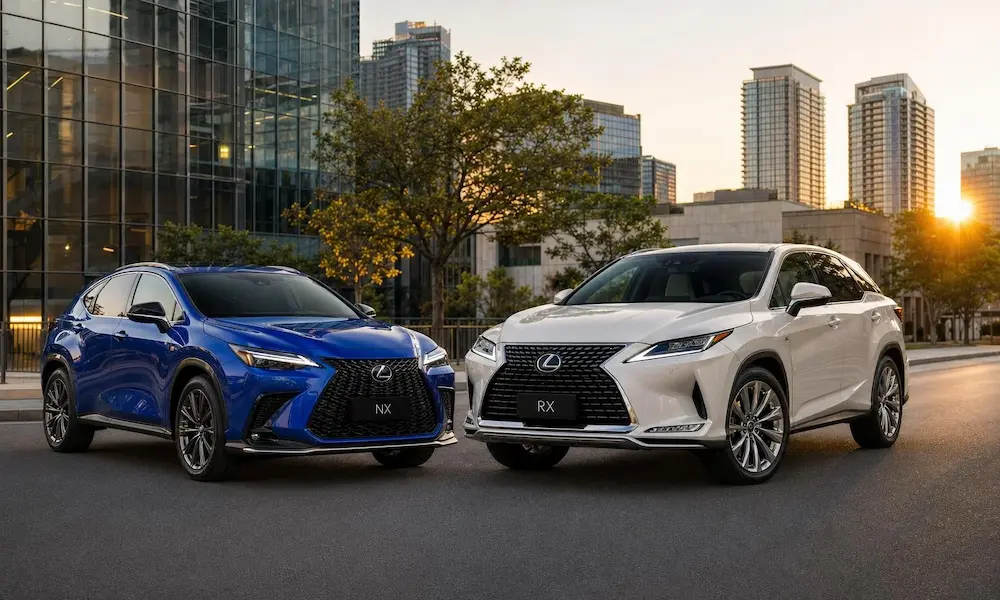
RX Model Bluetooth Solutions
RX models (especially 2016-2018) sometimes struggle with phone handoffs between Bluetooth and CarPlay. To fix this:
- Delete all phone pairings
- Disable CarPlay
- Pair the phone via Bluetooth only
- Re-enable CarPlay and connect via USB
- Confirm the successful connection of both systems
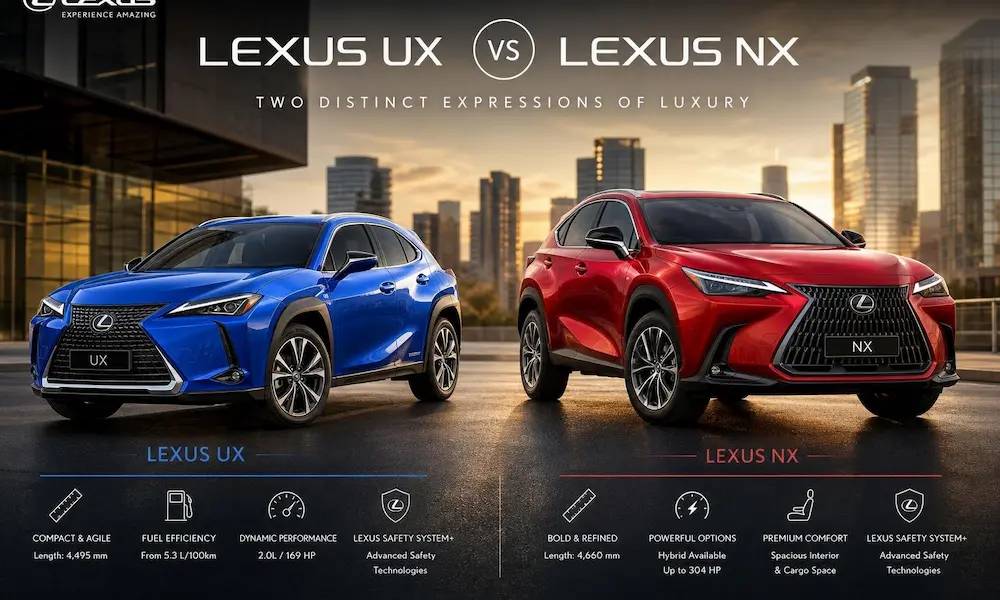
NX Bluetooth Connectivity Solutions
NX owners (particularly 2022+ models) sometimes encounter issues with secondary driver profiles and Bluetooth. The solution:
- Make sure each driver uses their own driver profile setting
- Pair phones individually to each profile
- Avoid switching profiles while Bluetooth devices are connected
When Software Updates Cause Bluetooth Problems
Software updates on either your phone or Lexus can disrupt previously stable Bluetooth connections:
After Phone OS Updates
After updating your phone’s operating system:
- Go to your Lexus Bluetooth menu
- Remove the device completely
- Restart both your phone and car
- Re-pair from scratch
- If issues persist, check online forums for that specific OS version, as some updates (like iOS 18.3) have known Bluetooth bugs
After Lexus System Updates
If problems start after a Lexus infotainment update:
- Check for a subsequent patch update that may address Bluetooth bugs
- Try the full system reset (holding VOL and MAP for 45 seconds)
- If those don’t work, visit your Lexus dealer for a TCU reflash
Using Alternative Connection Methods
When Bluetooth just won’t cooperate, you have other options:
USB Connections and CarPlay/Android Auto
USB provides a more stable connection than Bluetooth:
- Connect your phone via USB cable to your Lexus
- If your model supports it, Apple CarPlay or Android Auto will launch
- These systems use their own connectivity protocols that often work when Bluetooth doesn’t
Auxiliary Audio Input
For audio only, the AUX port (if your model has one) bypasses Bluetooth entirely:
- Connect a 3.5mm audio cable from your phone to the AUX port
- Select AUX as your audio source
- While this doesn’t support calls or control integration, it guarantees audio playback
Model-Year Specific Bluetooth Issues
The age of your Lexus affects what Bluetooth problems you might encounter:
2010-2015 Models
Older Lexus models often have more basic Bluetooth systems that:
- Support fewer devices (typically 5 maximum)
- May only handle phone calls, not audio streaming
- Require more manual setup steps
- Have less software update support
For these models, perform a full Bluetooth reset by removing all devices and starting fresh.
2016-2020 Models
Mid-generation Lexus vehicles typically have Entune-based systems that:
- Support both calls and audio streaming
- May struggle with newer phone operating systems
- Often benefit from the volume knob reset technique
- Sometimes need dealership software updates
2021 and Newer Models
The latest Lexus Interface system offers advanced Bluetooth capabilities but can still experience:
- Profile conflicts between Bluetooth and wireless CarPlay/Android Auto
- Issues with multi-device connectivity
- Bluetooth audio quality fluctuations
- Connection drops during phone calls
These newer models benefit most from the latest software updates from Lexus.
Optimizing Your Bluetooth Experience
Even after fixing connection problems, these tips will improve your overall Bluetooth experience:
Setting Up Voice Commands
Voice commands reduce distraction and improve safety:
- Press the voice command button on your steering wheel
- Say “Setup” and then “Phone”
- Follow prompts to enable voice dialing and other features
- Test commands like “Call [contact name]” or “Play music”
Managing Multiple Paired Devices
If multiple people use your Lexus:
- Give each paired device a unique, recognizable name
- Set connection priorities in your Lexus Bluetooth menu
- Only keep actively used devices paired
- Remember that most Lexus models connect automatically to the last paired device
By understanding the common causes of Lexus Bluetooth problems and methodically working through these solutions, you can restore your connection and enjoy your drive with all the connectivity benefits your Lexus was designed to provide.