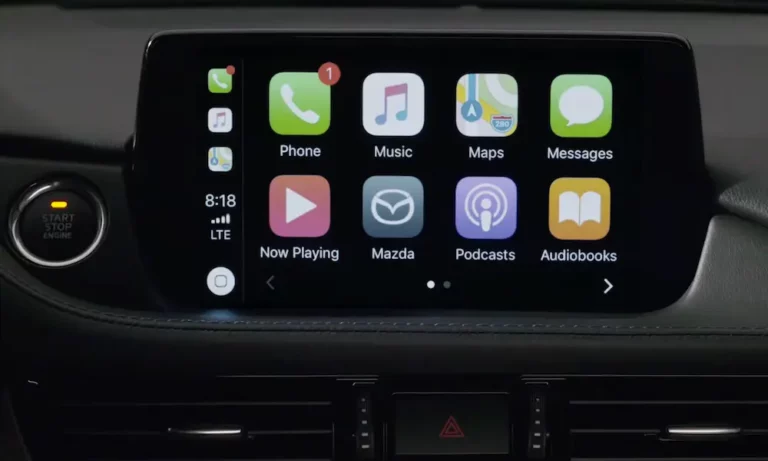
Driving a 2014–2018 Mazda but jealous of friends who just plug in their phone and boom—maps, music, and messages appear on screen? You’re not stuck with that aging factory system. The Mazda Apple CarPlay upgrade exists, and it’ll breathe new life into your dashboard. Here’s how to get it done without getting ripped off or breaking anything.
Does Your Mazda Even Qualify?
Not every Mazda can get this upgrade. If you’re driving a 2013 or older model, you’re out of luck with the official kit—those used the ancient TomTom-based system that can’t handle the upgrade. You’d need a full aftermarket head unit replacement.
The sweet spot? 2014–2018 models with the MZD Connect system. That includes:
- Mazda3 (2014–2018)
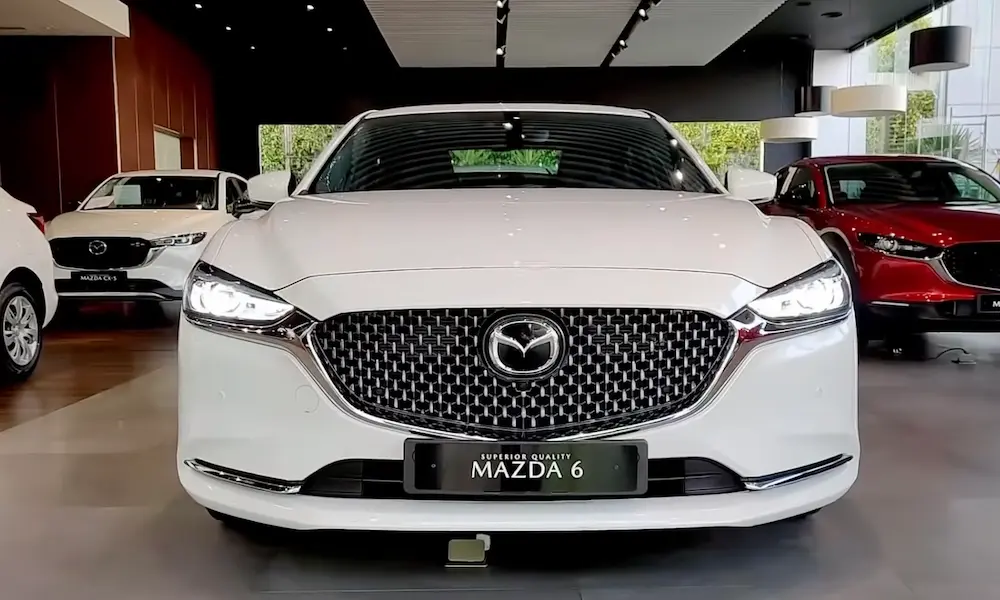
- Mazda6 (2016–2018, though late 2018s might already have it)
- CX-5 (2016.5–2018—that “.5” matters; early 2016s don’t qualify)
- CX-3 (2016–2019)
- CX-9 (2016–2018)
- MX-5 Miata (2016–2019)
If your car has the rotary commander knob on the center console and a screen perched on the dash, you’re probably good. But double-check your VIN with a Mazda dealership before buying parts.
The Two-Part Upgrade Process
Getting CarPlay isn’t just swapping a USB port. It’s a combo of software and hardware.
Step 1: Update Your Firmware
Your car’s brain (the CMU, or Connectivity Master Unit) needs updated software to even recognize the new hardware. You’ll need firmware version 70.00.100 or higher—preferably the latest, which is version 74.00.324A.
Here’s the tricky part: Mazda doesn’t officially release these files to the public. Dealerships get them through a restricted portal. But the enthusiast community (shoutout to forums like Mazda3Revolution) shares them through grey-market channels. A user named “ASH8” is the unofficial keeper of these files.
The update takes 40–50 minutes. During this time, you can’t turn off the car. If power cuts out mid-update, you’ve just bricked a $1,000 CMU. That’s why dealerships charge $100–$150 just for the software update—they’re assuming the risk.
Pro tip: If you’re doing this yourself, step on the brake pedal every 15 minutes. Your car automatically shuts off after 20 minutes in accessory mode to save the battery. That pedal tap resets the timer and prevents a catastrophic shutdown during the update.
Step 2: Swap the Hardware
Once the software’s ready, you need the TK78-66-9U0C USB hub kit. This isn’t your typical USB port—it has Apple’s authentication chip and can deliver up to 2.1A of charging power (the old one barely pushed 0.5A).
The kit includes:
- The new USB hub (marked with a smartphone icon)
- Two upgraded cable harnesses (C922-V6-605A)
The factory cables in older Mazdas lack the bandwidth for CarPlay’s video stream. Use the old cables with the new hub? Expect black screens and constant disconnects.
Installation means pulling apart your center console or dashboard. On a Mazda3, you’re removing the cupholder assembly and shifter surround. On a CX-5, you’re prying off trim panels. It’s not rocket science, but it’s not beginner-friendly either. Budget 1.5–2 hours if you’re handy with tools.
DIY vs. Dealership: What’ll It Cost You?
Let’s talk money.
Dealership Route
Expect to pay $399–$495 for the full package (parts + labor). That includes:
- The hardware kit (~$199)
- Firmware update
- Professional installation
- 12-month warranty
In Chicago, dealers like The Autobarn Mazda of Evanston occasionally run accessory discount coupons (15% off) that can knock the price down to ~$380. McGrath City Mazda charges closer to the $450 mark but keeps parts in stock.
DIY Route
Buy the parts yourself for ~$150, download the firmware (you’ll need to hunt for it), and spend a Saturday afternoon with YouTube tutorials open on your phone.
Savings: $250–$300.
Risk: If you brick the CMU during the firmware update, you’re buying a new one out of pocket.
If you’re terrified of wrecking your infotainment system, pay the dealer. If you’ve successfully changed your own oil without flooding your garage, you can probably handle this.
Wired Only? Seriously?
Yes. Mazda’s official upgrade is wired-only. You’ll plug your iPhone in with a Lightning cable every single time.
Why? Mazda prioritizes connection stability and audio quality. Wireless CarPlay introduces latency—that annoying delay between tapping “next song” and it actually changing.
But don’t worry. The aftermarket has your back.
Going Wireless with Adapters
Third-party dongles like the Carlinkit 5.0 plug into your new USB port and beam a wireless signal to your phone. They cost $60–$100.
The catch? You’ll notice slight lag. Voice directions might come half a second late. Music controls aren’t instant. It’s the trade-off for not fishing your phone out of your pocket on every grocery run.
Other solid options:
- Ottocast U2-AIR (faster connection but occasional stability hiccups)
- Motorola MA1 (Android Auto only, but rock-solid reliable)
If you go this route, you can tweak the “Media Delay” setting in the adapter’s backend (usually at 192.168.50.2 when connected to its Wi-Fi). Dropping it from 1000ms to ~300ms tightens response times.
The Touchscreen Situation
Here’s where Mazda gets annoying. The touchscreen disables itself above 5 mph. You’re stuck using that rotary knob for everything.
Mazda’s philosophy? Touchscreens distract drivers. Fine for scrolling playlists. A nightmare for panning around a map.
The enthusiast community created the Mazda AIO Tweaks hack to re-enable the touchscreen while driving. It works, but installing it on modern firmware requires a “serial hack”—physically opening the CMU, soldering wires to its circuit board, and using command-line tools to modify the system.
Unless you’re comfortable with that level of invasiveness, you’re living with the knob. The good news? Newer Mazdas (2024 CX-50 and CX-90) finally brought back touchscreen-while-driving, so Mazda clearly caved to customer complaints.
Watch Out for Fake Parts
The official TK78-66-9U0C hub costs $150–$200. Clones on AliExpress? $40–$70.
Don’t do it.
Those cheap knockoffs often lack the genuine Apple authentication chip. You’ll get random disconnects, slower charging, or complete failure to initialize CarPlay. Save yourself the headache and buy the real deal from a Mazda parts counter or a trusted retailer like MazdaSwag.
Chicago-Specific Options
If you’re in the Chicago area and don’t want to tackle this yourself, you’ve got options beyond the dealership.
Independent Shops
- Showtime Audio (North Elston Ave): High-end custom audio shop. Great if you’re also upgrading speakers, but overkill (and pricey) for a simple CarPlay install.
- Mobile Electronics USA (Downers Grove): Perfect if you have a pre-2014 Mazda and need a full head unit replacement. They’ll custom-fit a Pioneer or Sony system.
- SoundsGood Auto: Solid reputation for fixing botched DIY installs. If you get halfway through and panic, they’ll bail you out.
Most independent mechanics can install the kit in about an hour if you provide the parts and have already done the firmware update yourself. That’s a middle-ground option that saves money while avoiding the scariest part (the software).
Is the Upgrade Worth It?
If you’re planning to keep your Mazda for another 3–5 years, absolutely.
CarPlay transforms the driving experience. Real-time traffic from Google Maps or Waze. Hands-free texting via Siri. Spotify integration. It makes a 2016 car feel modern.
Plus, it boosts resale value. A used CX-5 with CarPlay sells faster and commands a higher price than one without. You’re crossing the digital divide that separates “old car” from “current car” in buyers’ minds.
Alternative: Aftermarket Head Units
If your Mazda’s too old for the retrofit (2013 or earlier), you’re looking at a full head unit swap. Brands like Pioneer and Sony make excellent double-DIN units with wireless CarPlay for $500–$700. But you’ll lose the factory look, the commander knob integration, and possibly the Bose audio tuning.
For most people with eligible Mazdas, the OEM retrofit is the smarter move. It keeps everything looking stock while adding the one critical feature the car was missing.
The Bottom Line
The Mazda Apple CarPlay upgrade isn’t plug-and-play, but it’s doable. Update the firmware (carefully), swap the USB hub, and you’re golden. Pay the dealer if you want peace of mind. DIY if you want to save $300 and don’t mind a bit of risk.
Either way, you’ll finally stop feeling like you’re driving a relic every time you get behind the wheel.