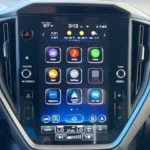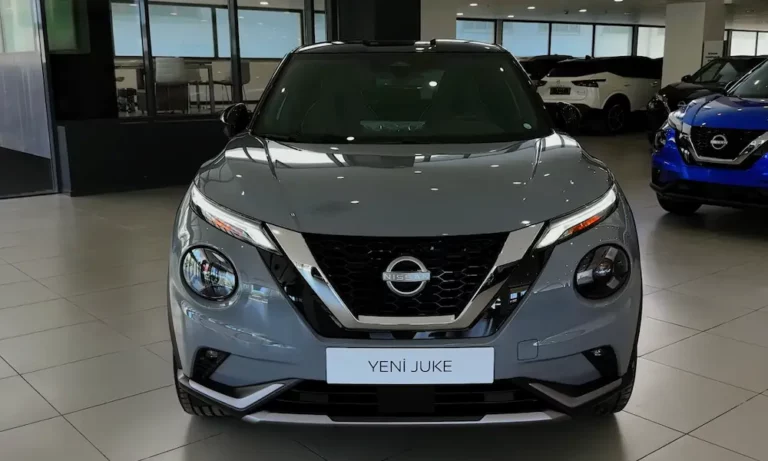
You’ve spotted a flashing Auto light on your Nissan Juke’s dashboard, and now you’re wondering what’s going on. This isn’t just a random glitch—it’s your car trying to tell you something specific. We’ll walk through the four most common culprits behind this warning light and how to fix them without breaking the bank.
The Stop/Start System: Why That Green Light Won’t Stop Blinking
Your Juke’s Intelligent Stop/Start system is the most common reason for a flashing Auto light. This eco-friendly feature turns off your engine at traffic lights to save fuel. When it can’t do its job, it flashes green to get your attention.
Your Battery Is Probably the Problem
The Stop/Start system is picky about battery health. It won’t work unless your battery can guarantee a restart. Even if your car starts fine every morning, the system might detect that your battery’s getting weak.
Here’s what’s happening: your Juke uses special batteries called EFB (Enhanced Flooded Battery) or AGM (Absorbent Glass Mat). These aren’t like the battery in your old sedan. They’re built to handle hundreds of restart cycles without dying.
As these batteries age, their internal resistance increases. When you try to crank the engine, the voltage drops. If it dips below about 10.5-11 volts, the system says “nope” and disables itself. The flashing light is telling you the battery’s too weak for Stop/Start duty, even though it can still start your car normally.
The fix: Get your battery tested with a proper conductance tester. If the State of Health shows less than 75%, it’s replacement time. Don’t cheap out here—you need the right battery type. And here’s the crucial part: after installing a new battery, you MUST reset the battery management system with a scan tool. Skip this step, and your new battery will fail early because the computer’s still treating it like the old, tired one.
That Sneaky Bonnet Switch
This one catches people off guard. There’s a small switch in your hood latch that tells the system whether your bonnet’s open. It’s a safety feature—you don’t want the engine firing up while you’ve got your hands in there.
The switch sits right behind your front grille where it gets blasted with water, salt, and road grime. When it corrodes or the connector gets crusty, it sends false signals. Your car thinks the bonnet’s open when it’s not, so it kills the Stop/Start function.
Check the switch by opening and closing your hood while watching the dashboard. If the light behavior changes, you’ve found your culprit. Clean the connections first. If that doesn’t work, the whole latch assembly might need replacing.
The Manual Reset Trick
Before you spend money, try this reset procedure. It clears temporary glitches in the system:
- Turn the ignition to ON (don’t start the engine)
- Hold down the Stop/Start disable button (lower right of your dashboard)
- Turn ignition to OFF, then back to ON while still holding the button
- Repeat this cycle three times
This forces a system reboot. If it’s just a software hiccup, the light should stop flashing. If the light comes back after a drive, you’ve got a real hardware problem.
The 4WD System: When Yellow Means Trouble
If you’ve got an AWD Juke (the DIG-T 190 or Nismo variants), a flashing yellow 4WD light is a different beast entirely. The flash pattern tells you exactly what’s wrong.
Slow Flash: Your Transfer Case Is Overheating
A slow, rhythmic blink means thermal protection mode. You’ve been pushing the AWD system hard—maybe rocking the car out of snow, driving through deep mud, or hitting the beach sand.
The transfer case and rear differential coupling generate massive heat when the wheels slip constantly. Unlike your engine, these don’t have active cooling. When the fluid temperature hits the danger zone, the system blinks slowly and disengages 4WD to prevent permanent damage.
What to do: Stop immediately in a safe spot. Leave the engine idling to circulate fluids and cool things down. Don’t turn off the engine—you need that circulation. Wait for the light to go solid or turn off before driving. You’re now in front-wheel drive only until the system cools.
Fast Flash: Something’s Actually Broken
A rapid blink means critical failure. The system’s detected a problem it can’t fix and has switched you to FWD mode permanently until you get it repaired.
Tire mismatch is the number one cause. The AWD system compares the rotation speed of all four wheels. If your tires aren’t the same size, one has to spin faster to cover the same distance. The computer sees this as constant wheel slip and freaks out.
The tolerance is crazy tight—just 3/32 of an inch difference in tread depth can trigger this. That’s why you see people recommending you replace all four tires on AWD vehicles, even if only one is damaged.
Measure your tire circumferences with a tape measure. If one tire’s significantly more worn, that’s your problem. You might get away with rotating them to even out the wear, but if the difference is too big, you’re buying four new tires.
Other 4WD Problems
The rear differential uses an electromagnetic clutch to engage. If the electrical resistance of this actuator is wrong (open circuit or short), the system can’t verify engagement. The wiring connectors under the car corrode, causing resistance changes.
Low transfer case fluid also triggers overheating warnings. Check your fluid levels if you’ve been driving hard.
Climate Control Auto: When Your AC Can’t Decide
The Auto button on your climate control can flash too. This is less common but just as annoying.
Sensor Failures
Your automatic climate system uses three main sensors. When one dies, the Auto function blinks because the system can’t regulate properly.
The sunload sensor sits on top of your dashboard near the windshield. It measures how much sun’s beating down so the AC can compensate. People often block this with parking permits or papers, causing weird behavior. A circuit failure here will trigger a blinking Auto light.
The ambient temperature sensor hides behind your front grille. Road debris or a minor fender bender can damage its wiring. If it’s disconnected, the system reads an impossible temperature like -40°F and gives up on automatic control.
The evaporator temperature sensor prevents your AC core from freezing solid. If this fails, the compressor won’t engage, and Auto mode is toast.
Blower Motor Issues
Modern climate systems use a power transistor module to control fan speed infinitely—not just the old “1, 2, 3, 4” settings. This allows proper Auto operation.
If this module overheats or fails, the fan can’t be controlled automatically. The system detects the problem and flashes the Auto light to tell you it’s stuck in manual mode.
Automatic Headlights: LED Headaches
Newer Jukes with LED headlights sometimes throw “Headlight System Fault” warnings or flash the Auto light.
LED Assembly Failures
LED headlights aren’t simple bulbs. They’re complex modules with control boards, leveling motors, and even cooling fans in high-power units.
The auto-leveling motors adjust beam height based on how your car’s loaded. If a motor seizes or its position sensor fails, you get a system fault. The internal cooling fans can fail too. When they do, the module detects rising temperature and shuts down to prevent melting.
These LED assemblies are expensive and usually not serviceable. You’re replacing the whole unit.
Aftermarket LED Problems
If you installed aftermarket LED bulbs in your halogen housings, you’ve likely confused the computer.
The BCM (Body Control Module) monitors current draw to detect burnt bulbs. A halogen pulls about 55 watts. Your LED might only draw 20 watts. The computer sees this low draw and thinks the bulb’s blown, triggering warnings.
You need load resistors (CAN-bus error cancellers) to simulate the resistance of halogen bulbs. These trick the computer into seeing the “right” current draw.
Rain Sensor Confusion
Your Juke might link the auto-wipers to the auto-headlights through the rain sensor near the rearview mirror.
If the sensor’s dirty, obstructed by a windshield sticker, or set to high sensitivity in your vehicle settings menu, it might trigger the lights constantly. Check your sensitivity settings in the infotainment menu and make sure nothing’s blocking the sensor on your windshield.
Electrical Gremlins: When Everything Acts Weird
Sometimes the Nissan Juke auto light flashing isn’t about the specific system—it’s about the electrical infrastructure powering them all.
The Body Control Module
The BCM orchestrates all these “Auto” functions. It talks to your dashboard over the CAN bus network.
If the CAN bus gets flooded with error messages—maybe from a dodgy aftermarket alarm, a cheap OBD-II dongle left plugged in, or an aftermarket radio that’s not properly integrated—the communication breaks down. The “heartbeat” signal keeping your Auto lights solid gets interrupted, causing random blinking across multiple systems.
Ground Point Corrosion
Your Juke relies on specific chassis ground points. Ground point F13 (near the IPDM in the engine bay) is notorious for corrosion.
A floating ground creates voltage reference errors for the BCM. You’ll see “ghost” warnings—multiple Auto lights flashing simultaneously even though nothing’s actually wrong with those systems. Clean and tighten all major ground points if you’re seeing weird, intermittent problems across multiple systems.
The IPDM (Intelligent Power Distribution Module)
This box contains the relays for your starter, headlights, and AC compressor. It lives in your engine bay.
If the plastic cowl panel near your windshield wipers is cracked or the drains are clogged, water drips onto the IPDM. This causes short circuits across relay pins. A flashing light might be the BCM detecting these shorts and power-cycling the relay repeatedly to prevent an electrical fire.
Quick Diagnostic Table
Here’s a cheat sheet for figuring out which system is causing your flashing Auto light:
| Light Color | Flash Pattern | Likely System | First Thing to Check |
|---|---|---|---|
| Green | Steady flash | Stop/Start | Battery health and terminal connections |
| Green | Intermittent | Stop/Start | Bonnet latch switch |
| Yellow | Slow blink | 4WD | Let it cool, check transfer case fluid |
| Yellow | Fast blink | 4WD | Tire circumference and tread depth |
| Amber (HVAC) | Blinking | Climate Control | Sunload sensor obstruction |
| Any | Multiple systems | Electrical | Ground points and CAN bus interference |
Common Diagnostic Codes
If you’ve got a scan tool, these are the codes you’re likely to see with a flashing Auto light:
| Code | System | What It Means | Check This |
|---|---|---|---|
| P1655 | Stop/Start | Restart circuit problem | Starter relay in IPDM |
| P0562 | Stop/Start | Voltage too low | Battery and alternator |
| C1201 | 4WD | Wheel speed sensor | ABS sensor and tone ring |
| C1204 | 4WD | 4WD solenoid circuit | Rear diff actuator resistance |
Warning Light Colors: What Nissan’s Telling You
Nissan uses a standard color system across all their vehicles. Understanding this helps you prioritize.
Green lights mean informational. A system’s working or currently active. But when a green light flashes, it’s saying “I’m trying to work but something’s preventing me.” It’s not an emergency, but the feature you’re paying for isn’t functioning.
Yellow or amber lights signal caution. Something’s not working right. You should address it soon, but you don’t need to pull over immediately. A flashing yellow is often worse than a solid yellow—it indicates an active, ongoing problem rather than just a system being disabled.
Red lights mean stop. These are serious. While Auto lights are rarely red, if you’re seeing red warnings alongside a flashing Auto light, you’ve got a major problem. Low oil pressure preventing Stop/Start operation would be one example.
Your Step-by-Step Diagnostic Plan
Start with the easiest, cheapest checks first.
For Stop/Start (green flashing):
- Clean and tighten your battery terminals
- Test battery health at any auto parts store (usually free)
- Check the bonnet latch switch—open and close the hood, watch the light
- Try the three-cycle reset procedure
- If all else fails, scan for codes
For 4WD (yellow flashing):
- Note if it’s slow or fast blinking
- If slow, stop and let it cool for 15 minutes
- If fast, measure all four tire circumferences
- Check tire pressures (equalize them at 33-36 PSI)
- Scan for wheel speed sensor codes
For Climate Control (amber blinking):
- Remove any obstructions from the dashboard sensor area
- Check refrigerant level (low pressure prevents Auto mode)
- Listen for clicking when switching modes (indicates stuck actuator)
For Headlights:
- Check if you installed aftermarket LEDs (add load resistors)
- Clean the rain sensor on your windshield
- Adjust sensitivity settings in vehicle menu
- Scan for leveling motor codes on LED-equipped models
The Nissan Juke auto light flashing is annoying, but it’s usually fixable without dealer-level intervention. Start with the basics—battery health, tire condition, and obvious obstructions. Most of these problems are maintenance issues rather than catastrophic failures. Your car’s protecting itself by disabling features when it detects conditions outside safe operating parameters. Fix the underlying cause, and that flashing light will stop haunting you.