Wondering if Tesla’s Premium Connectivity is worth the monthly fee, or if your phone’s hotspot can do the job? You’re faced with a choice that affects both your Tesla experience and your wallet. Let’s break down the real differences, costs, and tradeoffs to help you decide which solution fits your driving lifestyle.
What Tesla Premium Connectivity Offers
Tesla Premium Connectivity is the built-in cellular service that connects your vehicle directly to the internet. For $9.99 monthly (or $99 annually), it provides:
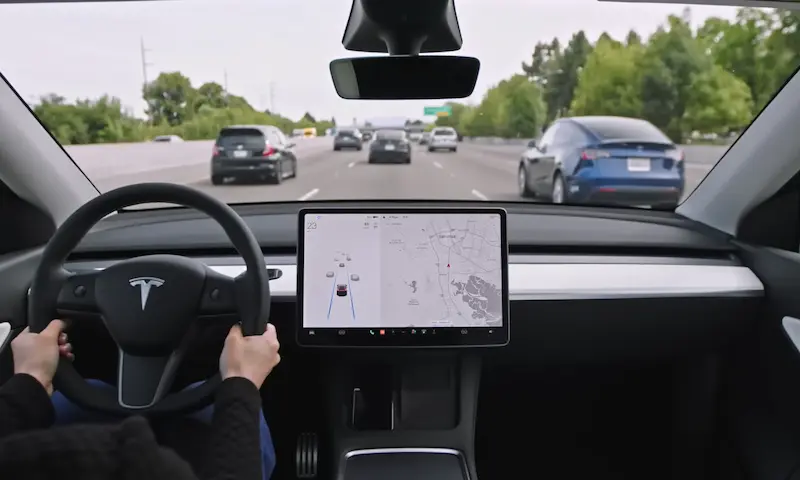
- Live traffic visualization with real-time congestion data
- Satellite-view maps with high-resolution aerial imagery
- In-car streaming of Netflix, YouTube, and music services
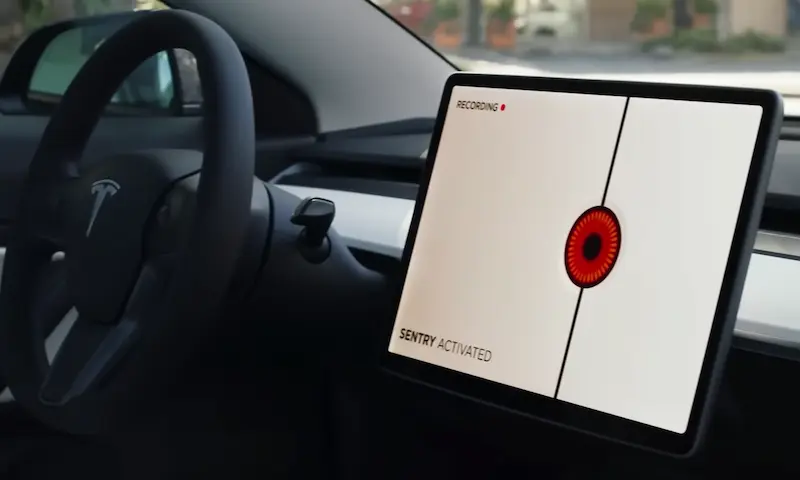
- Sentry Mode live camera access through the Tesla app
This service works through the LTE modem already installed in your Tesla, connecting to networks like AT&T in the U.S. without requiring any action from you. Tesla’s connectivity support page confirms these features come standard with the subscription.
Mobile Hotspot Alternative Explained
Using your phone as a hotspot means your Tesla connects to the internet through your smartphone’s data plan. This approach:
- Uses your existing phone’s data allowance
- Requires manually enabling the hotspot each time
- Connects through your Tesla’s Wi-Fi antenna
- Works with Tesla software updates from version 2021.24 onward
When connected via hotspot, you can access music streaming services and web browsing, but with significant limitations. According to user experiences on Reddit, the setup process involves enabling your phone’s hotspot feature and selecting the network in your Tesla’s Wi-Fi menu.
Cost Comparison: Subscription vs. BYOD
| Feature | Premium Connectivity | Mobile Hotspot |
|---|---|---|
| Monthly Cost | $9.99 ($99/year) | $0 (uses existing plan) |
| Data Limits | None (Tesla-managed) | Subject to carrier limits |
| Additional Hardware | None needed | Smartphone required |
| Setup Effort | Zero (always on) | Manual connection each trip |
The obvious advantage of using a hotspot is cost savings—about $120 annually. However, Tesla owners on forums point out hidden costs like smartphone battery drain and potential data overage fees, especially if your carrier limits or throttles hotspot data.
Feature Limitations: What Hotspots Can’t Do
The most significant differences appear in what features remain unavailable when using a hotspot:
Not Available with Hotspot
- Live Traffic Visualization: You’ll miss real-time traffic data overlaid on your navigation map
- Satellite Maps: Only standard map view is available
- Sentry Mode Live Viewing: Can’t remotely check your car’s surroundings
These features require Premium Connectivity because Tesla pays Google for these API services on a per-request basis.
Works with Either Option
- Basic navigation (without traffic visualization)
- Music streaming services like Spotify (requires separate subscription)
- Web browsing (when parked)
- Software updates (though installation requires park mode)
Connection Reliability and Performance
Tesla’s built-in connectivity typically delivers 25-50 Mbps in urban areas, which easily handles video streaming. Hotspot performance varies dramatically based on:
- Your cellular carrier’s coverage where you drive
- Network congestion during peak times
- Your specific data plan’s hotspot throttling policies
Tesla forum users report that carrier-imposed quality of service rules often prioritize direct phone data over hotspot traffic. This means your connection might slow significantly during busy periods.
Practical Considerations for Daily Driving
The convenience factor shouldn’t be overlooked when making your decision:
Premium Connectivity Advantages
- Always connected without any action required
- Works immediately when entering the car
- Consistent experience regardless of phone status
- No impact on your phone’s battery life
Hotspot Challenges
- Requires remembering to enable tethering each time
- Drains smartphone battery (20-30% faster)
- Connection drops if you forget your phone
- Needs reconnection after phone sleeps
YouTube demonstrations show that while automation apps like Tasker (Android) or Shortcuts (iOS) can help toggle hotspots when your phone connects to the car via Bluetooth, these solutions add another layer of complexity.
Best Use Cases for Each Option
Premium Connectivity Makes Sense If You:
- Frequently drive in unfamiliar areas needing traffic data
- Rely on satellite view for navigation assistance
- Use Sentry Mode to monitor your parked vehicle
- Value convenience over saving $10 monthly
- Have a limited data plan on your phone
Mobile Hotspot Works Well If You:
- Have predictable driving routes without traffic concerns
- Don’t use or need satellite map views
- Have an unlimited phone plan with generous hotspot allowance
- Primarily use your Tesla for short commutes
- Prioritize saving money over convenience features
Setting Up Your Mobile Hotspot
If you’re leaning toward the hotspot option, here’s how to get started:
- Enable Wi-Fi hotspot on your smartphone (usually in Settings)
- In your Tesla, tap the Wi-Fi icon at the top of the screen
- Select your phone’s hotspot from the available networks
- Enter the password you’ve set on your phone
- Your Tesla will now connect when in range of your phone
For a more automated experience, Tesla owners have created shortcuts that trigger hotspot activation when your phone connects to your Tesla’s Bluetooth.
Data Usage Considerations
When using your phone’s hotspot, be mindful of data consumption:
- Music streaming: 100-150MB per hour at standard quality
- Web browsing: 10-25MB per page with images
- Software updates: 1-5GB per update (best done on home Wi-Fi)
Premium Connectivity doesn’t have data caps, but Reddit discussions confirm that Tesla may throttle extremely heavy users under their fair use policy.
Security Differences
Your connection method affects security in several ways:
- Premium Connectivity: Uses Tesla’s end-to-end encryption with TLS 1.3, including for Sentry Mode feeds
- Mobile Hotspots: Security depends on your hotspot password strength and phone’s security status
Using public Wi-Fi hotspots (like coffee shops) introduces additional risks and isn’t recommended for connecting your Tesla due to potential exposure of login credentials.
Future-Proofing Your Decision
Tesla continues evolving their connectivity options:
- Newer vehicles are starting to include 5G support for faster connections
- Industry reports indicate Tesla may change its connectivity policies in the future
- Features requiring connectivity will likely expand as Tesla adds more software capabilities
This suggests Premium Connectivity may offer increasing value over time, especially as more functions become dependent on reliable internet access.
The Middle-Ground Approach
Many Tesla owners take a hybrid approach:
- Use Premium Connectivity during longer trips or unfamiliar routes where traffic data matters
- Subscribe seasonally during travel months
- Rely on hotspot for regular commuting patterns
- Connect to home Wi-Fi for software updates and entertainment when parked
This flexible strategy, documented in Tesla community discussions, allows you to balance costs against convenience based on your changing needs.
Making Your Decision
The choice between Tesla Premium Connectivity and mobile hotspot ultimately depends on:
- How much you value real-time traffic and satellite mapping
- Your typical driving patterns and routes
- Your existing mobile data plan’s hotspot allowance
- Your willingness to manage the hotspot connection process
- How much the monthly subscription cost impacts your budget
Most owners who frequently drive in congested areas or unfamiliar locations find Premium Connectivity worth the cost. Those with mostly predictable commutes often find the hotspot option sufficient despite its limitations.