Ever turned on your Acura RL only to be greeted by the dreaded “CODE” message on your radio display? You’re facing a security feature, not a malfunction. Your RL’s anti-theft system has activated, and you need that special 5-digit code to get your tunes flowing again. Don’t worry – I’ve put together this comprehensive guide to help you retrieve and enter your radio code with minimal hassle.
Why Your Acura RL Radio Needs a Code
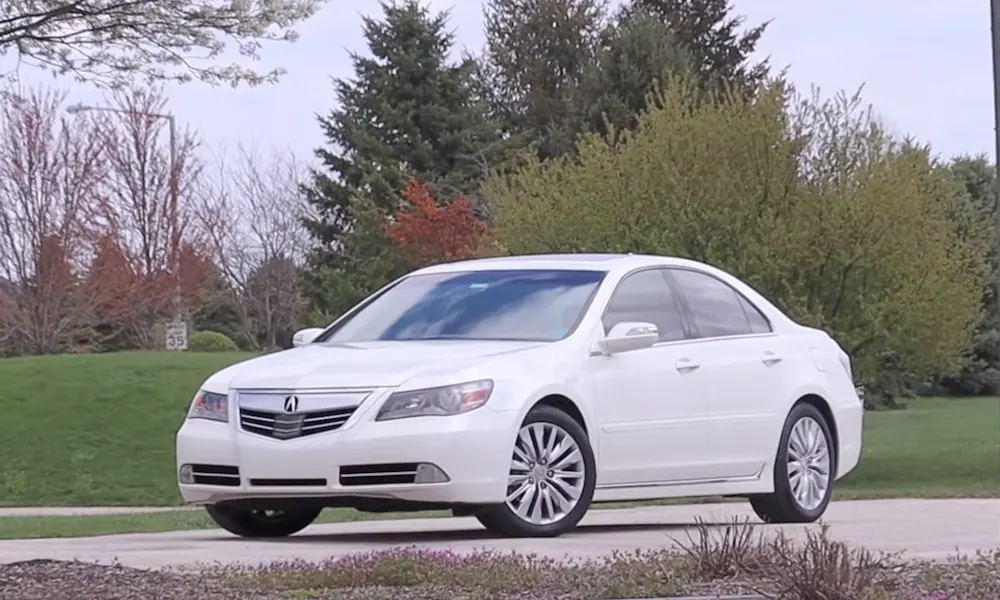
The Acura RL, manufactured from 1996 to 2012, comes equipped with Honda’s sophisticated anti-theft radio technology. This system serves a simple purpose: it makes your stereo useless to thieves. Whenever your radio loses power – whether from battery disconnection, replacement, or electrical issues – it enters a locked state displaying “CODE” or “Enter Code” on the screen.
Each radio has a unique 5-digit security code linked to its specific serial number. Think of it as your radio’s personal password that prevents unauthorized use. Both first-generation (1996-2004) and second-generation (2005-2012) RLs use this system, though the latter models feature more advanced navigation and Bose audio systems.
Where to Find Your Acura RL Radio Code
Check These Places First
Anti-Theft Identification Card: The most reliable source is the small card that came with your vehicle. This card typically shows both your 5-digit radio code and an 8-digit serial number. Many owners store this in their owner’s manual packet.
Glove Compartment: Take a thorough look inside your glove box. Dealership technicians often place a sticker with the code on the side walls or inner panels during pre-delivery inspection.
Owner’s Manual: Flip through your owner’s manual and any service booklets. Sometimes the code is written directly in the maintenance journal or tucked away on a small card within these documents.
Engine Fuse Box: Pop the hood and check the cover of the main fuse box (usually near the battery) for a white sticker containing the radio code.
Online Code Retrieval
If you’ve searched high and low without success, Acura provides an official website for code retrieval: radio-navicode.acura.com. You’ll need:
- Vehicle Identification Number (VIN) – found on your windshield, driver’s door jamb, registration, or insurance card
- Your zip code
- Phone number
- Email address
- Radio serial number
How to Find Your Radio Serial Number
If you need to retrieve your radio’s serial number electronically, the procedure varies by model:
For Non-Navigation RL Models (2001 and Later)
- Turn the ignition to ON position
- Make sure the radio is OFF (showing “Enter Code”)
- Simultaneously press and hold preset buttons 1 and 6
- While holding those buttons, press the radio power button
- The display will show two sets of numbers: first “U” followed by 4 digits, then “L” followed by 4 more digits
- Write down all 8 digits (ignore the U and L prefixes)
For Navigation-Equipped RL Models (2004-2008)
- Turn the ignition to ACC position
- Wait for “CODE” to appear on the upper display
- Turn the radio off
- Hold down both the SEEK/SKIP and CH/DISC bars simultaneously
- Press and release the Power/Volume knob
- Navigate through the menu to “Detailed Information” → “Unit Check” → “Navi ECU” or “ECU Info”
- Record the alphanumeric serial number shown
Entering Your Acura RL Radio Code
Once you’ve got your hands on that precious 5-digit code, here’s how to enter it:
- Turn the ignition to ON position
- Turn on the radio (it should display “Enter Code”)
- Use preset buttons 1 through 5 to input each digit of your code
- Press each button the number of times corresponding to each digit (e.g., for digit “3,” press button #1 three times)
- After entering all 5 digits correctly, the radio should automatically unlock
Important warning: You only get 10 attempts before the radio locks permanently, requiring battery disconnection to reset the attempt counter. If you enter an incorrect code, the display will show “Code Error” along with your remaining attempts.
Alternative Ways to Get Your Radio Code
Acura Dealership Assistance
Your local Acura dealership can provide radio codes at no charge when you provide proof of ownership and the serial number. Many owners report success getting codes over the phone without visiting the dealership – just call the service department (not sales) with your VIN and serial number ready.
Try a Honda Dealership
Since Honda and Acura share the same radio systems, some users report that Honda dealerships are sometimes more willing to provide codes over the phone compared to Acura dealerships. This can be a useful backup option.
Contact Acura Client Relations
For particularly difficult cases, contact Acura Client Relations directly at (800) 382-2238. They have access to comprehensive radio code databases and can assist when other methods fail.
Model-Specific Considerations
Different generations of the Acura RL have variations in their radio systems:
First Generation (1996-2004): Used simpler radio systems with the 90-degree C-series engine.
Second Generation (2005-2012): Featured more advanced J-series engine and integrated Bose audio systems with navigation.
The 2004 model year introduced significant changes, including revised navigation systems and satellite radio integration. Later years (2009-2012) featured Active Sound Control and enhanced voice recognition systems.
| RL Generation | Years | Radio System Characteristics |
|---|---|---|
| First Gen | 1996-2004 | Basic stereo system, CD changer option, simpler code entry |
| Second Gen | 2005-2008 | Navigation system, Bose audio, XM radio, dual-code requirements |
| Second Gen (Refresh) | 2009-2012 | Enhanced interface, Active Sound Control, USB connectivity |
Troubleshooting Common Radio Code Issues
Code Not Working: If your retrieved code doesn’t unlock the radio, it’s possible the radio was replaced at some point with a unit from another vehicle. In this case, you’ll need the serial number from the actual installed radio to get the correct code.
Multiple Codes Required: Some RL models with navigation systems require separate codes for both radio and navigation functions. Always ask for both codes when contacting dealers.
Display Issues: If your radio display isn’t functioning properly, try the power button reset method: hold the power button for 5-10 seconds while in ACC position.
Website Access Problems: The official Acura code retrieval website has specific operating hours and may experience technical difficulties. If unavailable, contact dealer service departments directly.
Preventing Future Radio Code Headaches
Once you’ve successfully retrieved your radio code, take these precautionary steps:
- Write the code down in multiple places
- Store a copy inside your owner’s manual
- Keep one with your vehicle registration documents
- Take a photo and save it on your phone
- Consider placing a discreet sticker in your glove compartment
Radio Code Entry Tables by Generation
First Generation (1996-2004)
| Step | Action | Display |
|---|---|---|
| 1 | Turn ignition to ON | Radio shows “CODE” |
| 2 | Use preset buttons 1-5 to enter digits | Each digit appears |
| 3 | After correct 5-digit entry | Radio functions return |
Second Generation (2005-2012)
| Step | Action | Display |
|---|---|---|
| 1 | Turn ignition to ON | Radio shows “CODE” |
| 2 | Use preset buttons 1-5 to enter digits | Each digit appears |
| 3 | After correct 5-digit entry | Radio functions return |
| 4 | For navigation models, you may need a separate code | Follow prompts |
While initially inconvenient, your Acura RL’s radio code system provides effective theft protection that’s been standard across Honda and Acura vehicles for decades. With this guide, you’ll be back to enjoying your favorite music in no time!