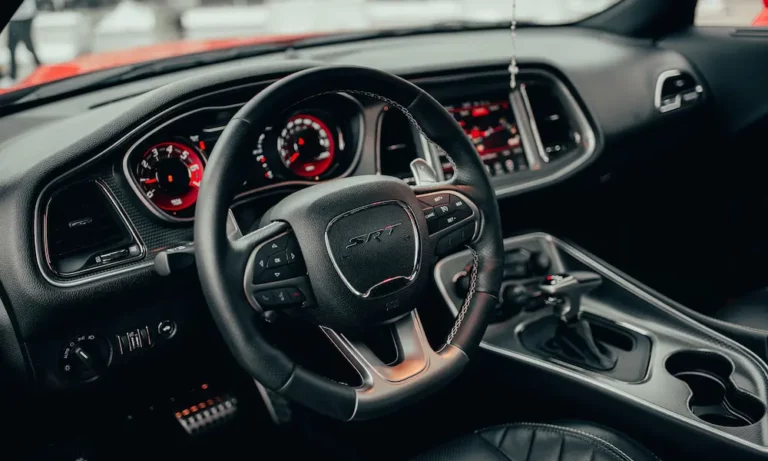
If a used Dodge or Uconnect radio powers on after installation but displays “CODE,” “ANTI-THEFT CODE,” or a similar security prompt, the unit is not necessarily defective. It may need the anti-theft code assigned to that radio, but using the wrong serial number to retrieve the code, installing an incompatible part, or encountering a vehicle-specific programming requirement can lead to the same practical result: a powered-on radio that still cannot be used.
Start with the exact message and behavior on the screen. A clear code request points first to the radio serial number and code retrieval. A blank screen, repeated rejection of a code verified against that serial number, missing vehicle controls, or unusual operation suggests that the problem may extend beyond the code to wiring, compatibility, software, or configuration.
Quick check: Is it a code problem or an installation problem?
| What the radio does | First thing to check | What the problem may involve |
| Displays “CODE” or “ANTI-THEFT CODE” | Radio serial number and code source | A valid anti-theft code may be required |
| Rejects a code that was already provided | Serial number, entered characters, and radio support | Wrong identifier, incorrect code, or a model-specific issue |
| Powers on but some controls or features do not work | Part number and compatibility with the vehicle | Configuration, programming, or an incompatible unit |
| Has no power, a blank screen, or intermittent operation | Fuse, wiring, connectors, and condition of the unit | An electrical or hardware problem rather than a code issue |
Why Does a Used Dodge Radio Ask for an Anti-Theft Code?
A used Dodge radio most often asks for an anti-theft code because it has been removed from its original vehicle and installed in another one. The unit may power on normally but prevent regular use until the correct code associated with that radio is entered.
The exact security process is not identical across every Dodge model, model year, or Uconnect generation. Some radios primarily require their own anti-theft code, while others may also need vehicle-specific programming or configuration before all functions work correctly in the replacement vehicle.
This is why physical fit is not enough to confirm compatibility. A radio may match the dashboard opening and connect to the existing wiring but still display a code prompt, reject communication with the vehicle, or leave certain controls and features unavailable.
That distinction determines the next step: retrieve a code only for a clear security prompt; otherwise, investigate compatibility, programming, wiring, or hardware.
What to Check Before Buying a Used Dodge Radio
Do not rely only on the listing title, dashboard shape, or connector layout. Before buying a used OEM Dodge or Uconnect radio, ask the seller for enough information to identify the exact unit and compare it with the radio already installed in the vehicle.
Used Dodge radio buying checklist
| Ask the seller for | Why it matters |
| A clear photo of the radio label | The label may contain several similar-looking numbers that serve different purposes |
| The full radio serial number | This is commonly the key identifier for anti-theft code retrieval |
| The complete part number and model designation | These details help determine whether the unit matches the correct radio generation and vehicle configuration |
| The year, model, and trim of the donor vehicle | A radio from a similar-looking Dodge may still be electronically incompatible |
| Photos or video of the unit powered on | This helps confirm that the display, buttons, and basic functions were working before removal |
| Any original code card or security documentation | The required anti-theft code may already be available |
| The return and compatibility policy | A return option is important if the unit requires unexpected programming or does not support the vehicle’s equipment |
Record both numbers before installation, as they may be needed for different checks.
Also confirm whether the replacement unit supports the vehicle’s original equipment, such as steering-wheel controls, factory amplifiers, backup cameras, navigation, climate-control integration, or other Uconnect features. A radio can fit physically and still be the wrong electronic configuration for the vehicle.
Do You Need the Radio Serial Number, Part Number, or VIN?
The number usually needed for radio code retrieval is the radio serial number, not the vehicle VIN or the radio part number. These identifiers may appear close together on the same label, but they serve different purposes.
The serial number identifies the individual head unit and is commonly used to match it with the correct anti-theft code. The part number and model designation identify the radio type and help confirm compatibility with the vehicle. The VIN identifies the vehicle itself and is not interchangeable with the serial number printed on the radio.
If the radio clearly displays an anti-theft code request and the serial number has been verified, the FindRadioCode.com Dodge service can retrieve the code for supported factory units using the radio serial number, without requiring the vehicle VIN. For supported radios, the code is displayed online and also sent by email, although availability depends on the exact unit.
The anti-theft code is also different from a Bluetooth pairing PIN, a Uconnect account or connected-services PIN, and any password created by the vehicle owner. Entering one of these in place of the radio security code will not unlock the unit.
On many radios, the serial number is printed on a label attached to the radio body, which may require removing the unit from the dashboard. Some models may also display identifying information through a radio menu or a model-specific button sequence. Because the procedure varies, verify every letter and number against the radio itself before requesting a code.
Do not guess the code or repeatedly submit unverified combinations. Some radios introduce a waiting period or temporarily prevent further attempts after several incorrect entries. If a verified code is still rejected, stop entering it and recheck the serial number, radio model, and compatibility before assuming that another code is needed.
Why Is the Dodge Radio Still Locked After Entering the Correct Code?
An anti-theft code can unlock a radio only when the screen is requesting that specific code and the unit is otherwise compatible and functioning normally. If the radio remains locked after the code is entered, first confirm that the code was retrieved from the serial number of the installed radio, not from the vehicle VIN, the donor vehicle, or a different unit.
A verified code may still fail to resolve the problem if the replacement radio is incompatible with the vehicle, requires additional programming or configuration, has damaged wiring or connectors, or is itself faulty. A code cannot add vehicle functions that the replacement unit does not support.
Pay attention to what happens after the code is entered. If the screen reports that the code is incorrect, recheck the serial number and every character of the code before trying again. If the code is accepted but the radio still has missing functions or communicates poorly with the vehicle, compatibility or configuration is more likely to be the issue. If the unit has no power, restarts, freezes, or shows a blank screen, the problem is probably electrical or hardware-related rather than an anti-theft lock.
Stop entering codes if the unit repeatedly rejects a code verified against its serial number. A Dodge dealer or a technician familiar with OEM Uconnect systems can inspect the wiring, confirm part compatibility, check whether programming is required, and determine whether the radio itself is defective.
What Should You Test After Installing a Used Dodge Radio?
After connecting the replacement radio, test it before fully reassembling the dashboard. Confirm that the unit powers on, accepts any required code, produces audio, and retains the essential vehicle functions controlled by the original radio.
Test the steering-wheel controls, factory amplifier output, backup camera, navigation, climate settings, and any other integrated Uconnect features. If the replacement unit supports Apple CarPlay but the feature will not connect, check the common causes of Uconnect CarPlay not working before assuming that the radio itself is incompatible. A radio that unlocks successfully but leaves several vehicle-specific functions unavailable may still require configuration or may not be fully compatible with the vehicle.
If the radio rejects the code, loses power, restarts, freezes, or leaves important functions unavailable, resolve the problem before final assembly. Keep the seller’s return window in mind if compatibility or proper operation cannot be confirmed.
A used Dodge radio that powers on but remains locked is not automatically defective. The screen message, radio serial number, part compatibility, and programming requirements should be checked in that order. This helps determine whether the radio needs a valid anti-theft code, additional configuration, or a different replacement unit.