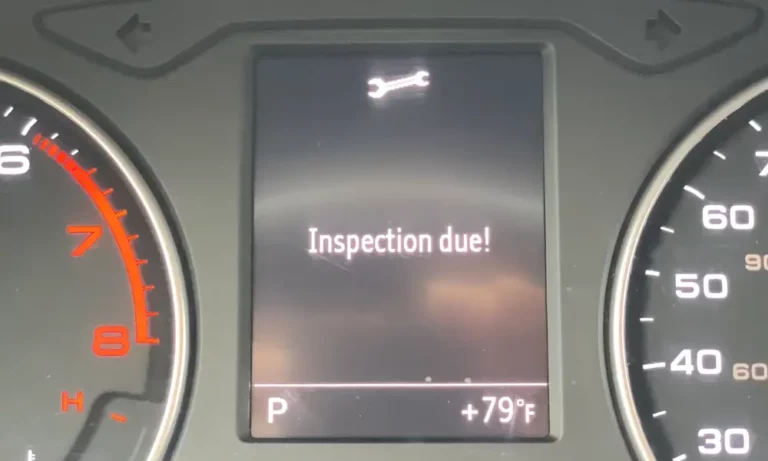
That “Inspection Due” warning staring at you from the dashboard isn’t just annoying — it’s stubborn by design. Audi built it that way on purpose. This guide breaks down exactly how to reset Audi inspection due reminders across every model and generation, so you’re not driving around with a ghost warning after a perfectly good service.
Why Your Audi Has Two Separate Service Warnings
Here’s the thing most people miss: Audi runs two completely different service countdown systems, and they don’t reset the same way.
The oil change reminder counts down every 10,000 miles or 365 days. It’s the minor service — swap the oil, replace the filter, check fluid levels. Audi lets you reset this one yourself through the dashboard.
The inspection due warning is the big one. It fires at 20,000–30,000 mile intervals and covers brake pad thickness, suspension integrity, spark plugs, transmission fluid, drivetrain belts, and more. Audi deliberately locks this reset behind diagnostic software.
| Service Type | Typical US Interval | What’s Covered | How to Reset |
|---|---|---|---|
| Oil Change | 10,000 miles or 365 days | Oil, filter, basic fluid check | MMI menu or dashboard buttons |
| Inspection Due | 20,000–30,000 miles or 730 days | Brakes, suspension, spark plugs, transmission, belts | OBD-II diagnostic tool required |
This split exists for two reasons. First, Audi needs a licensed technician to verify safety-critical components. Second — let’s be honest — it keeps major services inside the dealer network, where bills run $500–$1,200 a visit.
The MMI Reset Method (Oil Service Only)
This works on most Audis from 2010 onward, including the A4, A5, A6, Q3, Q5, and Q7. It clears the oil change reminder only.
Here’s the step-by-step:
- Sit in the car with all doors closed
- Press the Start button without pressing the brake — this powers the modules without cranking the engine
- Wait for the MMI screen to finish booting
- Press the Menu or Car button on the center console
- Navigate to Vehicle Systems → Settings → Service & Checks → Service Intervals
- Scroll to the bottom of the list
- Select Reset Oil Change Interval
- Confirm with Yes when the prompt appears
- Turn the ignition off, then restart the car
If the wrench icon disappears but the inspection warning stays lit, you’ve just confirmed your car needs a full diagnostic reset. The MMI can’t touch that one — and that’s not a glitch, it’s intentional design.
How to Reset Audi Inspection Due With a Diagnostic Tool
This is the only reliable method for clearing the inspection due warning on modern Audis. You’ve got three solid options depending on your budget and setup.
VCDS by Ross-Tech
VCDS is the gold standard for independent Audi diagnostics. It runs on a Windows PC and gives you near-dealer-level access to every control module.
How to use it:
- Plug the VCDS interface cable into the OBD-II port (driver’s side footwell, above the pedals)
- If your car is 2015 or newer, open the hood — this is mandatory (more on why below)
- Turn ignition to ON without starting the engine
- Launch VCDS, go to Service Reminder Indicator
- Select the correct reset type — fixed interval for US-market cars
- Execute the command and wait for “New Value Saved” confirmation
If the automated script fails, manually navigate to Control Module 17 (Instruments) → Adaptation → Distance since last mileage-dependent inspection → set to 0.
VCDS carries no recurring subscription fees and includes lifetime software updates.
OBDeleven
OBDeleven uses a Bluetooth dongle and a smartphone app. It’s faster to set up and works great for enthusiasts and small shops.
Steps:
- Plug the dongle into the OBD-II port
- Open the hood (2015+)
- Turn ignition ON, engine off
- Open the app, connect via Bluetooth
- Go to Applications → Workshop → Service Reset
- Tap to execute — done
The big advantage here? OBDeleven handles SFD unlocking automatically on premium tiers — you don’t even see it happening. More on SFD in the next section.
YOUCANIC Standalone Tablet
Prefer a no-subscription, plug-and-play solution? The YOUCANIC tablet works without a laptop or smartphone. Connect it, select your Audi model, navigate to the maintenance menu, and hit the major service reset. It also lets you set custom mileage intervals for future reminders.
| Tool | Interface | SFD Handling | Cost Model |
|---|---|---|---|
| VCDS (Ross-Tech) | Windows PC | Manual offline token | One-time purchase, lifetime updates |
| OBDeleven | Smartphone app | Automatic (premium tier) | Annual subscription or credits |
| YOUCANIC | Standalone tablet | Varies by hardware | No mandatory subscription |
| Carista | Smartphone app | Limited | Monthly/annual subscription |
The Diagnostic Firewall: Why You Must Open the Hood
Starting broadly with 2015 model year Audis, the car physically blocks diagnostic write commands unless the hood is open.
Here’s the logic: a remote hacker can’t reach through the internet and pull your hood latch. So Audi’s central gateway module requires a signal from the hood latch micro-switch before it allows any write-access commands — including service resets. This physical firewall was Audi’s direct response to the growing cybersecurity threat against connected vehicles.
If you forget to open the hood, your diagnostic tool will time out or return errors — no matter how good the software is. Open the hood first, every time.
What Is SFD and Why Does It Matter?
Starting in 2020, Audi rolled out an additional layer called SFD (Schutz Fahrzeug Diagnose) — essentially a cryptographic lock on specific control modules. It hit models like the A3 8Y and Q4 e-tron first.
With SFD active, a standard scanner can read data but can’t write anything. That means no service resets, no coding changes, nothing.
To get past SFD, the diagnostic tool sends an unlock request to Audi’s servers in Germany. The servers verify credentials, generate a cryptographic token, and send it back. The module unlocks for 90 minutes, then locks itself again automatically.
This is why a cheap eBay OBD scanner won’t reset the inspection light on a 2021 Q5 — it can’t complete the token handshake. You need a tool with proper SFD integration, like OBDeleven on a premium plan or VCDS with an offline token from an authorized distributor.
Manual Button Resets for Older Audis (Pre-2010)
Older Audis don’t need diagnostic software. They use physical button sequences on the instrument cluster. Timing matters here — too slow and you’ll need to start over.
Audi A4 B6/B7 (2002–2008)
- Ignition off, key in cylinder
- Press and hold the wrench button on the cluster
- Turn ignition to ON while still holding the button
- The display shows “Service”
- Release the wrench button, immediately press and hold the trip reset (0.0) button
- Hold until the display clears and shows dashes
- Cycle ignition off and back on to confirm
This sequence works consistently across B6 and B7 platforms.
Audi A6 C5 (1997–2004)
This one uses the physical knobs on the cluster face:
- Ignition off
- Press and hold the right knob
- Turn ignition to ON — display shows “Oil Service”
- Release the right knob
- Pull the left (clock) knob outward and hold until display clears
- For inspection reset: press the right knob again briefly to shift to inspection mode
- Pull the left knob out again to clear the second warning
Audi A3 (8P) and Early TT
For the A3 8P, use the right-hand cluster knob only:
- Ignition off
- Pull the right knob outward and hold
- Turn ignition to ON
- Hold for ~3 seconds until the service screen appears
- Release, then pull outward once more briefly
- Dashes confirm the reset
The Mk1 TT follows the same A6 C5 push-pull sequence. The Mk2 TT uses a button hold: ignition on → hold the right cluster button until the service screen loads → release → hold again for 5 seconds.
Note: If the wrench icon stays on after any manual attempt, that’s the inspection warning — it needs a diagnostic tool to clear.
Why the Reset Still Fails (And How to Fix It)
Even with the right tool and the right steps, resets sometimes fail. Here’s what’s actually going wrong.
Hood latch switch failure
The micro-switch that signals “hood open” corrodes over time. If it reads as closed while the hood is physically up, the diagnostic firewall never drops. Check live data in your diagnostic tool — if the gateway shows the hood as closed while it’s open, replace or bridge the switch before attempting the reset.
Low battery voltage
If voltage dips below 12V during the procedure, the gateway aborts to protect module memory. Connect a battery maintainer before starting any diagnostic work — especially on power-hungry models like the Q7.
Frozen MMI
If the service menu won’t load or shows conflicting mileage data, force a hard reboot. On most modern MMIs: hold the volume knob for 10–12 seconds until the screen goes black and restarts. On older systems, press specific console button combinations simultaneously to reinitialize.
Why Getting This Right Actually Matters
Skipping a proper reset isn’t just about the warning light. On modern Audis, the diagnostic reset syncs with Audi’s central servers. A gap in the digital service record can hurt resale value and — more critically — give dealers grounds to reject powertrain warranty claims due to “undocumented maintenance.”
Clearing the inspection due light correctly isn’t optional housekeeping. It’s part of protecting your investment and keeping your warranty intact.