Your Audi MMI not working is more than just a missing playlist. A blank screen can kill your backup camera, navigation, and safety alerts in one shot. This guide breaks down every real cause — from fiber optic failures to federal recalls — and walks you through the fixes step by step. Stick around, because the answer might be simpler than you think.
What the Audi MMI Actually Does (And Why It Matters)
Most people think the MMI is just a fancy radio. It’s not.
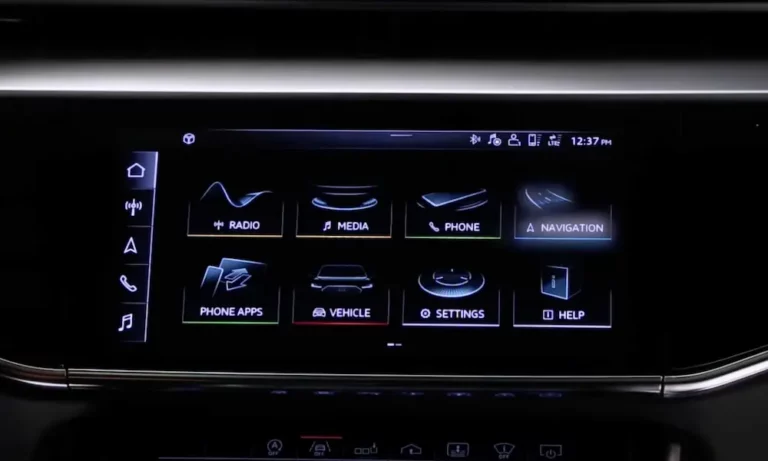
The Multi Media Interface is the central nervous system of your Audi’s cabin. It connects navigation, climate, driver assistance settings, the digital instrument cluster, and the rearview camera — all in one place. When your Audi MMI stops working, it doesn’t just cut your music. It can block your backup camera feed and wipe your speedometer display entirely.
That’s why a blank screen in an Audi isn’t a minor annoyance. It’s a safety issue.
Step One: Try a Forced Reboot First
Before diving into hardware, try this. A forced system reboot clears stuck memory processes and restarts the operating system. It doesn’t erase your saved profiles, Bluetooth pairings, or navigation history.
The button combination depends on which MMI generation your Audi has.
| MMI Generation | Years | Reboot Method |
|---|---|---|
| MIB3 / MIB2 Touch | ~2019–Present | Hold the Volume/Power Knob for 10–20 seconds until the screen goes black, then the Audi logo reappears |
| MMI 3G / MIB2 Standard | ~2010–2018 | Hold Menu (or Setup) + Central Rotary Knob + Upper-Right Soft Button simultaneously, then release |
| MMI 2G | ~2004–2010 | Hold Setup + Central Rotary Knob + Upper-Right Soft Button for about 5 seconds |
If this fixes it, you’re done. If not, keep reading.
Your Audi MMI Screen Is Black? Check the Fuse First
A completely dead screen with zero response — no audio, no buttons, nothing — often points to a blown fuse. It’s a quick check and costs nothing but five minutes of your time.
Audi uses multiple fuse panels spread across the vehicle. Here’s where they live:
- Driver-side dashboard panel — behind the trim cover at the far left of the dash (open the door to access it)
- Passenger-side dashboard panel — far right of the dash, or inside the glove box
- Luggage compartment panel — behind the right side trunk trim
- Engine compartment panel — next to the 12V battery under the hood
Use a plastic extraction tool — never metal pliers — to pull the suspect fuse. Hold it up to a light and look for a broken wire or black discoloration inside.
Here’s what each fuse typically protects:
| Fuse | Amperage | What It Protects | Symptom When Blown |
|---|---|---|---|
| Information Electronics Control Module | 15A–20A | Main MMI processor | Total blackout — no screen, no audio, no buttons |
| Display Unit | 5A–7.5A | Screen backlight and display | Black screen, but audio still works |
| Sound Amplifier | 30A | External optical amplifier (in trunk) | Screen works, zero audio output |
| Diagnostic Interface / Gateway | 5A | Network routing between all systems | Blank MMI, engine warning lights, limp mode |
| Multimedia Control Console | 7.5A | Physical buttons and rotary knob | Screen turns on, but no controls respond |
One critical rule: if a replacement fuse blows immediately after install, stop. That means there’s a hard short circuit somewhere in the wiring or a module is damaged internally. Fitting a higher-rated fuse to bypass the problem is dangerous — it risks a wiring fire.
The Fiber Optic Ring: Why Your Audi MMI Keeps Rebooting
If your screen flashes the Audi logo and then goes black — or you see the red fiber optic light flash exactly three times before going dark — you’ve got a fiber optic network problem.
Older Audi models use a system called the Media Oriented Systems Transport (MOST) bus. It’s a fiber optic ring connecting the MMI processor, amplifier, satellite radio tuner, Bluetooth module, and instrument cluster.
The problem is the ring topology. Every single module must pass the signal along. If one device fails — even the amplifier sitting in your trunk — the whole loop breaks and the MMI can’t finish booting.
How Technicians Find the Dead Module
The diagnostic tool for this is a fiber optic bypass loop — a simple jumper cable that bridges the signal around a disconnected module. The technician unplugs one module at a time and inserts the bypass loop. When the MMI successfully boots after bypassing a specific module, that module is the culprit.
Once identified, that faulty module needs replacement. Until then, the bypass loop keeps the system online — but that module’s specific function (satellite radio, hands-free calls) won’t work until the hardware is swapped out.
Water Damage: The Most Expensive Audi MMI Problem
Spilling a drink in your Audi can silently destroy the electronics days later. Liquid doesn’t just sit on the surface — it wicks through USB ports, ribbon cables, and connector gaps via capillary action. The real damage happens because circuit boards carry continuous standby voltage even when the car is off. A conductive liquid bridges component pads, drives metal ions across the board, and creates permanent short circuits.
Two popular home remedies actually make things worse:
- Rice — absorbs surface moisture only, leaves starch residue that bonds with flux to create conductive sludge
- Hair dryer — deforms flexible circuits that have a glass transition temperature of just 55°C, and can knock tiny components clean off the board
The correct emergency response if you spill something:
- Power off the vehicle immediately
- Remove the key fob from the car entirely (this lets all network modules sleep)
- Disconnect the negative terminal of the 12V battery
Then get it to a technician quickly for proper drying and resistance testing.
The Gateway Module Recall You Need to Know About
If your Audi MMI goes blank AND the engine drops into limp mode simultaneously, the gateway control module (J533) may have failed due to liquid intrusion.
This isn’t rare. It’s a documented, federally investigated problem.
The gateway module in several Audi models is mounted directly under the rear seat cushion. A spilled drink soaks through the seat and lands on the unshielded module. When it shorts, the gateway shuts down its data routing function to prevent erratic vehicle behavior — taking the MMI display offline and cutting critical engine sensor data in one move.
The NHTSA launched a formal investigation into this failure, and the resulting recalls covered massive numbers of vehicles:
- Recall 22V-861: 50,883 A6 and A7 vehicles — rear-seat liquid spills destroying the gateway module
- Recall 21V-947: 288,991 Q5 and SQ5 vehicles — water entering through underbody seam defects and frying the gateway
The fix required dealers to install a protective plastic cover over the module. If you own any of these vehicles, check your recall status at NHTSA.gov immediately.
Flex-Foil Cable Failure: Why 44,000+ Audis Lost Their Screens
Some Audi MMI failures have nothing to do with spills or software. In over 44,000 vehicles from the 2021–2022 model years — spanning the A6, A7, A8, Q7, and Q8 — screens went black because of a degrading flex-foil cable inside the instrument cluster.
The Bosch-manufactured flex-foil cable experiences micro-fracturing from routine heat cycles and road vibration. As the cable degrades, its electrical resistance slowly increases. The vehicle’s software — calibrated too sensitively — interprets this as a dangerous short circuit and cuts power to the display to prevent thermal damage. The result: a blank speedometer, no MMI screen, and zero warning.
Because losing the speedometer while driving creates a genuine collision risk, a safety recall was issued. The fix isn’t a hardware replacement. It’s a targeted software update that widens the acceptable resistance tolerance range — preventing premature shutdown while adding a workshop warning if the cable truly degrades past a safe threshold.
If you own a 2021–2022 A6, A7, A8, Q7, or Q8, confirm this recall has been completed at your dealership.
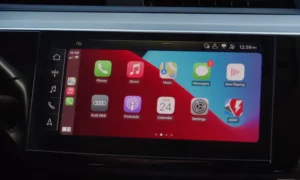
CarPlay Crashes and Blank Screens After Plugging In Your Phone
Your phone might be crashing your MMI.
Confirmed firmware bugs in MMI systems with production codes 7UG and 7UH cause the screen to go completely blank when an iPhone initiates a CarPlay session — especially if you plug in before turning on the ignition.
Here’s what’s happening: plugging in the phone before startup forces the MMI processor to manage the native system bootup and CarPlay’s projection demands at the same time. It can’t handle both, so it crashes.
There’s also a known logic trap with the backup camera. If you shift into reverse and then press the parking aid button to dismiss the camera while still in reverse, the system loses track of which display feed to show. The screen goes blank — but the audio keeps playing.
Temporary workarounds:
- Always start the car fully and leave it in Park before plugging in your phone
- If the screen goes blank, go into the connection manager settings and re-authenticate the device
Permanent fix: a firmware update from an authorized dealer, which patches the memory allocation bug and fixes the video feed handoff logic.
The Big Rearview Camera Recall of 2025–2026
A software glitch causing the backup camera to fail isn’t just an inconvenience — it’s a federal safety violation.
Federal Motor Vehicle Safety Standard 111 mandates specific performance requirements for all rearview camera systems. When a programming error in Audi’s video routing software started causing cameras to either display nothing or show a blurred, frozen image in reverse, the feds stepped in.
The resulting recall covered 356,649 Audi vehicles across nearly every model line. The shared component architecture meant Porsche simultaneously recalled over 173,000 vehicles for the exact same bug.
The fix is a firmware flash to the information electronics module, correcting the video routing protocols. If your camera feed is blurry, frozen, or completely absent when reversing, check your VIN for this recall immediately.
Replacing an MMI Module? Component Protection Will Stop You Cold
Swapping in a used MMI unit from a salvage yard seems like a budget-friendly fix. It’s not — unless you know about Component Protection.
Since the mid-2000s, Audi has cryptographically bound critical modules to specific Vehicle Identification Numbers at the factory. Install a module from another car, and the vehicle’s gateway immediately detects the mismatch. The result: the display turns on, but audio is muted, navigation is locked, Bluetooth is disabled, and a “Component Protection Active” message stays permanently on screen.
Removing Component Protection requires an authenticated online session through Audi’s proprietary diagnostic software (ODIS), connected to corporate servers in Germany. The server checks the technician’s credentials, verifies the part isn’t stolen, then generates a cryptographic key that permanently marries the module to the new vehicle.
After unlocking, the module also needs full parameterization — the correct software dataset for your specific trim level must be written to it. Skip this step and you’ll get distorted audio or missing menu features even after the protection is removed.
Is Your Audi a Lemon? You Might Have Legal Options
If you’ve made repeated trips to the dealer for the same blank screen or reboot issue — and it keeps coming back — you may have lemon law protections.
Modern Audi displays are legally classified as safety-critical components, not entertainment extras. A blank screen removes your federally mandated backup camera feed. A failed instrument cluster takes your speedometer and emergency braking alerts with it. Repeated failures that substantially impair safety, use, or value may qualify your vehicle under state lemon laws — potentially entitling you to a repurchase, replacement vehicle, or cash settlement.
If your car has been in the shop 30 or more cumulative days for the same issue, consult a lemon law attorney. Many work on contingency, and manufacturers are required to cover legal fees when the consumer wins.
Before any repair, always check for open recalls at NHTSA.gov using your VIN. A software fix or hardware retrofit may already be covered at no cost to you.