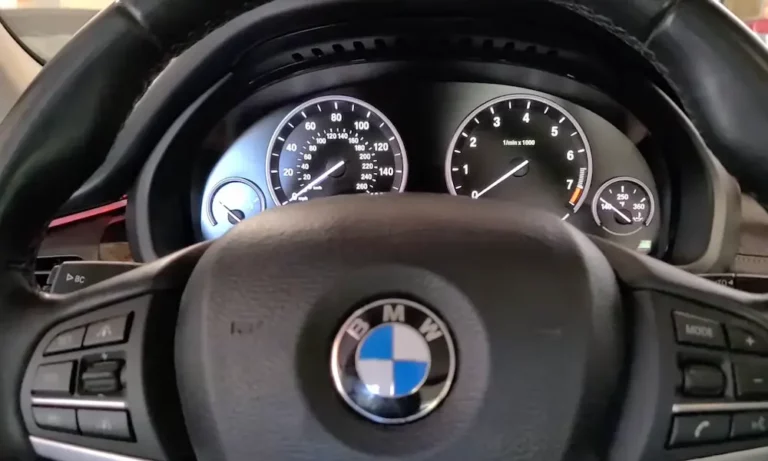
Your BMW’s check engine light just came on, and now you’re staring at that ominous amber glow on your dashboard. What now? Before you rush to the dealership and prepare to empty your wallet, you should know that in many cases, you can reset the BMW check engine light yourself.
This guide will walk you through every method you can use at home, from simple battery disconnection to using specialized tools. You’ll learn not just how to turn off the light, but how to understand what triggered it in the first place.
What Does the BMW Check Engine Light Actually Mean?
When that amber warning illuminates your dashboard, your BMW is trying to tell you something’s wrong with its engine or emissions system. Your car’s onboard diagnostic system (OBD-II) constantly monitors dozens of parameters, and when something falls outside normal ranges, it triggers the light.
Common causes include:
- Loose or damaged gas cap
- Failing oxygen sensor
- Spark plug or ignition coil issues
- Catalytic converter problems
- Mass airflow sensor malfunction
Remember that your check engine light is a messenger—don’t kill the messenger without reading the message! Simply resetting the light without fixing the underlying issue means it’ll likely return soon.
Before You Reset: Getting the Diagnostic Codes
Before resetting anything, you’ll want to know what caused the light to come on. This requires reading the diagnostic trouble codes (DTCs) stored in your BMW’s computer.
Using an OBD-II Scanner
This is the most professional approach and gives you the most information:
- Locate your OBD-II port (usually under the dashboard near the steering column)
- Plug in the scanner and turn your ignition to the “on” position (don’t start the engine)
- Follow the scanner’s instructions to retrieve the codes
- Write down or save any codes displayed (they’ll look like “P0128” or similar)
- Research these codes online or consult a BMW manual to identify the specific issues
A quality OBD-II scanner is the most reliable way to diagnose and reset BMW check engine lights, especially for emissions-related issues.
5 Ways to Reset Your BMW Check Engine Light
Once you’ve identified and fixed the underlying problem, here are the methods to reset the light:
1. Reset Using an OBD-II Scanner
The most straightforward method if you have access to a scanner:
- Connect the scanner to the OBD-II port
- Turn the ignition to the “on” position
- Navigate to “Clear Codes” or “Reset CEL” on the scanner
- Confirm the action when prompted
- The light should turn off immediately
This method is preferred because it directly communicates with your BMW’s computer system without disrupting other settings.
2. Disconnecting the Battery Method
This old-school approach works on most BMWs:
- Turn off the engine completely
- Open the hood and locate the battery
- Using a 10mm wrench, loosen and disconnect the negative (black) battery terminal
- Wait 30-60 seconds to ensure the electrical system fully drains
- Reconnect the negative terminal securely
- Start the car and check if the light is gone
This method will cause your radio, clock and other settings to reset, so be prepared to reconfigure these afterward.
3. The Engine Control Fuse Method
A less disruptive alternative to battery disconnection:
- Locate your BMW’s fuse box (check your owner’s manual for the exact location)
- Find the fuse labeled for the Engine Control Module (ECM) or Engine Control Unit (ECU)
- Remove this fuse carefully using fuse pullers
- Wait 5-10 minutes
- Reinstall the fuse
- Start the engine
This approach preserves most of your car’s settings while still resetting the engine management system.
4. The Drive Cycle Reset
Sometimes your BMW will reset its own light after you’ve fixed an issue:
- Fix the underlying problem that caused the check engine light
- Drive your BMW for 20-40 miles, including both highway and city driving
- Complete several on/off cycles of the engine
- The car’s computer will run through its diagnostic checks and may turn off the light automatically
This method works because your BMW’s system continuously monitors itself and will clear minor issues after confirming they’ve been resolved.
5. Model-Specific Diagnostic Mode (iDrive 7 Vehicles)
For newer BMWs with iDrive 7 system (G05 X5, G07 X7, etc.):
- Turn the ignition to accessory mode by pressing the start/stop button without pressing the brake
- Quickly press the start/stop button three times to enter diagnostic mode
- Navigate through the diagnostic menus using the BC (Board Computer) stalk
- Find the reset option for engine diagnostics
- Confirm the reset
BMW Model-Specific Reset Procedures
Different BMW generations have different reset procedures. Here’s a breakdown by model series:
E90/E92/E93 (3 Series with Digital Cluster)
- Turn ignition to accessory mode
- Press and hold the trip reset button for approximately 7 seconds
- In the menu that appears, navigate to “Service Reset”
- Select the appropriate system to reset
- Confirm your selection
F30/F31/F32/F33 Series
These models typically require an OBD-II scanner for proper reset, but the battery disconnection method is your best alternative if a scanner isn’t available.
G-Series with iDrive 7
- Enter diagnostic mode by pressing the start/stop button three times
- Hold the BC button to access service menus
- Select “Engine Oil” or other relevant system
- Follow on-screen prompts to complete reset
E36/E39/E46 (Older Models)
For these classic BMWs, you may be able to use the diagnostic port method:
- Locate the round diagnostic port under the hood
- Use a paperclip to bridge pins 7 and 19
- Ground pin 7 for approximately 12 seconds
- This should clear stored codes on these older models
When the Light Comes Back On: Troubleshooting Guide
If your check engine light returns shortly after resetting it, you’re dealing with a persistent issue. Here’s what to check:
Common Causes of Recurring Check Engine Lights
| Issue | Symptoms | DIY Difficulty | Typical Cost |
|---|---|---|---|
| Loose Gas Cap | Light comes on after refueling | Very Easy | Free |
| Oxygen Sensor | Poor fuel economy, rough idle | Moderate | $150-300 |
| Spark Plugs | Misfiring, rough running | Easy-Moderate | $60-200 |
| Catalytic Converter | Rotten egg smell, poor performance | Difficult | $600-2,500 |
| MAF Sensor | Stalling, hesitation | Moderate | $150-400 |
Specific BMW Error Codes Worth Noting
| Code | Description | Common Causes |
|---|---|---|
| P0171 | System Too Lean (Bank 1) | Vacuum leak, dirty MAF sensor |
| P0174 | System Too Lean (Bank 2) | Vacuum leak, dirty MAF sensor |
| P0303 | Cylinder 3 Misfire | Bad spark plug, ignition coil |
| P0441 | EVAP Control System | Loose gas cap, damaged purge valve |
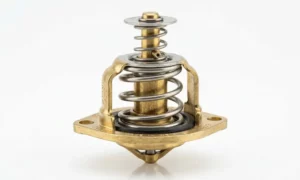
| P0128 | Thermostat Malfunction | Failed thermostat, coolant issues |
BMW-specific diagnostic tools like INPA or ISTA can provide more detailed information about these codes than generic scanners.
Essential Safety Tips When Resetting Your BMW’s Check Engine Light
When performing any type of diagnostic reset:
- Always wear gloves when handling battery terminals
- Ensure the car is completely off before disconnecting electrical components
- Never reset a check engine light just to pass an emissions test without fixing the actual problem
- Keep the car’s manual nearby for reference on fuse locations and specifications
- For newer BMWs with complex electrical systems, consider using only the OBD-II method to avoid complications
Tools You’ll Need for DIY BMW Check Engine Light Reset
To be fully prepared for resetting your BMW’s check engine light, gather these tools:
- OBD-II scanner (BMW-compatible if possible)
- 10mm wrench for battery terminals
- Fuse puller
- Gloves
- Flashlight
- Your BMW’s owner manual or repair guide
The Bottom Line on BMW Check Engine Light Resets
Resetting your BMW’s check engine light is often simple enough to do at home, but remember that the light is there for a reason. The most successful approach is to:
- Diagnose the problem using an OBD-II scanner
- Research and fix the underlying issue
- Reset the light using the appropriate method for your BMW model
- Monitor to ensure the problem doesn’t return
Following these steps will save you money on unnecessary dealer visits while keeping your Ultimate Driving Machine running smoothly.
Remember that modern BMWs have sophisticated engine management systems that are designed to protect your investment. Paying attention to warning lights and addressing problems promptly will extend the life of your vehicle and maintain its legendary performance.