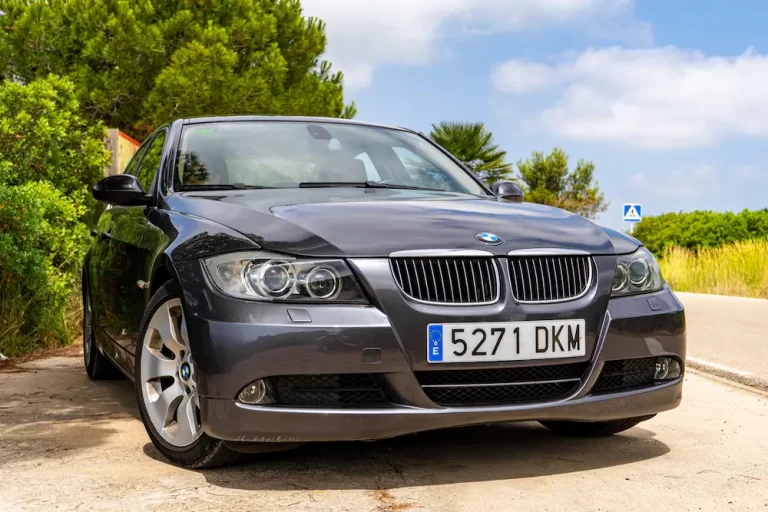
Ever turned on your BMW only to find your radio displaying “CODE” and refusing to play your favorite tunes? You’re facing one of the most common BMW ownership challenges. BMW’s anti-theft radio security system keeps your stereo safe from thieves, but it can leave you without music after a battery change or electrical work. The good news? Getting your BMW radio code isn’t as complicated as it seems.
What Is a BMW Radio Code and Why Do You Need It?
Since 1990, BMW has equipped vehicles with anti-theft radio systems that require a special unlock code whenever the radio loses power. This security feature makes stolen radios essentially useless without the proper code.
When the system activates, your radio displays “CODE” followed by dashes, completely disabling all audio functions. The security system kicks in automatically when it detects a power interruption lasting more than a few minutes.
Beyond theft prevention, this system offers additional security:
- A red LED flashes continuously when the ignition is off
- If anyone touches radio buttons after key removal, the anti-theft inscription flashes
- A warning tone sounds for five minutes if tampering is detected
These features make BMW radios significantly less attractive to potential thieves.
Identifying Your BMW Radio Manufacturer
Before retrieving your code, you need to identify your radio’s manufacturer. BMW has used several suppliers over the years, each with distinct characteristics and coding procedures.
Alpine Electronics (Most Common: 1985-2010)
- Serial numbers typically begin with “AL” followed by alphanumeric characters
- Popular models include C33, C43, and CD53 series
- Various Business CD configurations
Blaupunkt (Premium Option: 1990-2005)
- Serial numbers commonly start with “BP” or “W” followed by numerical sequences
- Notable for superior FM reception quality
- Models include CD43, Business RDS, and Bremen series
Pioneer (Early Models: 1985-1995)
- Serial numbers follow a “POL” prefix format with seven digits
- Typically found in E30, E31, and E32 model series
Becker (Professional Series: 1990-2000)
- Serial numbers use a “BE” prefix followed by four digits
- Produced the Bavaria C and Professional model lines
- Often featured advanced RDS functionality for their era
How to Find Your BMW Radio Serial Number
Getting your radio’s serial number is the first critical step in retrieving your code. The method depends on your BMW’s age.
Method 1: Display Retrieval (2000+ Models)
For newer BMWs (generally 2000 onwards), you can access the serial number without removing the radio:
- Turn the ignition to position 1 (accessories) without starting the engine
- Press and hold the “M” button on the radio face while the radio is off
- While continuing to hold the “M” button, turn the radio on
- The serial number should appear on the display for approximately 10-15 seconds
- Write down the complete number immediately and double-check it for accuracy
This method works with most Alpine I-Bus radios and many Blaupunkt models from this era.
Method 2: Physical Removal (Pre-2000 Models)
Older BMW radios require physical removal to access the serial number label:
- Obtain proper radio removal tools or use small flat screwdrivers
- Carefully remove the radio from the dashboard
- Locate the metal identification label on the radio’s back or side panel
- Record the complete serial number, manufacturer name, and model information
- Note any additional part numbers that might be required
Use adequate lighting to ensure accurate transcription—incorrect serial numbers will significantly delay the code retrieval process.
Where to Get Your BMW Radio Code
You have several options for obtaining your radio code, each with different costs and timeframes.
BMW Dealership (Most Reliable)
BMW dealerships offer the highest success rate (95%+) for radio code retrieval.
- Cost: Often free for existing customers; $30-80 for new customers
- Process: The service department accesses BMW’s DCS database
- Requirements: Proof of vehicle ownership (registration and driver’s license)
- Timeframe: 5-30 minutes with the serial number; longer if radio removal is needed
If your radio needs to be removed by dealership staff, labor charges can increase the total cost to $80-150.
Online Commercial Services (Convenient)
Several reputable online services offer BMW radio code retrieval for a reasonable fee.
- Cost: $15-40 depending on the service
- Example: Radio-code.com charges $35.99 with delivery in 30 minutes to 24 hours
- Requirements: Radio serial number, manufacturer information, and vehicle details
- Success Rate: Typically 85-90%
The main advantage is 24/7 availability and competitive pricing, but always check reviews before paying.
Independent Specialists (Good for Unusual Cases)
Independent automotive electronics specialists often have specialized equipment and databases.
- Cost: $15-50 depending on complexity
- Best For: Unusual or modified radio configurations
- Success Rate: 80-85%
- Advantage: Can often help when dealership databases fail
How to Enter Your BMW Radio Code
Successfully entering your code requires following the specific procedure for your radio model.
Standard Entry Method (Most Common)
This method works for Alpine and most Blaupunkt radios:
- Turn the ignition on – the radio will display “CODE —-“
- Enter each digit of the code using the corresponding preset buttons (1-6)
- After entering the final digit, press and hold the right arrow (>) button for 10 seconds
- The radio should activate and display a frequency when successful
This method works for both 4-digit and 5-digit codes. The preset buttons correspond directly to the code digits.
Alternative Entry Method (Some Models)
Some BMW radios (particularly certain Pioneer and older Blaupunkt models) use a repetition-based system:
- Press button 1 the number of times equal to the first digit of your code
- Press button 2 the number of times equal to the second digit
- Continue this pattern for all digits in sequence
- Press the confirmation button (typically “SET” or “M”) to submit the code
For example, with code 23451, you’d press: button 1 twice, button 2 three times, button 3 four times, button 4 five times, and button 5 once.
Troubleshooting Common BMW Radio Code Problems
Dealing with “CODE WAIT” Lockout
If you enter an incorrect code three times, the radio enters “CODE WAIT” mode:
- Turn the ignition to position 1 (accessories) to power the radio
- Leave the radio on displaying “CODE WAIT” for exactly 60 minutes
- Do not disconnect power or turn off the radio during this period
- After one hour, the display will change to “CODE” allowing three more attempts
The one-hour wait period is absolute—leaving the radio on for 59 minutes won’t reset the system. Disconnecting power during the wait period simply restarts the timer.
Multiple Code Scenarios
BMW dealerships sometimes provide multiple possible codes for the same radio serial number. This happens because BMW used different suppliers for similar radio models during overlapping production periods.
When given multiple codes:
- Try the first code using the proper procedure
- If unsuccessful, wait for any security timeout periods
- Try the second code following the same procedure
- Dealership staff can often advise which code to try first based on your vehicle’s production date
Serial Number Display Issues
If the “M” button method fails to display your serial number, several factors may be responsible:
- Your radio predates the display feature (pre-2000 models)
- The radio isn’t an original BMW unit
- The display function has been disabled or modified
- You’re not following the correct timing or button sequence
In these cases, physical radio removal remains the only reliable option for accessing the serial number.
Regional Variations in BMW Radio Codes
BMW radios have different characteristics based on their intended market:
- North American radios typically require 5-digit codes
- European models generally use 4-digit codes
This difference stems from regional anti-theft regulations and market requirements. Some BMW radios can be switched between regional modes, potentially allowing a 4-digit European code to unlock a 5-digit North American radio, though this requires specific technical knowledge.
Preventing Future BMW Radio Code Problems
Document Your Code
Always store your radio code in multiple secure locations outside the vehicle:
- Write it in your owner’s manual
- Note it in your maintenance records
- Store it in password-protected digital files
- Keep a copy in your home files
Coordinate With Service Professionals
When scheduling battery replacement or electrical work:
- Inform technicians about the radio code requirement
- Many BMW technicians can maintain power to the radio during routine maintenance
- This prevents lockout situations entirely
Verify Before You Need It
Before disconnecting power:
- Verify you have the correct radio code
- Understand the entry procedure for your specific radio model
- Testing the code entry process while the radio is still functional can prevent frustration during actual lockout
BMW Radio Code Retrieval Costs Comparison
| Source | Typical Cost | Timeframe | Success Rate | Requirements |
|---|---|---|---|---|
| BMW Dealership | $0-80 | 5-30 minutes | 95%+ | Proof of ownership |
| Online Services | $15-40 | 30 min – 24 hrs | 85-90% | Serial number |
| Independent Specialists | $15-50 | 1-24 hours | 80-85% | Serial number |
| DIY Methods | $0 | Varies | <50% | Technical knowledge |
BMW Radio Manufacturers and Their Code Formats
| Manufacturer | Years Used | Code Format | Entry Method | Serial Number Prefix |
|---|---|---|---|---|
| Alpine | 1985-2010 | 5-digit | Standard | AL + alphanumeric |
| Blaupunkt | 1990-2005 | 4-digit | Standard/Alternative | BP or W + numbers |
| Pioneer | 1985-1995 | 5-digit | Alternative | POL + 7 digits |
| Becker | 1990-2000 | 4-digit | Standard | BE + 4 digits |
BMW’s radio code system might initially seem frustrating, but it’s entirely manageable with the right approach. Whether you choose dealership service, online providers, or independent specialists, your success depends on accurate serial number identification and following the proper entry procedure.
By understanding your radio’s manufacturer, model year, and specific entry method, you’ll significantly improve your chances of quickly restoring your audio system. Better yet, take preventive measures like documenting your code to avoid future lockout situations altogether.