Is your RV’s Coleman Mach AC acting up? Before panicking or calling in expensive repairs, there’s a simple solution you might want to try first. Many AC issues can be resolved with a quick reset—if you know where to find that elusive reset button and how to use it properly.
Where Is the Coleman Mach AC Reset Button Located?
The main reset button on Coleman Mach air conditioners is typically a large, red button located on the compressor unit itself. You’ll usually find it positioned on or near the compressor housing, often on the exterior of the unit where it’s easily accessible during maintenance. Some models place the reset button near the electrical panel or control box instead.
This button isn’t just for show—it serves as a manual override for the thermal overload protection system. When your compressor gets too hot or experiences excessive electrical load, this protection trips to prevent damage. Pressing the reset button manually resets this protective device, allowing your system to restart once the underlying issue has cooled down.
Different Types of Reset Methods for Coleman Mach AC Units
There isn’t just one way to reset your Coleman Mach AC. Depending on your specific issue, you might need to try different approaches.
Circuit Breaker Reset (The Most Common Method)
The circuit breaker reset is often your first line of defense and the simplest way to address power-related issues:
- Turn off the air conditioner using the thermostat control
- Find your RV’s electrical panel and locate the AC circuit breaker
- Flip the AC circuit breaker to the “off” position
- Wait at least 1-5 minutes (this waiting period is crucial!)
- Turn the circuit breaker back to the “on” position
- Return to the thermostat and turn the AC back on to test
This waiting period isn’t optional—it gives the internal components time to fully discharge and reset their protective circuits.
Thermostat Reset Procedures
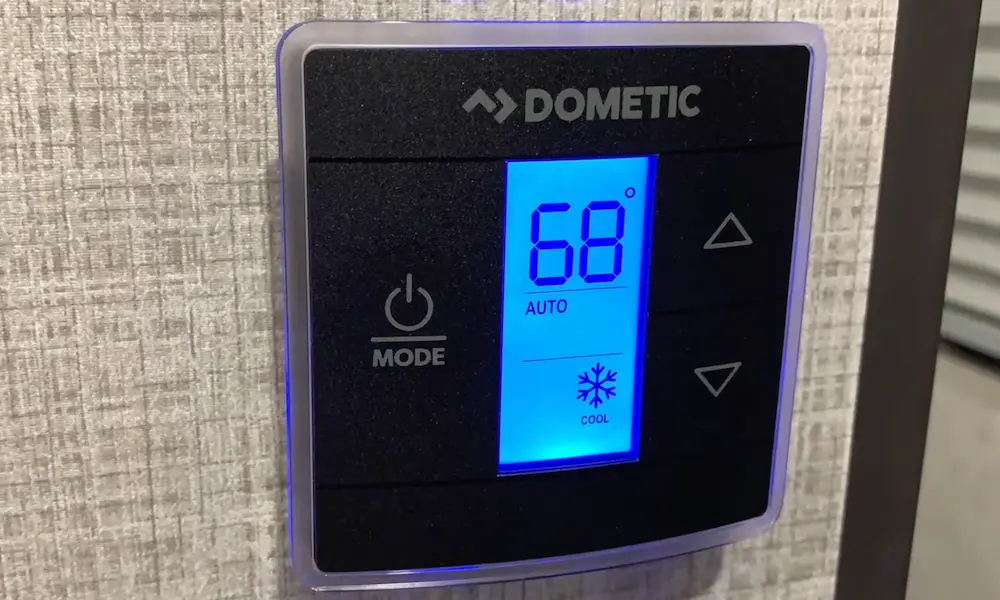
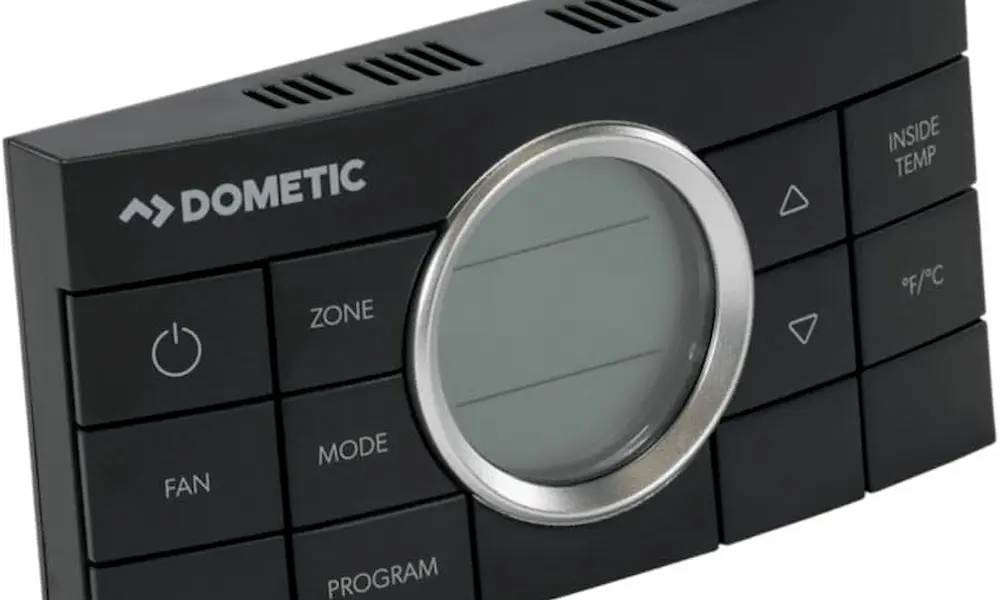
Your thermostat might also need a reset, especially if you have one of the newer digital Coleman Mach models.
Digital Thermostat Manual Reboot
For newer Coleman Mach digital thermostats, you can perform a manual reboot by:
- Press and hold the thermostat knob for a full 12 seconds
- At 4 seconds, you’ll enter the units selection screen
- At 8 seconds total, a countdown sequence begins
- At 12 seconds, the display turns off
- Release the knob and the thermostat will automatically reboot
This reset method is particularly effective for addressing software glitches and calibration issues that might be affecting your temperature control.
Verifying Thermostat Settings
After any reset, double-check these essential thermostat settings:
- Temperature Setting: Make sure it’s set lower than the current room temperature
- Mode Selection: Verify it’s set to “cooling” mode (not “off” or “heat”)
- Fan Operation: Check that fan speed settings are appropriate
You’d be surprised how often incorrect thermostat settings are the culprit behind perceived AC malfunctions.
Compressor Reset Procedures
When your compressor is the problem, you’ll need to address the thermal overload protection.
Heat Overload Protection Reset
Coleman Mach compressors have thermal overload protectors that shut down the system when they detect dangerous conditions like:
- Excessive operating temperatures
- High electrical loads
- Rapid on/off cycling
When this protection trips, follow these steps to reset:
- Turn off all power to the AC unit (both at the thermostat and circuit breaker)
- Remove the roof unit cover or service panel to access the compressor
- Find the thermal overload protector (usually a small round device on the compressor)
- Press and hold the reset button firmly for about 5 seconds
- Replace covers, restore power, and test the system
Advanced Troubleshooting When Reset Doesn’t Work
If basic reset procedures aren’t solving your problem, you may need to dig deeper.
Control Box Diagnosis and Reset
The control box regulates electrical components throughout your Coleman Mach system. Issues here might show up as:
- System starting and stopping unpredictably
- No response when you adjust the thermostat
- Fan running but compressor failing to start
Control box reset involves power cycling the entire system, but may require component replacement if internal relays have failed. This is where professional help might be necessary.
Capacitor-Related Resets
Capacitors provide the starting power for motors and compressors. When they fail, you might notice:
- Your compressor struggling or failing to start
- Humming noises as the system tries but fails to start
- Reduced cooling performance
Replacing a capacitor effectively “resets” your system’s starting capability, but requires electrical knowledge and safety precautions.
| Problem | First Reset to Try | If That Doesn’t Work |
|---|---|---|
| No power at all | Circuit breaker reset | Check power supply and connections |
| Fan works but no cooling | Thermostat reset | Compressor reset or capacitor check |
| System cycles on/off rapidly | Wait 30 minutes, then circuit breaker reset | Check for airflow blockages |
| Error codes on display | Thermostat reset | Consult manual for specific code solutions |
Safety First: Reset Button Precautions
When working with any electrical components, safety should always be your priority:
- Always disconnect power at the circuit breaker before accessing internal components
- Allow adequate time for components to cool before attempting resets
- Use insulated tools and wear appropriate protection when necessary
- Identify underlying causes before repeatedly attempting resets
Preventive Maintenance to Avoid Needing Resets
The best way to deal with reset issues is to prevent them in the first place. Regular maintenance significantly reduces emergency resets and extends your system’s life:
Filter and Airflow Maintenance
- Clean or replace air filters every 2-4 weeks during heavy use periods
- Clean evaporator and condenser coils annually
- Ensure proper airflow through all distribution ducts
Electrical System Care
- Check electrical connections for corrosion or looseness
- Verify proper supply voltage to prevent electrical stress
- Test capacitor values annually to identify deterioration
When Your Coleman Mach AC Still Won’t Reset
If you’ve tried all the reset procedures and your AC still isn’t working properly, it might be time to check for these common problems:
Refrigerant Issues
Low refrigerant levels can cause your system to overwork and trigger protective shutdowns. Signs include:
- Air blowing but not cooling effectively
- Ice forming on the evaporator coils
- System running constantly without reaching target temperature
Refrigerant issues require professional service as they involve specialized equipment and environmental regulations.
Electrical Problems
Electrical issues beyond simple resets might include:
- Damaged wiring from vibration or weather exposure
- Corroded connections from moisture intrusion
- Voltage fluctuations from generator or shore power issues
A multimeter can help diagnose basic electrical problems, but complex issues should be handled by qualified technicians.
Mechanical Failures
Sometimes physical components simply wear out or break:
- Fan motors can seize or burn out
- Compressors can develop internal failures
- Mounting hardware can loosen, causing excessive vibration
These problems typically require component replacement rather than simple resets.
Reset Button FAQs
Q: How often should I need to reset my Coleman Mach AC?
A: Ideally, rarely. Frequent resets indicate an underlying problem that needs addressing. Occasional resets (a few times per season) might be normal, especially during extreme weather.
Q: Can I damage my AC by resetting it too often?
A: Yes. Repeatedly resetting without fixing underlying issues can cause additional strain on components. If you need to reset more than twice in a short period, it’s time to troubleshoot more deeply.
Q: Is there a specific time I should wait between reset attempts?
A: Wait at least 5-10 minutes between reset attempts to allow internal components to cool and electrical charges to dissipate completely.
Q: My AC works after resetting but stops again within hours. What’s happening?
A: This suggests an intermittent problem or overheating issue. Check for airflow restrictions, clean filters, and ensure your AC isn’t being asked to cool beyond its capacity in extreme heat.
Understanding your Coleman Mach AC reset button and procedures gives you powerful tools to resolve many common cooling problems. By following these steps and maintaining your system properly, you’ll enjoy reliable cooling throughout your RV adventures without unnecessary service calls or downtime.