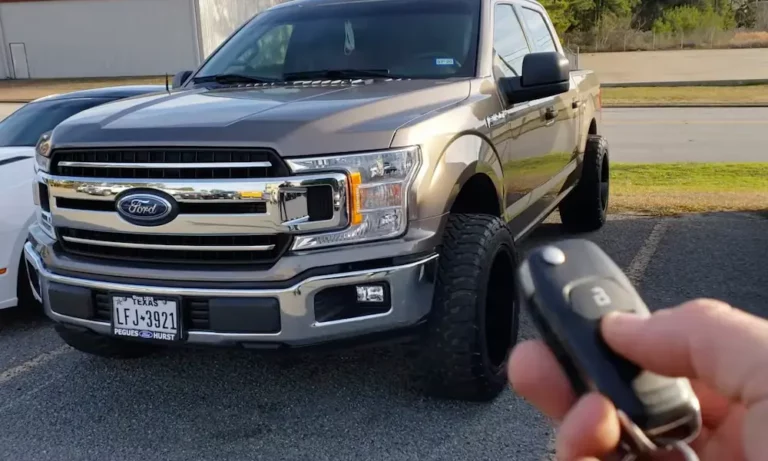
Ever found yourself annoyed when your F-150’s engine shuts off at a stoplight? You’re sitting there, AC running, radio playing, and suddenly—silence. Then seconds later, a jolting restart. Ford’s auto start-stop feature might save a bit of fuel, but many drivers find it frustrating and worry about its impact on engine components.
If you’re looking to disable this feature for good, you’ve come to the right place. I’ll walk you through every method available—from quick fixes to permanent solutions—so you can drive your truck the way you want.
What Is Auto Start-Stop and Why Disable It?
Auto start-stop technology automatically shuts off your engine when you come to a complete stop and restarts it when you release the brake. Ford added this feature to meet EPA fuel economy standards, claiming it improves efficiency by reducing idle time.
But many F-150 owners prefer to disable it because:
- The constant stopping/starting feels jarring in traffic
- Concerns about increased wear on the starter and engine components
- Delayed acceleration when pulling away from stops
- Inconsistent climate control when the engine shuts off
The Temporary Fix: Using the Dash Button
The simplest way to disable auto start-stop is using the dedicated button on your dashboard:
Location on different F-150 models:
- 2021-2023 models: Look above the central touchscreen display
- 2024-2025 models: Find it near the headlight switch, left of the steering wheel
The button displays an “A” with a circular arrow. When you press it, “OFF” appears, indicating the system is disabled for your current drive.
The downside? This setting resets every time you turn off your truck. You’ll need to press that button again with each startup, which gets tedious fast.
Permanent Solution #1: Aftermarket Elimination Devices
Aftermarket eliminators are the most popular and straightforward permanent solution. These small devices remember your last setting between startups, essentially making your button press “stick.”
How Auto Start-Stop Eliminators Work
These plug-and-play devices work by either:
- Connecting inline behind the auto start-stop button
- Plugging into your OBD-II diagnostic port
Once installed, they automatically disable the auto start-stop system each time you start your truck—no more daily button pressing.
Top Benefits of Eliminators
- Remembers your preferences: Maintains your last setting between startups
- Simple installation: Most take just 10-15 minutes with zero tools
- Warranty safe: Doesn’t modify vehicle programming or leave diagnostic codes
- Fully reversible: Can be removed anytime without a trace
- Maintains all other functions: Won’t affect other vehicle systems
Popular Eliminator Options
- 4D Tech Start/Stop Eliminator: Inline connection behind the button, specifically designed for F-150s
- Installation time: 10-15 minutes
- Watch installation: YouTube tutorial
- Autostop Eliminator: Available for multiple F-150 model years
- Multiple connection options
- Installation guide: Autostop Eliminator installation
Installation Process
Most eliminators follow this simple process:
- Locate the auto start-stop button module (typically behind the dashboard near the button)
- Unplug the factory connector
- Plug the factory connector into one side of the eliminator
- Plug the eliminator into the button module
- Secure the device with included zip ties or tape
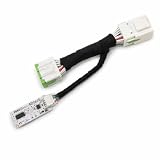
- MADE IN THE USA SINCE 2013 — Designed, tested, and assembled at our own facility in Webster, NY. Not a drop-shipped import — real engineers and real US-based support if you ever need it.
Permanent Solution #2: FORScan Programming
If you’re technically inclined and want a free solution, FORScan software allows you to modify your F-150’s programming parameters to permanently disable auto start-stop.
What You’ll Need
- FORScan software (free download)
- OBD-II to USB adapter ($25-50)
- Windows laptop
- 30-60 minutes of time
FORScan Programming Steps
To completely disable auto start-stop functionality, you’ll need to modify settings in three different modules:
- BdyCM Module: Change parameter 726-48-02 (change 2nd digit of 1st quad to “0”)
- FCIM Module: Change parameter 7A7-01-01 (change 2nd digit of 2nd quad to “0”)
- IPC Module: Change parameter 720-01-01 (change leftmost digit of 2nd quad to “1”)
These changes effectively tell your truck’s computer that the auto start-stop system doesn’t exist.
FORScan Considerations
- Warranty concerns: This method modifies vehicle programming, which could potentially affect warranty coverage
- Complexity: Requires comfort with technical software and vehicle programming
- Battery management: Some users report this method affects the battery management system’s functionality
- Free solution: No additional hardware required beyond the OBD adapter
Other DIY Methods (Use With Caution)
Trailer Light Disconnect Method
Some owners have discovered that disconnecting the trailer brake light connector (located near the brake pedal) tricks the system into thinking a trailer is connected, which automatically disables auto start-stop.
Warning: This method isn’t recommended as it:
- Affects trailer functionality when needed
- May trigger warning lights
- Could potentially cause electrical issues
Battery Management System Bypass
Another workaround involves unplugging the battery monitoring connector. While this disables auto start-stop, it also eliminates intelligent charging and voltage monitoring capabilities, which isn’t advisable for long-term use.
Which Method Should You Choose?
For most F-150 owners, an aftermarket eliminator device offers the best balance of:
- Simplicity (no technical knowledge required)
- Safety (won’t void warranty)
- Reversibility (can be removed anytime)
- Functionality (works exactly as Ford intended via the button)
FORScan programming makes sense if:
- You’re comfortable with vehicle programming
- You want a free solution
- You’re willing to accept potential warranty implications
The button method works fine if:
- You rarely drive in stop-and-go traffic
- You don’t mind the daily routine
- You want to maintain 100% factory functionality
Making the Most of Your Disabled Auto Start-Stop
After disabling the system, you might notice:
- Smoother driving experience in city traffic
- More consistent climate control at stoplights
- Slightly reduced fuel economy (typically 1-2 mpg in heavy city driving)
Many F-150 owners report that the comfort and driving experience improvements outweigh the minimal fuel savings from auto start-stop.
Real-World Experiences
Most F-150 owners who disable auto start-stop report high satisfaction with their decision. Common feedback includes:
“The eliminator was the best $80 I’ve spent on my truck. No more jarring restarts in traffic, and installation took less than 15 minutes.”
“Using FORScan to disable it was straightforward and has worked perfectly for over a year now. The truck drives much more smoothly in the city.”
“I just hit the button every time I start the truck. It’s become muscle memory now, and I never forget.”
Final Thoughts
While Ford designed the auto start-stop system with efficiency in mind, having control over your truck’s features is important. Whether you choose a simple button press, an aftermarket device, or reprogramming, you now have all the information needed to disable auto start-stop on your F-150.
Remember that aftermarket eliminators provide the best balance of convenience, warranty safety, and effectiveness for most owners. They’re specifically designed to work with Ford’s systems and provide a factory-like experience—just without the constant engine cycling.
Ready to enjoy smoother, uninterrupted drives in your F-150? Choose the method that works best for you and take back control of your truck’s performance.