Thinking about unlocking your Ford’s hidden features but stuck on the FORScan extended license part? You’re in the right place. This guide breaks down every tier, every trick, and every trap — from grabbing the free trial to buying through a third-party reseller. Stick around, because the section on 2021+ vehicles alone could save you hours of frustration.
What Is the FORScan Extended License (And Why Does It Matter)?
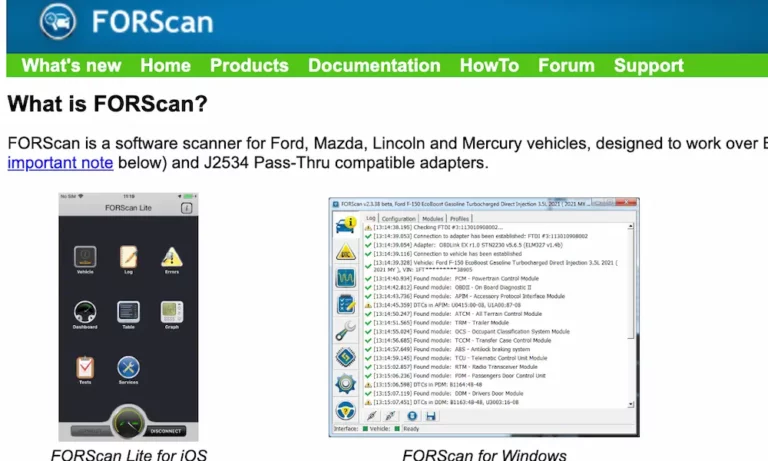
FORScan is a specialized diagnostic software for Ford, Lincoln, Mazda, and Mercury vehicles. It’s not your average code reader. Think of it as a direct line into your vehicle’s brain.
But here’s the catch: the software runs in tiers. Without the extended license, you’re stuck in read-only mode. You can see what’s wrong. You just can’t fix or customize anything beyond basic resets.
The FORScan extended license is what opens the doors to:
- Module configuration and programming
- AS-BUILT data editing (the hexadecimal settings that control nearly everything)
- PATS (anti-theft) key management
- Full service procedures
- Firmware updates (paid license only)
Without it, you’re window shopping. With it, you’re in the driver’s seat — literally.
The Three License Tiers Explained
FORScan operates on three distinct license states. Here’s a quick look at what each one gives you:
| Feature | Standard License | Free Trial Extended | Paid Extended License |
|---|---|---|---|
| Read/Clear DTCs | ✅ All modules | ✅ All modules | ✅ All modules |
| Live Data (PIDs) | ✅ Full | ✅ Full | ✅ Full |
| Module Configuration | ❌ Read-only | ✅ Full access | ✅ Full access |
| AS-BUILT Editing | ❌ | ✅ | ✅ |
| Firmware Updates | ❌ | ❌ | ✅ (v2.4.x only) |
| Official Support | ❌ | ❌ | ✅ |
| Duration | Permanent | 2 months | 1 year (renewable) |
Standard License: Good for Reading, Not Much Else
The standard license installs automatically when you first download FORScan. No activation needed. You can read trouble codes from every module, monitor live sensor data, and run basic maintenance resets. That’s genuinely useful.
But the moment you need to write anything — like correcting your speedometer after a tire size change or enabling a trailer brake controller — FORScan will prompt you to upgrade. The standard license hits a hard wall the second any “write” operation starts.
Free Trial Extended License: Two Months of Full Access
This is the best starting point for most people. The free trial gives you nearly everything the paid license offers — minus official support and firmware downloads — for two full months at zero cost.
Here’s how to get it:
- Open FORScan and click the steering wheel or question mark icon
- Find your Hardware ID — a unique code tied to your computer’s CPU and motherboard
- Visit the FORScan website’s license generator
- Submit your Hardware ID and contact info
- Download the .key file you receive
- Load it into FORScan using the “Load license key” button
- Restart the software
One important note: this license is hardware-locked. If you generate it on one PC, it won’t work on another. Swap your motherboard? You’ll need a new license file.
Paid Extended License: For Long-Term Use
The paid version is the full package. It adds official tech support, access to private forum sections, and the ability to download firmware directly from FORScan’s servers. It’s also the only license that works with the advanced v2.4.x beta branch.
At roughly $20 per year, it’s hard to argue against it — especially when a single dealership diagnostic session runs $100–$200.
Where to Buy the FORScan Extended License Right Now
Here’s where things get complicated. The developers are based in Russia, and international sanctions have made direct purchases through forscan.org difficult or impossible for many users. Direct sales paused in late 2024, pushing buyers toward authorized third-party resellers.
Also worth knowing: multi-year and lifetime licenses are largely gone. Only 1-year renewable licenses are widely available now.
| Reseller | Region | Payment Options |
|---|---|---|
| iobd.io | Global | WhatsApp/Telegram support |
| akm-software.org | Global | PayPal, Stripe, Visa/MC |
| ecutools.eu | Europe | Professional diagnostic focus |
| al-muhands.com | Middle East | AED pricing |
All of these are authorized channels. Stick to them. Pirated license keys float around online, but they won’t survive a software update — and they can corrupt your activation setup.
What Can You Actually Do With the FORScan Extended License?
This is the fun part. Once you activate the FORScan extended license, you get access to the “Configuration and Programming” and “Service” menus. These menus let you edit AS-BUILT data — the hexadecimal registers inside each module that control your vehicle’s behavior.
Some popular modifications Ford owners make:
- Tire size correction — Fix your speedometer and transmission shift points after installing larger tires
- Bambi Mode — Run fog lights alongside your high beams
- Global Window Control — Open and close windows with your key fob
- Auto Start/Stop disable — Turn it off permanently, not just at every startup
- Digital temperature gauges — Show engine and transmission temps on your instrument cluster
- DRL disabling — Turn off daytime running lights if your state doesn’t require them
- Seatbelt chime removal — Quiet that reminder when you’re moving vehicles on private property
These are tasks that previously required a dealership visit and proprietary Ford IDS tools. The FORScan extended license puts that power in your hands for about the cost of a lunch.
PATS Key Programming
The extended license also unlocks the Passive Anti-Theft System (PATS) menu. This lets you add or erase ignition keys and initialize modules when replacing a PCM or BCM.
Fair warning: some PATS modules have a hard limit on how many key changes they support before needing physical replacement. And on 2021+ vehicles, key programming increasingly requires a real-time handshake with Ford’s servers — which means a stable internet connection and a paid license.
Choosing the Right OBD-II Adapter
The FORScan extended license is only as good as the adapter connecting your laptop to the vehicle. Don’t cheap out here.
Ford vehicles use two primary CAN networks: High-Speed CAN (HS-CAN) and Medium-Speed CAN (MS-CAN). Older “toggle switch” ELM327 adapters required you to manually flip between them. Miss that step and FORScan won’t see half your modules.
Modern recommended adapters handle this electronically — the software switches networks automatically.
| Adapter | Connection | Best For |
|---|---|---|
| OBDLink EX | USB (Wired) | Windows programming — top pick |
| vLinker FS | USB (Wired) | Supports CAN-FD for newer models |
| OBDLink MX+ | Bluetooth | Mobile monitoring only |
| ELS27 | USB (Wired) | Professional/technician grade |
Never use a wireless adapter for write operations. Bluetooth and Wi-Fi connections are vulnerable to interference and latency spikes. If a write operation gets interrupted mid-process, you risk “bricking” a module — and that means a physical replacement, not a software fix.
Generic ELM327 clones from Amazon or eBay use inferior chipsets with tiny data buffers. They might work for reading codes. They’re not safe for module programming.
The 2021+ Security Gateway Problem
If you drive a 2021 or newer F-150, Bronco, or similar Ford, you’ve hit a new obstacle: the Security Gateway Module (SGW).
Ford started installing this digital firewall between the OBD-II port and the vehicle’s internal networks around the 2021 model year. Reading codes still works fine. But any “write” operation gets blocked unless your diagnostic tool can complete a cryptographic handshake with the gateway.
Two workarounds exist:
- Hardware bypass cables — These physically plug into the CAN bus behind the gateway, usually behind the instrument cluster or media screen. They give you an unrestricted path to the modules.
- Software handshakes via v2.4.x — The newer FORScan beta branch handles some SGW security protocols natively. This requires the paid extended license and an active internet connection.
This SGW challenge is a big reason why FORScan moved toward subscription licensing. Maintaining the security servers that handle these handshakes costs money — and that cost flows back through the annual license fee.
Common Activation Problems (And How to Fix Them)
License Reverts After Restart
This is the most common issue. It happens when FORScan can’t write the activation token to the Windows Registry. The fix is simple: right-click the FORScan icon and select “Run as Administrator” before loading your license file. Always do this on first activation.
Hardware ID Mismatch
Changed your motherboard? Moved FORScan to a new laptop? Your existing license file is now invalid. Request a new license using the new Hardware ID. The trial generator will accept the new request.
Wrong File Extension
Some email clients or browsers rename your license file from FORScanLicense.key to FORScanLicense.key.csv. FORScan won’t recognize it. Just rename the file back to the correct extension before loading it.
Geographic Blocks
Users in certain regions report that their ISPs block communication with FORScan’s license servers. If activation fails with no obvious reason, try connecting through a VPN. It solves the problem for most affected users.
FORScan vs. Dealership Diagnostics: The Real Cost Comparison
| Component | FORScan (Independent) | Ford Dealership (IDS/FDRS) |
|---|---|---|
| Software Cost | $0–$25/year | $750–$850/year |
| Interface Hardware | $50–$100 (OBDLink EX) | $500–$1,500 (VCM II/III) |
| Programming Fee | Your time | $150–$300 per session |
| Customization Depth | High — accesses hidden settings | Low — locked to factory specs |
A 1-year FORScan extended license costs roughly $20. A single dealership diagnostic session costs $100–$200. The math isn’t subtle.
Beyond cost, FORScan exposes settings that official dealer software actively hides. Dealership tools are designed to keep your vehicle inside factory parameters. FORScan lets you own that decision yourself.
A Quick Word on Firmware Updates
The most powerful — and most dangerous — FORScan capability is module firmware updating. This replaces the actual operating code inside a module, not just its settings. It’s strictly reserved for paid extended license holders and only works in the v2.4.x branch.
A failed firmware update doesn’t throw a warning. The module stops communicating entirely and typically needs physical replacement. Before you attempt it, read the full Program Guide — the developers are clear that skipping this step is how people end up with $400 paperweights where their BCM used to be.
Always back up your AS-BUILT data before any write operation. It takes two minutes and gives you a restore point if anything goes sideways.
The FORScan extended license sits at the intersection of affordability and genuine capability. For $20 a year and a decent USB adapter, you get dealership-level access — and then some. Just respect the tools, back up your data, and know your vehicle’s architecture before you start writing to it.