Your Jeep’s radio is frozen, unresponsive, or acting like it’s possessed. Good news — you can fix most of these problems yourself in under five minutes. This guide walks you through every reset method, from a quick button combo to pulling fuses, so you can get your music back fast.
First, Figure Out Which Uconnect System You Have
Before you start pressing buttons, you need to know what you’re working with. Jeep uses three main Uconnect generations, and each one resets slightly differently.
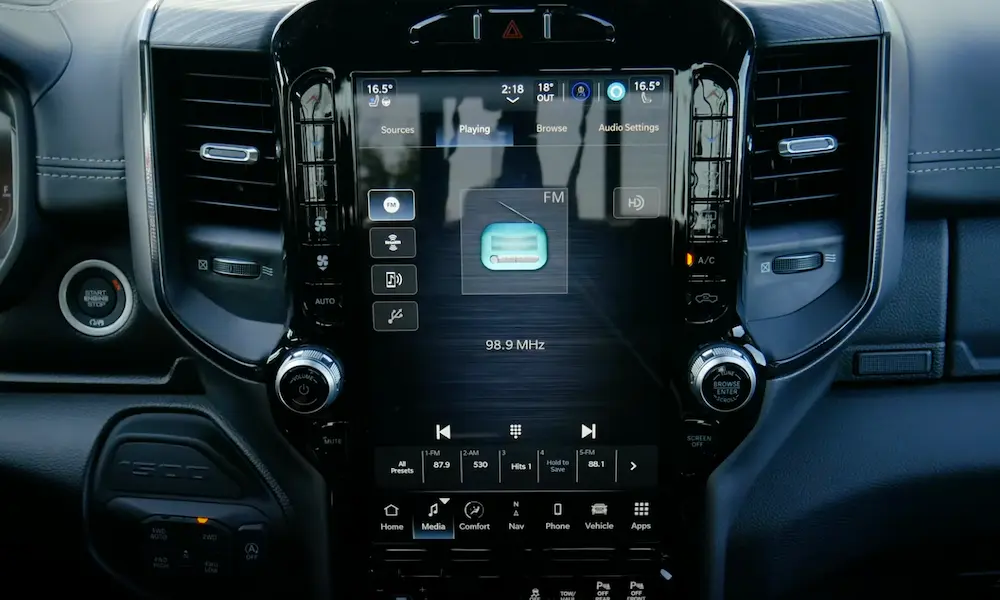
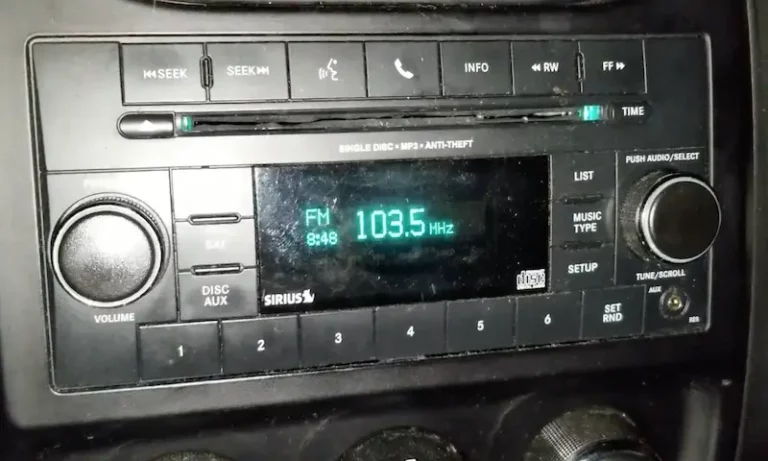
Uconnect systems are found across all Stellantis brands — Jeep, Dodge, Chrysler, and RAM. Here’s how to spot yours fast:
| Uconnect Version | Screen Size | Common Jeep Models | Key Feature |
|---|---|---|---|
| Uconnect 3 | 5-inch | 2013–2019 base trims | Bluetooth only, no CarPlay |
| Uconnect 4 / 4C | 7″ or 8.4-inch | 2017–2021 mid/top trims | CarPlay + Android Auto |
| Uconnect 5 | 8.4″, 10.1″, or 12.3-inch | 2022+ Grand Cherokee, newer Wranglers | Android-based, wireless CarPlay |
The Uconnect 4C looks identical to the standard Uconnect 4 — same 8.4-inch screen — but it has built-in GPS and different internal hardware. Don’t swap them out thinking they’re the same unit.
The Quickest Fix: Soft Reset Your Jeep Radio
A soft reset reboots the infotainment system without wiping your saved stations, Bluetooth pairings, or navigation history. Think of it like restarting your phone. It fixes:
- Frozen or black screens
- Unresponsive touch inputs
- Phantom screen taps (“ghost touching”)
- Audio that cuts out randomly
How to Soft Reset Uconnect 4 and 5 (Wrangler JL, Cherokee KL, Grand Cherokee)
This works on most modern Jeeps, including the Wrangler JL, Gladiator, and Grand Cherokee.
- Park the vehicle. Turn the ignition to “Run” — engine on or off is fine.
- Press and hold the Volume knob center button and the Tuner/Browse knob center button at the same time.
- Hold both buttons for 10 to 20 seconds.
- The screen flashes the Jeep logo, then goes dark.
- Release the buttons. The system reboots and the home screen returns.
That’s it. The full reset procedure takes less than 30 seconds, and it clears most software glitches instantly.
If the soft reset doesn’t work after two attempts, the system has a deeper problem. Move to the factory reset steps below.
How to Factory Reset Your Jeep Radio (Hard Reset)
A factory reset wipes everything — presets, paired phones, navigation favorites, and custom settings. It restores the system to how it was when the Jeep left the dealership. Use this when soft resets keep failing.
Menu-Driven Factory Reset (Screen Still Responsive)
- Turn the ignition to “Run.”
- Tap Settings on the Uconnect home screen.
- Find and tap System Information or System Settings.
- Select Reset or Restore Factory Settings.
- Confirm the prompt. The system reboots — this can take up to a few minutes.
The factory restore process is straightforward if your screen responds. If it doesn’t, use the button method below.
Physical Button Hard Reset (Uconnect 8.4-inch Systems)
This method reaches a hidden maintenance menu when the touchscreen won’t cooperate:
- Press and hold the driver-side Temperature Up and Temperature Down buttons simultaneously.
- Hold for at least five seconds.
- A service menu appears. Use the physical knobs to scroll.
- Select Reset to Factory Settings.
- The system wipes and reboots.
Accessing Hidden Service and Dealer Modes
These menus give you access to deeper reset options and real-time system data. They’re useful when the standard menus don’t cut it.
Service Mode — Uconnect 3 and 4
- Set the ignition to “Run” or auxiliary mode.
- Hold Menu, Radio, and Media buttons simultaneously.
- The system enters Service Mode.
- Navigate to Page 2 to find the PND settings and Restore Factory Default.
Dealer Mode — Uconnect 5
For the Android-based Uconnect 5 found in 2022+ Grand Cherokees and newer Jeep models:
- With the vehicle running, hold the Hot and Cold driver-side temperature buttons plus the Front Defrost button at the same time.
- Alternatively — go to Vehicle Controls, tap Screen Off, then tap the screen corners in sequence: bottom-right → bottom-left → top-right → top-left.
- The dealer menu opens with detailed system health data and individual module reset options.
Jeep Radio Won’t Turn On? Check the Fuse First
If your radio screen is completely dark and nothing responds to button combinations, you probably have a blown fuse or power interruption — not a software glitch.
The infotainment system runs through the Power Distribution Center (PDC), which sits under the hood on the driver’s side. On older Grand Cherokees, this is called the Totally Integrated Power Module (TIPM).
Here are the radio fuse locations for the most common Jeep models:
| Jeep Model | Radio Power Fuse | Amplifier Fuse | Fuse Box Location |
|---|---|---|---|
| Cherokee KL (2014–2023) | F80 (20A) | F98 (25A) | Under-hood, driver’s side |
| Wrangler JK (2007–2018) | M10 (15A) | M12 (25A) | Under-hood (TIPM) |
| Wrangler JL (2018–2024) | F97 (20A) | F105 (20A) | Under-hood (PDC) |
| Grand Cherokee WK2 (2011–2021) | F71 (20A) | F98 (25A) | Under-hood |
| Grand Cherokee WL (2022–2025) | F10 (20A) | F12 (25A) | Under-hood |
How to Pull the Fuse and Force a Power Cycle
Pulling the fuse is the best fix for a radio stuck in a boot loop — where it flashes the logo over and over but never loads the home screen.
- Open the PDC cover and check the diagram inside to find the exact radio fuse for your model.
- Use the built-in fuse puller (or small pliers) to remove the radio’s main power fuse.
- Leave it out for 10 to 15 minutes — this lets the internal capacitors fully discharge.
- Reinsert the fuse firmly.
- Start the vehicle. The radio may take a bit longer than usual to boot up.
Full System Reset: Disconnect the Battery
When nothing else works — fuse pulls failed, soft resets failed, factory resets failed — you need a complete electrical system discharge. This clears errors across the entire vehicle network, including the ECU and Body Control Module.
Important: Simply unhooking the battery for 30 seconds doesn’t always cut it. Automotive modules use internal capacitors that hold their software state for a while after power is removed.
How to Do It Right
- Turn the ignition completely off. Park the vehicle.
- Disconnect the negative terminal first, then the positive.
- Leave both terminals disconnected for 30 to 60 minutes.
- For a faster full discharge — connect the two vehicle-side cables together with a jumper wire for 15 to 30 seconds after removing them from the battery. This drains the stored energy in the module capacitors immediately.
- Reconnect the battery: positive terminal first, then negative.
- Start the vehicle. Give the Uconnect system up to 10 minutes to fully recalibrate — GPS and the backup camera may lag briefly while the system re-indexes.
Radio Asking for a Security Code?
Older Jeeps running MyGig or Uconnect 3 have an anti-theft lockout. If the radio lost power — dead battery, blown fuse, system reset — it’ll ask for a security code before it plays anything.
You’ll need three things to retrieve the code:
- VIN — the 17-character code on your dashboard plate or door jamb
- Radio Serial Number — starts with “P,” found on a sticker on the radio housing
- Radio Device Code — starts with “T,” also on the radio sticker
Call Jeep Customer Service at 1-877-426-5337 or visit a CDJR dealership to get your code. Once you have it, enter it using the radio’s preset buttons.
Heads up: Enter the wrong code three times and the radio locks you out for 30 to 60 minutes — while staying powered on. Don’t guess.
Matching the Problem to the Right Reset
| Problem | Best Fix | What It Does |
|---|---|---|
| Frozen or black screen | Soft Reset (Volume + Tuner buttons) | Reboots the OS, no data lost |
| Bluetooth keeps dropping | Re-pair device + Soft Reset | Clears the connection cache |
| No audio at all | Fuse pull (radio/amp fuse) | Hard power cycles the audio chip |
| Constant lag and slow response | Factory Reset via Settings | Wipes temp files and user data |
| Boot loop (logo flashing) | Battery disconnect (full discharge) | Resets entire vehicle network |
| Security code prompt | VIN + Serial Number lookup | Unlocks the anti-theft system |
Keep Your Uconnect Running Smoothly
A quick soft reset once a month prevents temp files from piling up and slowing the system down. It takes 20 seconds and saves you a lot of headaches.
Also, keep an eye on your battery. A weak or dying battery is one of the most common causes of random Uconnect crashes. The system is extremely sensitive to voltage drops, so if your radio keeps glitching after resets, get your battery tested before assuming it’s a software problem.
If your Uconnect 5 system is on a 2021 or newer Jeep, check for over-the-air software updates regularly. These push bug fixes directly to your vehicle without a dealer visit — as long as you’ve got a clear sky and an active cellular connection through the Jeep’s onboard telematics module.
One last thing: if your screen is physically tapping buttons on its own — especially on 2017–2019 Uconnect 4 units — that’s screen delamination. The layers of the display physically separate over time. No reset fixes that. It’s a hardware problem and needs a screen replacement.