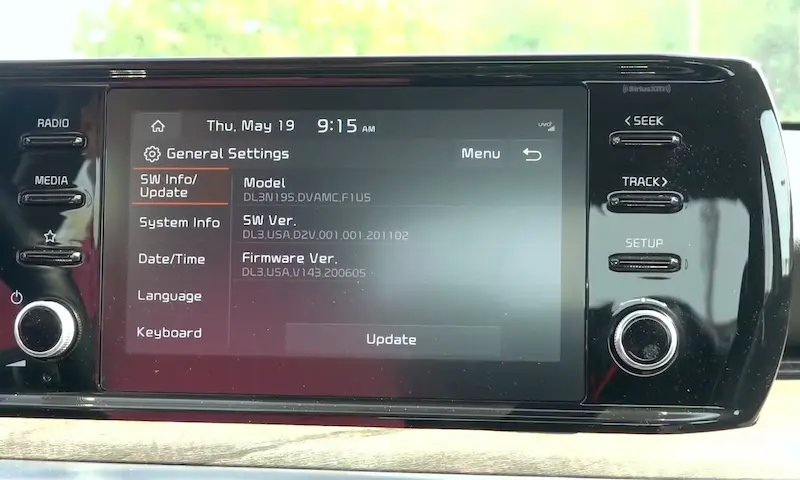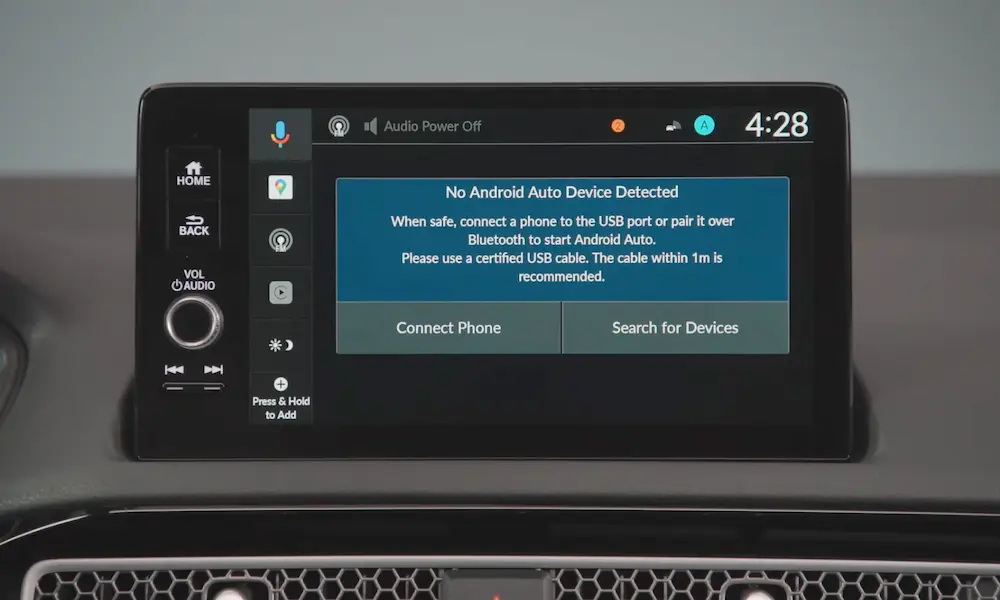
Is your Kia’s touchscreen frozen, glitching, or just acting weird? You’re probably one pinhole reset away from fixing it. This guide walks you through every reset method — from a 10-second soft reset to a full factory wipe — so you can pick the right fix without making things worse.
What’s Actually Going On With Your Screen?
Your Kia’s infotainment system is basically a computer. And like any computer, it crashes sometimes. Memory leaks, corrupted caches, Bluetooth handshake failures — they all cause frozen screens, unresponsive apps, or complete lockups.
The good news? Most problems don’t need a dealership visit. They need a reset.
There are three levels of reset you should know:
- Soft reset – flushes temporary memory, keeps your settings
- Factory reset – wipes everything back to default
- Hard reset – full power disconnect, last resort only
Let’s go through each one.
How to Do a Soft Reset on Your Kia Infotainment System
This is your go-to fix for frozen screens, app crashes, and Bluetooth drops. According to the Kia Owners Portal, a soft reset clears the system’s RAM without touching your saved data. Your presets, contacts, and navigation history all stay put.
Here’s how to do it:
- Turn your car on (accessory mode works fine)
- Find the small pinhole on your dashboard fascia — it’s a recessed reset button
- Grab a blunt paperclip or SIM ejector tool — never a pen or needle (more on why below)
- Insert it straight in and press gently until you feel a click
- Hold it for 5–10 seconds until the screen goes black
- Remove the tool and wait 1–2 minutes for the system to reboot
That’s it. The screen will cycle through the Kia logo, a safety screen, and then your home screen.
Where’s the Reset Pinhole on Your Kia?
The button’s location depends on your screen size and model. Here’s a quick reference:
| Screen Size / System | Reset Pinhole Location |
|---|---|
| 10.25″ and 12.3″ displays | Next to the volume or tuning knob on the lower control panel |
| 8″ standard display | Right side of the screen bezel, above the tuning knob |
| ccNC (newer EV/flagship models) | Near the physical power button on the media control strip |
Not sure which system you have? If your Kia was built before 2023 and uses a cable to connect your phone, you’re likely on the older Gen5W platform. Newer models like the EV9 or updated Sportage use the Connected Car Navigation Cockpit (ccNC) system.
Don’t Use a Pen. Seriously.
This sounds minor, but it’s a real issue. Using a sharp or brittle tool — like a mechanical pencil or sewing needle — can jam the internal microswitch permanently.
If that switch gets stuck in the pressed position, your screen goes into an infinite reboot loop or stops responding to touch entirely. Dealers classify this as physical damage, which means no warranty coverage. Documented repair costs for a jammed reset switch run around $800.
Use a blunt, sturdy paperclip. It’s that simple.
How to Factory Reset Your Kia Infotainment System
If a soft reset doesn’t fix things — or you’re selling your car and want to wipe your data — a factory reset is the next step.
This permanently deletes:
- Paired Bluetooth devices and phone contacts
- Saved navigation destinations (home, work, recent searches)
- Custom equalizer settings and themes
- User profiles and downloaded voice models
- Kia Connect authentication tokens (you’ll need to re-link the app)
Steps to factory reset:
- Park the car safely — the backup camera won’t work during this process
- Go to Settings (gear icon) on the home screen
- Select General
- Look for Default, Reset, or System Info depending on your software version
- Confirm the warning prompt
- Wait for the progress bar to finish, then the system reboots
- Follow the first-run setup wizard — select language, time format, keyboard, and accept the user agreements
Per Kia’s system documentation, the process takes several minutes. Don’t shut the car off mid-reset.
How to Hard Reset Your Kia Infotainment System (Battery Disconnect)
If your screen is completely black, the pinhole does nothing, or you’re stuck in an endless boot loop — a hard reset is your last DIY option.
This means disconnecting the 12-volt battery to fully drain the system’s capacitors. Unlike a brief battery pull (which doesn’t fully reset modern electronics), you need at least 30 minutes of disconnect time. The system’s capacitors hold charge and preserve the frozen memory state if you rush this.
How to do it:
- Open the hood and locate the 12V battery (some EVs have it in the front storage area)
- Use a wrench to loosen the negative terminal clamp
- Remove the cable and keep it away from any metal surfaces
- Wait 30 full minutes — don’t skip this
- Reconnect and tighten the negative terminal
- Start the car and wait for the cold boot sequence
What Resets After a Battery Disconnect
This procedure resets more than just the infotainment system. Here’s what you’ll need to recalibrate:
| Affected System | What You Need to Do |
|---|---|
| Memory seats | Move seat to forward-most position, hold Memory 1 + push seat switch forward for 2 seconds |
| Transmission control unit | Drive normally for a few cycles — it relearns your patterns |
| Digital instrument cluster | Readjust display preferences through steering wheel controls |
| Radio and audio settings | Manually re-enter presets and equalizer settings |
Fixing Kia Connect When Your Car Goes Offline
Your Kia’s built-in cellular modem can lose its connection to Kia’s servers after outages or network disruptions — even major ones documented in early 2025. When this happens, your car disappears from the Kia Connect app and remote commands stop working, even though your screen looks totally normal.
Here’s the fix that actually works:
- Do a soft reset via the pinhole first
- If that doesn’t restore remote access, open navigation and set any destination
- When a network error pop-up appears, select “Reconfigure,” “Reconfigure Modem,” or “Service Activation”
- Once the screen confirms the activation request, do another pinhole reset
- After the reboot screen appears, turn the car completely off
- Open the driver’s door and leave it open for exactly 3 minutes
- Close the door and restart the vehicle
The 3-minute open door step isn’t a quirk — it’s a documented procedure that lets the telematics unit fully sleep and drop the ghost connection before requesting a fresh network handshake.
Software Updates Gone Wrong
A stuck or corrupted update is one of the most common reasons people need to reset Kia infotainment systems. Here’s what to watch for:
USB updates for Gen5W vehicles require a FAT32 or exFAT-formatted drive. The update files must sit in the root folder — not a subfolder. Files buried inside nested folders won’t be detected. Large map updates can take over an hour, so keep the engine running.
If the progress bar freezes for more than 3 hours with zero movement, try a soft reset to interrupt the stalled script. Check the official update guide for your specific model before starting.
OTA (wireless) updates on newer ccNC systems download in the background. They only install when the car is parked, in Park, with the e-brake on, hood closed, lights off, and battery sufficiently charged. If an OTA update fails, the system attempts an automatic rollback to the previous software version. If that rollback fails, you’ll need dealership intervention.
Know Your Warranty Before You Tinker
Here’s something most Kia owners don’t realize until it’s too late: the infotainment system has its own separate warranty.
Kia’s famous 10-year/100,000-mile warranty? That covers the powertrain. The comprehensive bumper-to-bumper? Five years/60,000 miles. But your touchscreen, navigation display, and audio unit fall under a 3-year/36,000-mile limit, as outlined in Kia’s official warranty documentation.
So a 4-year-old car with 40,000 miles can still get its engine covered for free — but a dead screen is entirely out of pocket.
Warranty claims also get denied for:
- Physical damage to the reset microswitch from improper tools
- Corrupted systems caused by interrupted USB updates
- Unauthorized firmware from third-party sources
- Rooting or engineering mode exploits (these leave permanent logs in the system that dealers can read)
FAQ: Kia Infotainment Reset Questions
Will a soft reset delete my saved contacts and Bluetooth devices?
No. A soft reset only flushes temporary RAM. Your paired devices, presets, and nav history all stay intact. Only a factory reset wipes those.
My screen is black and won’t respond to anything. What do I do?
Skip the pinhole — it won’t help if the screen is dead. Go straight to the hard reset: disconnect the negative battery terminal and wait 30 minutes before reconnecting.
Can I upgrade an older Kia to the new ccNC infotainment system?
No. The wiring harnesses, connectors, and communication protocols are completely incompatible between the old Gen5W and new ccNC platforms. There’s no upgrade path — it’s a full system replacement that isn’t physically possible on older chassis.
My Kia Connect app shows the car as offline. Is a reset the fix?
Usually, yes. Start with a soft reset. If that doesn’t work, use the 3-minute open-door telematics reconfiguration sequence described above. This forces the modem to drop its stale connection and register fresh with the network.
The software update has been “installing” for 5 hours. Should I unplug the drive?
Don’t yank it out. First, try a soft reset via the pinhole to interrupt the frozen script. If the system recovers, it’ll attempt to resume or restart the update. Pulling the drive mid-install can corrupt the boot partition and brick the unit.
Does disconnecting the battery count as a factory reset?
Not exactly. It clears volatile memory across all modules, but it doesn’t wipe your user data partition the way a factory reset does. Personal data like paired phones and saved addresses may survive a battery disconnect.
My screen froze mid-drive. Is it safe to do a pinhole reset while driving?
Technically the system allows it, but pull over first. The reboot takes 1–2 minutes and temporarily disables your backup camera and navigation. Do it safely parked.
Will a factory reset fix a software update that bricked my screen?
If you can still access the Settings menu, yes — try it. But if the screen is stuck on an update progress screen or boot loop, you can’t navigate to the factory reset option. You’ll need the battery disconnect method or dealership diagnostic tools.