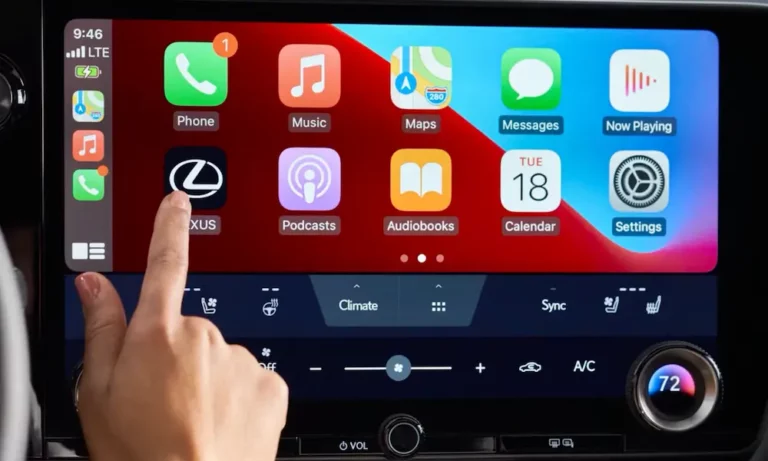
Driving a Lexus without Apple CarPlay feels like owning a luxury watch that can’t tell you the date. Your car’s beautiful, reliable, and built to last—but using that joystick to navigate feels stuck in 2012. Good news: you’ve got options to fix this, and they don’t all require selling your car. Let’s break down exactly how to bring your Lexus into the smartphone era.
Why Your Lexus Doesn’t Have CarPlay (And Why That’s Fixable)
Lexus made a bold bet between 2014 and 2019. While Honda and Chevy were slapping touchscreens everywhere, Lexus stuck with their “Remote Touch” philosophy—that joystick or trackpad thing on your center console. They argued it kept your eyes on the road.
The problem? Apple CarPlay wasn’t designed for a mouse cursor. It wants you to tap icons on a screen.
The Hardware Generation Gap
Your upgrade path depends entirely on what’s inside your dashboard, not just the model year.
Legacy Systems (2013-2017): If you’re driving most 2013-2017 Lexus models, your head unit can’t run CarPlay even with a software update. The processor literally lacks the video processing power. You’ll need additional hardware.
Enform 2.0 (Select 2018-2019): Here’s where it gets interesting. Some 2018-2019 models got hardware that could support CarPlay, but Lexus didn’t finish the software in time. These specific vehicles qualify for an official dealer upgrade.
Native CarPlay (2020+): Most 2020+ models came with wired CarPlay standard. You’re just looking at wireless adapter options here.
The Official Dealer Update: Your Best Option (If You Qualify)
Before you spend a dime on aftermarket gear, check if you’re one of the lucky ones eligible for Lexus’s official software update.
Who’s Eligible?
| Model | Years | Catch |
|---|---|---|
| LC 500/500h | 2018 | All trims |
| LS 500/500h | 2018 | All trims |
| RC/RC F | 2018-2019 | Only built before Oct 2018 |
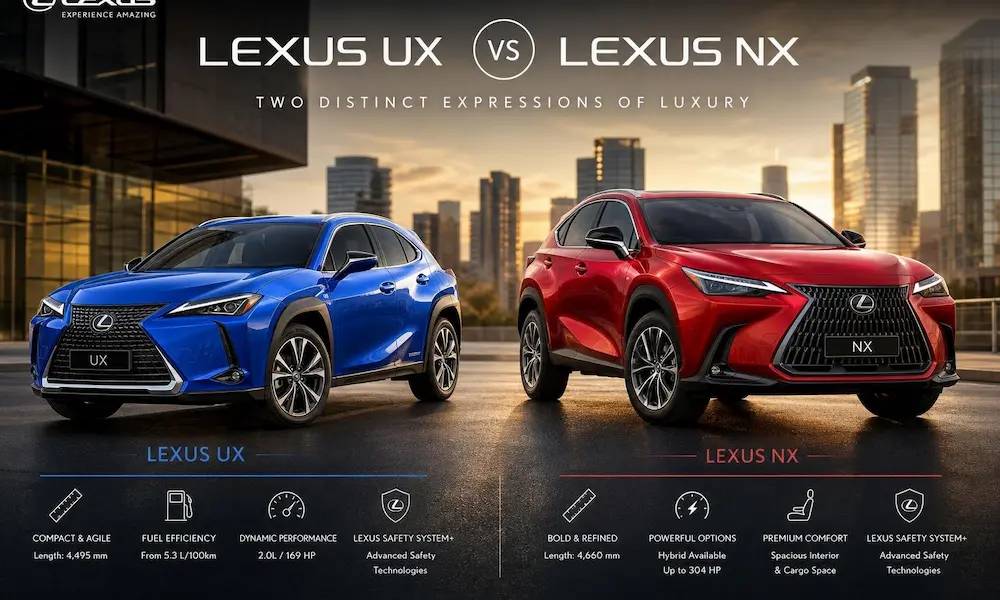
| NX 300/300h | 2018-2019 | Only built before Oct 2018 |
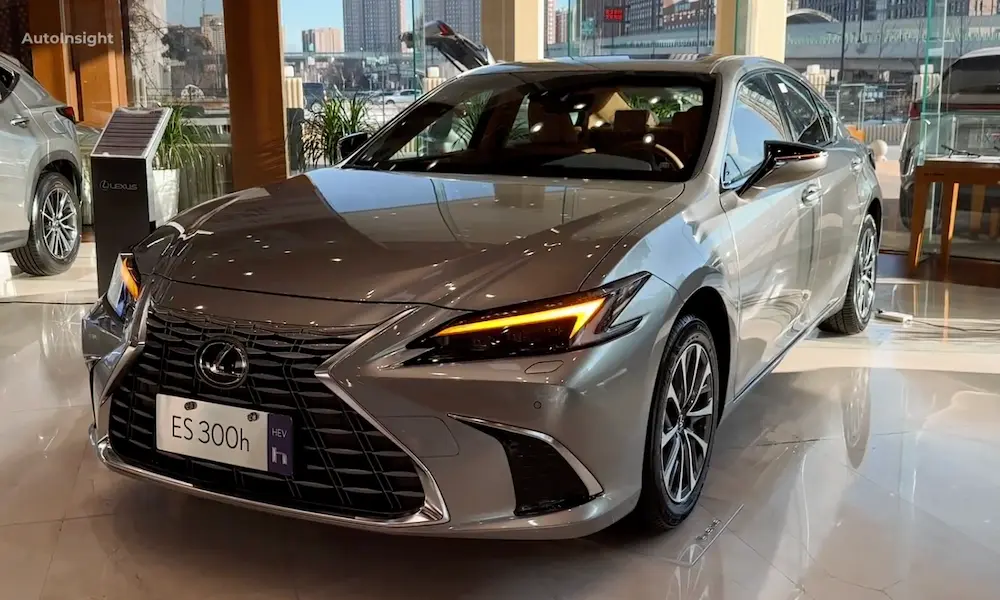
| ES 350/300h | 2019 | Non-nav models only |
The Big Exclusions
Your 2016-2019 RX doesn’t qualify. Neither does your 2014-2020 IS. The GX 460 didn’t get native CarPlay until 2022. These models need aftermarket solutions.
What It Costs
The software license runs $199. Add dealer labor (typically one hour at $150-200/hour), and you’re looking at $350-400 total. Some dealers charge just the flat $199 as a goodwill gesture.
Why pay dealer rates? This is wired-only CarPlay, but it’s rock-solid. The microphone integration is perfect. The joystick/trackpad control is tuned by Lexus engineers. It’s the gold standard—if you’re eligible.
Aftermarket Interface Modules: The Workaround for Everyone Else
For the millions of RX, IS, and GX owners left out, aftermarket “piggyback” systems are your salvation. These don’t replace your factory radio—they intercept the video signal.
How They Actually Work
Think of these boxes as video hijackers:
- They sit between your factory radio and your screen
- Normally, they pass the factory signal through unchanged
- Press and hold a specific button (usually Menu), and they cut the factory feed
- They inject their own video—running CarPlay or Android Auto
- They tap your steering wheel controls and joystick to navigate
The audio catch: Your radio needs to be set to AUX mode to hear CarPlay sound. You can’t listen to FM radio while getting Waze directions through the same system. It’s either/or.
Premium Options: When Reliability Matters
Beat-Sonic ($600-750): This is the aftermarket system Lexus dealers actually install. The joystick control feels natural. The video switching is instant. It rarely crashes. For overlanders driving GX models in the backcountry, reliability isn’t negotiable—Beat-Sonic is the overwhelming favorite.
Grom VLine ($650-700): Unlike Beat-Sonic’s simple interface, the VLine runs a full Android computer. You can install offline map apps like Gaia GPS without even connecting your phone. It’s overkill for most people, but if you want to run navigation apps independently, this is your system. The trade-off? Longer boot times and occasional Android quirks.
Unavi ($550): The middle ground. US-based support in California. Two-year warranty. Not quite Beat-Sonic quality, but better than the budget options.
Budget Territory: Roll the Dice
Road Top / Generic AliExpress ($250-400): These work. Mostly. You’re gambling on quality control. Expect hissing in the speakers, occasional black screens, and support via WhatsApp with engineers in China who might not understand “my backup camera doesn’t work anymore.”
The hardware’s often identical to premium units—same chipsets, same basic design. The difference is firmware tuning and component quality. If you’re handy with a soldering iron and don’t mind troubleshooting, you’ll save $300+.
| Feature | Beat-Sonic | Grom VLine | Budget Generic |
|---|---|---|---|
| Price | $600-750 | $650-700 | $250-400 |
| Boot Time | Under 10 sec | 15-20 sec | Under 15 sec |
| Joystick Feel | Excellent | Good | Hit or miss |
| Support | USA (California) | USA (California) | China (WhatsApp) |
| Warranty | 1-3 years | 18 months | 1 year (good luck) |
The Radical Option: Replace Your Screen Entirely
Got a 2014-2016 IS with that tiny 7-inch screen? Or a base RX with low resolution? Swapping the entire display for a modern Android touchscreen solves two problems: you get CarPlay and you ditch that awful joystick.
What You’re Actually Installing
These are full Android tablets designed to fit your dashboard opening. They’re touch-sensitive, run Android apps natively, and can mirror both CarPlay and Android Auto.
The touchscreen advantage: No more cursor wrestling. You tap icons like a normal human. Swiping through playlists actually works.
Lexion ($900+): Premium option. Better screen coatings that don’t glare in direct sun. The factory interface emulation looks sharp.
4×4 Shop ($700): Canadian distributor with solid warranty support. Middle-tier quality.
AliExpress Generics ($400): The screen might be unusable in sunlight. Fitment can be sloppy. Audio quality from the built-in DAC is often terrible. But you’ll save $500.
The Hidden Complexity
The Android system runs the show, and your “factory” Lexus interface becomes just an app. Sometimes the aspect ratio looks off. Sometimes colors seem washed out compared to your original screen.
Microphone quality matters too. Cheap units use a mic built into the screen bezel—terrible for phone calls. Premium installations splice into your factory ceiling-mounted microphone array, but that requires cutting into wiring harnesses.
The Joystick Problem: Why Control Feels Weird
Here’s the dirty secret about Lexus CarPlay upgrades: even premium systems feel clunky because you’re forcing a square peg into a round hole.
Snap vs. Cursor Mode
Apple designed CarPlay for touch. When you use a joystick, the system has to translate:
Snap Mode: Move the stick right, and the highlight jumps to the next icon. Simple, but tedious for scrolling long Spotify playlists.
Cursor Mode: A mouse pointer floats on screen. Feels natural until you try hitting a small button while driving—suddenly you’re swerving because you’re staring at a tiny cursor.
Beat-Sonic’s firmware nails the snap timing. Cheap units feel laggy or jumpy. The trackpad lag issue is real—you swipe, nothing happens, you swipe again, and suddenly you’ve jumped three songs.
Pro tip: Use Siri for everything. “Hey Siri, navigate home” beats wrestling with any controller.
Wireless Adapters: For Cars That Already Have Wired CarPlay
If you bought a 2020+ Lexus with factory CarPlay, you don’t need an interface module—you need a wireless adapter dongle.
The Top Contenders
Ottocast U2-Air ($80-110): Fastest connection time—usually under 18 seconds from starting the car. It’s CarPlay-only (no Android Auto), which keeps it streamlined.
Carlinkit 5.0 ($60-90): Supports both CarPlay and Android Auto. Here’s the catch: early firmware had serious lag issues with Lexus trackpads. Make sure you’re getting firmware version 2023.10.14 or newer.
Magic Link ($130): It’s a Carlinkit clone in fancy packaging. You’re paying $70 extra for marketing.
What You’re Gaining (and Losing)
Gain: No cable to plug in. Your phone stays in your pocket.
Lose: About 1-2 seconds of audio latency. The delay between pressing “next track” and hearing the new song is noticeable. Connection takes 15-25 seconds after startup instead of the instant recognition of wired.
| Adapter | Speed | Lexus Trackpad | Price |
|---|---|---|---|
| Ottocast U2-Air | 15-18 sec | Good | $80-110 |
| Carlinkit 5.0 | 18-22 sec | Check firmware | $60-90 |
| Magic Link | Average | Average | $130 |
Model-Specific Installation Reality Check
2016-2019 Lexus RX
This is the volume leader for upgrades. Hundreds of thousands sold without CarPlay.
Best approach: Interface module (Beat-Sonic or Grom). The factory 12.3″ screen is excellent—don’t replace it.
Installation quirk: The radio brain is behind the climate controls, not the screen. Expect two hours of labor if you’re paying a shop.
2014-2020 Lexus IS
2014-2016: Your 7″ screen is too small for interface modules to feel right. Go with a screen replacement to get a modern 10.25″ display.
2017-2020: The larger screen makes interface modules viable.
Installation trap: The air vents around the analog clock use friction clips that break easily. DIY installers often crack trim. Also, if you turn on the ignition with the passenger airbag panel unplugged, you’ll trigger an SRS code that requires a dealer visit to clear.
2010-2021 Lexus GX 460
GX owners want bombproof systems. Beat-Sonic dominates this market because off-roaders can’t afford failures in the backcountry.
The Grom VLine appeals to overlanders running offline navigation apps like Gaia GPS or OnX Offroad.
What It Actually Costs (Total Investment)
DIY Installation
- Time: 2-4 hours for interface modules, 3-5 hours for screen replacements
- Tools: Trim removal kit ($15), possibly a soldering iron
- Risk: Broken clips ($5-20 each), potential airbag light trigger
Professional Installation
Audio shop rates: $125-175/hour. Budget 2-3 hours labor. Total: $250-500 on top of hardware.
Dealership labor: For OEM retrofit, 0.5-1 hour ($100-200). For aftermarket hardware, dealers often quote “book time” that’s absurdly high—sometimes 5+ hours. One Reddit user was quoted $1,100 total for a Beat-Sonic install at a dealer.
Total Budget Reality
| Solution | DIY | Pro Install |
|---|---|---|
| OEM Software Update | N/A | $350-400 |
| Budget Interface | $250 | $500-650 |
| Premium Interface | $650 | $900-1150 |
| Screen Replacement | $400-900 | $650-1400 |
Common Problems and Fixes
Black Screen When Reversing
Your backup camera should trigger automatically. If the screen goes black instead:
Cause: Wrong dip switch settings on the interface module, or the CAN bus signal isn’t being read correctly.
Fix: Check the manual for your specific screen size (7″, 8″, or 12.3″). Verify the “Camera” setting in the CarPlay software menu is set to “Original,” not “Aftermarket.”
Echo During Phone Calls
You’re hearing yourself through the speakers.
Cause: Your phone is connected to both Lexus Bluetooth (for calls) and the CarPlay system (for audio), creating a feedback loop.
Fix: Premium units have an “OEM Bluetooth Mode” setting. This routes phone calls through the factory Lexus Bluetooth system exclusively, keeping the echo cancellation that Toyota engineers spent years perfecting.
The System Won’t Connect
First time setup, or it randomly stopped working.
Hard reset: Most modules don’t have accessible power buttons because they’re buried in the dash. Smart installers wire a hidden toggle switch in the glovebox to cut power to the module for a true restart.
Making the Right Choice for Your Specific Car
If You’re Eligible for the OEM Update
Pay the $350-400. Don’t overthink it. Factory integration, perfect microphone, dealer warranty. It’s wired-only, but it works flawlessly.
2016-2019 RX / 2017-2021 GX / 2017-2020 IS
Get a premium interface module (Beat-Sonic or Grom). Your factory screen is good—keep it. The higher cost pays for itself in reliability and resale value.
2014-2016 IS / Base-Trim Models with Small Screens
Screen replacement makes sense here. You’re fixing two problems: adding CarPlay and modernizing your dated display. Go with Lexion if budget allows.
2020+ Models with Factory Wired CarPlay
Ottocast U2-Air if you only use iPhone. Carlinkit 5.0 if you need Android Auto too—just verify the firmware version first.
Does This Actually Add Value?
CarPlay isn’t optional anymore in the used luxury market. It’s a filter criteria.
A 2018 RX 350 with CarPlay sells faster and commands $1,500-2,000 more than an identical one without. The $800 you spend on a Beat-Sonic install gets recovered in resale velocity and price.
The OEM software update is the only one that shows up on official service records, making it the most valuable from a resale perspective.
The Bottom Line
Lexus built incredible cars hamstrung by outdated tech. The aftermarket solved it—imperfectly, but effectively.
Your joystick will never feel as good as a touchscreen. The audio routing will always have quirks. But the difference between fumbling with Bluetooth streaming and having Waze navigation with traffic-aware routing on your dash is worth every dollar and installation headache.
Check your production date. See if you’re eligible for the dealer update. If not, buy the best hardware you can afford—this isn’t the place to save $200 and end up with a system that crashes every third drive.
Your Lexus deserves to feel as modern as it looks.