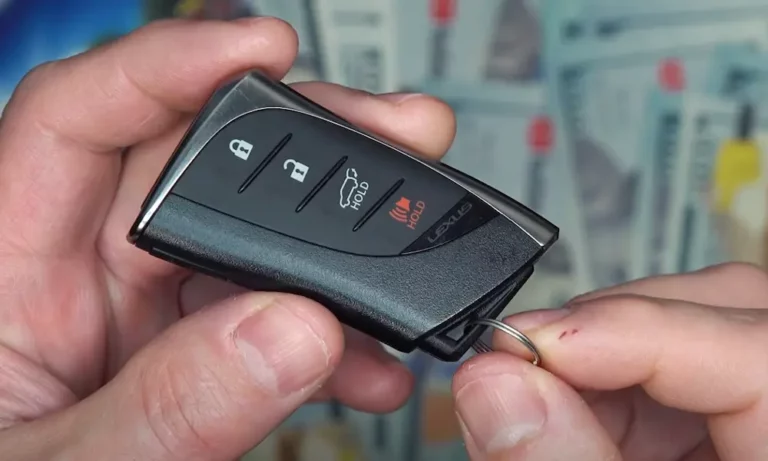
Is your Lexus key fob suddenly acting up? You press the button and… nothing happens. Or maybe it works sometimes but not others. Whether you’re standing in a parking lot unable to get into your car or sitting in your driveway with a vehicle that won’t start, a malfunctioning Lexus key fob can quickly ruin your day.
This guide walks you through every possible reason your Lexus key fob isn’t working and provides step-by-step solutions you can try right now. From simple fixes you can do yourself to when you might need professional help, we’ve got you covered.
Dead or Weak Battery: The Most Common Culprit
The number one reason for a non-responsive Lexus key fob is almost always the simplest one: a dead or dying battery. Lexus key fobs typically use CR2032 lithium coin batteries that last between 1-2 years with regular use.
Signs Your Key Fob Battery is Dying
- Decreased range (you need to be closer to your car for the fob to work)
- Intermittent function (works sometimes, not others)
- The “Key Not Detected” warning on your dashboard
- When stopping the engine, you hear an alert sound and see a key-shaped icon on your display
If you notice these symptoms, your fob is likely telling you it’s time for a battery change. Lexus designed their vehicles with a specific warning system – if you see a key icon on your multi-information display accompanied by an audible alert when turning off the engine, that’s your official notice the battery is low.
How to Replace Your Lexus Key Fob Battery
- Remove the mechanical key by pressing the release button on the side of the fob
- Use the mechanical key or a small flathead screwdriver to carefully pry the fob case apart
- Remove the old CR2032 battery
- Insert the new battery with the positive (+) side facing UP
- Snap the fob back together and reinsert the mechanical key
- Test by pressing a button – a red LED should light up if working properly
A new CR2032 battery costs about $3-5 at most stores. This simple fix solves the majority of Lexus key fob issues.
Preventing Premature Battery Drain
Your Lexus has a battery-saving mode that can extend your key fob’s battery life by 30-40%. This setting disables the continuous radio wave reception feature. Check your vehicle’s settings menu to activate this option.
Also avoid storing your key fob near electromagnetic sources like:
- Wi-Fi routers
- Cell phones
- Induction cooktops
- Other electronic devices
These can cause your fob to constantly “wake up,” draining the battery much faster than normal.
Signal Interference Problems
Sometimes your key fob battery is perfectly fine, but external factors are blocking or interfering with the signal between your fob and vehicle.
Common Sources of Key Fob Interference
- Other electronic devices (particularly those operating on similar frequencies)
- Metal objects (when carrying your fob in a metal container or next to coins)
- Physical barriers (thick walls, large metal structures)
- Weather conditions (severe electrical storms)
A real-world example: Some owners discovered that certain Netgear Orbi mesh routers can disrupt key fob operation when the vehicle is parked within 15 meters of the router. If you’ve recently added new electronics to your home or workspace, they could be the culprit.
How to Diagnose Signal Interference
Try these troubleshooting steps:
- Move away from electronic devices and test your key fob
- Test your fob at different distances from your vehicle
- Try using the fob from different positions around your car
- If at home, systematically turn off household electronics to isolate potential interference sources
For technically inclined users, an RTL-SDR dongle ($20-$30) can help identify conflicting transmitters in your environment.
Physical Damage to Your Key Fob
Key fobs take a beating. They get dropped, crushed in pockets, exposed to extreme temperatures, and sometimes even take an accidental swim in the washing machine. Physical damage is a common reason for malfunction.
Signs of Physical Damage
- Visible cracks in the casing
- Loose or sticky buttons
- Water damage or corrosion on internal components
- Missing pieces or parts
Fixing Physical Damage
If your fob has been physically damaged:
- Carefully open the fob as described in the battery replacement section
- Look for disconnected components or damaged circuit boards
- Check for corrosion on battery contacts (clean with 70% isopropyl alcohol and a microfiber cloth)
- Gently bend battery contact springs to improve connection if they appear flattened
For water damage:
- Remove the battery immediately
- Dry the fob thoroughly (rice is less effective than simply air-drying in a warm, dry place)
- Clean any corrosion with isopropyl alcohol
- Allow 24-48 hours of complete drying before reinstalling the battery
Button Membrane Issues
After thousands of presses, the rubber membrane under your fob buttons can wear out. The lock and unlock buttons typically wear out first since they’re used most frequently.
How to Fix Button Membrane Problems
- Disassemble your key fob completely
- Locate the rubber membrane switch array under the buttons
- Clean it with isopropyl alcohol
- If badly worn, replace the membrane (Genuine Lexus Part #89904-30040)
- Reassemble carefully
This fix requires some technical comfort with small components but can extend your key fob’s life significantly.
Programming and Synchronization Problems
Sometimes the issue isn’t with the physical fob but with the electronic communication between your fob and vehicle.
Symptoms of Programming Issues
- Fob powers on (LED lights up) but vehicle doesn’t respond
- Vehicle recognizes fob for some functions but not others (e.g., unlocks doors but won’t start engine)
- After battery replacement, fob no longer works with your vehicle
How to Resynchronize Your Key Fob
For basic resynchronization after a battery change:
- Stand close to your vehicle
- Press and hold the LOCK button for 5 seconds
- Release and press LOCK again
- Test functionality
For more complex issues, Lexus has a specific initialization sequence:
- Insert a working master key
- Cycle the ignition ON-OFF five times within 40 seconds
- Depress the brake pedal six times
- Confirm the doors lock/unlock
This process varies by model year and may require dealer assistance for newer vehicles.
Vehicle-Side Problems
Sometimes the issue isn’t with your key fob at all, but with your vehicle’s receiver system.
Common Vehicle-Side Issues
- Damaged antenna (Lexus vehicles have multiple antennas in door handles, center console, and rear bumper)
- Blown fuse related to the keyless entry system
- Software issues requiring a reset or update
Checking Vehicle Antennas and Receivers
For experienced DIYers:
- Inspect door handle antennas for visible damage
- Check fuses related to keyless entry (consult your owner’s manual for locations)
- Try cleaning door handle mechanisms with electrical contact cleaner
Lexus owners on ClubLexus forums have reported success spraying electrical contact cleaner into door handle mechanisms to restore functionality, particularly in vehicles exposed to salt in winter climates.
Emergency Start When Your Fob Battery Dies
If you’re stranded with a dead fob battery, Lexus has built in an emergency start procedure:
- Press the START button with the key fob itself (touching the button directly with the fob)
- Or hold the fob against the steering column while pressing the brake and START button
This works because your key fob contains a passive transponder chip that doesn’t need battery power. The vehicle can detect this chip when the fob is held extremely close to the reader.
When You Need a New Key Fob
Sometimes repair isn’t possible, and you’ll need a replacement fob. Here’s what to expect:
Cost Considerations
- Dealership key programming: $85-$150 plus the cost of the fob
- Third-party locksmiths: $50-$90 plus the cost of the fob
- DIY options: For 2010-2020 models, programming tools can be rented ($129 refundable deposit), reducing costs to $35-$60 per fob
Regulatory Note for Recent Models
If you own a 2020-2023 Lexus, check if you’re covered under NHTSA bulletin 23LJ01, which mandates free second-key provision under emissions-related warranties. Always check your VIN-specific recall databases before paying for repairs.
Preventive Maintenance for Your Lexus Key Fob
To avoid future issues:
- Replace the battery every 1-2 years proactively
- Store your key fob away from electronics and metal objects
- Use a protective case to prevent physical damage
- Keep your spare fob in a safe, dry place
- Consider activating battery-saving mode in your vehicle settings
How to Test if Your Key Fob is Working
Not sure if your fob is transmitting? Here’s a simple test:
- Open your smartphone’s camera
- Press any button on your key fob while pointing the fob at your phone camera
- If you see a purple/blue flash on your screen, your fob is transmitting a signal
This works because phone cameras can detect the infrared light emitted by your fob that human eyes can’t see. If you see the flash, your fob is transmitting – the issue might be with your vehicle’s receiver.
Key Fob vs. Smart Key: Understanding the Difference
Lexus offers two main types of keyless systems:
Standard Key Fob
- Requires button presses to lock/unlock
- Usually needs to be inserted or a button pressed to start the car
- Typically used in older or base models
Smart Key System
- Allows passive entry (doors unlock when you touch the handle)
- Enables push-button start without removing the fob from your pocket
- Standard on newer and higher-trim Lexus models
Troubleshooting steps vary slightly between these systems, but the core issues (battery, damage, programming) remain similar.
| Key Fob Type | Battery Type | Typical Battery Life | Replacement Complexity |
|---|---|---|---|
| Standard Fob | CR2032 | 1-2 years | Easy (DIY) |
| Smart Key | CR2032 | 1-2 years | Easy (DIY) |
| Card Key | CR2016/CR1632 | 1-2 years | Moderate (DIY) |
Model-Specific Key Fob Issues
Different Lexus models can experience unique key fob issues:
Lexus IS Series
These models occasionally show a “Key Not Detected” message even with a good battery. Owners have reported that this can be related to the key fob position within the vehicle – try moving the fob closer to the dashboard or center console.
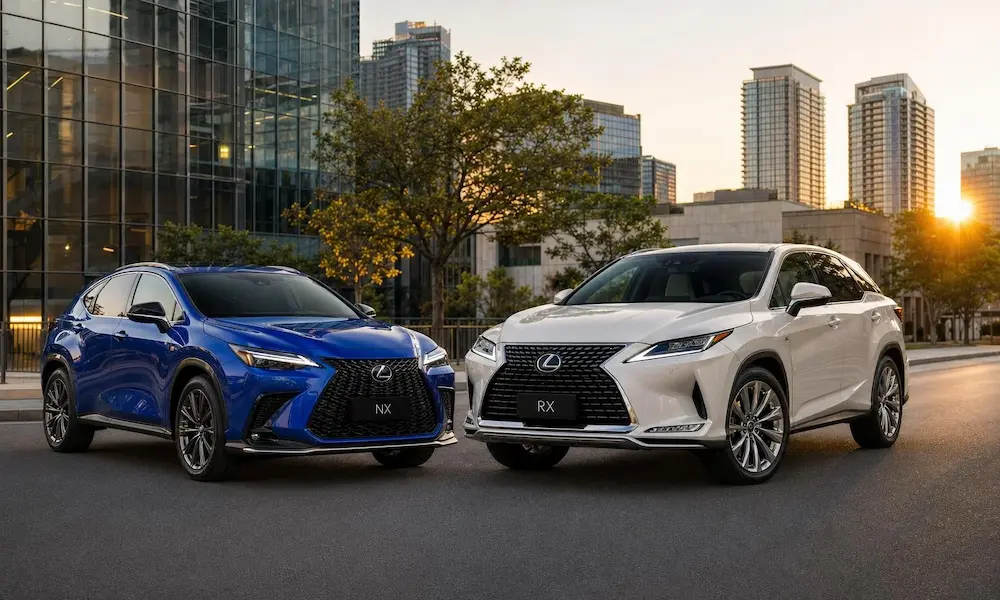
Lexus RX Series
RX models from 2016-2022 have multiple antenna locations. If experiencing intermittent detection, the problem might be with the specific antenna in the door handles.
Lexus LS Series
The LS can experience starter switch issues described in Technical Service Bulletin L-SB-0161-08. This may manifest as key recognition problems that aren’t related to the fob itself.
The Technology Behind Your Key Fob
Understanding how your key fob works can help diagnose problems:
Lexus key fobs operate on radio frequencies:
- 315MHz in North America
- 433MHz in Europe and Asia
The system uses a two-way communication protocol:
- Your vehicle constantly emits a low-power “ping” signal
- When in range, your fob “wakes up” and responds
- For security, each transmission uses a rolling security code
This explains why battery life, interference, and antenna issues account for most problems – they all disrupt this delicate radio communication.